


If you’re a teacher looking for an AI assessment tool, you’ve likely either tried one that didn’t match how you assess students or you’re still doing everything manually and running out of time to make a change.
The right tool depends entirely on how you teach, but the problem is that most AI assessment tools are only built for one assessment type. Some can handle a structured short-answer check, while others are built for a final essay. However, most tools can’t do both.
Since there are now hundreds of AI tools available and the differences between them aren’t always obvious, we’ve tried to simplify it for teachers who already feel overwhelmed.
This guide covers 8 AI-powered assessment tools for teachers, starting with CoGrader, our own AI grading tool. We also explain the difference between formative and summative assessments and why it’s so important to consider when choosing an AI tool.
If you’re a writing teacher spending more time grading than teaching, create a free CoGrader account today to get started.
Formative vs. Summative Assessments (+ Why It Matters for the Tool You Choose)
Before getting into the best tools, it’s worth clarifying the difference between formative and summative assessments and why this matters so much when choosing an AI tool.
- Summative assessment is the measurement of learning. That includes the final essay, the end-of-unit test, or the research paper. It occurs after instruction and serves primarily to capture what a student knows or can do at a given point in time. For tools built specifically for this, see our guide to summative assessment tools.
- Formative assessment is the process of learning. It includes non-graded polls, paragraph checks, draft responses, and mid-unit writing samples. It happens during instruction, and its purpose is to give students (and teachers) information they can still act on.
Typically, summative feedback lands after the learning window has closed. A student who gets a 72 on their final essay with notes about a weak thesis structure can’t go back and fix it. But since formative feedback is returned while the unit is still in progress, changes can still be made.
For writing teachers, this creates a specific problem. Most AI assessment tools are built for one or the other. Some tools handle real-time formative checks well, but they’re designed for multiple-choice and structured responses. Others are built for full essays, and can’t handle short written checks that actually move students forward mid-unit.
That gap matters because in ELA, social studies, AP courses, or any writing-heavy class, your formative checks and summative assessments are the same kind of task at different scales. A paragraph check and a five-page essay both require rubric-aligned, criterion-specific written feedback, just at different stages of learning. A tool that can only do one forces you to compromise on the other.
The AI assessment tools worth using for writing teachers don’t make that tradeoff. They apply the same rubric framework to a two-sentence exit ticket and a full argumentative essay, return results fast enough to inform the next day’s instruction, and highlight class-level patterns so teachers know what to actually do with the data.
This is what separates a grading tool from an instructional one, and it’s how we evaluated the best options worth considering for teachers.
8 Best AI Assessment Tools for Teachers
Below, we cover eight AI assessment tools for teachers. These tools are all built for different stages of the assessment process. Some handle written grading and feedback well, while others focus more on live formative checks, quiz-based practice, or assessment creation. There should be a tool in this guide that fits your teaching style.
1. CoGrader: AI Grading and Feedback for Essays & Written Assessments
CoGrader is an AI grading tool built for teachers who assign a lot of writing. It grades both essays and summative and formative writing assessments faster than any manual approach. Every graded assignment automatically generates a detailed breakdown of class performance, showing exactly which skills students are mastering and where they’re falling short.
Many teachers who have tried to use AI in the classroom have likely experimented with ChatGPT for things like lesson planning, generating feedback for student work, or coming up with assignment questions. While it can be useful, it ends up being more time-consuming to use as a grading tool than doing it manually, and it can’t accurately generate the kind of class-wide performance data that informs your next lesson.
CoGrader is built exclusively around writing assessments, which means every graded essay or paper generates a detailed breakdown of your class’s performance. You can see exactly which rubric criteria students are mastering, where the class is consistently falling short, and which students need targeted support before the next lesson.
For writing teachers in particular, this means you get instant, actionable data on your students’ performance for both formative and summative assessments.
CoGrader grades a short mid-unit paragraph check the same way it grades a full research paper, so you always have a clear, criterion-specific picture of where your class stands at every stage of the writing process. And it takes about 2 minutes to grade your entire class and generate all of this data.
Generate Actionable Student Performance Data Instantly
Teachers who manually grade assignments or use generic AI tools to help with the process typically struggle to get a clear picture of class-wide performance because neither approach generates the kind of structured, rubric-aligned data that tells you how students are performing.
CoGrader generates detailed student performance data automatically the moment grading is complete. You get an immediate breakdown of how your entire class performed, down to the specific skills and criteria where students are excelling or falling behind.
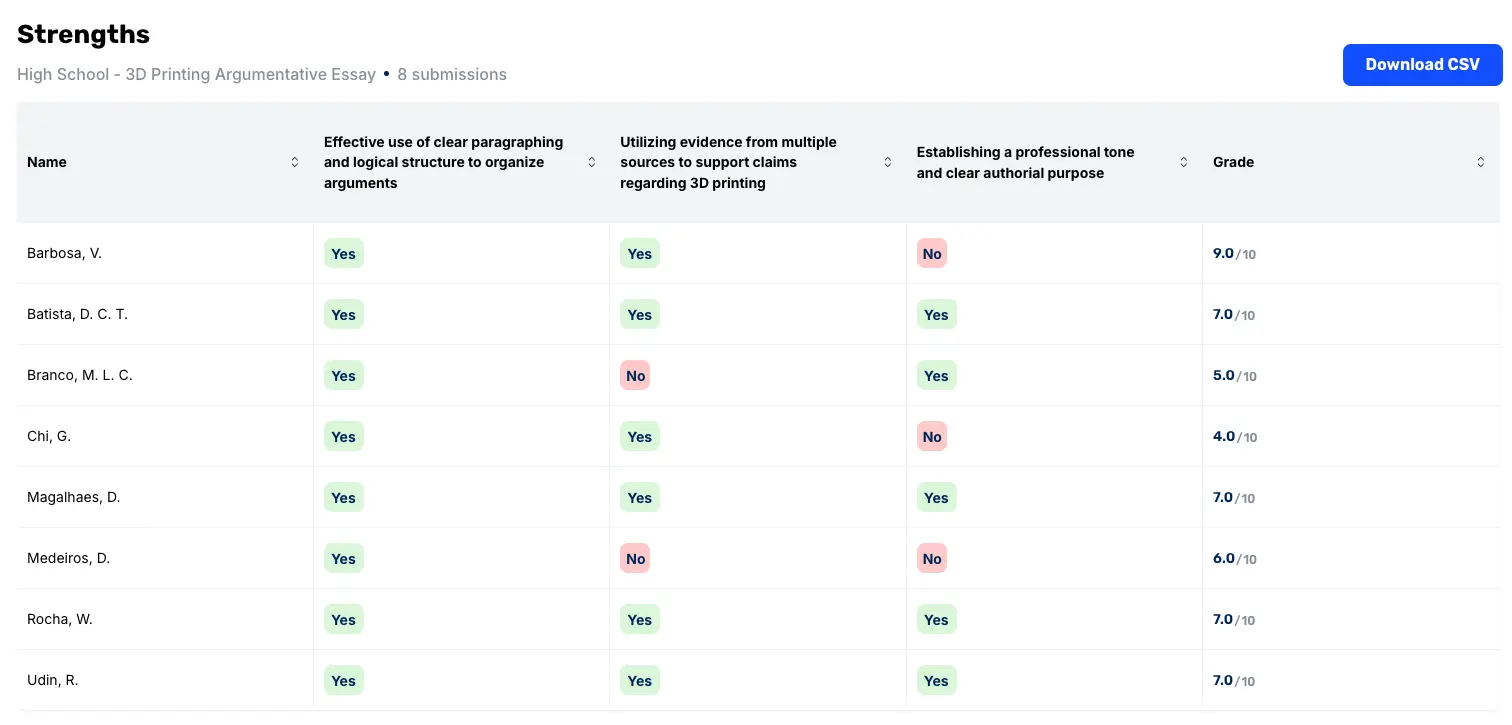
A teacher can look at one chart and immediately see that 19 students did well on argument structure, but 4 are struggling with integrating textual evidence. You know exactly which students need targeted support and can address it directly, instead of reteaching the concept to the entire class.
The dashboard breaks performance down into strengths, areas for growth, reteaching recommendations for struggling students, and enrichment suggestions for students who are ready for the next challenge. You can also create new teaching slides directly in CoGrader based on the results.

There are additional analytics charts you can use, including:
- Student view: Analyze individual performance by rubric criterion to identify exactly which students need targeted support on which specific skills before the next class.
- Formative vs. summative comparisons: Compare scores across drafts to see whether the instruction between a mid-unit check and the final submission moved student performance in the right direction.
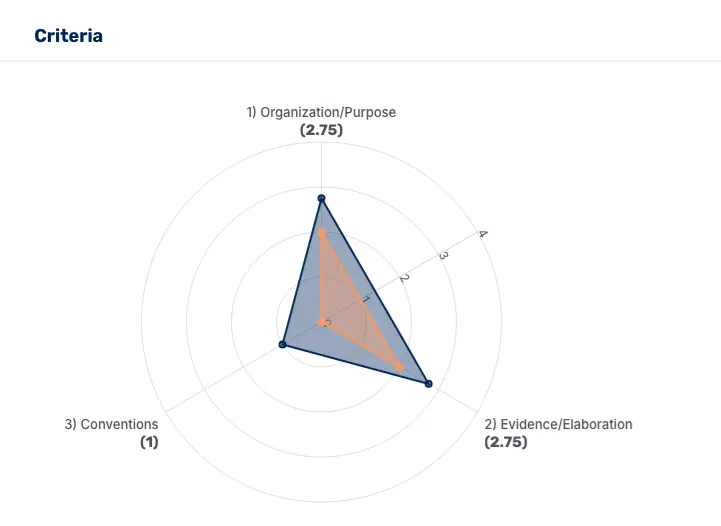
- Score distributions: See how performance spreads across the class rather than just the average. This highlights which skills the majority of students are doing well and where a specific assignment is creating a consistent breakdown.
Choose Your Rubric To Grade Against Relevant Criteria
Most AI assessment tools evaluate student writing against an internal model of what a good essay looks like. The problem is that the model has nothing to do with your state standards, your assignment prompt, or how your school expects student work to be evaluated. This usually results in surface-level feedback that doesn’t reflect what you asked students to do.
CoGrader takes a different approach by grading against your specific rubric criteria. Before a single submission gets evaluated, you decide the standard the AI is grading against. This directly impacts student scores, the feedback language, and the specific passages CoGrader flags in each student’s writing.
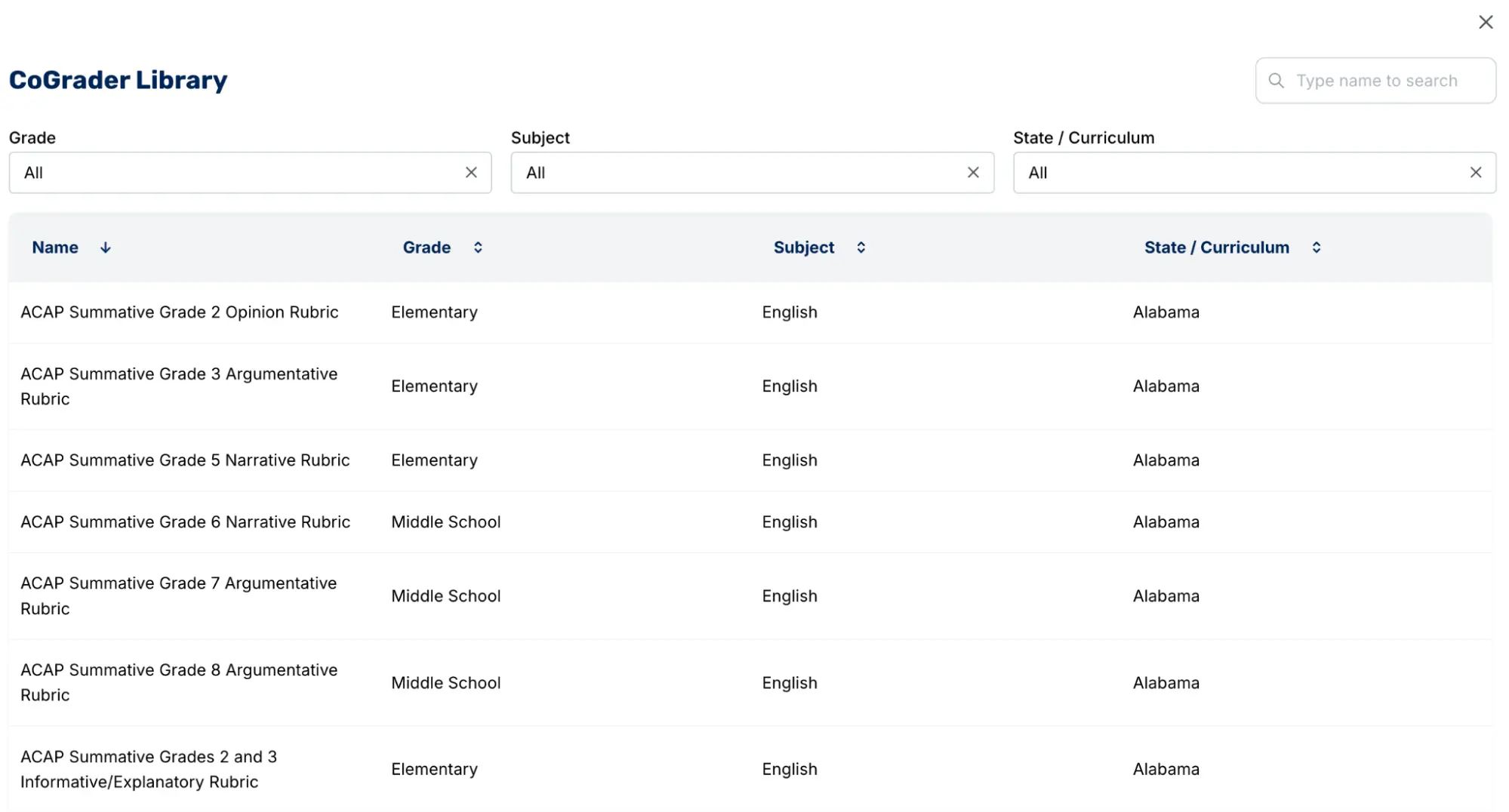
There are four ways to bring a rubric into CoGrader:
- Upload the rubric you’re already using. Import your existing rubric as a PDF, image, or document, and CoGrader grades against your criteria without asking you to generate new standards from scratch.
- Select an existing rubric from the CoGrader library. Our system’s rubric library covers all 50 state standards, AP, IB, and Cambridge A-levels.
- Generate a rubric from state standards. Enter your state, grade level, and subject, and CoGrader returns a list of standards-aligned options to choose from.
- Describe what you need and let CoGrader build it. Tell CoGrader the grade level, the text, and the task, such as “9th grade literary analysis essay on The Kite Runner,” and it generates a rubric calibrated to that specific assignment.
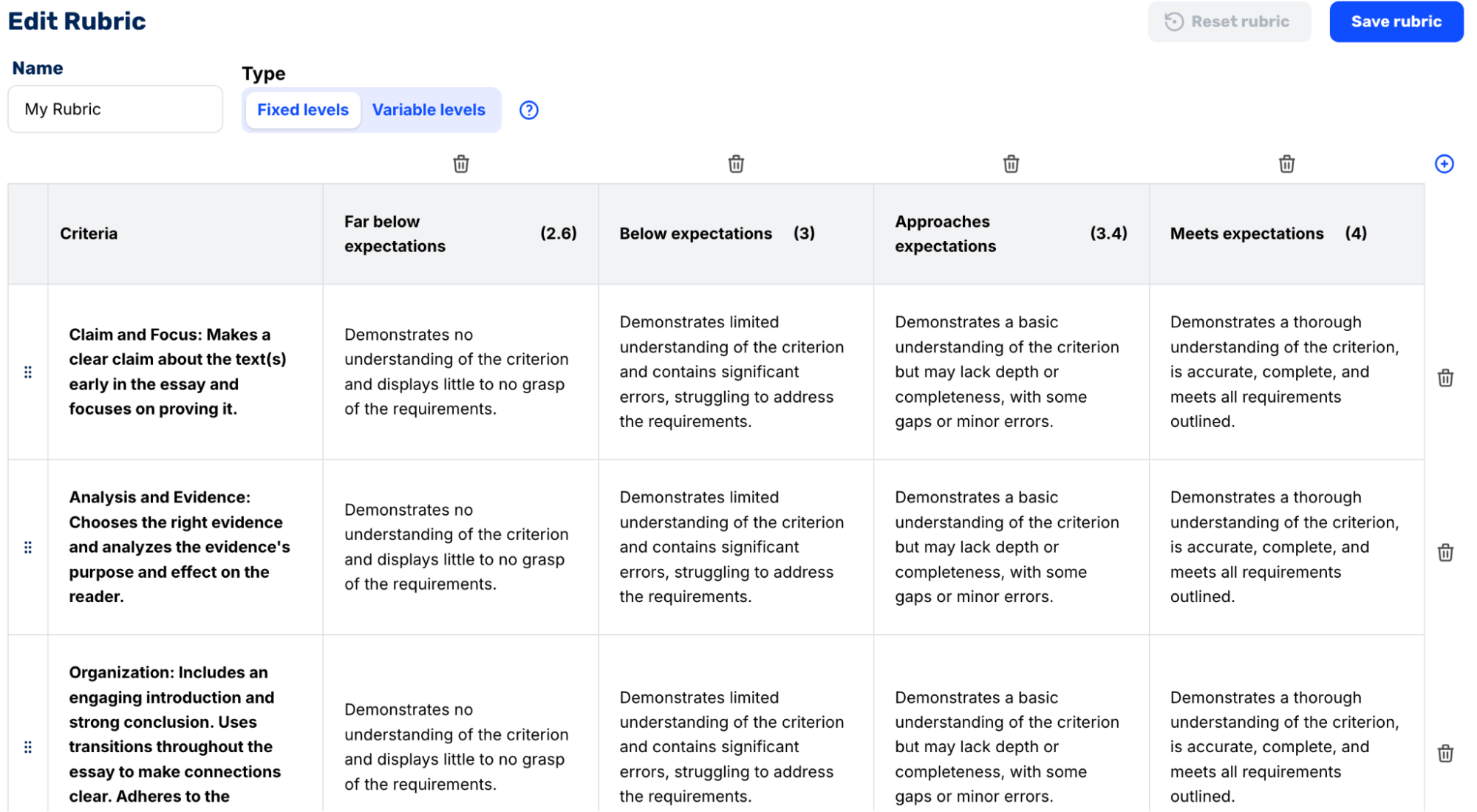
Teachers can also manually create a rubric in CoGrader. But writing rubric criteria from scratch can take just as long as manual grading. For most teachers, one of the four options above gets them to the same place in a fraction of the time.
Grade the Whole Class Before the Learning Window Closes
Because manual grading can take so long for teachers to complete, written assignments aren’t really functioning as an assessment anymore. By the time feedback reaches students, they’ve already sat through dozens of class periods across different subjects.
That makes it difficult to remember what they wrote about, connect specific comments to specific choices they made in the draft, and apply that feedback to their next piece of writing.
This is largely because teachers are working through grading loads with unrealistic turnaround times. At 15 to 30 minutes per paper, a teacher with 100 students is looking at 25 to 50 hours of grading for a single written assignment.
CoGrader eliminates those time and workload constraints by grading the entire class against your rubric in approximately 2 minutes.
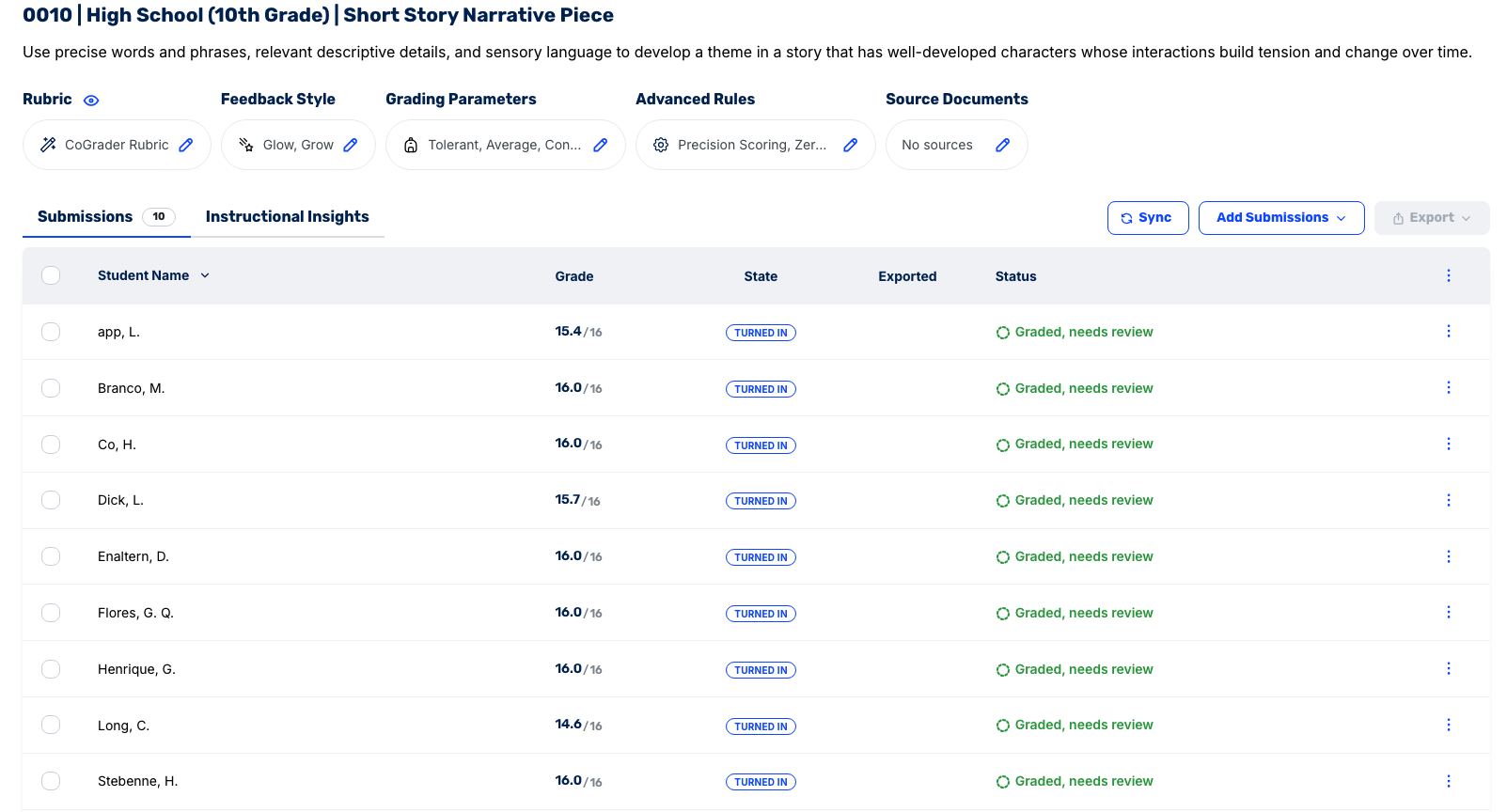
A class set that would normally take a full weekend can be ready before the next class period, so students get feedback while the assignment is still fresh and have plenty of time to act on it.
CoGrader’s grading process is completed in four steps:
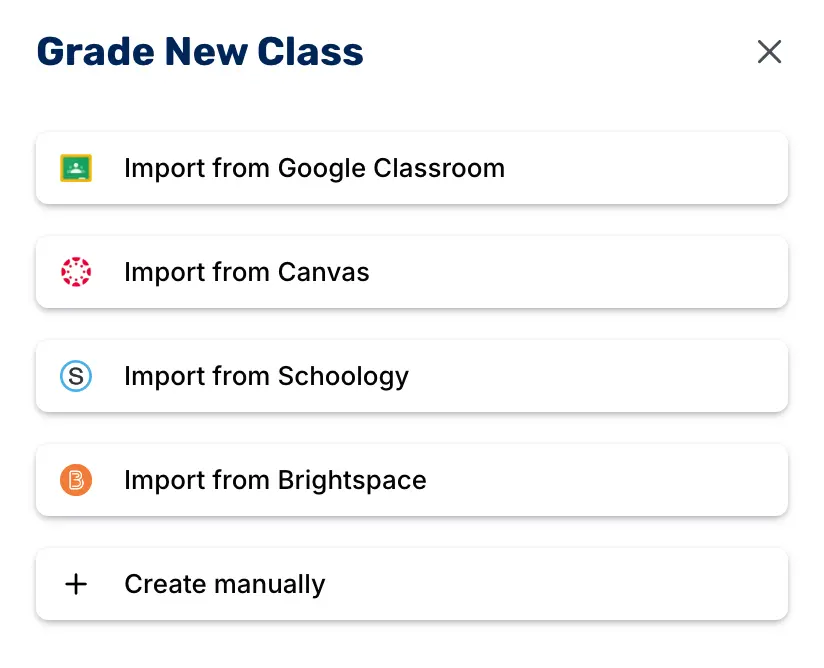
- Import your class from your LMS. CoGrader allows you to import your class from Google Classroom, Canvas, Schoology, or Brightspace. This automatically syncs your class roster, existing assignments, and student submissions into the system without manual entry or uploads.
- Set your assignment standards before grading begins. Choose a rubric from your saved library, pull one from CoGrader’s pre-built collection, or generate one based on the specific standard you’re grading against. Add the grade level and any other details so CoGrader knows how to calibrate before it starts grading student submissions.
- Automatically grade every student submission at once. Rather than working through submissions sequentially, CoGrader processes every student at the same time and generates immediate feedback. Each piece of feedback is tied to specific passages in that student’s writing, rather than generic comments at the top of the page.
- Manually review and approve each assignment. After grading concludes, submissions must be reviewed by teachers. There is no bulk approval option, so teachers need to read the feedback, make any edits, and sign off individually. This still takes a fraction of the time it would take to grade every assignment manually from start to finish.
Teachers can also adjust the grading parameters if they want to make further changes that are not reflected in the rubric.
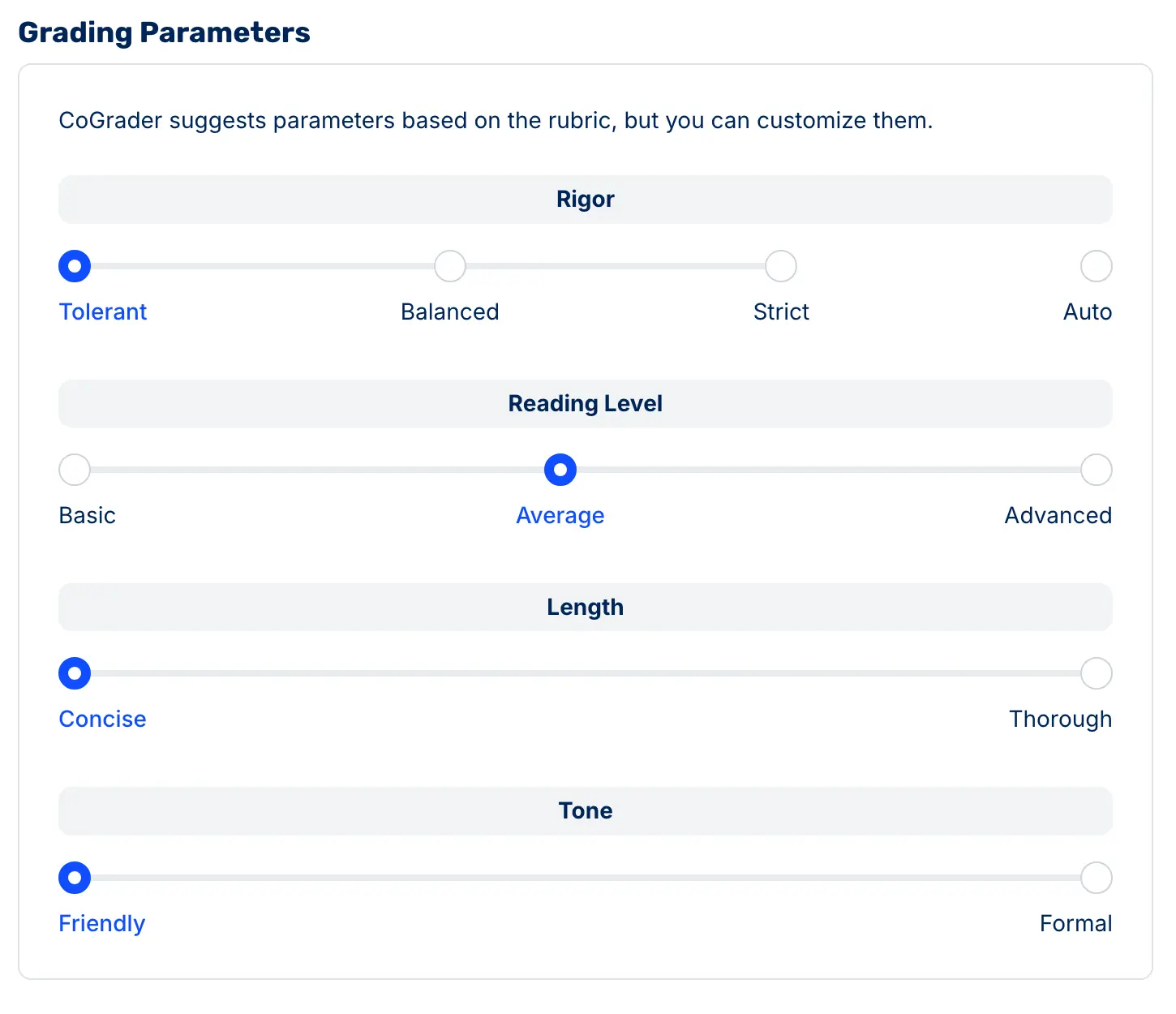
Some settings that can be adjusted include:
- Strictness: Slide between tolerant and strict depending on where students are in the writing process. For instance, a first draft and a final submission shouldn’t be graded the same way.
- Reading level: Match the language of the feedback to the students receiving it. Comments written for a sixth grader should read differently than comments written for an AP senior.
- Feedback depth: Choose between concise and thorough depending on how much you want students to digest at once. Sometimes one clear directive is more useful than a full breakdown.
- Tone: Set formal or friendly depending on what actually lands with your class. Both options are educationally valid, but the difference is in knowing your students.
After adjusting those settings, CoGrader applies them consistently so the feedback a student receives reflects both the rubric criteria and the specific context of that assignment.
CoGrader also lets teachers choose how feedback is structured before it reaches students. If your school already uses a specific framework like Glow and Grow or Two Stars and a Wish, CoGrader delivers feedback in that format rather than forcing students to adapt to something unfamiliar every time an assignment comes back.
Every comment is tied to a specific highlighted passage in the student’s writing. This is a more effective approach to grading than leaving generic summaries or comments at the top of the page without a connection to specific passages.
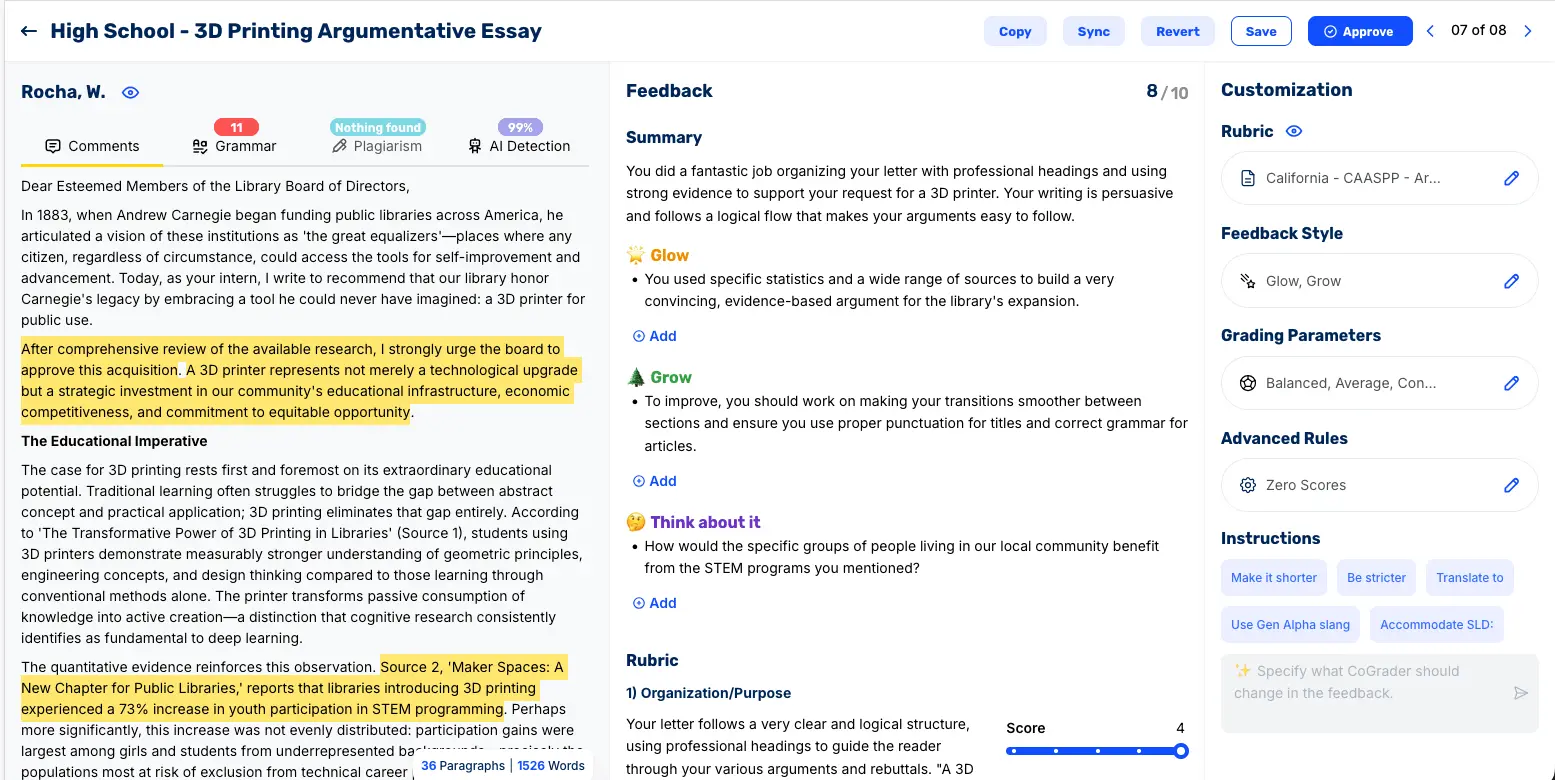
Students can see exactly which sentence or paragraph the feedback refers to, what worked and what needs to be fixed, and what to do differently in the next draft.
Before anything reaches a student, teachers have full editorial control. The built-in chat feature lets you redirect any piece of feedback with a plain-language instruction. Feedback can also be translated for ELL students or adjusted for reading level.
LMS Integrations, AI Detection, & Plagiarism Screening
Any grading tool that requires you to download submissions from one place, upload them somewhere else, and then manually re-enter scores and comments when you’re done hasn’t saved you time. It’s only made the process more difficult and time-consuming.
CoGrader connects natively to Google Classroom, Canvas, Brightspace, and Schoology. When you’re ready to grade, your class roster, your assignment prompt, and every student submission are already there. When you’re done, approved feedback goes back through the same channels without any exporting.
CoGrader also includes both AI detection and plagiarism screening directly inside the grading workflow. Teachers don’t need to switch to a separate tool to check originality before giving feedback.
The AI detection score flags submissions that may have been generated or heavily assisted by AI, while plagiarism screening compares student work against existing sources to surface potential copy-paste issues. Both features are meant to guide review, not replace teacher judgment.
CoGrader Pricing
- Starter (Free): A free plan that allows up to 150 submissions a month, handwritten work included, + 90 days of free premium access.
- Standard ($19/month or $15/month billed annually): Includes 350 student submissions per month, grammar checking, and access to CoGrader’s class analytics dashboards.
- Schools & Districts (Custom pricing): For schools that need institution-wide grading consistency, with unlimited submissions, shared rubrics, admin controls, and onboarding support.
- Higher Ed & Enterprise (Custom pricing): For institutions and universities that need API access, dedicated account management, and fully custom integrations, analytics, and support terms.
Try CoGrader Free
The best way to understand what CoGrader changes about your grading workflow is to run a real class set through it. Sign up for a free 90-day trial and have feedback ready for your students before the next class period.
2. Snorkl: Formative feedback on voice responses, diagrams, and math problems
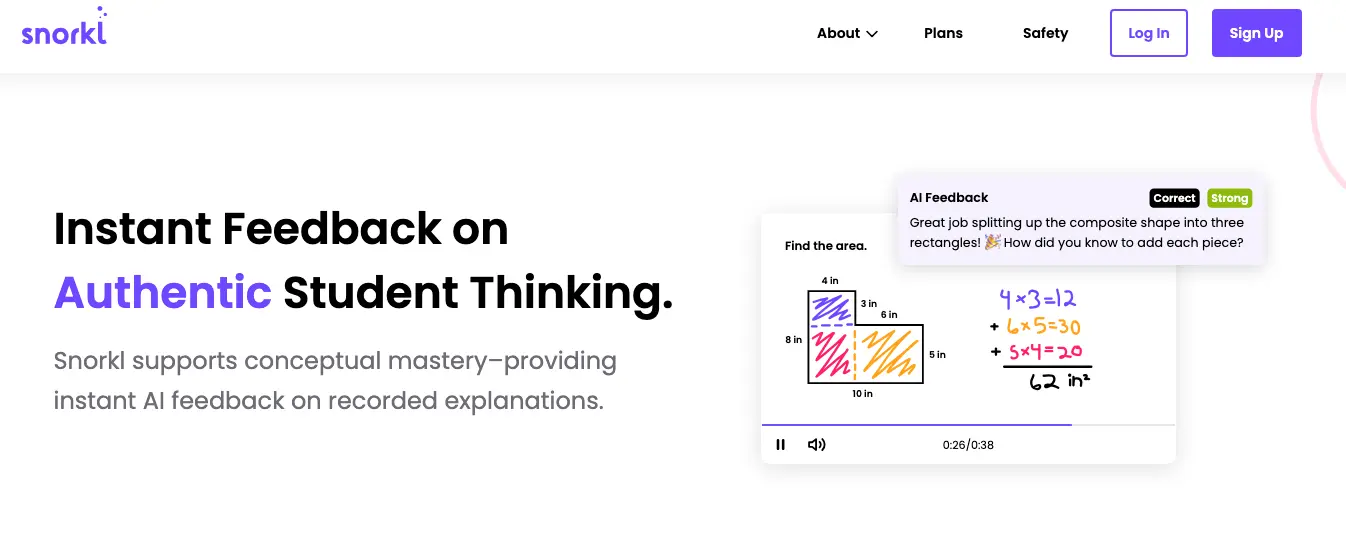
Snorkl is a formative assessment tool that checks what students actually understand by asking them to explain their reasoning. Teachers create a prompt or problem; students respond by recording their voices while working through it on screen; and Snorkl’s AI-driven engine evaluates the reasoning process rather than just the final answer.
For subjects where process matters as much as outcome, like math, science, and any class where showing your thinking is part of the learning, Snorkl captures something a written quiz can’t.
Key features
- Voice + whiteboard recording that captures student reasoning in real time
- AI-generated feedback tied to how the student worked through the problem, not just whether they got it right
- Infinite canvas with no recording time limit
- Teacher dashboard with live progress tracking and the ability to group, sort, and filter responses
- 40+ language support
- Anonymized peer review
Pricing
Individual teachers can sign up for a free account, though the free tier limits you to around 20 activities. School and district plans are custom-priced.
3. Gradescope: AI-assisted grading for structured short answers and problem sets
Gradescope is an AI grading tool built for teachers managing large volumes of structured work, including exams, problem sets, short-answer responses, and coding assignments. Its core feature is the ability to grade by question rather than by student.
However, Gradescope can feel limited compared to other options when it comes to grading writing-heavy courses. It doesn’t include the same rubric capabilities, feedback depth, or passage-specific commenting.
Key features
- Question-by-question grading workflow with AI-assisted response grouping
- Compatible with handwritten work, PDFs, exams, and programming assignments
- Native integrations with Canvas, Blackboard, and Google Classroom
- Turnitin plagiarism detection built in
- Per-question analytics showing where students most commonly lost points
Pricing
A free plan is available with limited features. Solo and Team plans for individual instructors starting at $3 per student per course.
4. MagicSchool AI: Assessment and rubric creation for teachers

MagicSchool AI operates as a teacher productivity platform with AI-powered assessment tools built into it. The tool suite includes everything from lesson planning and IEP drafting to parent communication and rubric generation.
The AI platform can generate quizzes, exit tickets, rubrics, and discussion prompts from a topic, learning objective, or pasted standards. It’s designed to improve learning outcomes by reducing the time teachers spend building materials from scratch, though it’s more useful as a creation tool than a grading one.
Key features
- 80+ AI tools spanning lesson planning, assessment creation, IEPs, rubrics, and parent communication
- Standards-aligned quiz, exit ticket, and rubric generation
- One-click export to Google Docs, Google Slides, and Canvas
- Student Rooms for deploying AI tools directly to learners
- Multilingual content generation and reading-level adjustment
Pricing
MagicSchool offers a free plan for teachers. MagicSchool Plus is $8.33/month billed annually ($99.96/year), with custom enterprise plans available for schools and districts.
5. Formative: Real-time formative checks and live student response tracking
Formative gives teachers visibility into student progress as it happens. It’s an educational tool teachers use to create digital assignments and lesson plans, along with automated grading and feedback.
Formative’s AI can also auto-score short-answer responses against criteria you define, which reduces the manual review burden for open-ended questions. The platform is built around creating interactive learning experiences that give teachers real-time insight into how students are performing before the lesson ends. But when it comes to long-form writing with complex rubric criteria, a dedicated grading tool will serve you better.
Key features
- Real-time student response tracking with live teacher visibility as students type
- Multiple question types, including drawing prompts, uploaded images, and open-ended responses
- AI-assisted auto-scoring for short-answer questions
- Live class controls to pause activity and address patterns in real time
- Post-session reports with per-student and class-level performance breakdowns
Pricing
There’s a free plan available with core assessment features. The paid plan is available for individual teachers for $20.75/month, paid annually.
6. Nearpod: Interactive formative assessment during live instruction
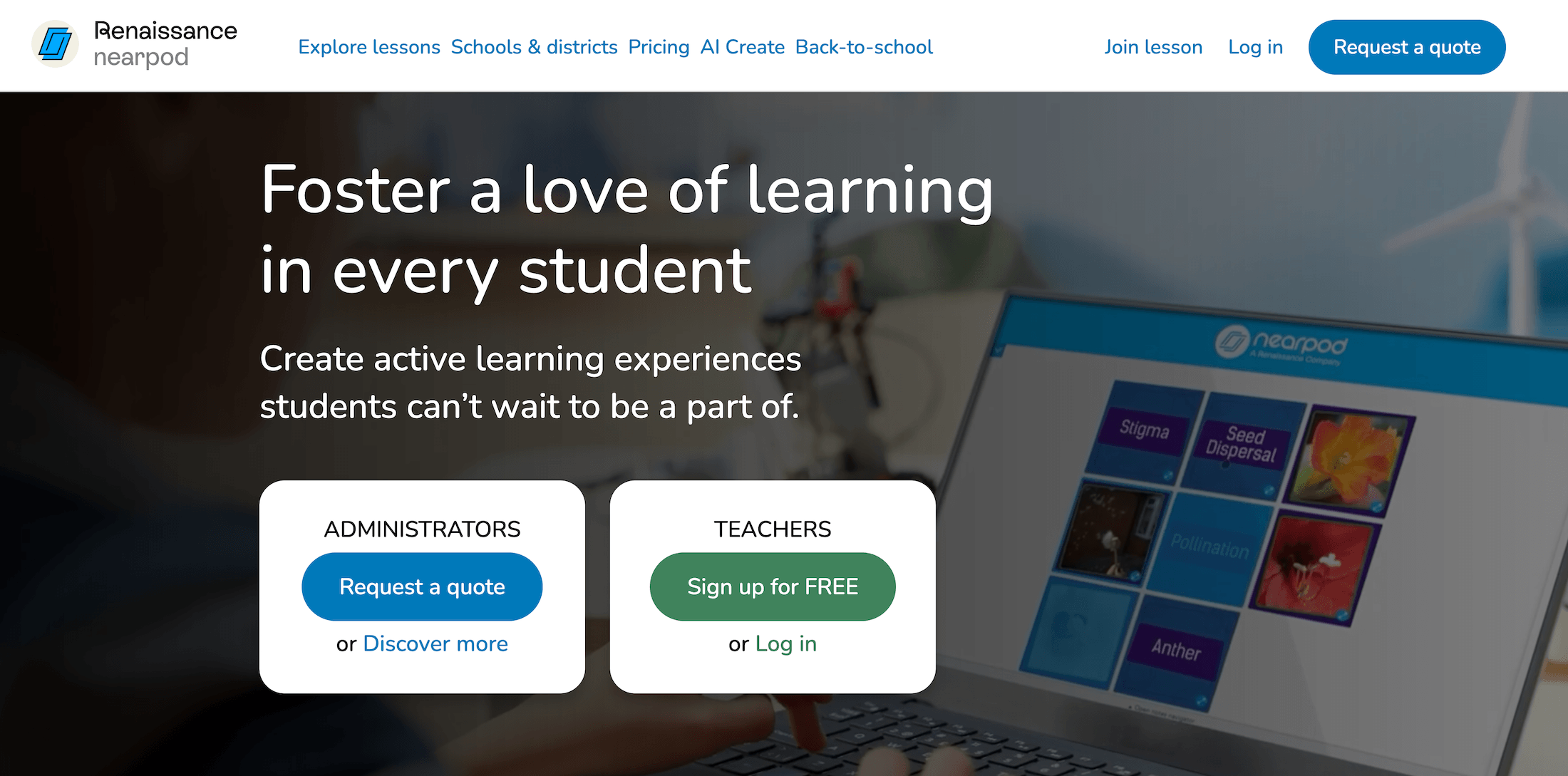
Nearpod is an interactive instructional platform that combines lesson delivery and formative assessment into one tool. Teachers can build Nearpod lessons that integrate assessment activities directly into the instructional content.
Students follow along on their own devices, responding to activities as the teacher advances through the lesson. Every response is captured automatically, and the teacher’s dashboard shows results in real time. It operates primarily as a student engagement tool, so you’ll need other tools on this list to handle grading for essays or other assignments.
Key features
- Lesson delivery and formative assessment in a single integrated experience
- Real-time teacher dashboard with live student response visibility
- Activity types, including polls, open-ended responses, drawing tasks, and collaboration boards
- Time to Climb game-based review mode
- Post-lesson downloadable reports with per-student and class breakdowns
Pricing
The Nearpod free plan includes core features. Individual teachers can upgrade to the Gold plan for $159/year. Additional premium and custom pricing plans are available.
7. Wayground (formerly Quizizz): AI-powered quizzes and polls for formative checks
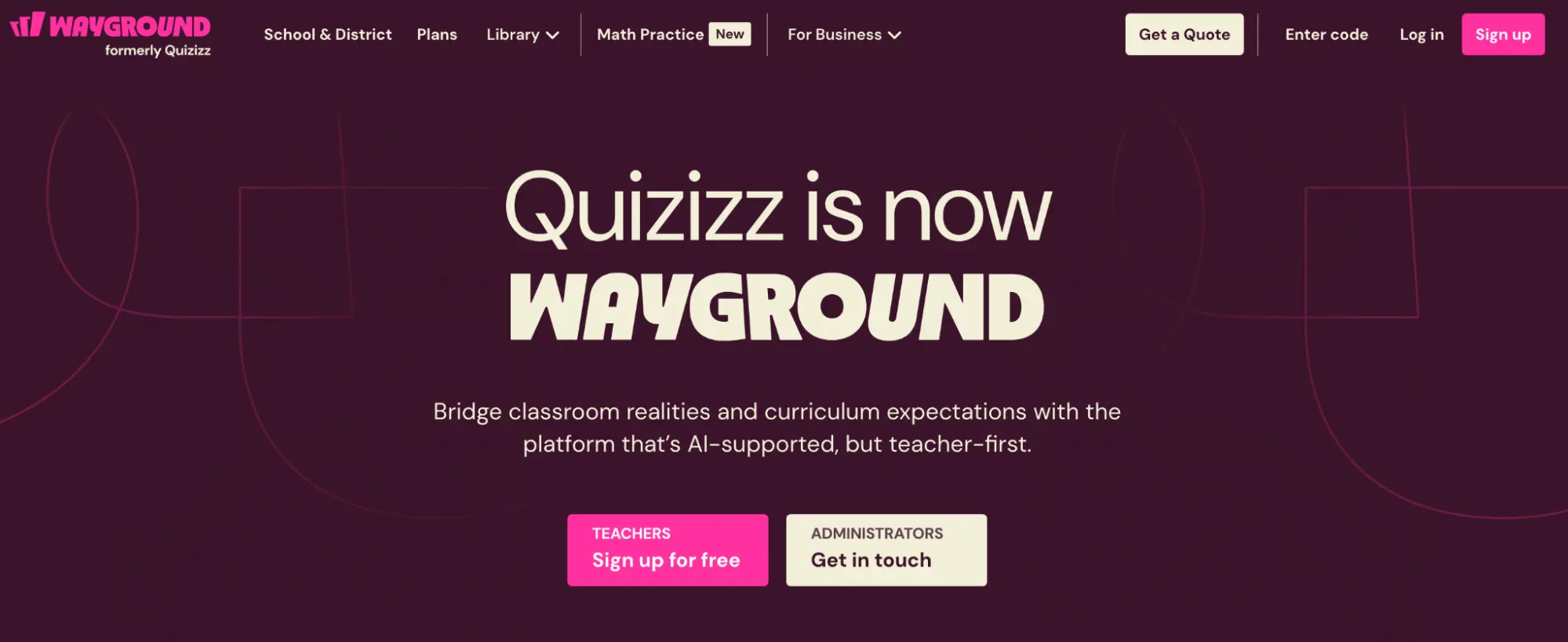
Wayground is an AI-supported learning platform covering instruction, practice, and formative assessment. It allows teachers to build quizzes quickly from scratch, pull from a large public question bank, or use Wayground’s AI generator to create questions on a topic.
The tool’s AI can even adjust question difficulty in real time based on how individual students are performing and suggest follow-up questions based on class-wide patterns. But keep in mind, Wayground is not designed for evaluating written reasoning against a rubric or for returning individualized written feedback.
Key features
- Live and asynchronous quiz modes with automatic grading
- AI-powered question generation from topics, PDFs, or uploaded content
- Adaptive difficulty and follow-up question suggestions based on performance
- Large public question library across subjects and grade levels
- Automatic grading with class-level performance reports
Pricing
Wayground offers a free plan for individual teachers. Paid plans with advanced reporting, content controls, and school-wide capabilities are available at custom pricing.
8. Khanmigo (Khan Academy): AI tutoring and student feedback
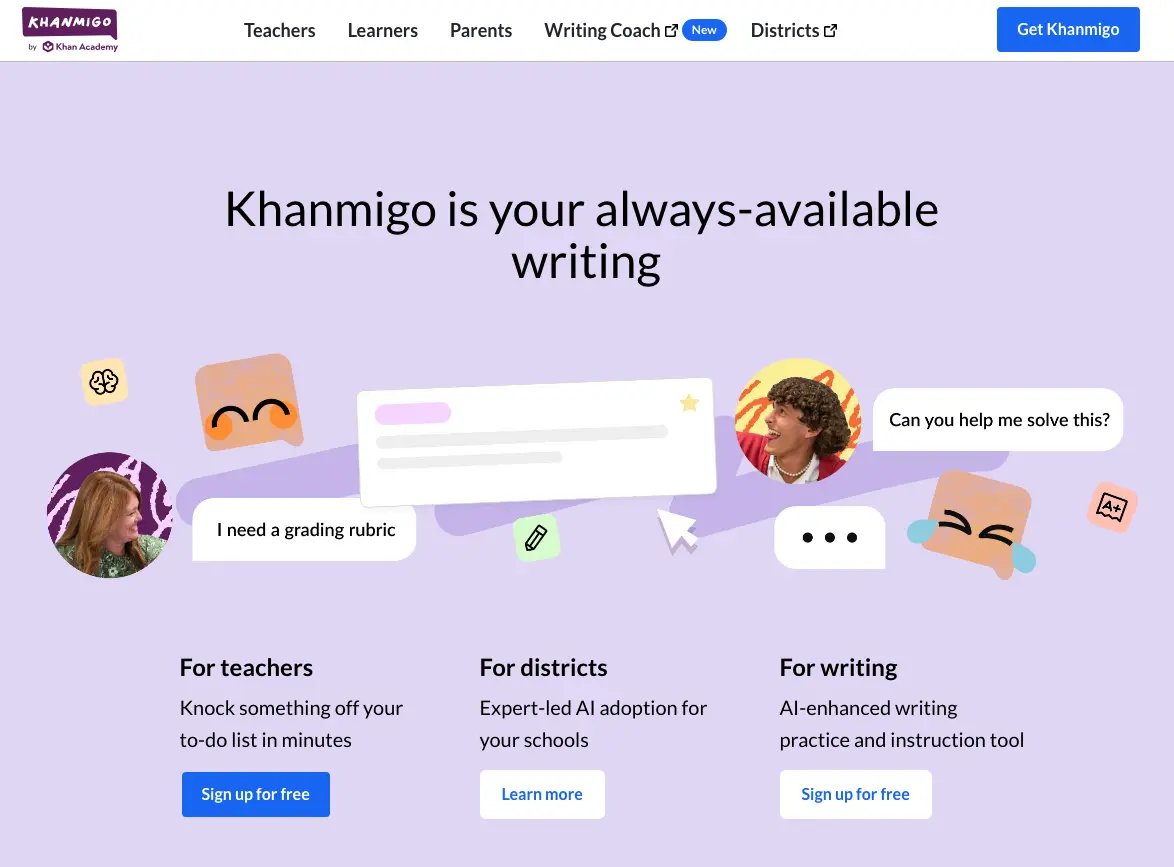
Khanmigo asks students questions that guide them toward figuring it out themselves. It functions like a Socratic tutor, so teachers who use it can help students to develop a genuine understanding of the assessments.
It also helps teachers generate lesson plans, rubrics, exit tickets, and discussion prompts tied to Khan Academy’s curriculum library, which spans math, science, humanities, and coding. It functions as a full AI-powered teaching assistant and tutor, but you’ll need additional tools for grading and student feedback.
Key features
- AI tutor that guides students through problems using questioning rather than direct answers
- Teacher tools for generating lesson plans, rubrics, exit tickets, and discussion prompts
- Tied to Khan Academy’s existing curriculum across multiple subjects
- Quiz and practice problem generation
- Available for math, science, humanities, and coding
Pricing
Khanmigo is free for all teachers. Student access at the classroom level requires a school or district partnership with Khan Academy. Student and parent plans are also available at $4/month or $44/year.
Grade Student Assessments & Provide Feedback Faster with CoGrader
The majority of AI assessment tools only solve one part of the problem, whether that’s generating feedback without grading, grading without surfacing instructional data, or handling summative essays — but not formative writing checks.
CoGrader solves this by allowing you to use the same tool for all types of writing assignments. It grades those assessments, offers high-quality student feedback, and generates actionable classroom analytics that teachers can act on.
Start your 14-day free trial or request a custom quote to get started.