

Most AI detectors were not originally built for classrooms. They started as tools for screening marketing copy, vetting freelance writers, or protecting websites from AI-generated content before being repackaged for education once teachers became the biggest buyers.
This is usually why a tool can advertise “99% accuracy” and still wrongly flag a student’s honest work as AI-generated. In a classroom, these false-positive results can have real consequences, including grade disputes, academic integrity reviews, conversations with parents, and a loss of trust between the student and teacher.
In our experience working with teachers, they typically want to know which AI detector is accurate enough to be useful, fair enough to be safe for students, and integrated enough into their daily teaching workflow that they’ll actually keep using it.
That’s why in this guide, we cover:
- The six criteria that matter most when evaluating an AI detector for your classroom
- How we evaluated each tool against those criteria
- A side-by-side comparison of 9 widely used AI detectors
- A deep look at each tool, including what it’s best for, how it performs, and what it costs
Want AI detection built into your grading workflow? Try CoGrader free and see it in action.
What Makes a Good AI Detector for Teachers Specifically?
The detection accuracy claims published on vendor websites are not the right starting point for a teacher evaluating these tools. A detector that performs well in a controlled test can still produce false positives in a real classroom, mishandle ESL writing, or add so much friction to grading that teachers abandon it within a month.
These six criteria more accurately determine whether a detector is safe and useful in a classroom setting.
False Positive Rates
Most teachers know that AI detectors aren’t perfect. But the number that matters most is the false positive rate, or how often a tool wrongly labels human writing as AI-generated.
In one 2025 study of undergraduate academic essays, AI detectors falsely flagged about 1.3% of human-written essays as AI-generated, while human reviewers falsely flagged about 5%. That’s why AI detection should support teacher judgment rather than trying to replace a broader review process.
For a high school English teacher grading roughly 750 essays per year, even a 1% false positive rate results in 7 to 8 wrongly flagged submissions annually.
ELL and Neurodivergent Student Bias
A good AI detector should be tested on more than just standard native English writing. It should also be evaluated on writing from English language learners and students with different writing styles.
AI detectors can commonly mistake more predictable writing for AI-generated text. In a Stanford study by James Zou and colleagues, mainstream AI detectors flagged 61.3% of TOEFL essays written by non-native English speakers as AI-generated.
Detectors look for low “perplexity” (predictability of word choices) as a signal of AI writing, and ESL students naturally use more common vocabulary and simpler sentence structures. This risk can also affect neurodivergent students, whose writing may be more direct, structured, or repetitive in ways that some detectors mistake for AI-generated text.
If your students include English language learners or neurodivergent writers, look closely at each tool’s false positive data for those groups. A detector that performs well on polished native-English essays may still be unreliable for the students most likely to be wrongly flagged.
Humanizer Resilience
A detector’s raw AI accuracy only tells you how well it catches unedited ChatGPT-style writing. But with the rise of AI humanizers and rewriter tools, you’ll need a detector that can catch when students run their AI-generated text through this software.
A 2025 benchmark by Russell, Karpinska, and Iyyer tested how commercial detectors handled raw, paraphrased, and humanized AI text. Some tools performed well on raw AI output but dropped sharply once the text was rewritten. For example, one tool scored 100% accuracy on raw GPT-4o text, but this decreased to 46.7% on humanized O1-Pro content.
Teachers now need to judge a detector on multiple factors, including how well it catches obvious AI writing and whether it still works after the writing has been edited, paraphrased, or run through a humanizer.
Workflow and LMS Integration
All teachers should look for AI tools that make their day-to-day life easier. Ask yourself: how much copying, pasting, and platform switching does this tool require?
A standalone detector that works outside of your gradebook adds roughly 30 seconds of additional work to every essay. For a teacher grading 150 essays for a single assignment, that’s 75 minutes of switching back and forth between tools before you can even start grading.
A 2025 systematic review of educational technology adoption found that ease of use, accessibility, infrastructure, and technical support all influence whether educators and students adopt new tools long term. In other words, a detector can be accurate, but if it is difficult or inconvenient to use, teachers are less likely to keep using it.
Chrome extensions are easy to use for quick spot checks. At the same time, LMS integrations make the entire process seamless, allowing teachers to review submissions in Canvas, Moodle, Blackboard, Google Classroom, or the same system where they already grade and leave feedback.
The easier the detector is to use during normal grading, the more likely teachers are to use it consistently and responsibly.
Classroom and Teaching Alignment
A good AI detector should give teachers evidence they can use when calling out AI-generated writing. A single score like “78% likely AI-generated” is hard to act on because it does not explain what happened or what the teacher should ask next.
That is why classroom alignment matters. Sentence-level highlights, passage-level explanations, plagiarism signals, writing history, and shareable reports give teachers a more useful starting point.
The best detectors can also highlight adjacent evidence, like which AI model the writing most closely matches, whether plagiarism patterns are present, and how the writing compares to the student’s prior submissions. Tools that produce only a verdict, without supporting evidence, leave teachers with no defensible next step.
Cost per Student
Lastly, pricing is always an important question to answer because AI detection is bought very differently by individual teachers and institutions.
A free plan may be enough for occasional checks, but it usually comes with word or assignment limits. Individual paid plans usually make sense for solo teachers, tutors, or small teams that only need occasional scanning.
However, institutional plans are a different category. They often use custom pricing for schools, districts, and universities, with access tied to student volume, LMS integrations, reporting needs, or admin controls.
The right tool for one teacher grading 80 students is not always the right tool for a district reviewing thousands of submissions. That is why each review below separates individual pricing from school or institutional pricing when available.
How We Evaluated Each Tool
We compared nine tools against the six criteria laid out earlier in this guide, weighted by how much each one matters in a real classroom:
| Criteria | Weight |
|---|---|
| False positive rate | 25% |
| Bias against non-standard writing | 20% |
| Humanizer resilience | 20% |
| Workflow integration | 15% |
| Classroom alignment | 10% |
| Pricing | 10% |
Rather than running our own small-sample essay test, we drew on independent academic research from Stanford, the University of Maryland, UMass Amherst, and peer-reviewed journals. Free tiers for these tools are too limited to enable a fair head-to-head comparison, and some products require institutional licenses for full access.
We prioritized third-party studies that tested AI detectors on issues that matter most to teachers, including false positives, bias against non-native English writers, humanized AI text, and academic writing. We supplemented that research with vendor claims, but treated vendor-reported accuracy as less reliable unless supported by independent testing.
Full source list:
- Liang, Yuksekgonul, Mao, Wu, and Zou (Stanford, 2023); detector bias against non-native English writers
- Russell, Karpinska, and Iyyer (University of Maryland and UMass Amherst, 2025); humanizer resilience benchmark across commercial detectors
- Hyatt, Bienenstock, Firetto, Woods, and Comus (Advances in Physiology Education, 2025): false positives from AI detectors and human reviewers on undergraduate academic essays
- Jabarian and Imas (Chicago Booth, 2025): false positive, false negative, and policy-cap testing across Pangram, GPTZero, Originality.ai, and RoBERTa
- Erol et al. (Acta Neurochirurgica, 2025); accuracy testing on 1,000 academic texts
- Dik, Erdem, and Dik (Stanford SCALE Initiative, 2025); GPTZero accuracy study
The 9 Best AI Detectors for Teachers
Below, we compare the top 9 AI detectors for teachers, including key features, pricing, accuracy, and classroom availability.
But before we get into the list, it’s worth mentioning that CoGrader is our own AI grading tool, and it handles AI detection as one step inside the grading you are already doing, rather than as a separate task. That is what sets it apart specifically for teachers.
The other eight tools are detectors first, built primarily to flag AI-generated writing. Here is what each one offers in more detail.
| Tool | Best For | Accuracy Rate | Integrations | Starting Price | Free Plan |
|---|---|---|---|---|---|
| CoGrader | Integrated grading + detection | Internal testing | LMS (Google Classroom, Canvas, Schoology, etc) | $15/month | ✅ |
| GPTZero | Individual teachers | 100% raw / 46.7% humanized (UMD); 0–2% false negatives (Chicago Booth) | Chrome ext, Canvas, Google Classroom, Moodle | $12.99/month | ✅ |
| Pangram | Low false-positive accuracy | 98–99.3% across conditions (UMD); ~0% false positives (Chicago Booth) | Chrome extension | $20/month | ✅ |
| Copyleaks | ESL and multilingual classrooms | 99.6% vendor-reported | API + major LMS integrations | $13.99/month | ✅ |
| Turnitin | Universities and larger school districts | 98% on 300+ words vendor-reported | Native to Canvas, Moodle, Blackboard | Custom | ❌ |
| Originality.ai | Teacher teams and departments | 96%; 10–40% false negatives (Chicago Booth) | Chrome extension, API | $12.95/month | ❌ |
| Proofademic | Academic writing specifically | 99.8% vendor-reported | None | $8/month | ✅ |
| Winston AI | Paper or scanned submissions | 99% vendor-reported | API only | $18/month | ✅ |
| Passed.AI | Process-based authorship verification | 96% vendor-reported | Google Docs | $9.99/month | ❌ |
1. CoGrader: Best for Teachers Who Want AI Detection Built Into Essay Grading
CoGrader is our own tool, built for teachers who are already grading dozens of essays a week and do not want AI detection to become another separate task.
The biggest problem teachers usually face with most AI detectors is friction. You have to open a separate tool, paste in each essay, copy the result, and then switch back to your gradebook. That extra work is exactly why many detection tools get abandoned after the first few weeks.
CoGrader is different because AI detection is built into the grading workflow. It connects to your LMS, applies your rubric, generates personalized feedback for every student, and identifies AI detection signals on the same screen where you are already reviewing the essay.
Below, we’ll show you exactly how it works.
Detect AI-Generated Writing the Moment You Open an Essay
CoGrader offers two ways to check student writing for AI.
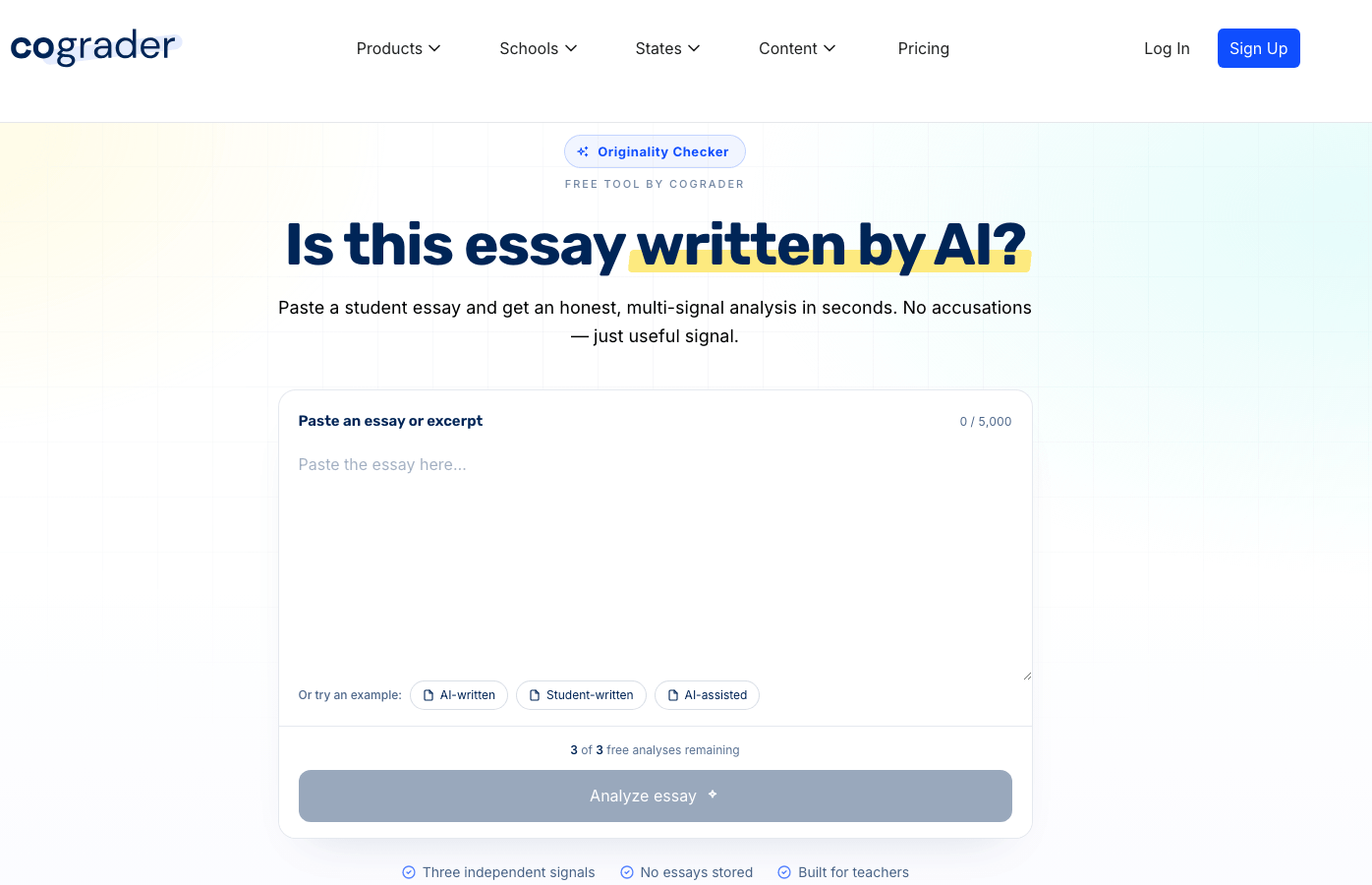
The first is a free AI detector that teachers can use without setting up the full platform. You can paste in an essay or excerpt, scan up to 5,000 characters, and run 3 free analyses. It is built for quick checks when you want a useful signal without having to upload student work.
The second option is for CoGrader premium users. Inside the grading tool, AI detection sits alongside the rest of the review process. As you grade, you can switch between student comments, grammar, plagiarism, and AI detection from the same screen.
That means teachers do not have to open a separate AI detector, copy and paste the essay, save a report, and then return to grading. The AI signal is available in the same place where you are already reviewing the essay, applying the rubric, and writing student feedback.
For each essay, CoGrader can surface:
- An overall AI detection result on a three-point spectrum, from probably human to possibly AI-assisted to possibly AI-generated
- Annotated text with highlighted passages showing which sections triggered AI signals, with stronger flags marked in a deeper highlight
- A plain-language explanation of what patterns the detector noticed, such as connective passages reading like AI output while dialogue reads differently
- Classmate matching that compares the essay against other submissions to the same assignment
- Web-based plagiarism results with source matches labeled by signal strength
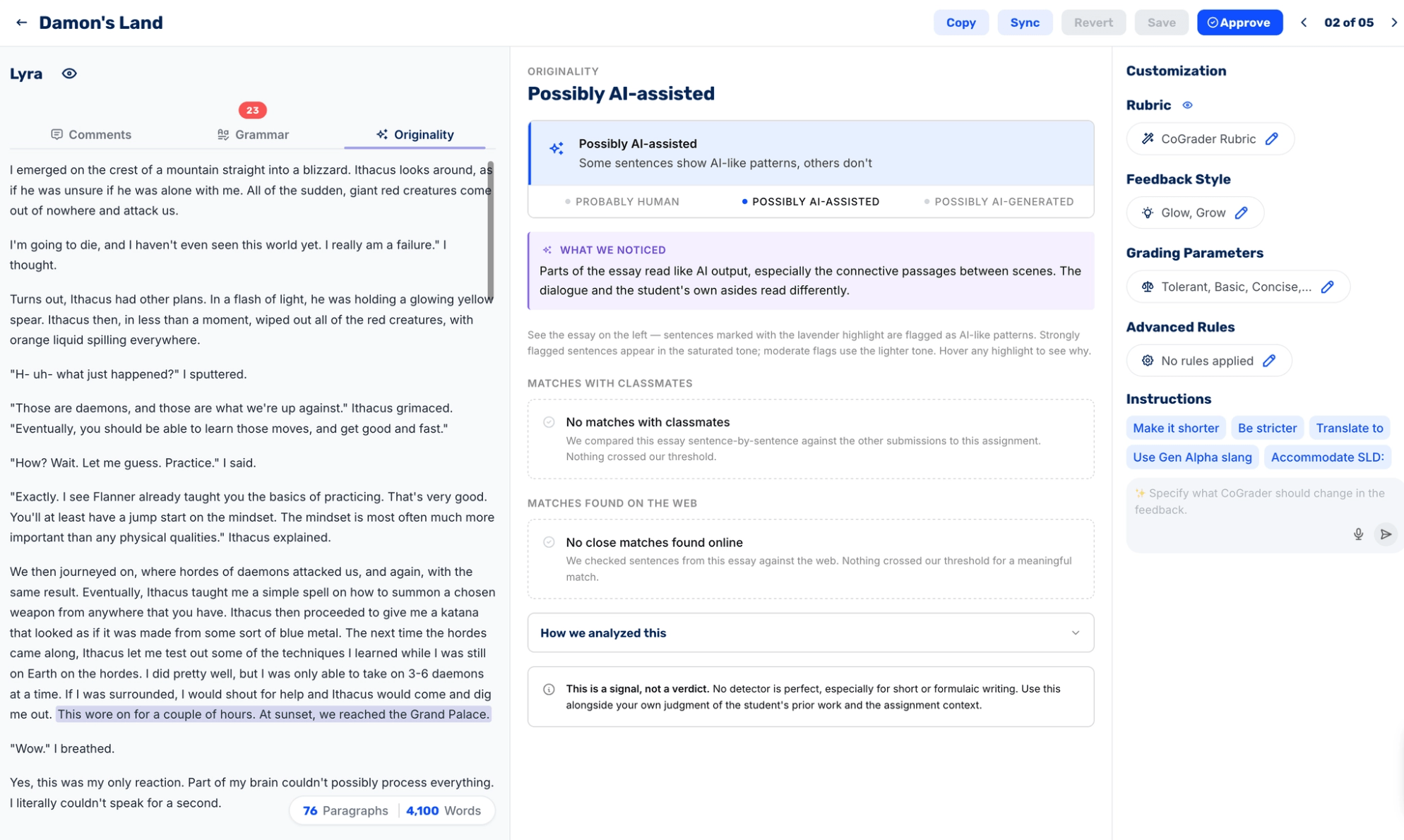
This changes the review process by ensuring every essay receives the same level of review, rather than only submissions that already seem suspicious. When something does warrant a closer look, it lets teachers review the AI signal, highlighted text, plagiarism results, and source-overlap context in one place.
“It also provides AI detection and plagiarism detection to ensure students are doing their work authentically. I love that CoGrader is safe and secure, and that I can easily upload all of my students’ essays from Google Classroom.”
– Susan S., Teacher
Grade Flagged and Clean Essays Against Your Rubric in One Pass
As we’ve discussed, detecting AI-generated student writing is much easier when you can handle the full review process in one platform. This includes a tool that can help you grade the assignment, apply your rubric, and decide what feedback to give the student.
CoGrader brings all of these together into one system. You can import a class set, apply your rubric, grade every essay, generate student feedback, and review AI signals in the same workflow.
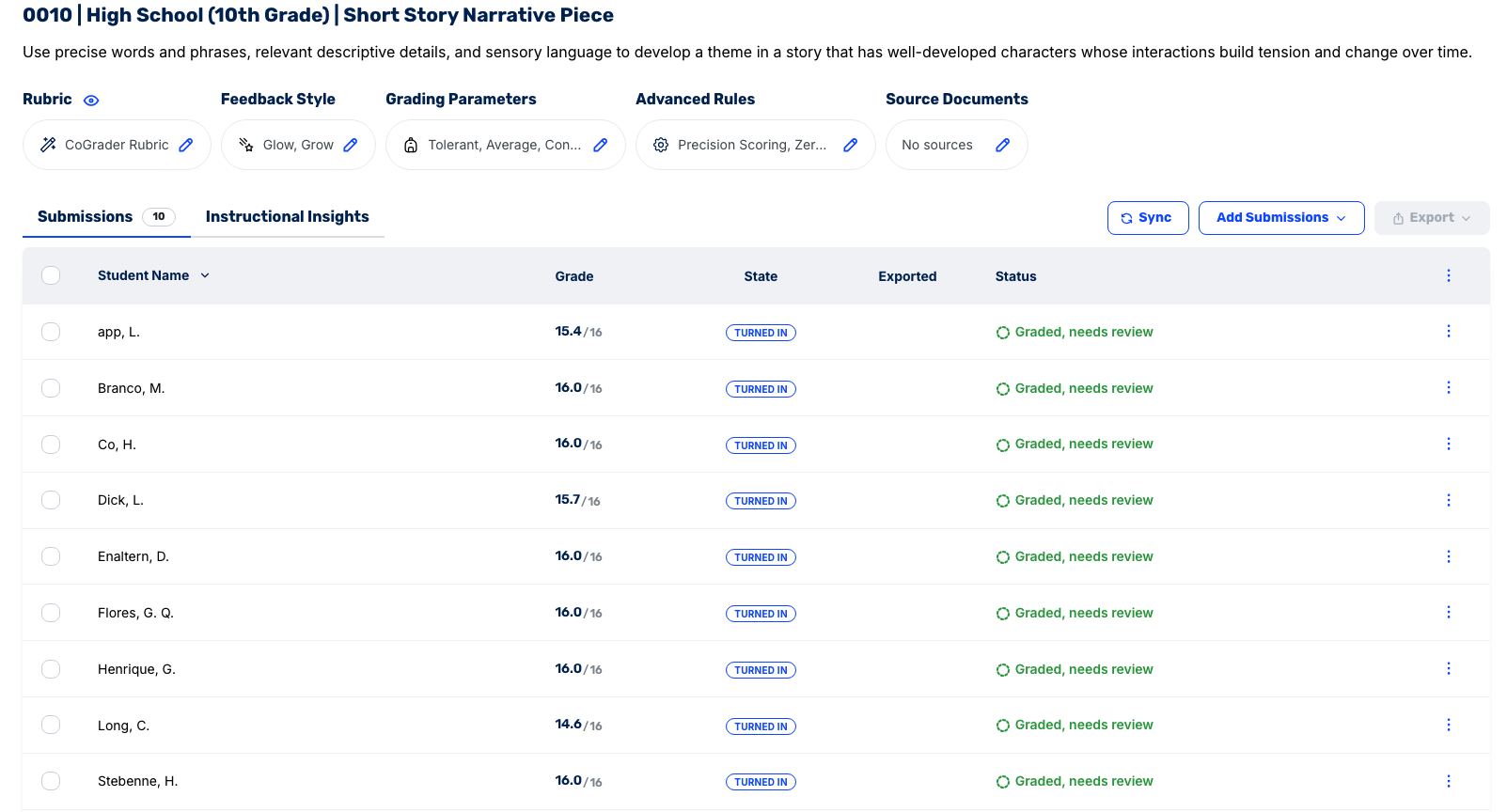
To get started, teachers can:
- Connect an LMS like Google Classroom, Canvas, Schoology, or Brightspace
- Import the assignment and student submissions
- Upload their own rubric, choose one from the built-in library, or generate one from the prompt
- Grade the full class set at once
- Review AI detection, plagiarism, grammar, and feedback on the same screen
- Edit and approve feedback before sending grades and comments back to the LMS
CoGrader shows the AI signal alongside the rubric score, student feedback, grammar checks, and plagiarism results, so teachers can review the essay in context rather than making a decision based on a standalone percentage.
For example, say a high school science teacher assigns an essay on the challenges of adopting renewable energy. One essay is flagged as likely AI-generated, with several passages highlighted around policy coordination, economic barriers, environmental tradeoffs, and infrastructure challenges.
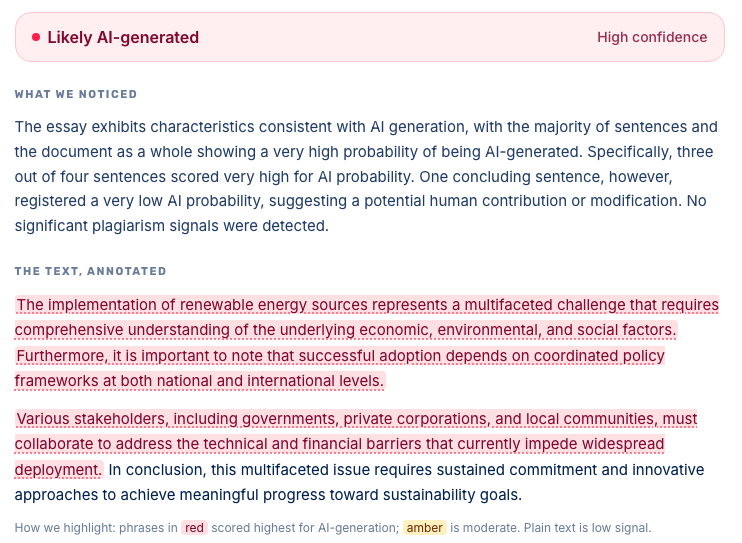
Rather than making a decision based on the AI signal alone, the teacher can review those flagged passages alongside the rubric score and feedback. Maybe the student needs to explain how they developed those ideas, or maybe the essay needs a revision with more original reasoning and class-specific evidence. The teacher might also decide the signal is not strong enough to take further action.
Review, Edit, and Approve Feedback Before It Reaches Students
Providing students with feedback on their writing is especially important when you’re conducting AI checks. CoGrader lets teachers view the AI signal in the same review screen where feedback is generated, edited, and approved.
The main essay view displays the student’s writing alongside the feedback generated by CoGrader. From there, teachers can review the rubric score, read the suggested comments, check grammar and plagiarism results, and consider any AI writing signals before sending anything back to the student.
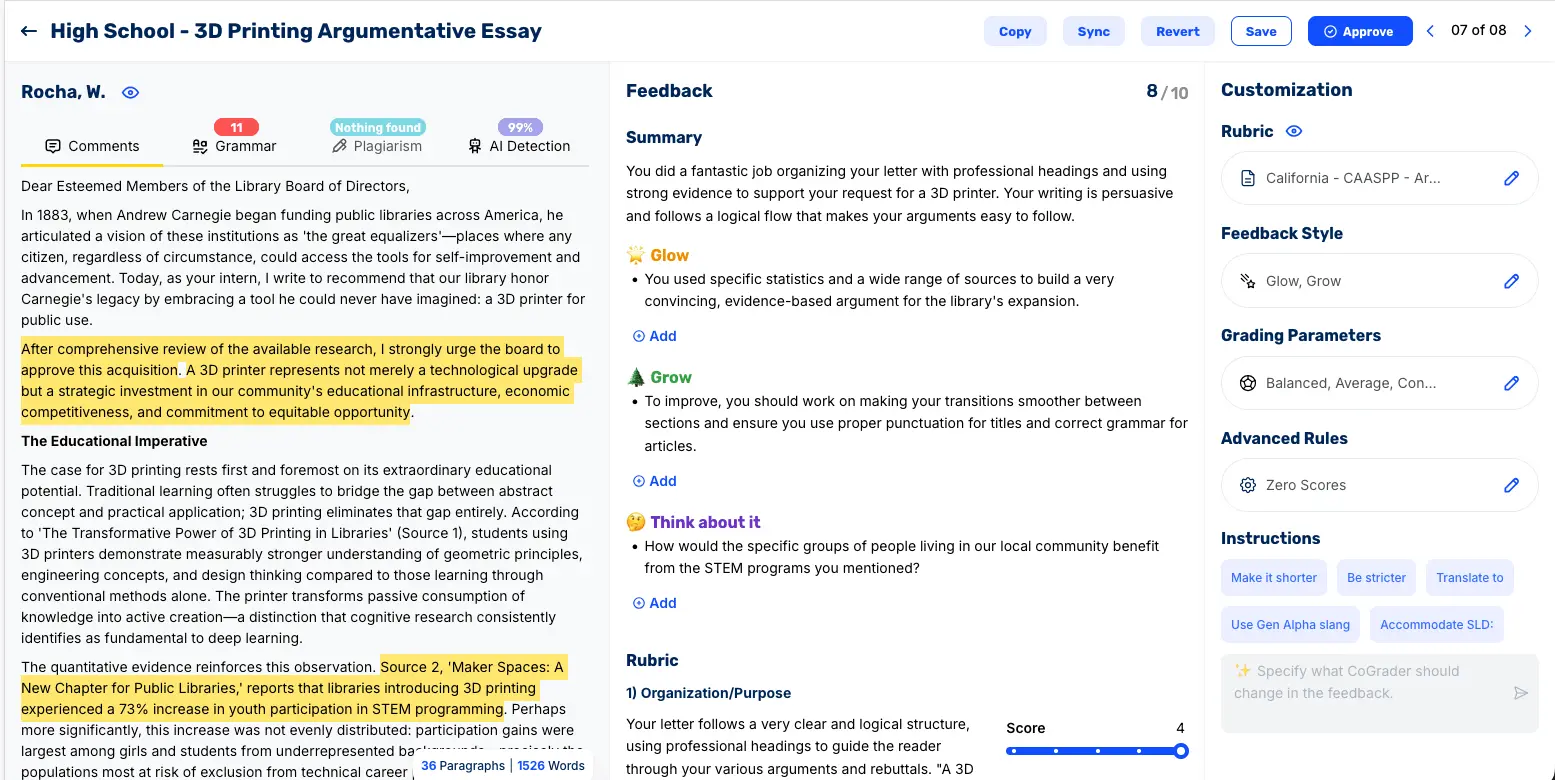
This is important because feedback tends to change based on what the teacher sees. If an essay looks clean, you might approve the feedback as written or make a few small edits. If an essay has AI signals, you can slow down, review the highlighted sections, and adjust the response before the student receives it.
For example, instead of leaving generic feedback like “develop your analysis,” a teacher might add a note asking the student to explain how they drafted a specific paragraph, revise a section in class, or submit an outline and source notes with the next version.
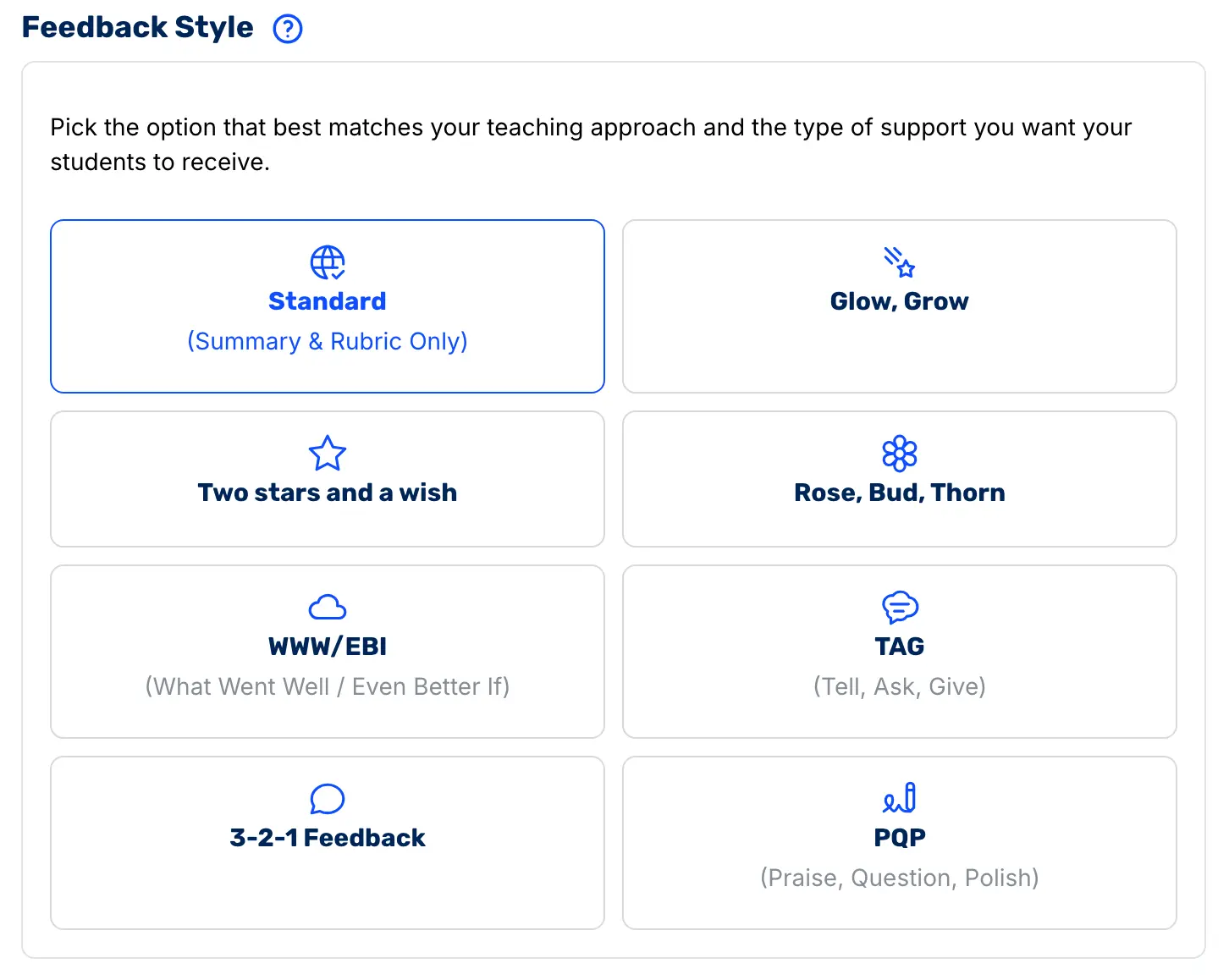
CoGrader also gives teachers control over the style of feedback. You can choose from multiple feedback formats, including:
- Standard (summary and rubric only)
- Glow, Grow
- Two Stars and a Wish
- Rose, Bud, Thorn
- WWW/EBI (What Went Well / Even Better If)
- TAG (Tell, Ask, Give)
- 3-2-1 Feedback
- PQP (Praise, Question, Polish)
Teachers can also edit comments directly, add their own notes, change rubric scores, or regenerate feedback with custom instructions.
Once the feedback looks right, the teacher approves it. That final approval step is important because CoGrader does not allow bulk approvals. Teachers must review and manually approve any assignment before grades and feedback are sent back to students.
Detect AI Patterns and Monitor Student Learning Outcomes Across Your Whole Class
AI detection is most useful when it helps teachers see patterns across their classes. Teachers should be able to quickly check student performance and spot issues affecting the whole class.
A single flagged essay tells you that one submission may need a closer look. But class-level trends can show you something more useful, like which assignments are producing more AI signals, which students may need extra support, and which rubric skills the class is struggling to master.
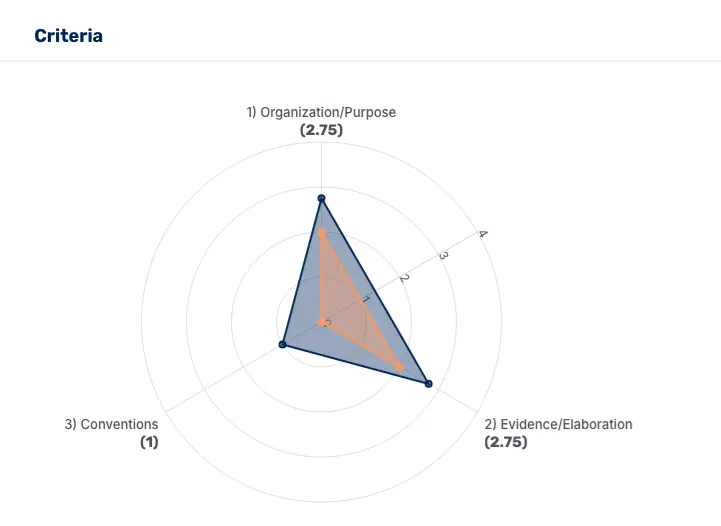
CoGrader’s analytics dashboard helps teachers review:
- AI detection patterns across students and assignments
- Rubric performance by skill or criterion
- Class-wide strengths and growth areas
- Individual student progress over time
- Next-lesson insights for reteaching or enrichment

For instance, if an entire assignment shows elevated AI signals, the issue may be the prompt, the timeline, the support students received, or the skill being assessed.
These class-wide insights help teachers assess students more effectively and make better decisions about future lesson plans.
CoGrader Pricing
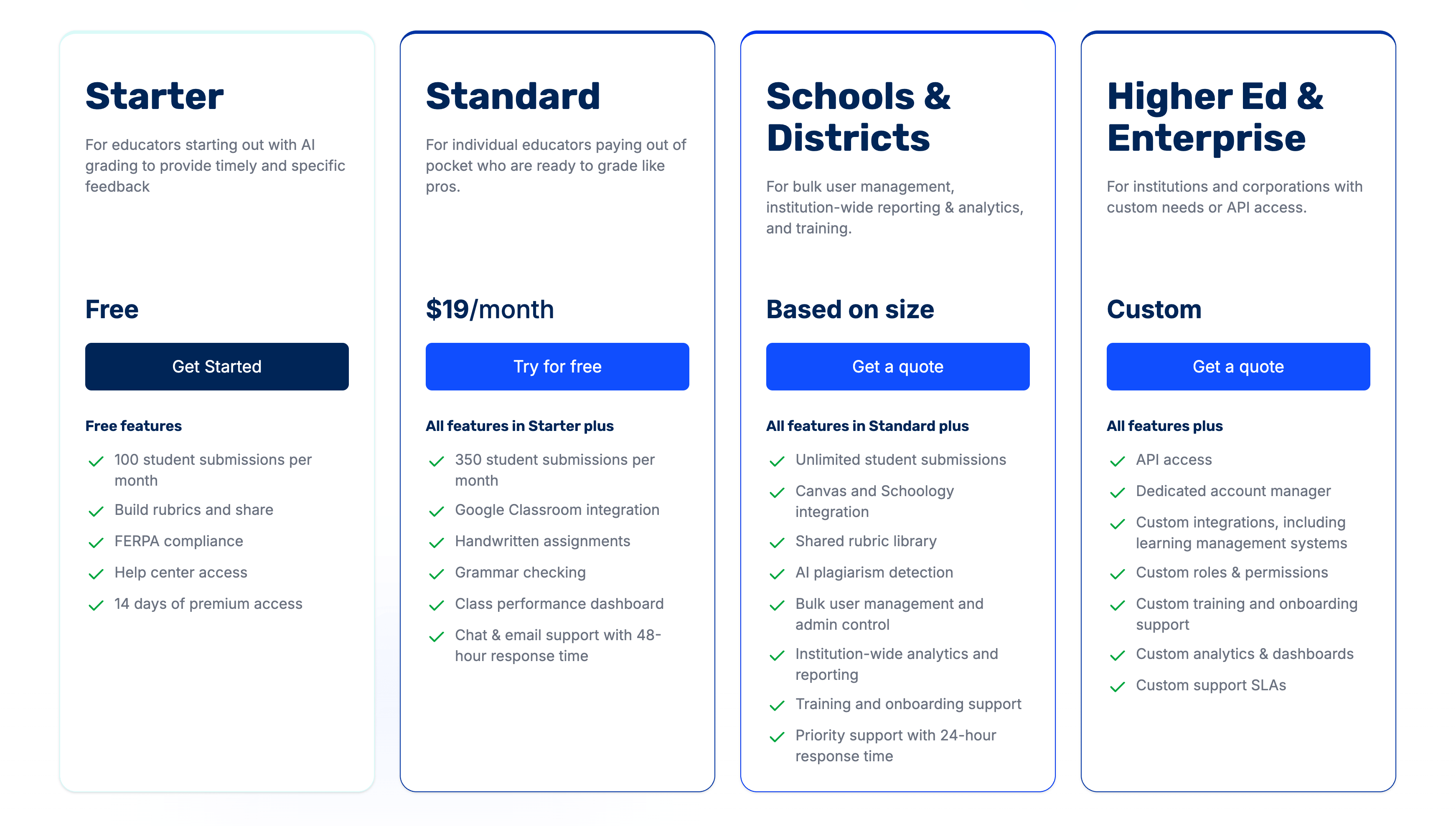
CoGrader offers four pricing tiers:
- Starter (Free): 100 submissions per month plus a 14-day free trial of premium features.
- Standard: $19/month, or $15/month billed annually. Includes 350 submissions per month, Google Classroom integration, handwritten assignment support, grammar checking, and the class performance dashboard.
- Schools & Districts: Custom pricing. Includes unlimited submissions, Canvas and Schoology integration, a shared rubric library, AI and plagiarism detection, bulk user management, and institution-wide analytics.
- Higher Ed & Enterprise: Custom pricing. Includes everything in Schools plus API access, custom LMS integrations, and a dedicated account manager.
We also run an Advocate Program: educators who use CoGrader and introduce it to colleagues at their school can receive the School Plan free for a full year.
Try CoGrader free for 14 days and see how AI detection fits into the grading you’re already doing.
2. GPTZero: Best for Individual Teachers Using a Free Tool
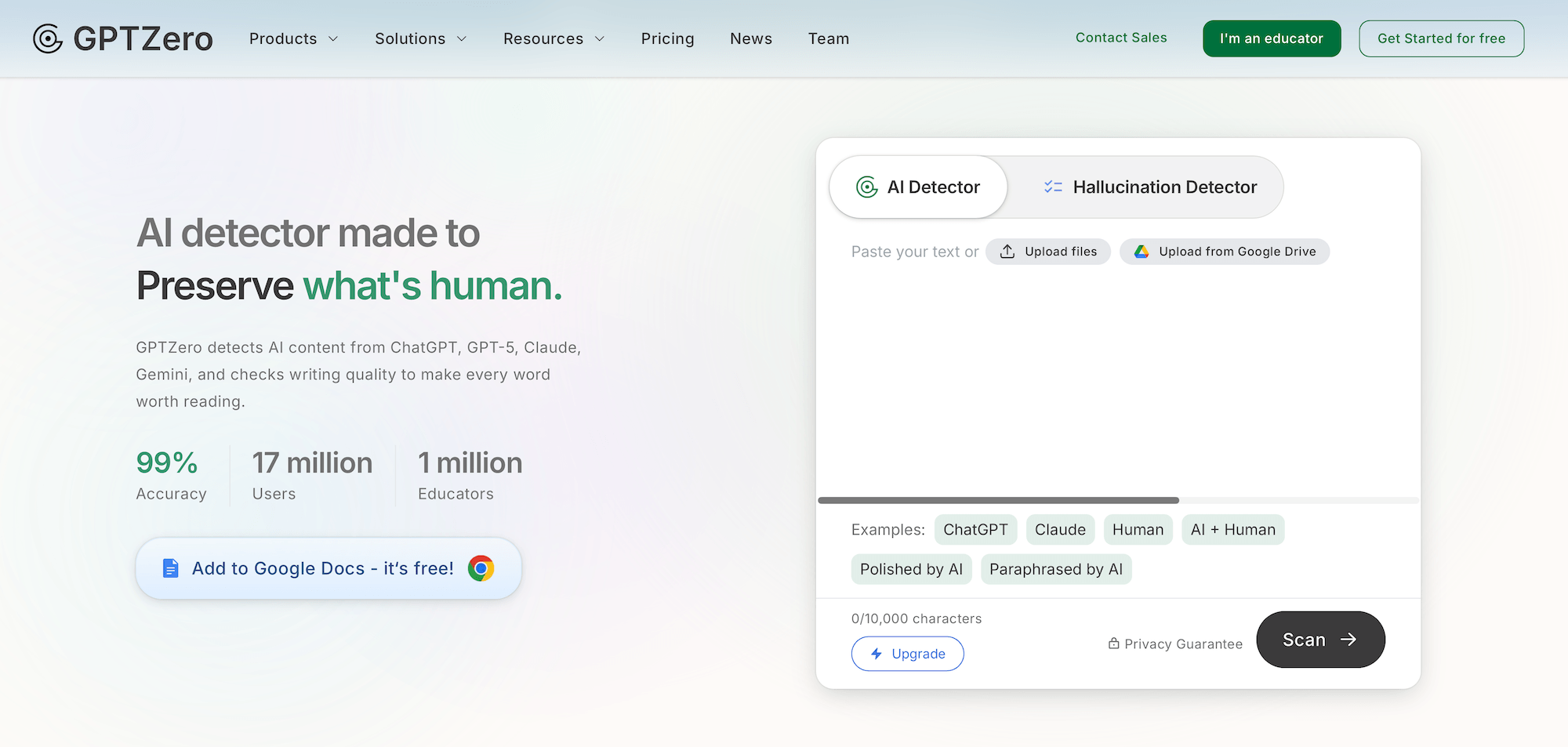
GPTZero does the basics of AI detection really well. Teachers can quickly scan student writing, use the free tier for up to 10,000 words per month, and connect it with Canvas, Moodle, and Google Classroom without a full procurement process.
It can also handle larger classroom tasks better than most free AI detectors. Data from the Stanford SCALE Initiative study found that GPTZero accurately flagged AI-generated essays with 91–100% confidence. But the same study also found that human-written essays “fluctuated,” meaning false positives were still a real concern.
Overall, GPTZero is a strong starting point for teachers who want a simple, accessible AI detection tool. But the downside is that it should not be treated as final proof of cheating, especially for ESL students or writing that has been edited, paraphrased, or “humanized.”
Key features
- 10,000-word free tier per month
- Sentence-level breakdown showing which sentences look AI-generated
- Native integrations with Canvas, Moodle, and Google Classroom
- Writing Report feature showing revision history (on paid plans)
- Batch scanning available on paid tiers
What teachers will like
- The most generous free tier of any major detector
- A large existing teacher community and education-first product design
- LMS integrations cover the three platforms most teachers use
- Sentence-level highlighting makes for a more specific student conversation
What teachers won’t like
- A ~38% ESL false positive rate in independent testing
- Accuracy drops to 46.7% on humanized AI text
- 10,000 words/month is enough for most teachers, but not for high-volume classes
Pricing
GPTZero offers a free plan and two paid individual plans:
- Free: Includes 10,000 words per month, basic AI scanning, 3 free advanced scans, and 5 free AI highlights through the Chrome extension.
- Premium: $12.99/month (billed annually). Includes up to 300,000 words per month, advanced AI scanning, multilingual AI detection, and downloadable AI reports.
- Professional: $24.99/month (billed annually). Includes everything in Premium, plus 500,000 words per month, up to 2 million words in overage, batch scanning for up to 250 files at once, and LMS integration.
3. Pangram: Best for Low False-Positive Accuracy
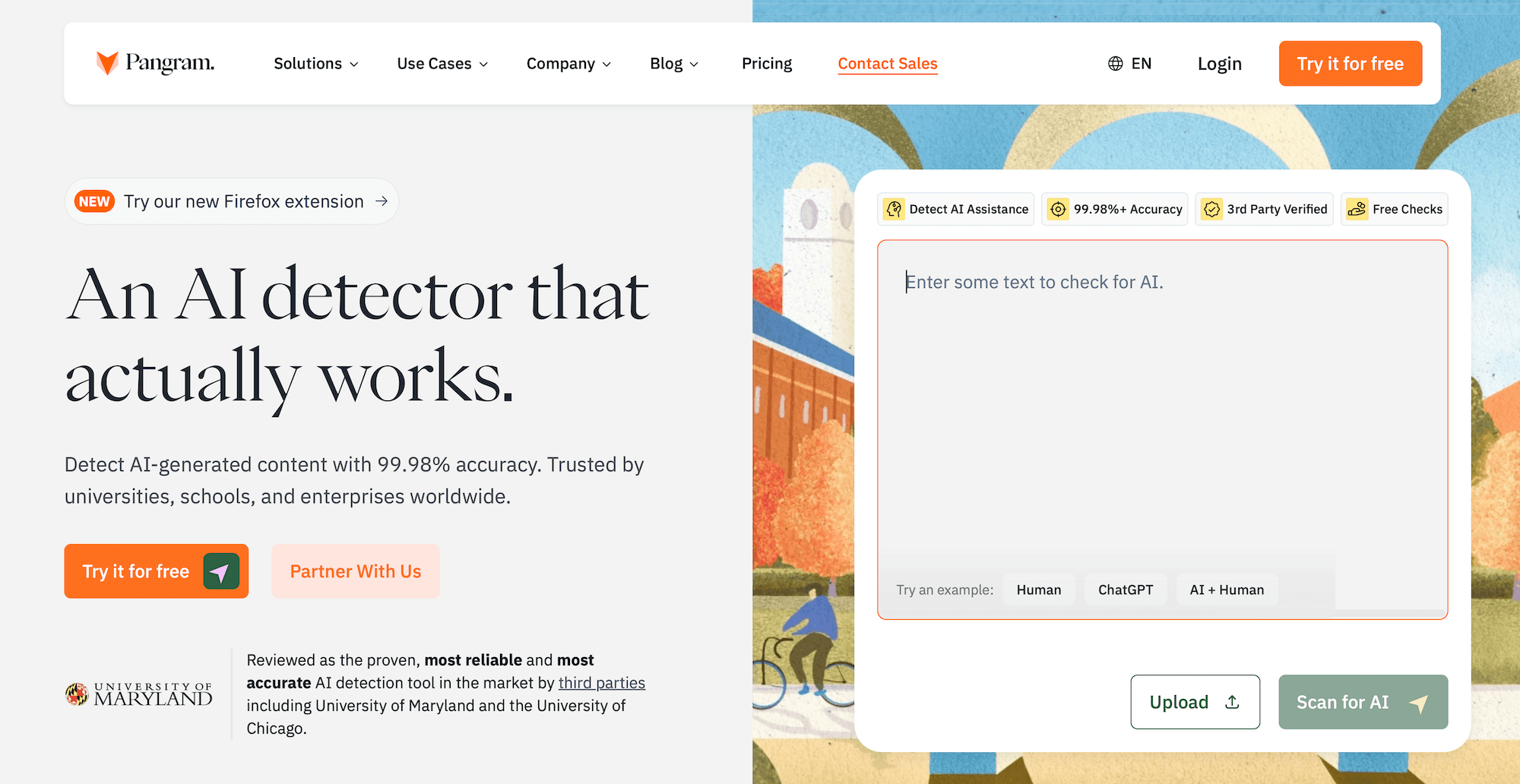
Pangram is a reliable tool used by teachers to check student work for AI usage and plagiarism. It’s available as a Chrome extension, but the free plan is limited, making Pangram more of an institutional purchase than a grab-it-for-free classroom tool.
The Russell, Karpinska, and Iyyer benchmark found that it was the only commercial detector to match expert human annotators, scoring 98–99.3% across raw, paraphrased, and humanized text. Pangram itself publishes a false-positive rate of roughly 1 in 10,000.
However, a report by Tim Requarth also documented cases where the same essay submitted to Pangram on different days returned different results. So this is a tool worth testing yourself to see whether the results are consistent.
Key features
- Strongest independent academic validation of any commercial detector
- Specialized “Humanizers” model holds at 96.7% on humanized AI content
- Sentence-level scoring with explainable results
- Identifies which AI model likely produced the text
- Chrome extension for in-browser scanning
What teachers will like
- Best-in-class independent research backing on raw and humanized AI
- Sentence-level evidence supports a specific student conversation
- Model identification adds context most detectors don’t provide
- Chrome extension reduces friction vs. opening a separate website
What teachers won’t like
- Even the lowest false-positive rate still occasionally flags real students
- Premium pricing skews institutional rather than individual teachers
Pricing
Pangram offers free, individual, professional, and custom plans:
- Free: Includes up to 4 AI checks per day, AI assistance detection, file upload, OCR for scanned documents, 20+ languages, Chrome extension access, and Google Docs integration.
- Individual: $20/month. Includes 600 credits per month, all free plan features, plagiarism detection on every scan, and automatic scanning.
- Professional: $65/month. Includes 3,000 credits per month, all free plan features, plagiarism detection on every scan, and automatic scanning.
- Teams, Developers, Enterprise & Institutions: Custom or separate pricing depending on usage needs.
4. Copyleaks: Best for ESL and Multilingual Classrooms
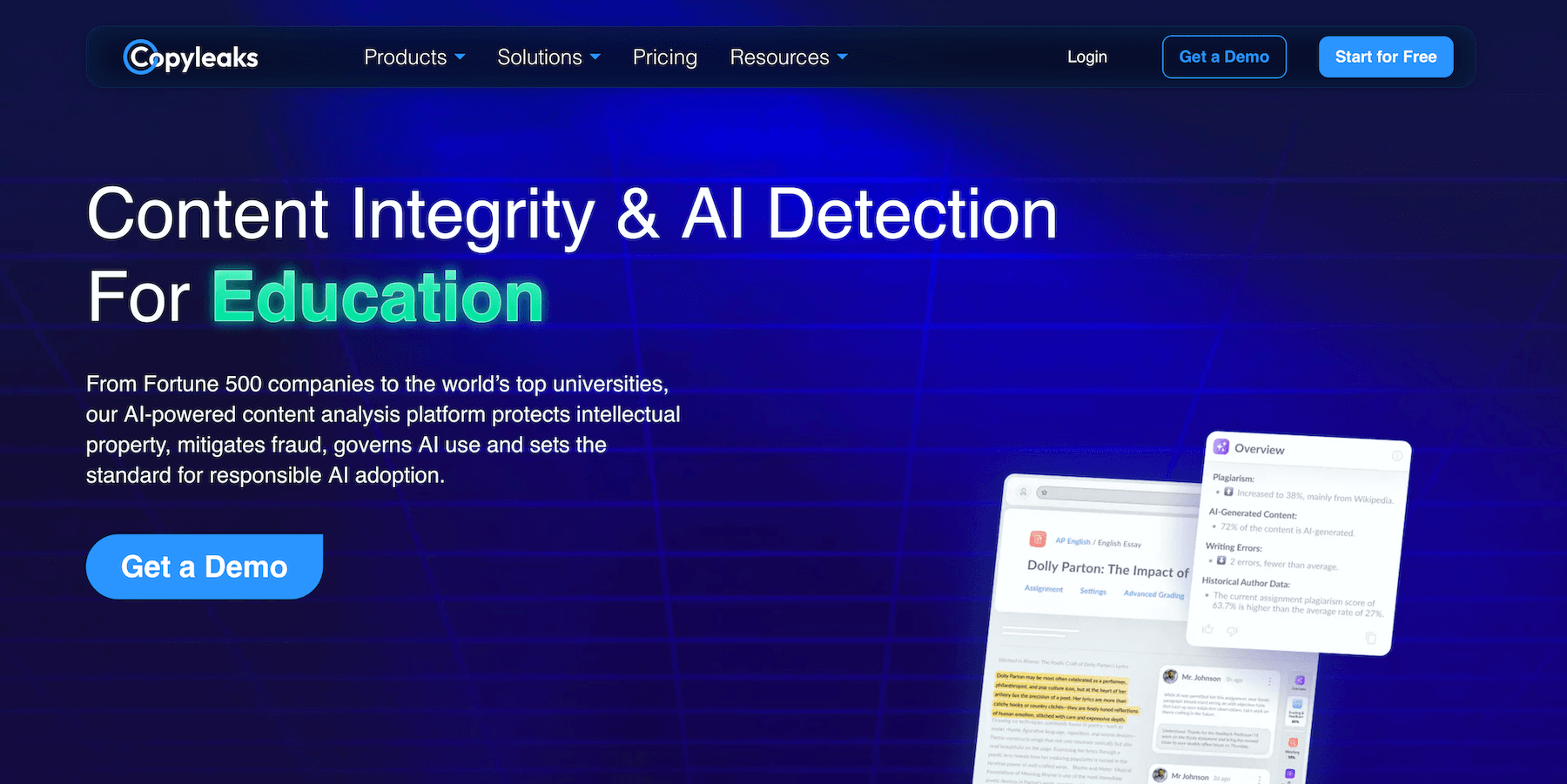
Copyleaks is built for high-volume institutional use and natively scans content in multiple languages. It supports AI detection in 30+ languages, plagiarism detection in 100+ languages, and lets teachers review both AI and plagiarism signals in the same report.
The tool also integrates with major LMS platforms through API access, making it useful for districts and universities. Vendor-reported accuracy is 99.6% on standard AI text, but the downside is that Copyleaks can feel more like an enterprise compliance tool than a simple teacher-first detector.
Key features
- Native multi-language scanning (over 30 languages)
- Lowest ESL false positive rate among major detectors (~13% in independent testing)
- Combined AI detection and plagiarism checking in one scan
- API and major LMS integrations for institutional deployment
- Detailed source breakdown for flagged content
What teachers will like
- Scans AI use and plagiarism in the same workflow
- Works well for bilingual, ESL, and multilingual classrooms
- Useful for schools that need department- or district-wide review
- Integrates with existing LMS workflows instead of adding another standalone tool
What teachers won’t like
- Feels more built for administrators than individual teachers
- Less convenient for quick one-off checks
- Some features may require school-level setup or approval
Pricing
Copyleaks offers several pricing options:
- Personal: $13.99/month (billed annually at $167.88). Includes AI detection, plagiarism detection, AI image detection, and multi-file uploads. Covers up to 300,000 words or 1,200 images.
- Pro: $74.99/month (billed annually at $899.88). Includes everything in Personal, plus 25 user seats, advanced detection filters, website scanning, cross-language translation detection, and analytics dashboard access. Covers up to 3,000,000 words or 12,000 images.
- Enterprise & Education: Custom pricing. Built for larger teams, organizations, schools, districts, and universities that need institutional access.
5. Turnitin: Best for Colleges, Universities, and Large K–12 Districts
Turnitin is an academic integrity and plagiarism detection platform with built-in AI writing detection for schools and districts. It helps teachers quickly review student assignments for AI writing in a system they’re already using for other tasks.
It integrates directly with major LMS platforms like Canvas, Moodle, and Blackboard. Turnitin reports 98% accuracy for text over 300 words, but independent testing has found an ESL false-positive rate of around 18%. Turnitin’s own documentation also says the tool should not be used as the sole basis for adverse action against a student.
Key features
- Includes a built-in plagiarism checker
- Works inside Canvas, Moodle, Blackboard, and other major LMSs
- Automatically checks student submissions without extra teacher steps
- Highlights passages that may need closer review
- Gives schools reporting and audit trails for academic integrity cases
What teachers will like
- Fits naturally into the assignment submission process
- No need to copy and paste essays into a separate tool
- Helpful for large classes where manual checking is unrealistic
- Gives departments and administrators a consistent review process
What teachers won’t like
- Not available to most individual teachers without a school license
- AI results still need human review before taking action
- Some schools may disable or restrict the feature because of false positive concerns
Pricing
Turnitin uses custom institutional pricing, so schools need to contact the company for a quote. Individual teachers typically cannot buy direct access on their own.
6. Originality.ai: Best for Teacher Teams and Departments
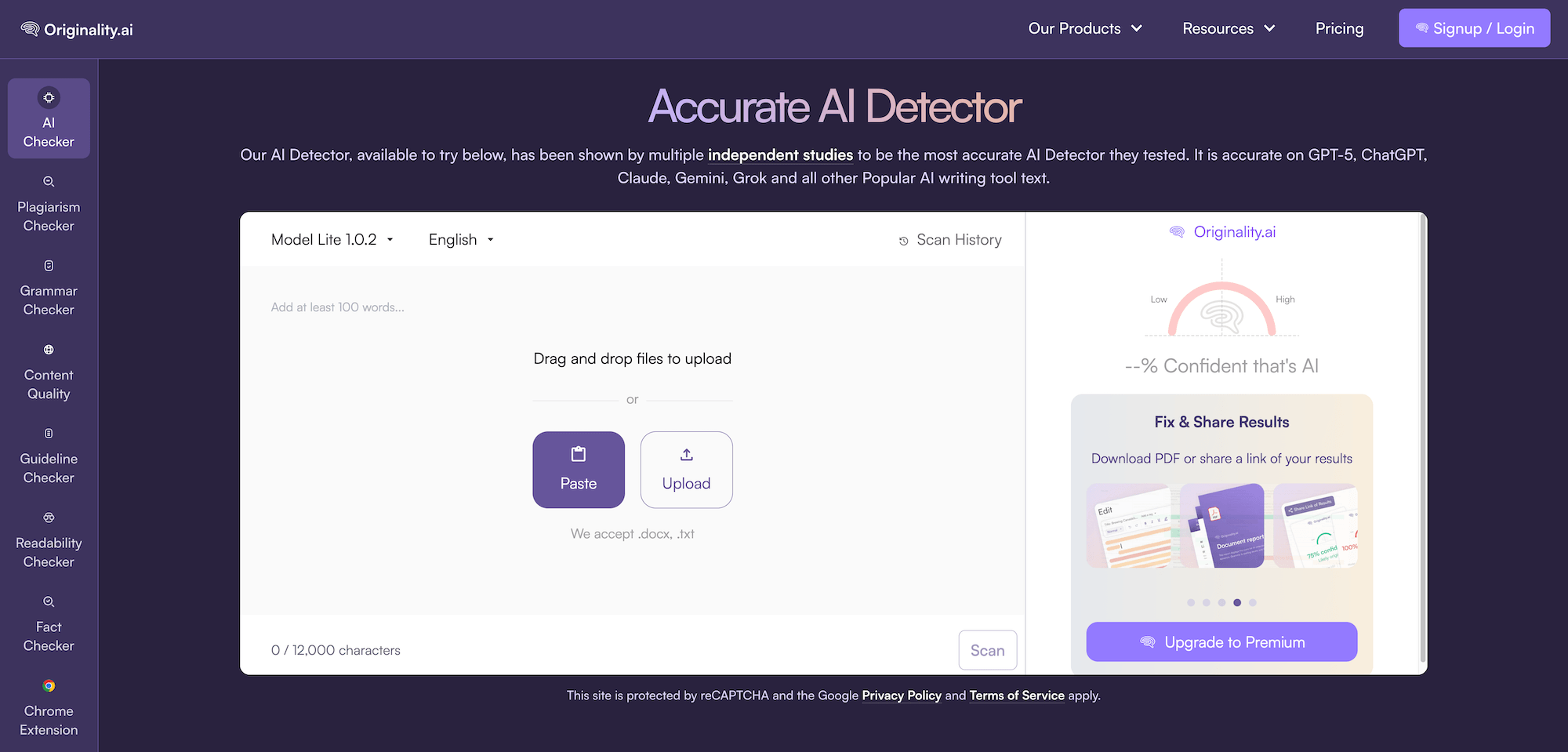
Originality.ai was originally built for SEO agencies and content publishers, then expanded into education. The product is structured around shared team dashboards, audit trails, and team management, which makes it a better fit for department-level use than for an individual teacher.
Vendor-reported accuracy exceeds 99% with a sub-1% false positive rate, and the company offers an academic AI detection model alongside its standard detector. However, it does not offer LMS integrations and other educational features that individual teachers might find useful.
Key features
- AI detection, plagiarism checking, readability, grammar, and fact-checking in one platform
- Academic AI detection model built specifically for student writing
- Shared team dashboards for departments, grade levels, or writing programs
- Detailed reports and scan history for documenting review decisions
- Chrome extension, Google Docs support, and API access for higher-volume workflows
What teachers will like
- Helps departments create a more consistent process for reviewing questionable submissions
- Makes it easier to document why a piece of writing was flagged before escalating it
- Reduces the need to jump between separate plagiarism, AI, and writing-quality tools
- Gives teachers a cleaner way to share results with department heads or administrators
What teachers won’t like
- Not as classroom-native as tools built directly around LMS assignment workflows
- More useful for review and documentation than for day-to-day instruction
Pricing
Originality.ai offers pay-as-you-go, Pro, and Enterprise plans:
- Pay as you go: $30 one-time payment. Includes 3,000 credits, with 1 credit equal to 100 words. Includes AI detection, plagiarism checking, readability checks, grammar, and spelling checks.
- Pro: $12.95/month (billed annually). Includes everything in Pay as you go, plus 2,000 credits per month, file uploads, full site scans, team management, scan tagging, Chrome extension access, standard support, and access to future features.
- Enterprise: $136.58/month (billed annually). Includes everything in Pro, plus 15,000 credits per month, a dedicated customer success manager, priority support, 365-day scan history, and API access.
7. Proofademic: Best for Academic and Long-Form Writing Assignments
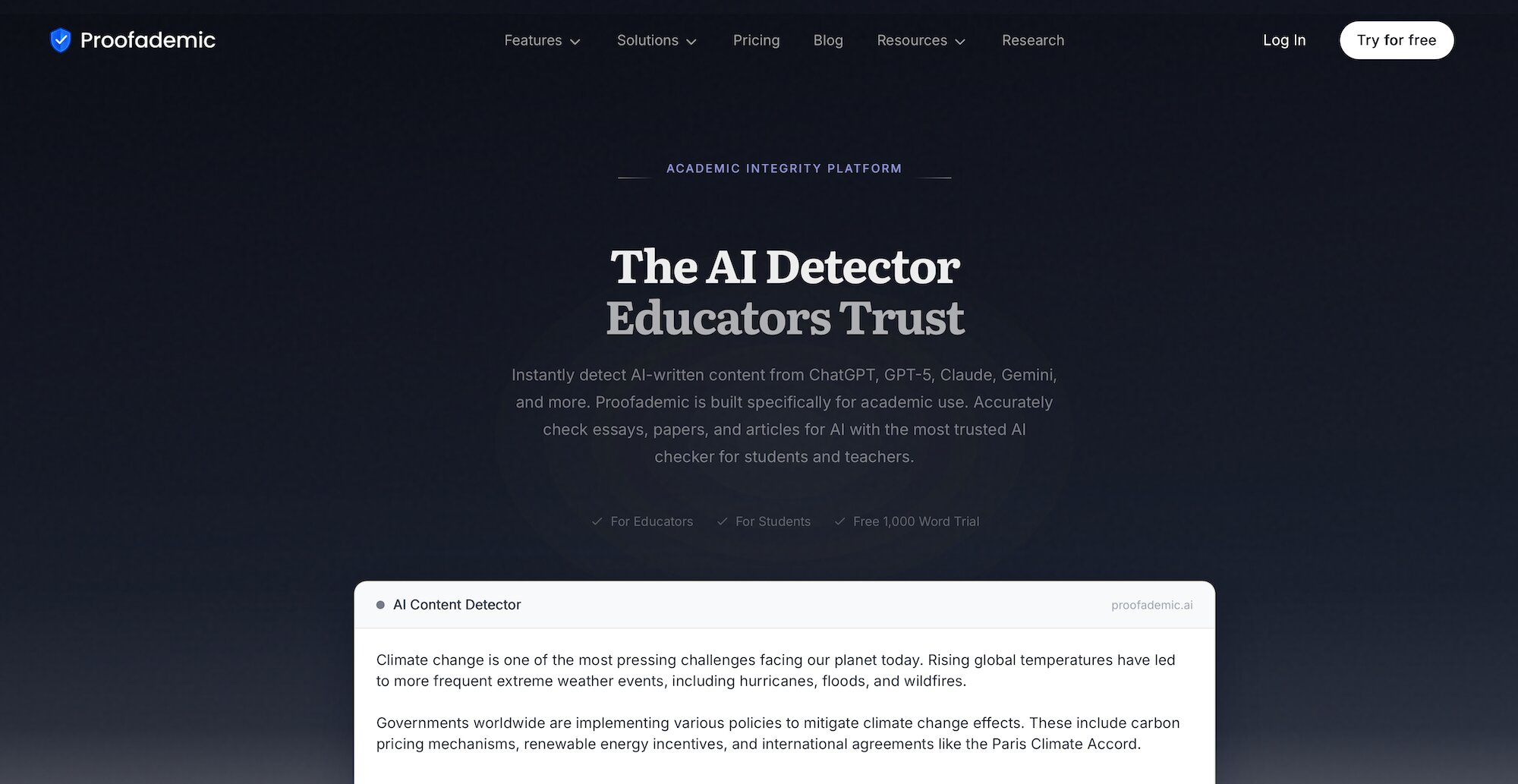
Proofademic is one of the few detectors built specifically for academic writing rather than retrofitted from another use case. It scores text sentence by sentence and shows a heat map of where AI signals concentrate, which turns a vague accusation into something specific you can talk through with a student.
The company says it trained on essays from GPT-4, Claude, and other major models, and markets a 99.8% accuracy figure.
Key features
- Highlights AI-likely passages with sentence-level heat maps
- Built specifically for academic writing and student submissions
- Trained on writing from major AI models like GPT-4 and Claude
- Offers a free tier with no credit card required
What teachers will like
- Makes it easier to see which parts of an essay may need a closer look
- Gives teachers something more specific to discuss than a single AI score
- Simple enough for quick checks without a school-wide rollout
- Better suited to academic writing than general-purpose content detectors
What teachers won’t like
- Free scans are limited to shorter assignments
- Less useful for schools that need LMS integrations or admin reporting
- Limited public data on how it handles ESL student writing
Pricing
Proofademic offers a free plan plus three paid tiers, with a 3-day free trial for premium access.
- Free: 1,000 words/request, short-form scans, text, or .docx upload. 3-day trial, no credit card.
- Essential: $8/month (billed $99/year). 200,000 words/month, 3,500 words/request, full document scans, PDF upload, faster processing.
- Premium: $14/month (billed $165/year). 400,000 words/month, 8,000 words/request, enhanced scanning, priority queue, multi-page documents.
- Professional: $25/month (billed $300/year). 600,000 words/month, 25,000 words/request, fastest scan speed, PDF uploads, priority support.
8. Winston AI: Best for Paper or Scanned Submissions
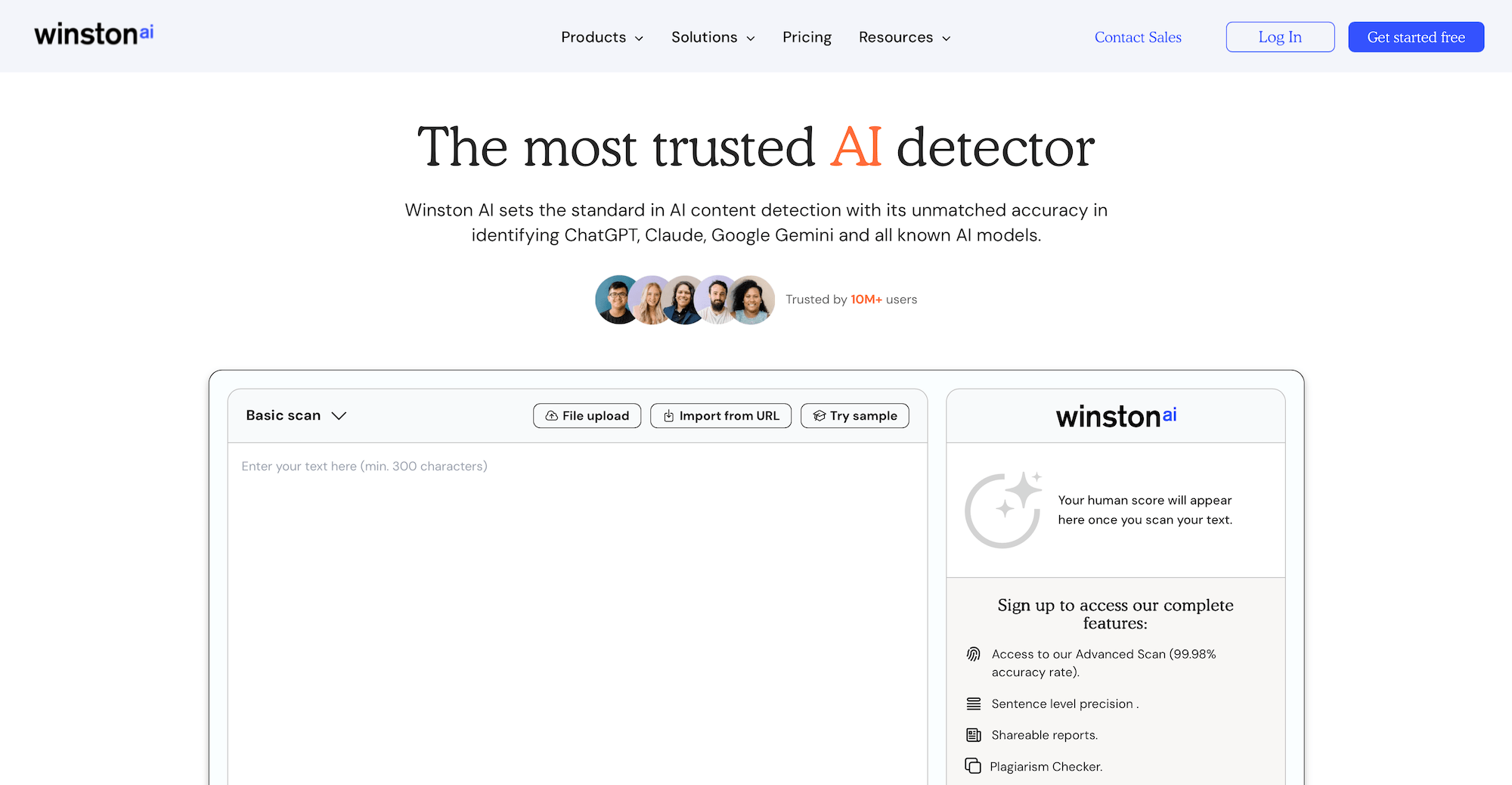
Winston AI is an AI detection tool built for classrooms, publishers, and teams that need to review writing in more than one format. Its biggest differentiator is OCR support, which means teachers can scan typed documents, PDFs, pictures, and even handwritten submissions.
It’s a useful tool for elementary, middle school, and hybrid classrooms where not every assignment comes through Google Docs or an LMS. Teachers can use it to check paper essays, scanned worksheets, uploaded PDFs, or standard pasted text.
Key features
- OCR scanning for PDFs, pictures, and handwritten submissions
- AI detection for text from tools like ChatGPT, Claude, and Gemini
- Plagiarism detection, writing feedback, and shareable PDF reports
- AI image and deepfake detection on supported plans
- HUMN-1 certification on higher-tier plans
What teachers will like
- Helpful for younger grades or classrooms that are not fully digital
- Saves teachers from manually retyping handwritten or scanned work
- Combines originality checks, plagiarism review, and writing feedback
- Shareable reports make it easier to document concerns with students or administrators
What teachers won’t like
- OCR scans can be slow and take more time
- Handwriting quality may affect how cleanly the tool reads the submission
Pricing
Winston AI offers a free trial plan plus three paid tiers:
- Free: Includes 2,000 credits for a 14-day trial.
- Essential: $18/month. Includes 80,000 credits per month, AI content detection, AI image and deepfake detection, writing feedback, document scanning, OCR, shareable PDF reports, team invites, and top-up credits.
- Advanced: $29/month. Includes 200,000 credits per month, everything in Essential, HUMN-1 website certification, advanced plagiarism detection, and up to 5 team members.
- Elite: $49/month. Includes 500,000 credits per month, everything in Advanced, HUMN-1+ website certification, and unlimited team members.
9. Passed.AI
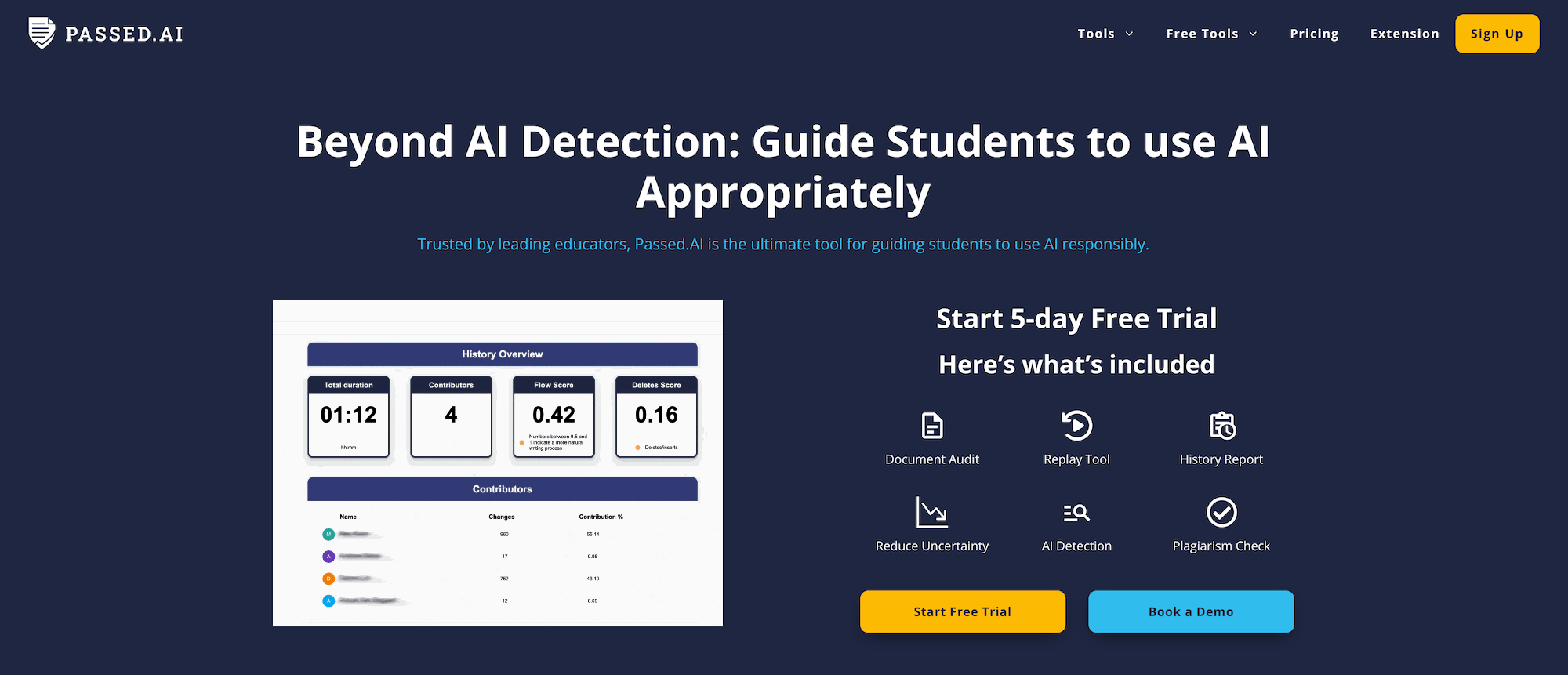
Passed AI takes a different approach from most AI content detectors by looking at how the writing was created rather than only analyzing the finished essay. The tool works through Google Docs and a Chrome extension to review document history, revision patterns, pasted text, time spent writing, and the overall writing flow.
Teachers can also use the replay tool to watch how a document developed over time. A typical AI checker might say “this looks AI-written,” while Passed AI shows whether the student drafted gradually, revised over time, pasted in large sections, or contributed meaningfully to a shared document.
Key features
- Process-based authorship review through Google Docs
- Document Audit, History Report, and Replay Tool
- Tracks pasted text, revisions, writing flow, and time spent
- Includes AI detection and plagiarism checking
- Chrome extension for classroom Google Docs workflows
What teachers will like
- Gives more context than a single AI percentage
- Helps teachers talk with students about the writing process, not just the final score
- Makes large copy-paste events and last-minute essay creation easier to spot
- Can reduce overreliance on text-based AI detector results
What teachers won’t like
- Works best only when students write in Google Docs from the start
- Less helpful for one-off scans of finished essays or outside documents
- Requires students and teachers to follow the workflow consistently
Pricing
Passed.AI offers individual, institutional, and pay-as-you-go options:
- Individual: $9.99/month or $99.99/year. Includes a 5-day free trial with 2,500 words, unlimited document audits, unlimited access to Document Audit, History Report, and Replay Tool.
- Institutional: Custom pricing. Includes everything in the individual plan, plus quantity discounts and flexible trials for schools or larger teams.
- Pay-as-you-go: From $1.49/report. Includes shareable academic honesty reports up to 5,000 words, with AI detection and plagiarism scanning.
How to Choose the Best AI Detector for Your Classroom
This guide reviewed the best AI detectors for teachers based on the factors that matter most in a real classroom, such as false-positive risk, bias against ELL and neurodivergent students, resilience against AI humanizers, and how well they fit into your classroom.
The right choice depends on how you plan to use the tool.
If you need an all-around teaching tool with AI detection built into your grading workflow, CoGrader is the best fit. It lets you grade essays, apply rubrics, generate feedback, check grammar, review plagiarism, and evaluate AI signals in one place.
But remember, detectors should never have the final say. AI detection should help teachers ask better questions, review student work more consistently, and decide when a closer conversation is needed.