


AI essay graders help teachers cut essay grading time from 15-30 minutes per paper down to just a few minutes by scoring each submission against a rubric and drafting personalized feedback tied to the student’s actual writing.
The best AI essay graders can improve both your grading speed and your students’ writing by:
- Scoring a class set of essays in minutes. A single writing assignment across multiple periods can mean 100+ papers and 25-50 hours of grading. An AI essay grader scores every submission against your rubric at once, so essays go back to students with feedback they act on within a few days.
- Getting feedback back while students still remember what they wrote. Feedback that arrives three weeks late gets skimmed and forgotten by students because the assignment was so long ago. When comments come back within a day or two, students can actually revise the essay they just wrote, which is where writing improvement happens.
- Tying written feedback to specific sentences in a student’s paper. Simply writing a note like “Strengthen your evidence” at the bottom of page three doesn’t tell a student anything. Strong tools highlight the exact passage each comment refers to, so students know precisely what to fix and where.
- Applying your rubric and standards to every single paper. Tools that rely on a generic internal model of good writing produce generic feedback. The best ones grade against your state standards, AP, IB, or custom rubric, so scores reflect what you actually teach.
- Showing which writing skills need reteaching. Instead of guessing based on what you felt the class struggled with most, an essay grader provides a criterion-level breakdown of class performance, so you reteach thesis statements to the five students who need it rather than all thirty.
But not every essay grader works the same way. Some generate feedback without assigning a score, while others work only as browser extensions that comment inside Google Docs. Picking the wrong type of tool can slow you down even more and make grading a challenge.
That’s why this guide compares the 10 best AI essay graders for teachers based on what each tool does best, who it’s best suited for, key features, pricing, and where it fits into the grading workflow.
We’ll start with our own AI essay grader, CoGrader, used by more than 100,000 teachers across 16,000+ schools.
Note: This guide is updated for the 2026-2027 school year, with current pricing and features verified for each tool.
The 10 best AI essay graders for teachers
AI essay graders vary quite a bit in what they actually do. Some are designed primarily to score essays against a rubric, while others focus more on academic integrity, formative feedback, handwritten assignments, or large-scale grading.
We compared 10 of the best options based on how they grade student writing, the quality of the feedback they provide, rubric customization, integrations, analytics, academic integrity tools, and pricing.
Here’s a quick comparison before we review each platform in more detail.
| Tool | Custom rubric grading | Batch grading | Passage-level feedback | AI & plagiarism detection | Pricing |
|---|---|---|---|---|---|
| CoGrader | ✅ Upload, build from standards, library, or AI-generated | ✅ Under 2 min | ✅ Tied to highlighted text | ✅ AI (3-tier) + plagiarism vs. classmates and web | Free (150/mo), $15/mo annual or $19 monthly, school custom |
| Turnitin Feedback Studio | ✅ Rubrics + grading forms | 🟡 Assignment-level | ✅ QuickMarks inline | ✅ Largest similarity database; AI via add-on | Institutional quote only, no teacher plan |
| Gradescope | 🟡 Dynamic rubric items | ✅ Answer grouping | ❌ Rubric items only | ❌ | Free Basic, school custom |
| Class Companion | ✅ Your rubric | 🟡 Instant per submission | ✅ Annotated responses | 🟡 Pasted-text flags; deeper on paid | Free for teachers, school custom |
| Brisk Teaching | 🟡 Brisk Grader in Google Classroom only | ❌ One doc at a time | ✅ In-doc comments | 🟡 Inspect Writing replay; no plagiarism | Free for teachers; Premium and Intelligence custom |
| GPTZero | 🟡 Exam presets, limited custom | 🟡 Higher tiers only | 🟡 Per-criterion feedback | ✅ AI core feature; plagiarism on paid | Free (10k words); from $9.09/mo annual |
| Marking.ai | ✅ Your marking guide | ✅ Bulk upload | 🟡 Written feedback | ❌ | $29/month Starter, $49/month Pro, $89/month Plus |
| GradeLab | ✅ Custom rubrics | ✅ Large batches | 🟡 Criterion-level | ❌ | Free trial, pay-per-paper, enterprise custom |
| AutoMark | ✅ Rubric-locked | ✅ Full class sets | ✅ Inline, tied to criteria | ❌ | Free (30 credits), Pro $15/mo |
| GradeWithAI | ✅ Upload or generate | 🟡 Automated on Pro | 🟡 Tied to writing | 🟡 AI detection on Pro; no plagiarism | Free (25/mo), Pro $20/mo |
______________
1. CoGrader: Best overall essay grader for K–12 teachers
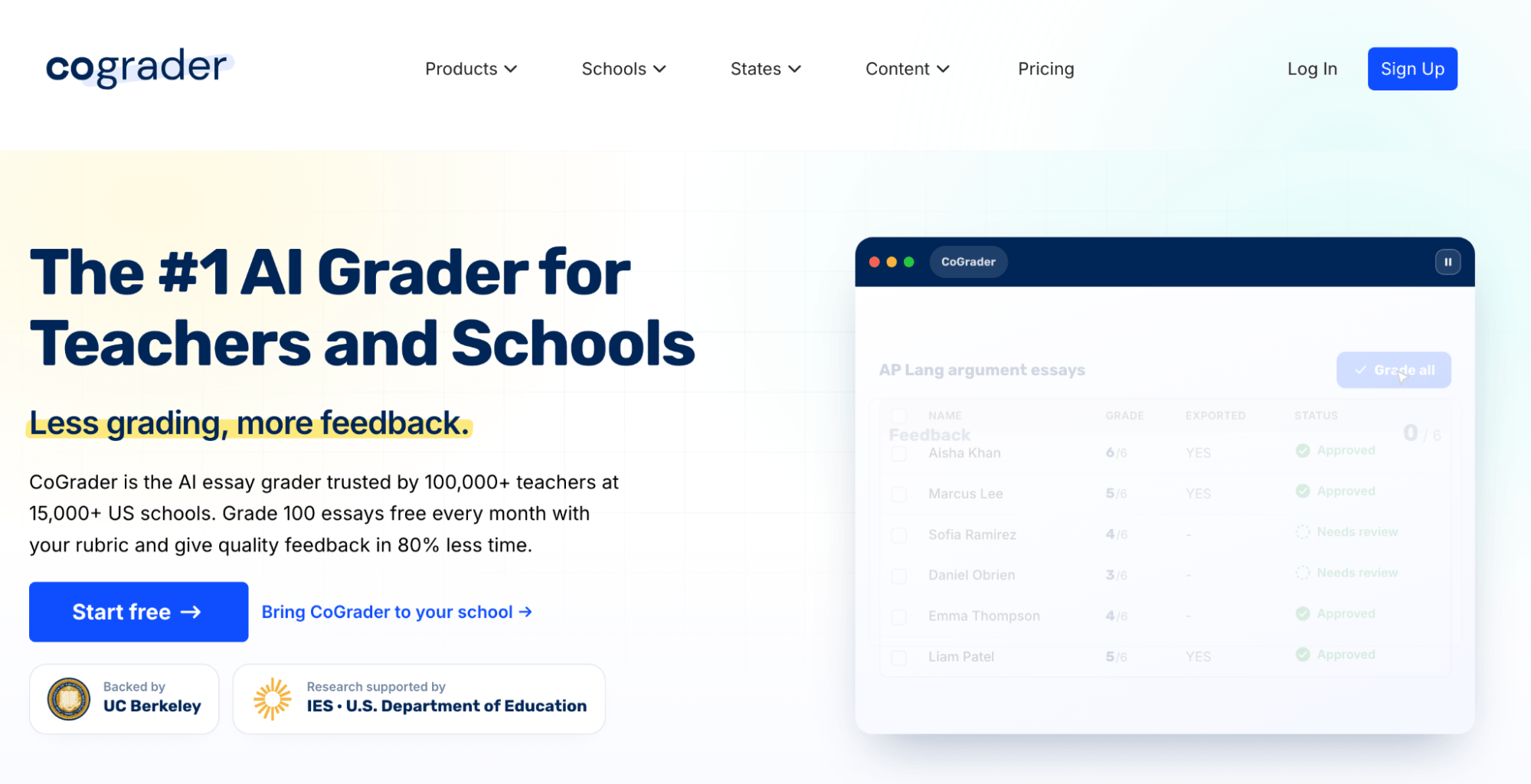
CoGrader, our very own AI essay grader, is what we believe is the best tool for grading papers because it does much more than simply assign a score to an essay. It grades student writing against your rubric, generates personalized feedback, and keeps you in control of the final grade before anything goes back to the student.
The workflow is also simplified for teachers who may not be as technically proficient as others. You upload or import student essays, grade against your own rubric, and CoGrader drafts personalized comments for every student. There are no generic “good job” comments left on papers, but rather actual, specific feedback tied to the criteria you care about.
It also integrates seamlessly into your LMS, which we cover in more detail below. This lets teachers speed up the repetitive parts of grading while still using their own rubric, reviewing the AI’s work, and deciding what feedback each student ultimately receives.
Connect your LMS to import classes and student assignments
CoGrader can pull student essays directly from the LMS you already use, so you don’t have to download dozens of files, upload them into a separate AI grader, and then manually move grades and feedback back again.
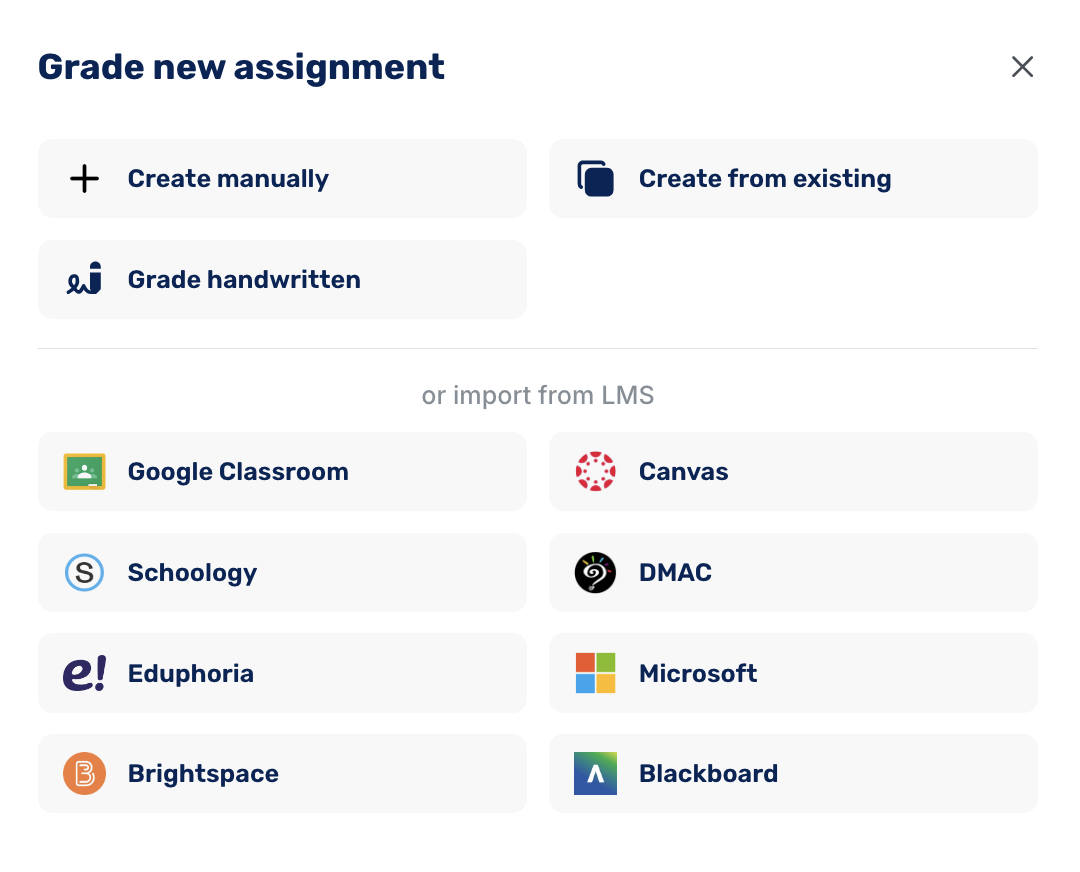
The platform currently supports:
- Google Classroom: Connect your account directly and import classes and assignments into CoGrader.
- Canvas: Use CoGrader’s Chrome extension to grade submissions directly from the LMS gradebook.
- Schoology: Use the dedicated Chrome extension to import work, grade against your rubric, and return feedback.
- DMAC: Import assignments from DMAC into CoGrader for rubric-based grading and feedback.
- Eduphoria: Export a Student Constructed Response Report from Eduphoria Aware as a CSV and upload it to CoGrader. Student names and responses are matched automatically, so you don’t need to build a separate roster first.
- Microsoft: Schools can connect Microsoft with CoGrader as part of the school plan for a more integrated grading workflow.
- Brightspace: Bring Brightspace assignments into CoGrader instead of downloading and re-uploading student work individually.
- Blackboard: Available through CoGrader’s school offering, allowing institutions to connect Blackboard directly to the grading workflow.
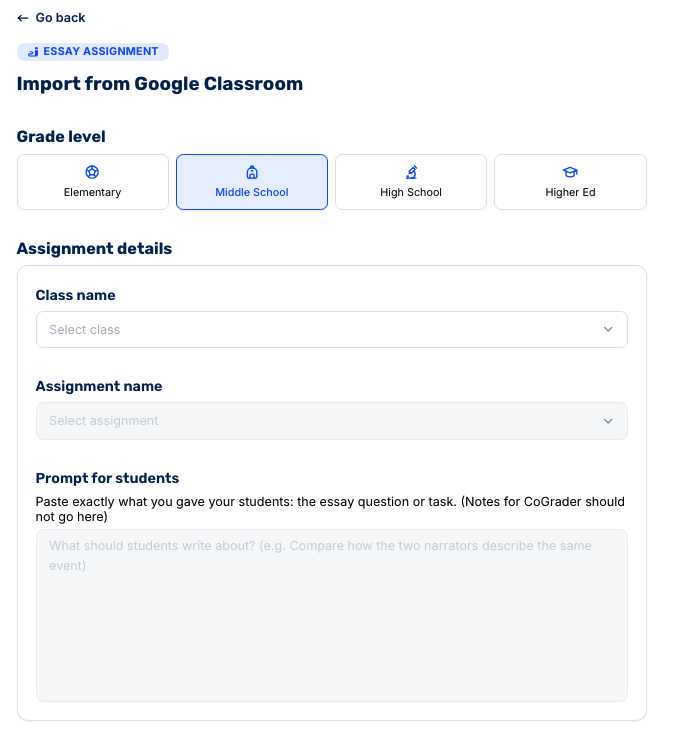
Once your class or assignment is imported, you can move straight into grading. Rather than processing essays one at a time, CoGrader can grade the entire class set against the same rubric at once.
Below, we’ll walk you through the rest of the AI essay grading process with CoGrader.
Batch grade student essays against your preferred rubrics
After connecting your LMS and importing student assignments, CoGrader can grade the entire class set at once instead of making you run every essay through the tool individually.
This is one of the biggest differences between CoGrader and simpler AI essay graders. You can process a full class set in under two minutes, with each submission receiving a numerical score and passage-specific feedback based on the grading rubric you choose.
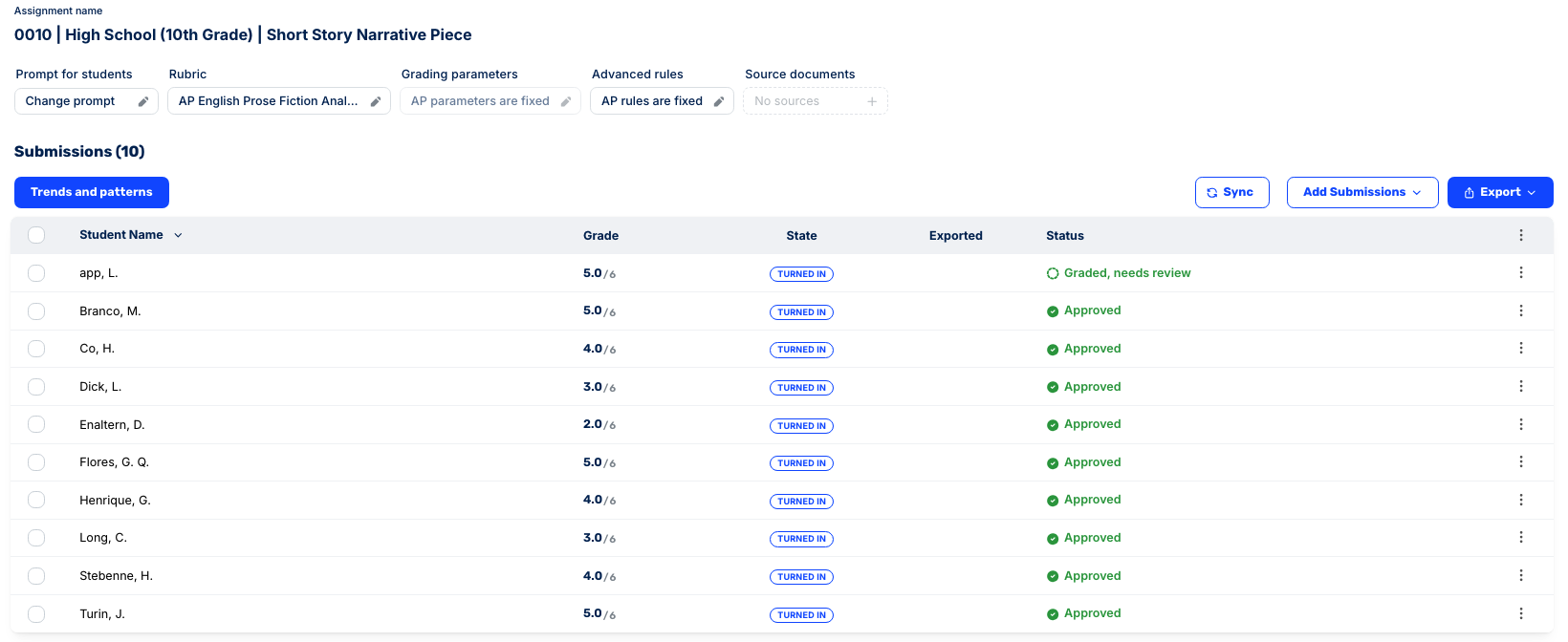
You also aren’t locked into CoGrader’s own definition of a good essay. Before grading, you choose exactly which rubric the AI should use.
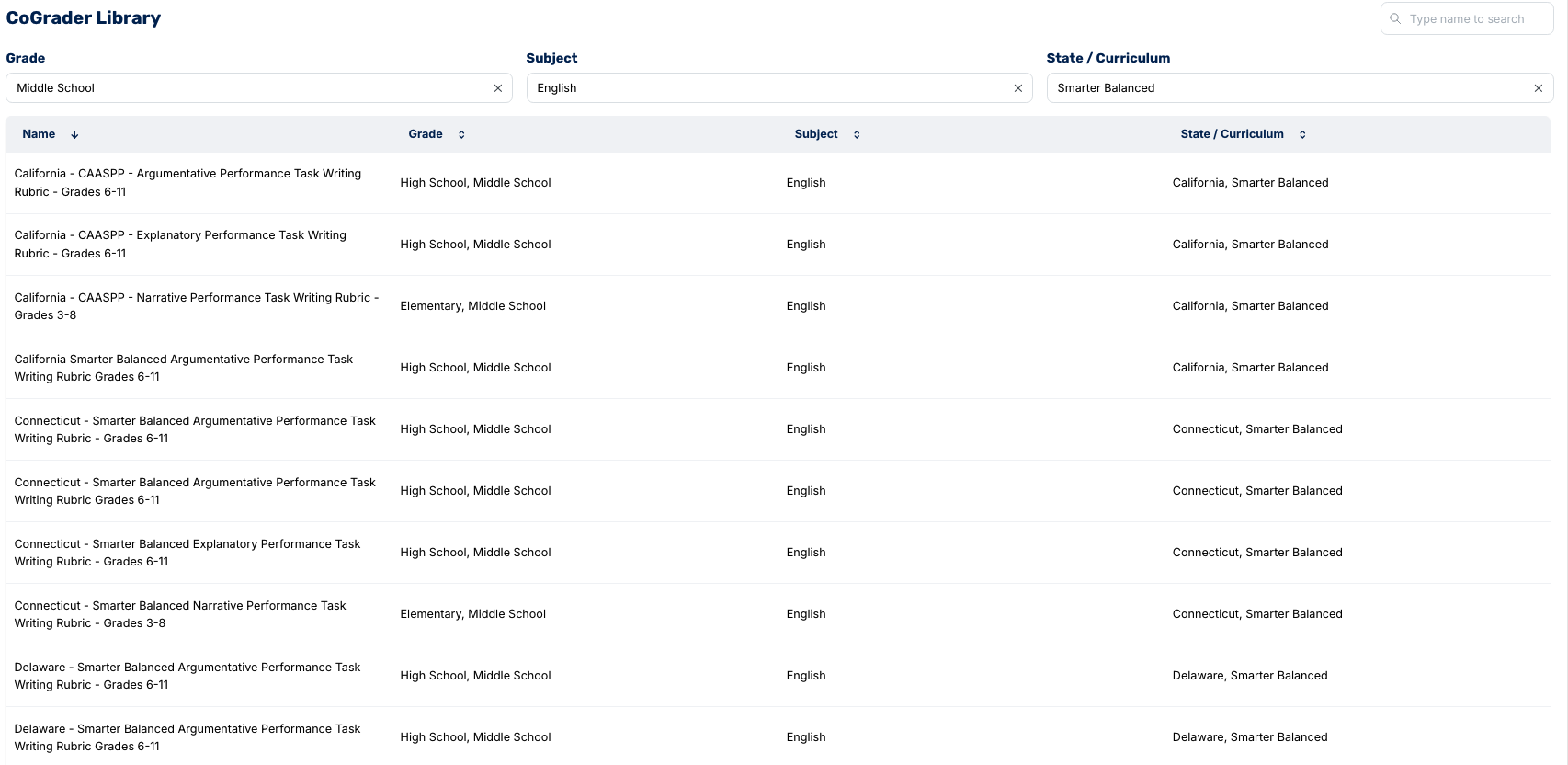
There are four ways to set up a rubric in CoGrader:
- Upload your existing rubric. Import the rubric you already use as a document, PDF, or image, and CoGrader will grade each essay against those same criteria.
- Build a rubric from your state standards. Select your state, grade level, subject, and relevant standard to create a rubric aligned with what you’re currently teaching.
- Choose a rubric from CoGrader’s library. The built-in library covers all 50 U.S. states, major subjects and grade levels, as well as frameworks including AP, IB, Smarter Balanced, Cambridge, and MSAA.
- Generate your own rubric with AI. Describe the assignment and what you want to assess, or choose criteria such as essay type and grade level. CoGrader will generate a rubric that you can review and edit before using it.
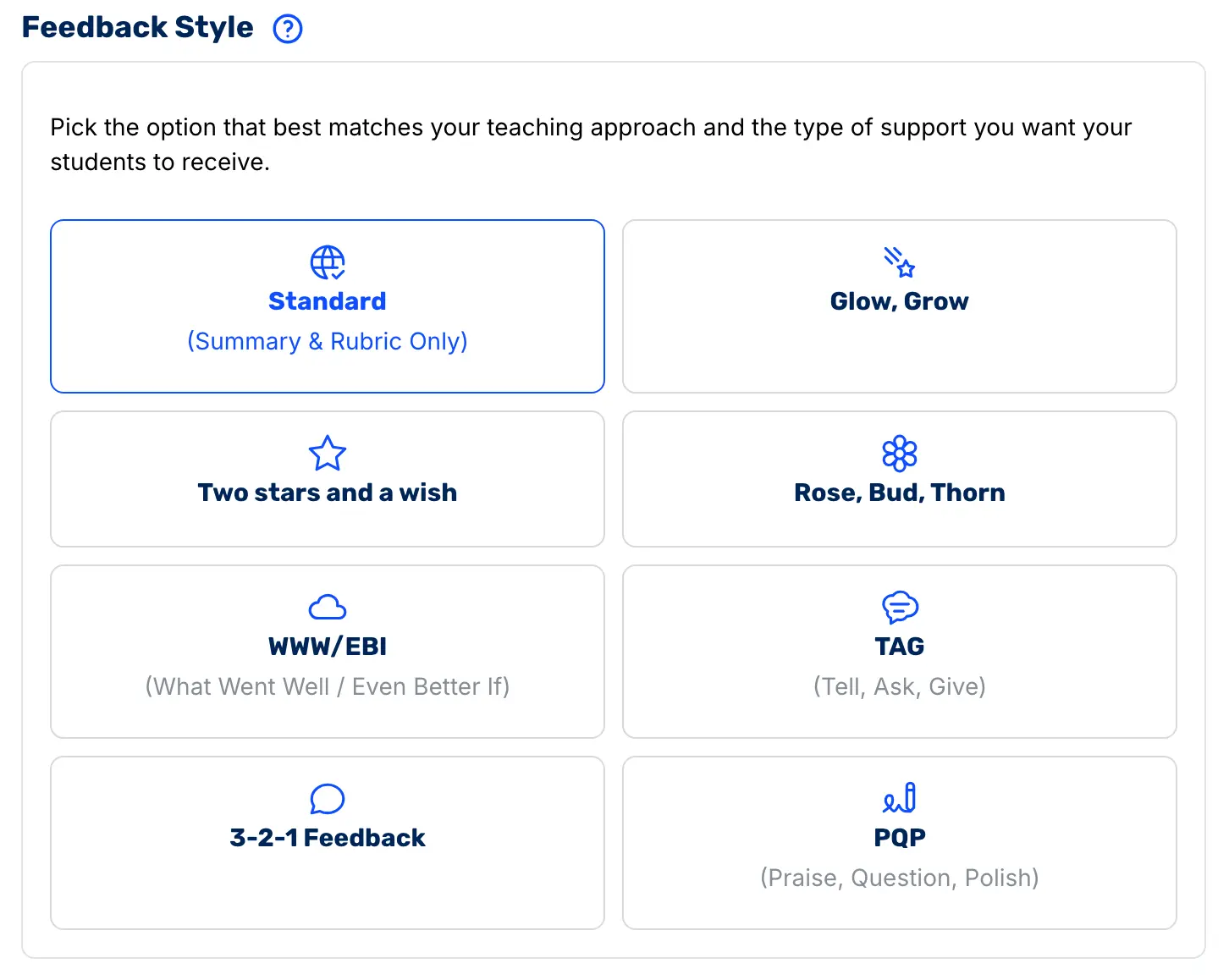
You can also control how CoGrader responds to students by choosing a feedback style that matches your teaching. Options include:
- Glow, Grow: Highlights what the student did well and gives a clear area for improvement.
- Two Stars and a Wish: Identifies two strengths and one specific improvement to work on next.
- Rose, Bud, Thorn: Breaks feedback into a strength, an area with potential, and a challenge or weakness.
- WWW/EBI: Separates feedback into “What Went Well” and “Even Better If.”
- TAG: Uses a Tell, Ask, Give structure to point out strengths, ask a reflective question, and suggest an improvement.
- 3-2-1 Feedback: Organizes feedback into a structured set of takeaways rather than one long block of comments.
- PQP: Uses Praise, Question, Polish to recognize strong work, prompt reflection, and recommend revisions.
- Standard: Provides a straightforward summary and rubric-based feedback without an additional feedback framework.
You can then fine-tune the response by adjusting settings such as strictness, tone, reading level, and feedback depth.
For example, a 5th-grade narrative essay could use Glow, Grow with an encouraging tone and simpler language. In contrast, an AP argumentative essay could use WWW/EBI with stricter scoring, more detailed feedback, and comments focused on evidence, reasoning, and rubric criteria.
Customize essay scoring with advanced parameters and feedback controls
Once CoGrader finishes grading an essay, it doesn’t just return a score and a generic paragraph of AI feedback. The review screen shows the student’s original writing, the feedback tied to it, and a criterion-by-criterion rubric breakdown in the same view.
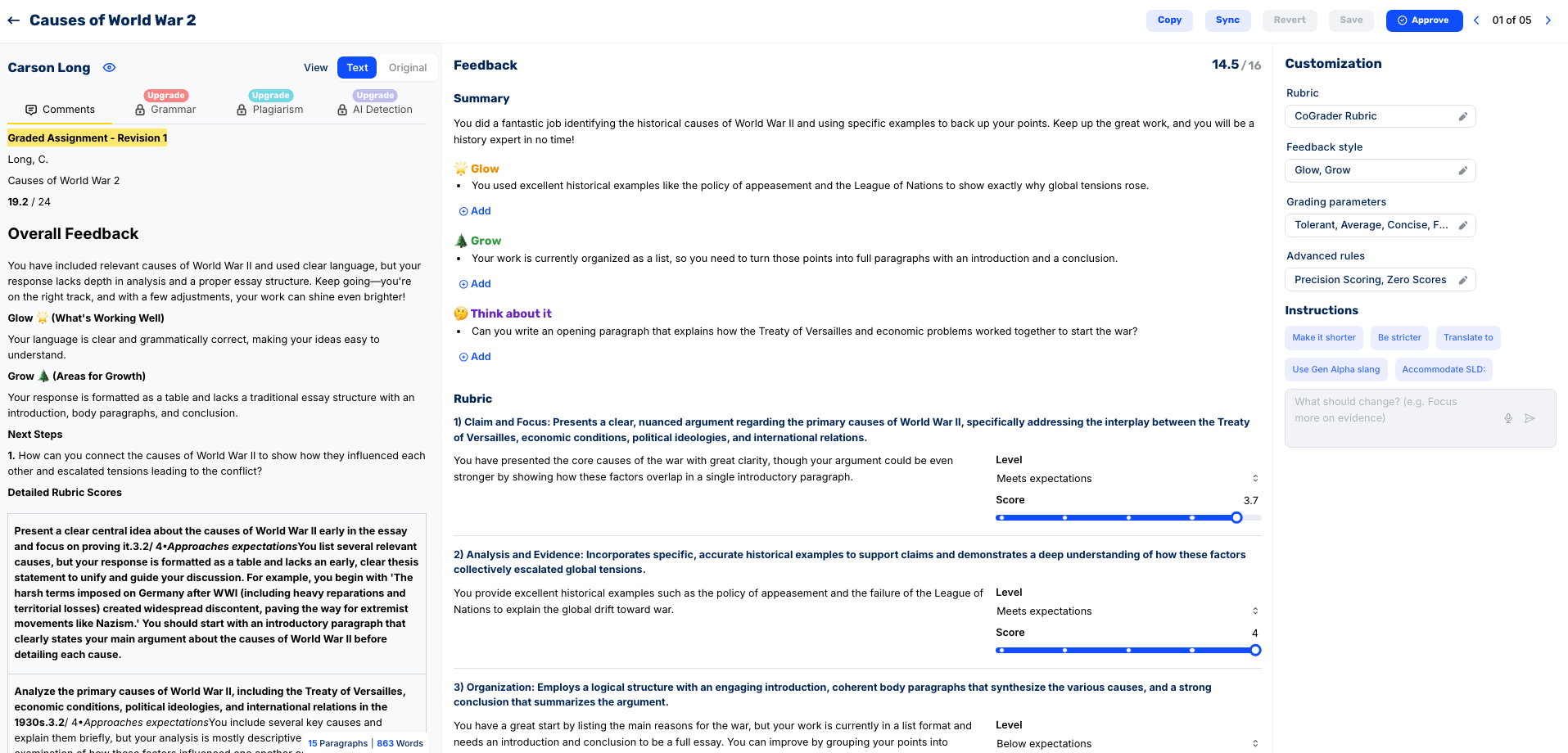
For each rubric criterion, you can see:
- The score CoGrader assigned for that individual criterion.
- An explanation of why the essay earned that score, based on the student’s actual writing.
- Specific evidence from the essay showing where the student met or missed the rubric requirements.
- Highlighted passages and comments that connect the feedback to the exact sentence or paragraph it refers to.
So if a student earns a 4 for Analysis and Evidence but a 2.8 for Organization, they don’t just see the scores. CoGrader explains that their historical evidence is strong, shows where the structure falls short, and gives specific guidance on how to improve the organization of the essay.
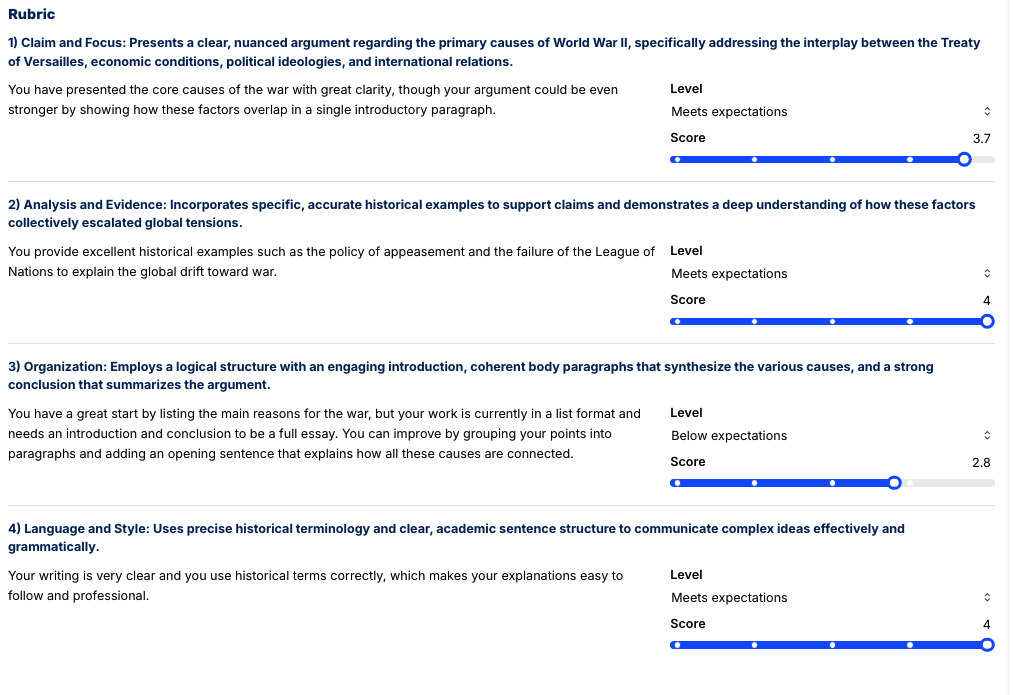
Teachers still have control over the result before anything is returned to the student. You can manually adjust the score for an individual rubric criterion, edit the written feedback, or change how CoGrader responds and regenerate it.
The customization panel also includes quick instructions such as:
- Make it shorter to condense overly detailed feedback.
- Be stricter when you want the grading standard raised.
- Translate to another language for multilingual learners.
- Use Gen Alpha slang to change the language and tone of the response.
- Accommodate SLD to adapt the feedback for students with specific learning needs.
- Add your own instruction when you want CoGrader to focus on something specific, such as stronger evidence, clearer organization, or a particular writing skill.
For assignments using a custom or standard rubric, you can also change CoGrader’s Advanced Rules to control how scores are calculated:
- Assign Score: Turn numerical scoring on or off, which is useful if you’re using CoGrader for formative feedback rather than a graded assignment.
- Precision Scoring: Allow scores between the values defined in your rubric. For example, a 1–4 rubric can return a 2.5 instead of forcing every student into a whole-number score.
- Zero Scores: Let CoGrader assign a zero when a response is empty, off-topic, or nonsensical.
- Language: Choose the language CoGrader uses for grammar checks, feedback, and any AI-generated rubric content.
- Grammar Strictness: Adjust how aggressively CoGrader flags grammar issues, including stricter rules that may be more appropriate for formal writing.
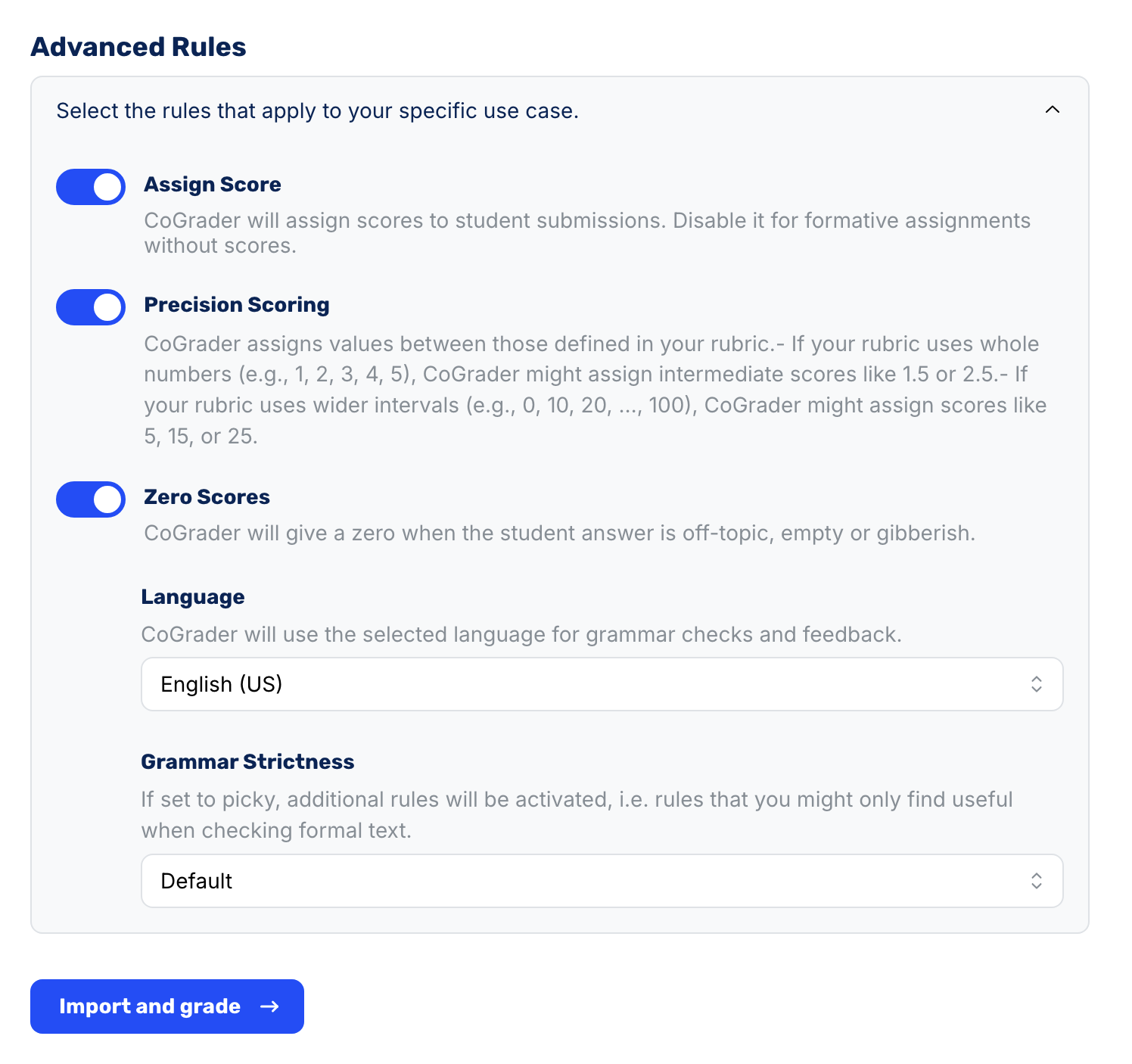
These controls aren’t available when you’re grading against certain standardized rubrics, such as AP. In those cases, CoGrader keeps the grading parameters and advanced rules fixed so the scoring stays aligned with the official framework.
You can still review the result afterward, adjust individual rubric scores when appropriate, edit the written feedback, and approve the final grade before returning anything to the student.
Measure student performance and overall progress with class-wide analytics
When you are finished grading assignments and scores go back to students, CoGrader aggregates the results across the entire class so you can see more than individual essay scores.
The analytics dashboard shows where students are succeeding, which rubric criteria are dragging scores down, and which students may need reteaching or additional support.
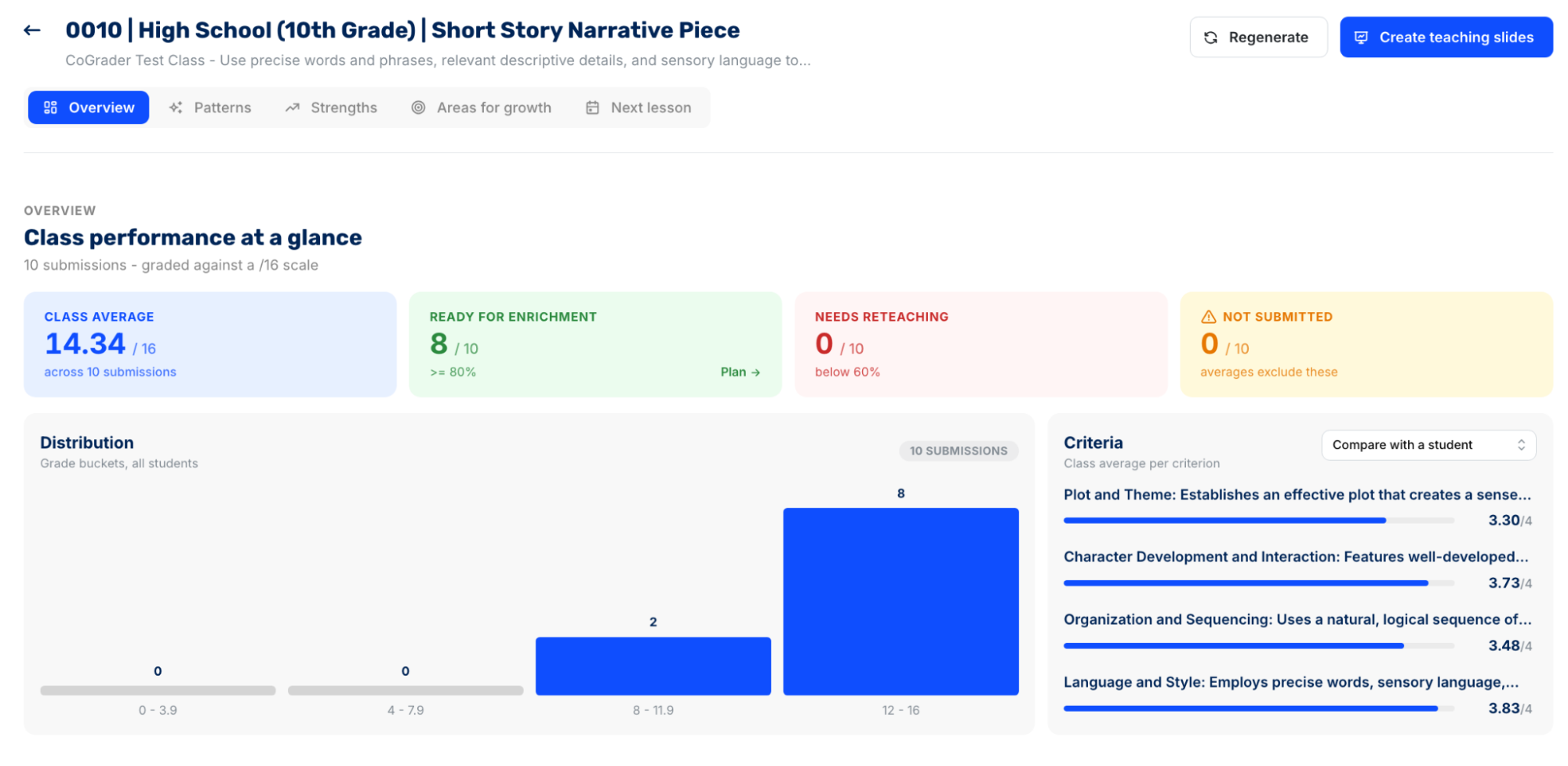
The Overview gives you a quick snapshot of the assignment, including:
- Class average: See the overall average score for the assignment.
- Students ready for enrichment: Identify students who have already demonstrated mastery and may be ready for more advanced work.
- Students who need reteaching: See which students are struggling enough that they may benefit from another lesson or targeted intervention.
- Missing submissions: Quickly identify students who still haven’t turned in the assignment.
- Grade distribution: See how scores are spread across the class instead of relying on the average alone.
- Rubric criterion averages: Compare how the class performed on individual skills such as thesis development, evidence, organization, analysis, or language and style.
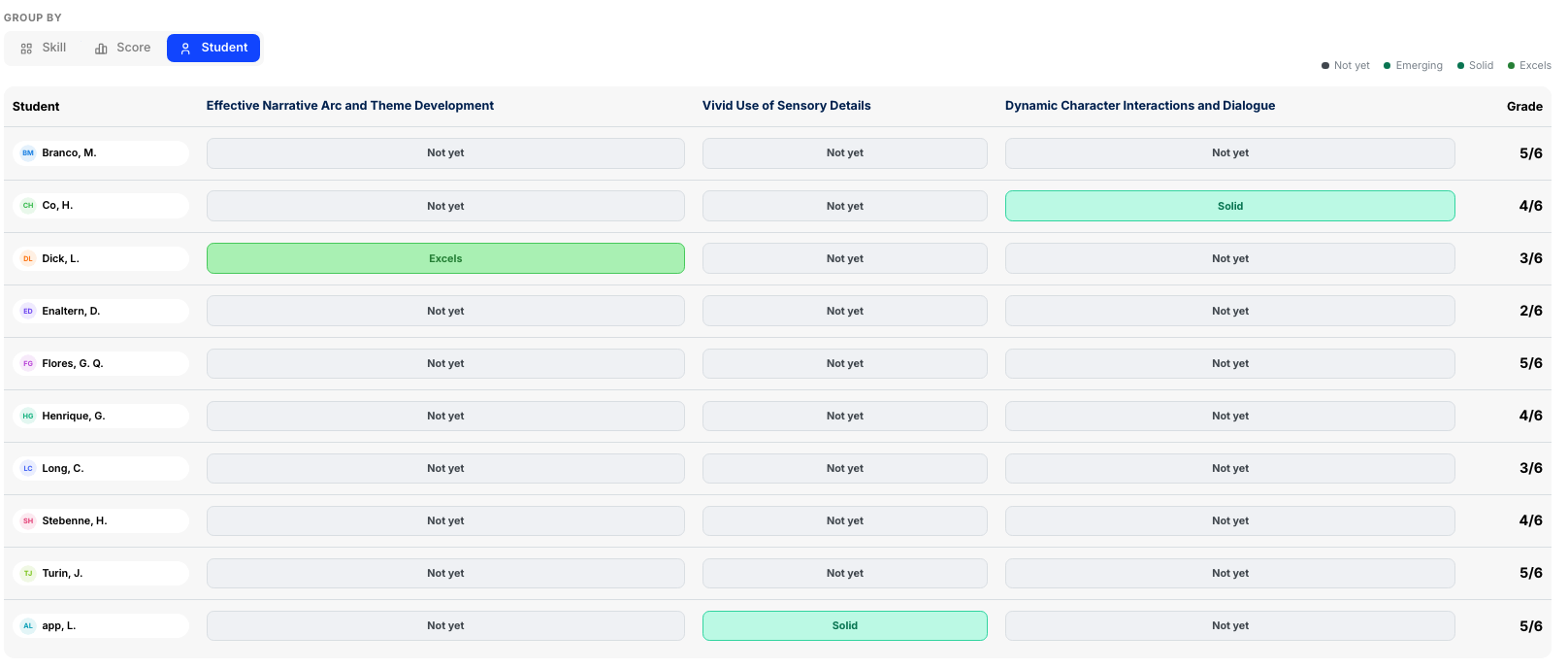
That criterion-level view is especially useful for essay grading because two classes can have the same average score for very different reasons.
For example, imagine your class earns an average of 82%. The overall number looks fine, but the rubric breakdown might show that students averaged nearly full credit for Analysis and Evidence while scoring much lower for Organization.
Instead of reteaching the entire essay-writing process, you know the next lesson should focus on introductions, paragraph structure, transitions, and conclusions.
You can then dig further into the class through several analytics views:
- Patterns: Surfaces recurring trends across student submissions and groups students by similar performance. This helps you spot issues that might be easy to miss when reading essays one at a time.
- Strengths: Highlights the strongest skills demonstrated across the class and shows which students exemplify each one. You might discover, for example, that most students are using strong textual evidence even if their analysis still needs work.
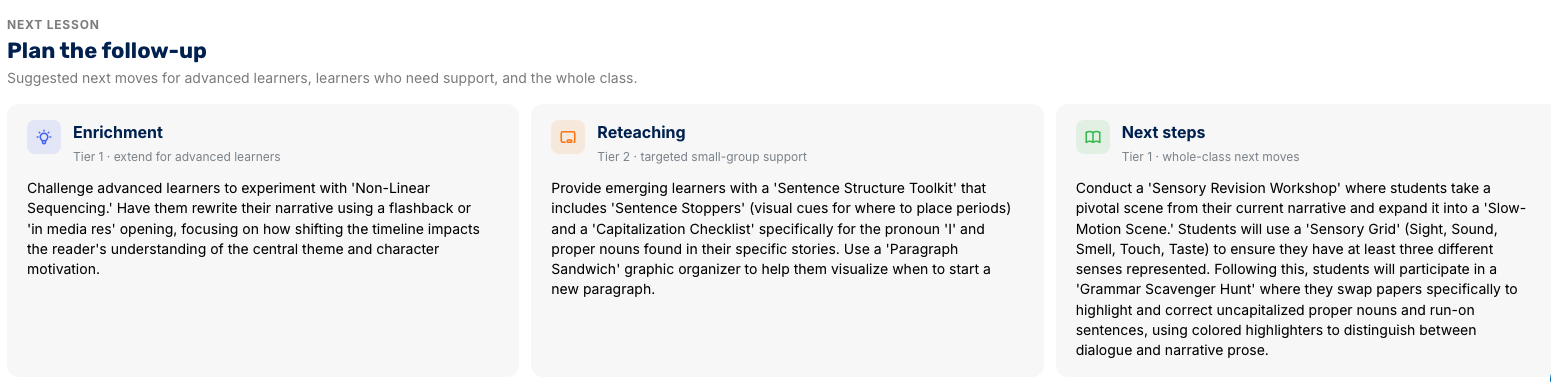
- Areas for growth: Identifies the most common weaknesses across the assignment and shows which students need the most support in each area. These can range from larger writing skills such as thesis development and organization to narrower issues such as capitalization, sentence structure, or run-on sentences.
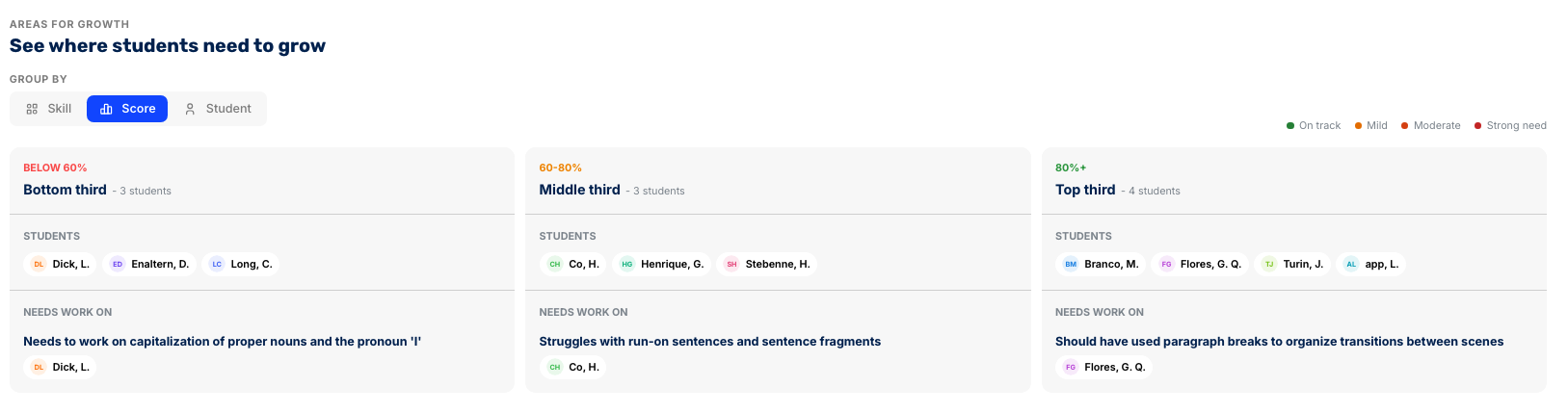
The real value is that you can move from a class-wide trend down to the students behind it. If only five students are struggling with thesis statements, you don’t need to spend another full class period reteaching thesis writing to everyone. You can pull those students into a small group while giving the rest of the class an enrichment activity.
The same is true if 24 out of 30 students score poorly on evidence and commentary. At that point, the issue is likely broader than a handful of individual students and may be a sign that the concept needs to be retaught to the whole class.
CoGrader can then turn those insights into the next lesson. From the analytics dashboard, you can prompt the platform to create teaching materials based on the class results, including slides focused on the skills students struggled with most.
Review student assignments for grammar errors, AI use, and plagiarism
CoGrader also checks student writing for grammar issues, possible AI use, and plagiarism, so you don’t have to run the same essay through several separate tools after grading it.
Each check is tied back to the student’s actual submission. Instead of returning a single score with no context, CoGrader shows which passages triggered the result and gives you more information to review before deciding whether anything needs to be addressed.
For grammar, CoGrader can flag issues directly in the essay so you can see where students are struggling with mechanics alongside their rubric-based feedback. This helps separate writing-quality issues from content issues.
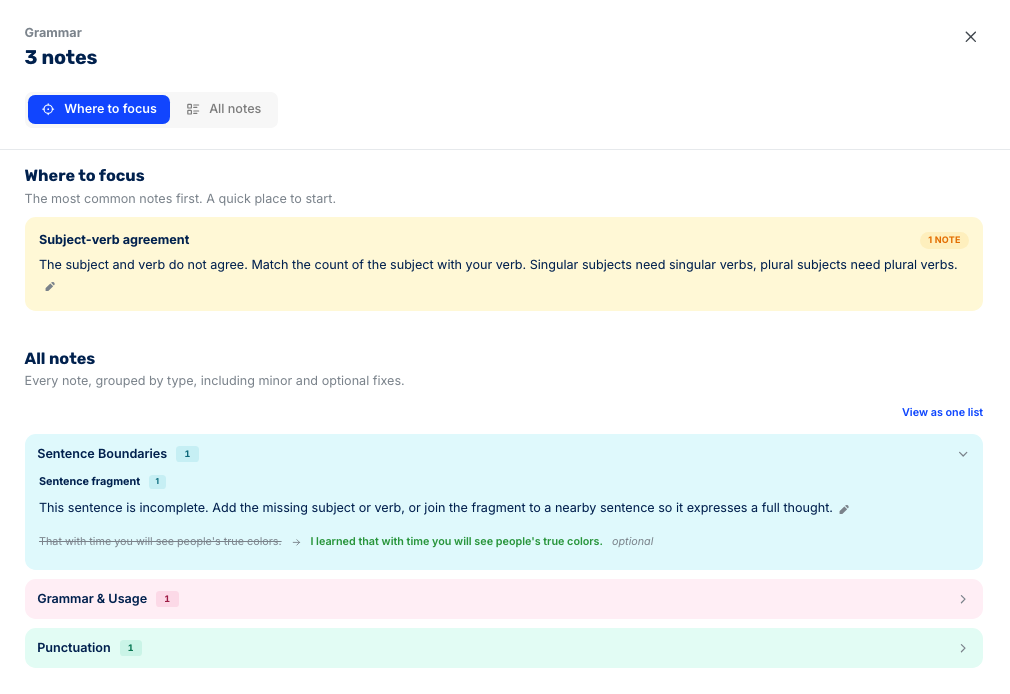
A student might have a strong argument and solid evidence, for example, while still repeatedly struggling with sentence structure, punctuation, or grammar.
The Originality view goes further by checking for possible AI-assisted writing and copied content.
For AI detection, CoGrader places the submission into one of three categories:
- Probably Human: The writing shows few or no strong signals of AI-generated text.
- Possibly AI-assisted: Some portions of the essay contain patterns that may indicate AI was used during the writing process.
- Possibly AI-generated: The submission contains stronger signals that larger portions of the text may have been generated with AI.
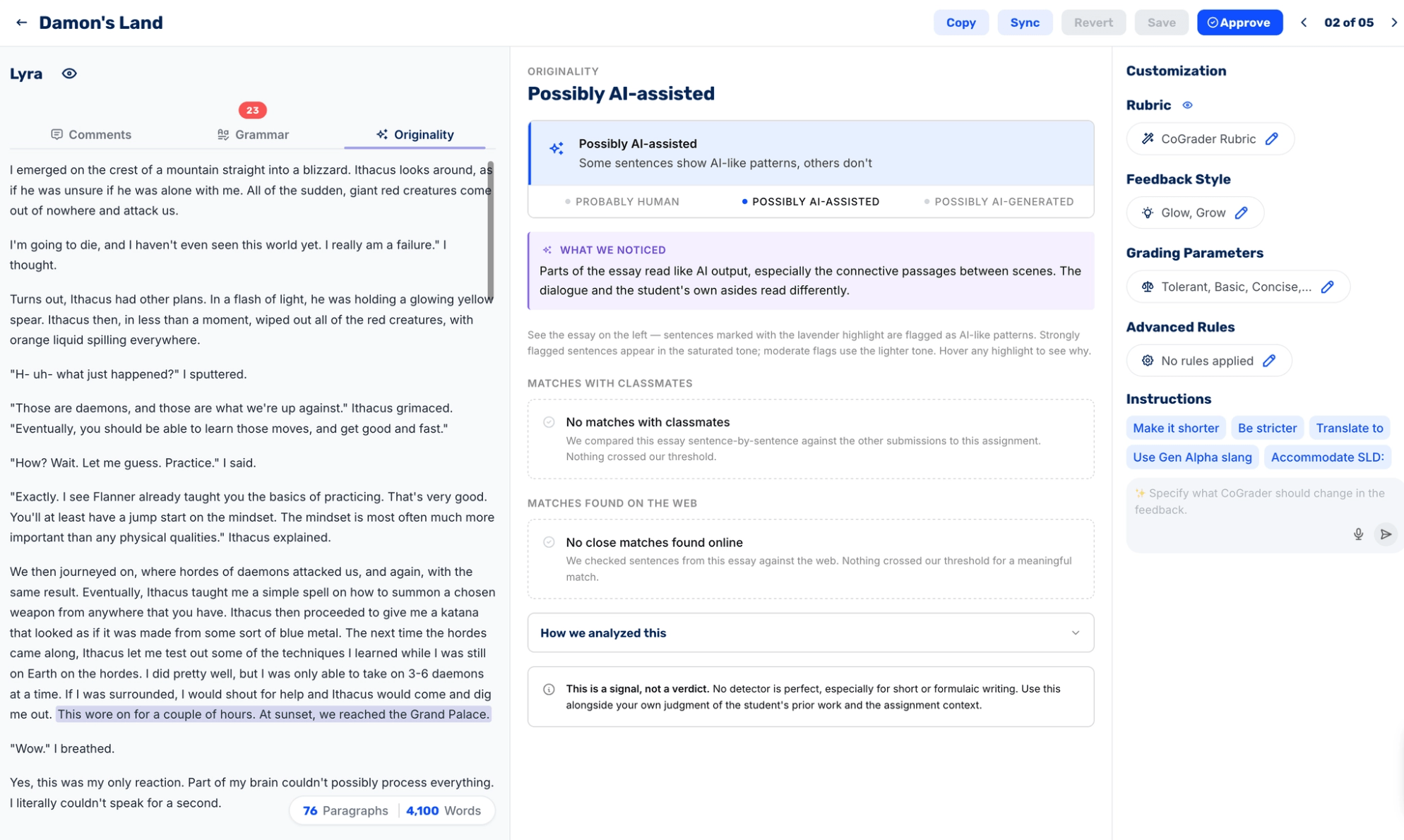
CoGrader also highlights the passages that contributed to the result so you can inspect the writing yourself. Stronger signals receive more prominent highlighting, while more moderate signals are shown separately, making it easier to see whether the concern applies to one sentence or a much larger portion of the essay.
On top of checking for all of these flaws in student work, CoGrader can look for copied writing in two places:
- Other students in the class: CoGrader compares submissions from the same assignment to identify sentences or passages that closely match another student’s response.
- Outside sources: The plagiarism checker searches for close matches between the student’s writing and content published elsewhere on the web.
The classmate comparison is especially useful for catching copied work that may never appear in a traditional web-based plagiarism check.
CoGrader treats these originality results as signals rather than proof of misconduct. Teachers can review the flagged passages, compare them against the student’s work, and decide whether any follow-up is needed.
Grammar checking, AI detection, and plagiarism detection are all available on the Standard plan so teachers can integrate them into their essay grading process right away.
CoGrader pricing
CoGrader is free for teachers to get started, with no credit card required. The Starter plan includes enough usage to grade a real class set of essays and test CoGrader’s rubric-based grading workflow before paying for a subscription.
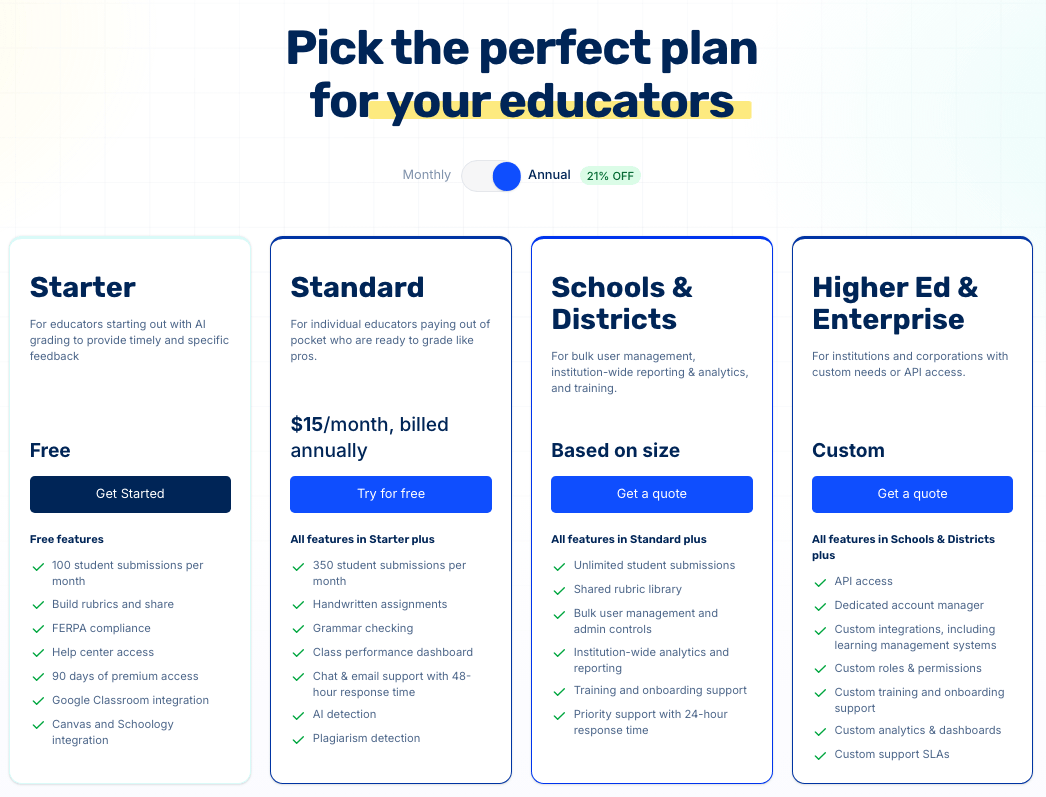
CoGrader currently offers four plans:
- Starter (Free): Grade up to 150 student submissions each month, including handwritten work, create or import rubrics, and test premium features for 90 days before deciding whether you need a paid plan.
- Standard ($15/month billed annually or $19 month-to-month): Raises the monthly limit to 350 submissions and unlocks the features most useful for day-to-day grading, including grammar checking, AI and plagiarism detection, and class-wide performance analytics.
- Schools & Districts (custom pricing): Removes individual submission limits and adds the administrative layer schools need, including shared rubric libraries, bulk user management, organization-wide reporting, onboarding, and priority support.
- Higher Ed & Enterprise (custom pricing): Adds API access, custom LMS integrations, configurable roles and permissions, tailored analytics, a dedicated account manager, and custom support agreements.
Create your free account and start grading essays today. A free trial with premium access is available, and no credit card is required.
2. Turnitin Feedback Studio: Best for institution-wide grading and academic integrity
Turnitin Feedback Studio is the enterprise standard for grading and academic integrity in one platform. It pairs Turnitin’s similarity checking, backed by the largest database of internet, academic, and student paper content, with a full grading and feedback layer that departments can standardize on.
Instructors grade with standards-aligned rubrics, grading forms, and reusable QuickMark comment libraries, plus newer options like video comments and AI summary comments. It also includes additional add-ons like Turnitin Originality and Turnitin Clarity to detect AI writing and provide visibility into how a student’s draft came together from start to submission.
Key features
- Checks similarity against the most comprehensive database of internet, academic, and student paper content
- Grades with standards-aligned rubrics, grading forms, and drag-and-drop QuickMark comment libraries
- Detects AI writing and traces the drafting process through the Originality and Clarity add-ons
- Grades scanned paper assignments with AI assistance through Paper to Digital
- Integrates with virtually every LMS, including Canvas, Moodle, D2L, Sakai, and Microsoft Teams, with centralized admin reporting
Pricing
Turnitin Feedback Studio is licensed to educational institutions by custom quote, with pricing based on the institution’s size and requirements. There is no individual-teacher plan available, and add-ons may be licensed separately.
What it does well
Feedback Studio is what a university or district buys when it needs one grading and integrity system across every department. Centralized rubrics, shared comment libraries, and admin-level reporting keep evaluation consistent whether the grader is a TA or a department chair.
But if you’re just a single teacher starting out, you can skip right over this platform. It’ll be far too expensive to get a license, and you’ll need district or school sign-off to even get started.
3. Gradescope: Best for large classes and mixed-format assignments
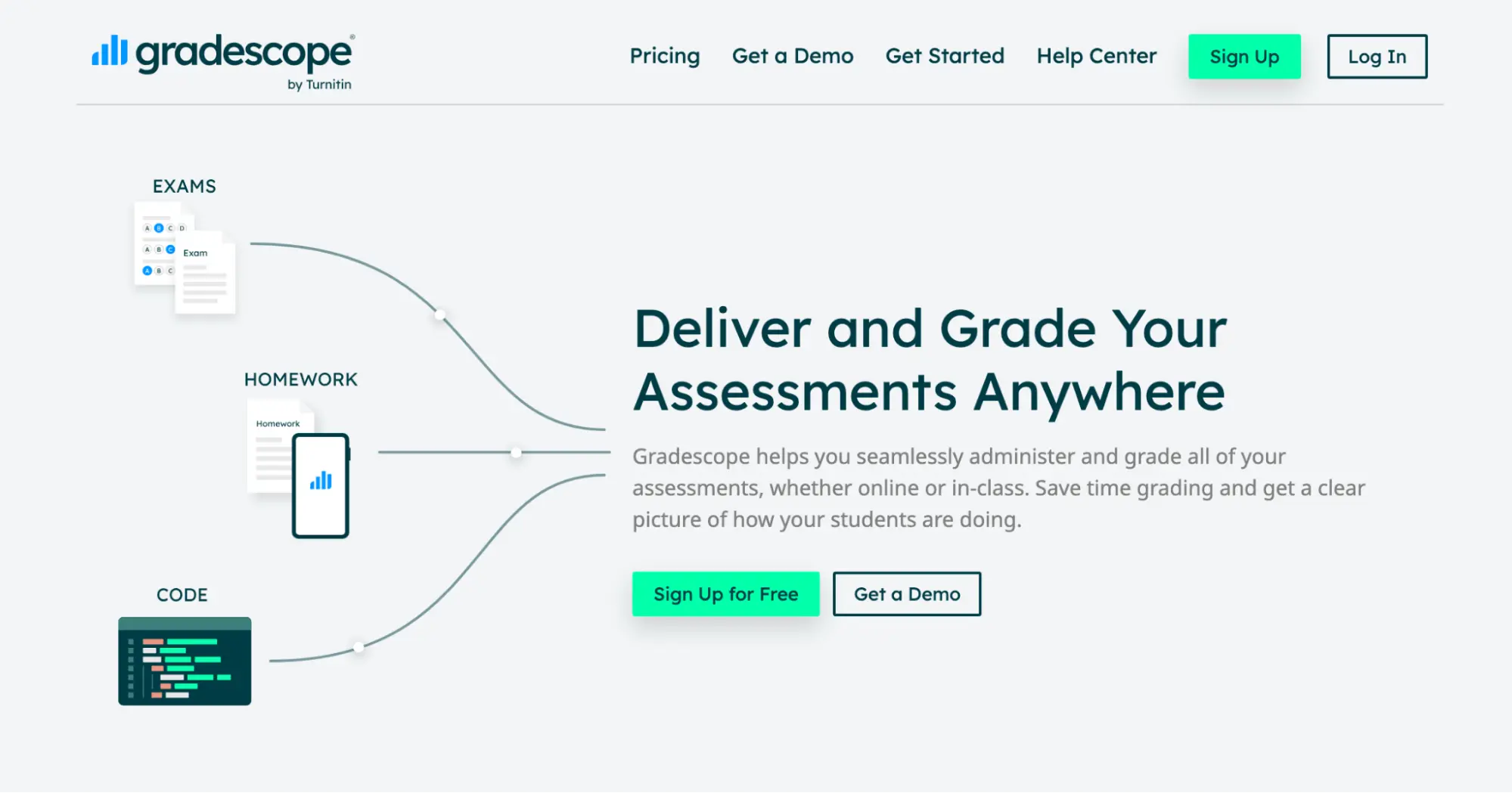
Gradescope is a heavyweight grading tool for large classes and mixed-format assignments. It handles essays, handwritten exams, problem sets, code submissions, bubble sheets, and math notation.
The platform’s signature feature is answer grouping. The AI clusters similar student responses, so you grade one representative answer and apply the feedback across the entire cluster, making it feasible to grade 200 essays or exams all at once.
While Gradescope is an advanced grading tool and it can handle essays, it’s not a standard essay-feedback tool. It applies rubric items consistently, but it does not generate the natural-language, passage-level feedback that a writing teacher wants on an open-ended essay. This grading approach is better for shorter written assignments, short-answer questions, and in-class essay tests.
Key features
- Groups similar answers so you grade clusters instead of individual papers
- Reads handwriting, code, and bubble sheets alongside digitally submitted work
- Applies dynamic rubrics that update retroactively across already-graded work
- Integrates deeply with Canvas, Blackboard, Moodle, and Brightspace
Pricing
Gradescope Basic is free for individual instructors. Schools and universities that need AI-powered grading, LMS integrations, and other institutional features can request custom pricing for the Institutional plan.
What it does well
Gradescope stands out with answer grouping, which no essay-only tool matches. For a professor grading hundreds of exams or a teacher scoring short-answer tests, clustering similar responses turns hours of repetitive marking into minutes.
It also reads handwriting and code as reliably as it reads typed text, which makes it a default choice for STEM courses and in-class assessments.
4. Class Companion: Best for formative practice and revision
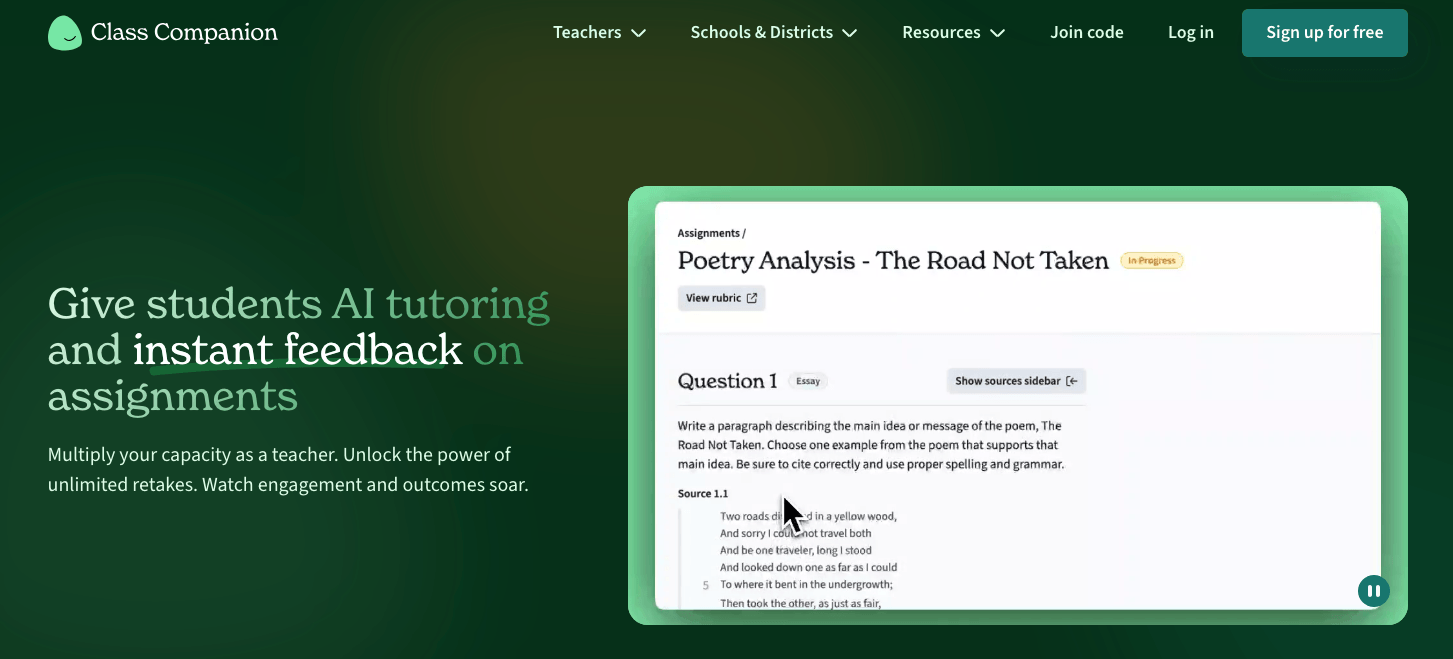
Class Companion approaches grading from the opposite direction of most tools on this list. Instead of scoring a stack of finished essays, it runs students through structured writing practice and returns instant, rubric-aligned feedback the moment they submit.
Students can revise and resubmit as many times as the teacher allows, making actionable feedback easier and more detailed. The platform also offers a built-in AI tutor called Ditto that coaches students through the work in real time. Teachers can pre-set every parameter while holding the final say on every grade.
The platform leans toward writing-heavy subjects like English, social studies, and AP prep, and it’s built for low-stakes, feedback-rich assignments rather than high-stakes summative testing.
Key features
- Scores and annotates student responses against your rubric within seconds of submission
- Runs a revise-and-resubmit loop with teacher-set attempt limits
- Coaches students in real time through the Ditto AI tutor
- Surfaces class-wide skill gaps through analytics that inform your next lesson
- Flags integrity issues like pasted text, with deeper detection on paid plans
Pricing
Class Companion is free for teachers. School and district plans, priced by quote, add LMS sync with Google Classroom, Canvas, and Schoology, plus advanced integrity detection.
What it does well
Class Companion is built more for revisions rather than scoring. Students get feedback while the lesson is still live and can act on it immediately, which turns a grade into actual writing practice.
For a teacher who cares more about growth across a unit than a single summative mark, they’ll find Class Companion to be extremely useful. Plus, the free teacher plan makes it easy to sign up and get started in just a few minutes.
5. Brisk Teaching: Best for essay feedback inside Google Docs
Brisk Teaching works differently from other AI essay graders by primarily functioning as a Chrome and Edge extension. It’s best known for its Google integration, which allows teachers to generate feedback directly in Google Docs, Google Classroom, and Slides without uploading anything or switching tabs.
But you’ll quickly notice that Brisk Teaching doesn’t directly grade assignments. It offers a primary feedback tool for writing feedback and comments rather than assigning scores.
The platform also includes Inspect Writing, which replays how a document was written keystroke by keystroke to determine whether students used AI to write.
Key features
- Runs inside Google and Microsoft tools through a browser extension, with no uploads required
- Writes feedback in multiple styles, including line-by-line, glow and grow, and rubric-aligned comments
- Replays the writing process through Inspect Writing to reveal pasted or AI-generated content
- Grades against rubrics in Google Classroom through the newer Brisk Grader
- Requires the browser extension, which can limit use in locked-down districts
Pricing
Brisk Teaching’s Educator plan is free for individual teachers. Schools and districts can upgrade to the custom-priced Premium plan, while Brisk Intelligence is available to districts with more advanced curriculum and administrative requirements.
What it does well
Brisk removes the friction of getting student work into the process, since many tools force you to upload everything yourself. With Brisk, feedback appears inside the Google Doc you’re already reading, so it fits into a Google Classroom routine with little extra effort.
Inspect Writing is one of the more unique academic integrity tools teachers can try. Watching how a draft actually came together can give you more specific insights into a student’s writing than any AI-detection score can.
6. GPTZero: Best for verifying student authorship
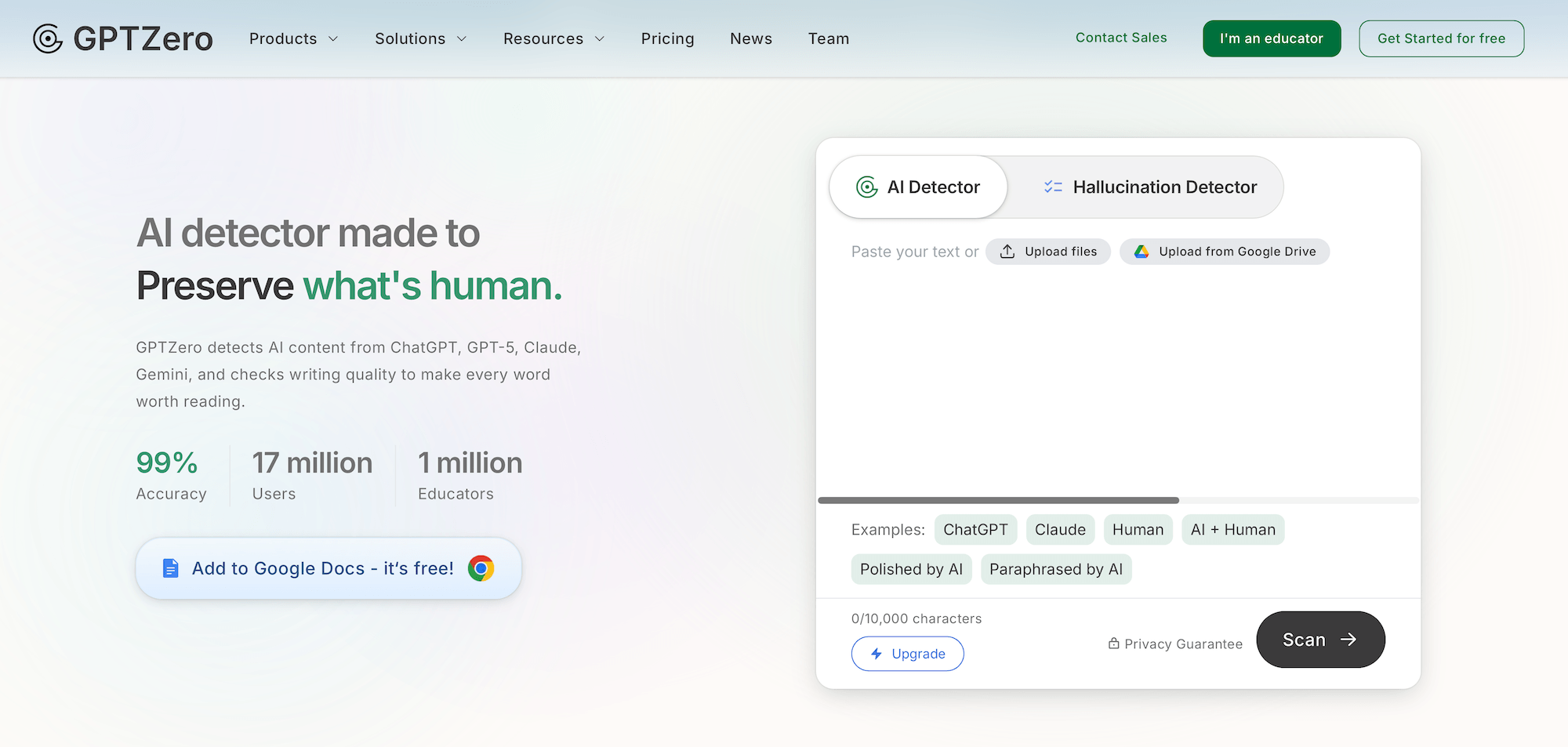
GPTZero is best known as an AI detector, but it now includes a dedicated essay grader alongside its detection tools. It works well for teachers who want to confirm a student wrote their essay and score it in the same platform.
The essay grader is built around standardized exam rubrics, with presets for IELTS, TOEFL, GRE, ACT, and other major English-language tests. Teachers can paste in an essay with its prompt, and GPTZero scores each criterion against the official rubric, then returns targeted feedback for each one.
Key features
- Grades essays against official rubrics for IELTS, TOEFL, GRE, ACT, and other standardized exams
- Detects AI writing at the document, sentence, and word level with color-coded highlights and confidence scores
- Replays the writing process through writing reports
- Scans submissions inside Canvas and Google Classroom through LMS integrations
- Checks for plagiarism alongside AI detection on paid plans
Pricing
GPTZero offers a free plan with 10,000 words of scanning per month, and the essay grader is free to try. Paid plans start at $9.09 per month billed annually for 150,000 words.
Higher-tier plans include batch uploads and unlimited scans. All school and district plans are custom-priced depending on your class sizes and requirements.
What it does well
GPTZero definitely stands out for its AI detection capabilities. Everything in the platform is built around this core feature, so it’s super easy for teachers to verify authorship and grade in one place.
The sentence-level detection breakdown also means you can have an evidence-based conversation with a student about specific passages, rather than making an accusation from a single percentage.
The only downside is the grading specialty. It’s better suited for standardized exam rubrics, so it has limitations for custom rubrics, batch grading, and class-wide score reviews. It suits exam prep and spot-grading more than grading a full class set against your own criteria.
7. Marking.ai: Best for identifying class-wide learning gaps
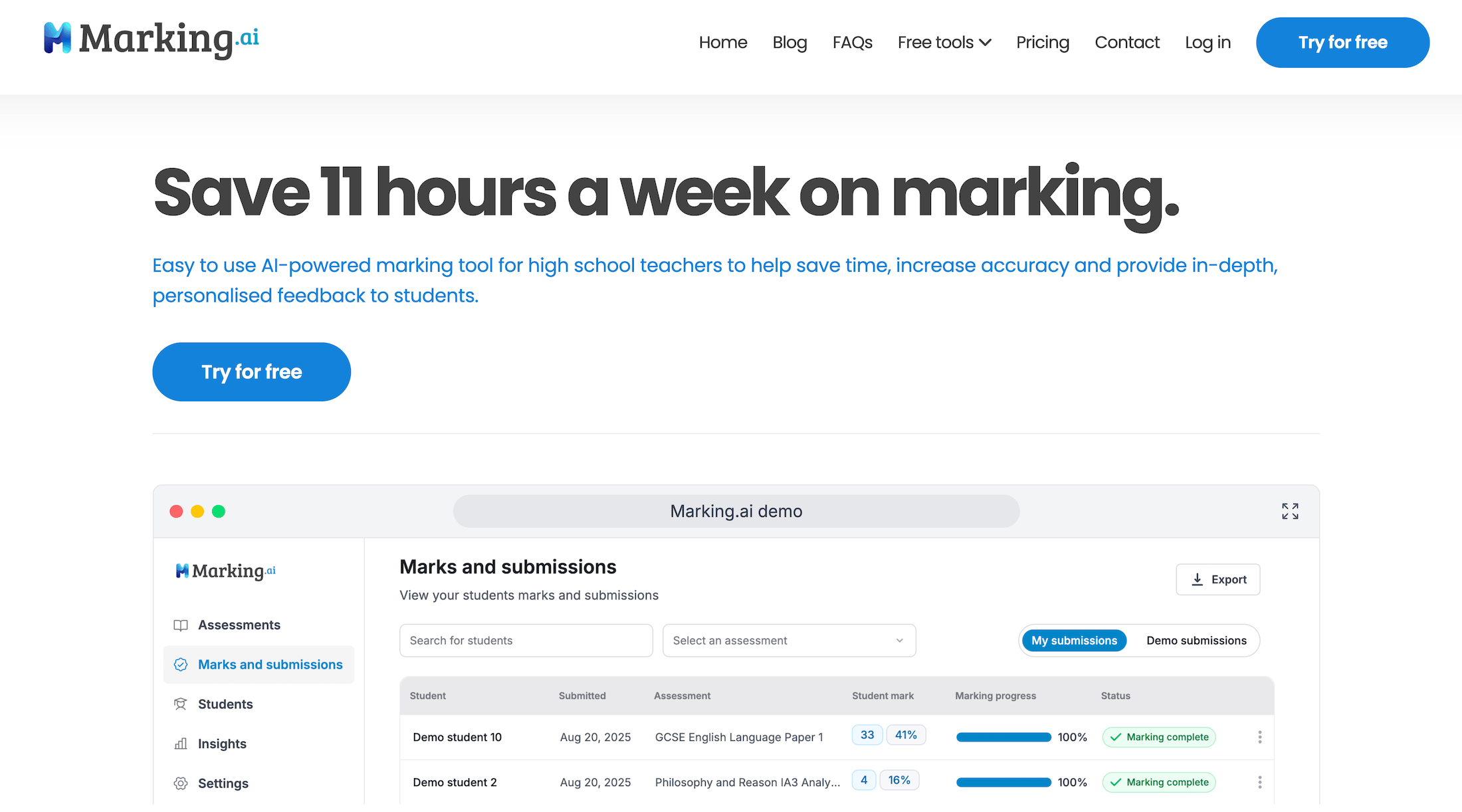
Marking.ai combines AI grading with a fairly deep analytics layer for understanding what happened after an assignment was marked. You upload student work with your marking guide, and the platform returns scores, written feedback, and a breakdown of how each student performed.
The platform analyzes results by question, identifies students who may need additional support, and groups recurring mistakes into common misconceptions. Teachers can also customize how feedback is structured and use Marko, the built-in AI assistant, which learns preferences such as grading strictness and feedback tone over time.
Key features
- Grades student work against your marking criteria and explains the reasoning behind individual scores
- Breaks performance down by question to show which parts of an assessment gave students the most trouble
- Identifies recurring misconceptions by grouping students who made similar underlying mistakes
- Shows class-wide analytics including average scores, pass rates, score distributions, and students who may need support
- Customizes student feedback based on your preferred structure, language, tone, and grading style
Pricing
Marking.ai offers three monthly plans based primarily on submission volume:
- Starter ($29/month): 90 submissions
- Pro ($49/month): 250 submissions
- Plus ($89/month): 500 submissions
All three include handwriting recognition, in-depth feedback, and student sharing. Additional submissions are available through one-time Top Ups starting at $12, with no expiration.
What it does well
Marking.ai stands out for what it does with grading data after essays are scored. It can show that a particular question caused problems across the class and then identify the misconception behind those incorrect responses.
This comes in handy for formative assessments. You can grade the assignment, identify which concepts students actually misunderstood, and use those patterns to decide whether to reteach something to the whole class or work with a smaller group.
8. GradeLab: Best for handwritten essays and large-scale assessment
GradeLab is built to grade much more than just typed essays. Teachers and institutions can upload essays, tests, handwritten exams, problem sets, and other assessments. From there, users can have the AI apply a rubric or answer key and generate scores with written feedback.
The grading tool uses OCR to read scanned papers and smartphone photos before applying the same AI grading workflow used for digital submissions. It can also process large batches of papers, making the platform more suited to universities and institutions running high-volume assessments.
Key features
- Grades typed and handwritten essays against custom rubrics
- Reads scanned handwriting with OCR before scoring the response
- Processes large batches of assessments rather than requiring teachers to upload papers individually
- Provides criterion-level scores and written feedback for essays and other open-ended responses
- Syncs with Google Classroom, Canvas, and Moodle for importing assignments and returning results
Pricing
GradeLab offers a 14-day free trial with no credit card required. After that, teachers and smaller users can use pay-per-paper pricing, while institutions receive custom enterprise pricing based on grading volume and features such as LMS integrations, analytics, SSO, API access, and advanced moderation workflows.
What it does well
GradeLab is one of the better options on this list if a large percentage of your essays are still written by hand. You don’t need to transcribe every paper before using AI grading, because the platform reads the scanned response and keeps the original handwriting available for review.
It’s also designed for larger institutions. Features such as large batch uploads, confidence scoring, re-evaluation workflows, audit trails, and institutional analytics make more sense for a university grading thousands of exam papers.
9. AutoMark: Best for consistent grading against detailed rubrics
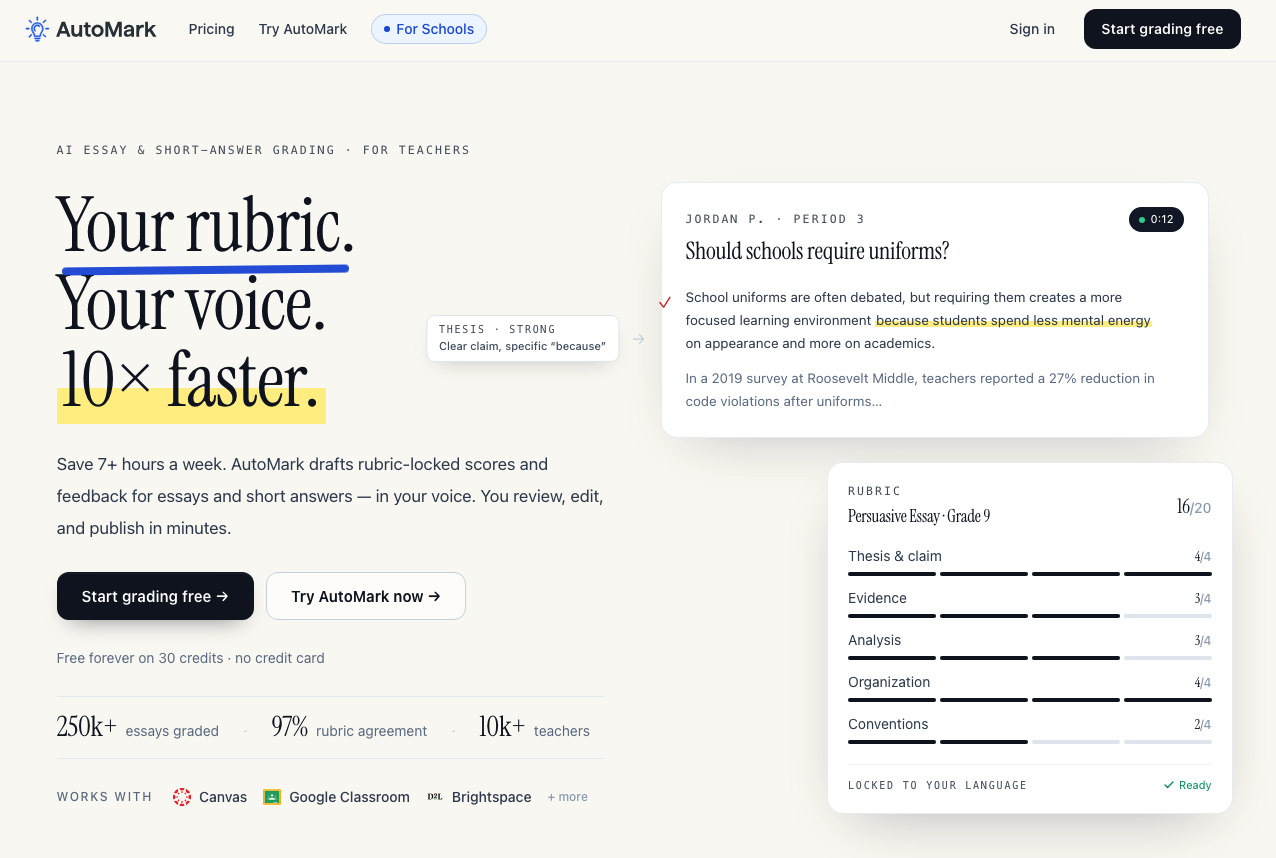
AutoMark is an AI essay and short-answer grader built around what it calls “rubric-locked” grading. Instead of letting the AI reinterpret your grading criteria, you upload or build your rubric, and AutoMark keeps its scores and comments tied directly to the language you’ve defined.
Teachers can import an entire class from Canvas, Google Classroom, or Brightspace, have AutoMark draft scores and feedback across the batch, and then review everything before publishing.
Key features
- Grades essays against your exact rubric criteria instead of replacing them with generic AI scoring rules
- Batch grades full class sets of essays and short-answer responses
- Generates inline feedback tied to specific rubric criteria
- Learns your commenting style so generated feedback can more closely resemble how you normally respond to students
- Integrates with Canvas, Google Classroom, and Brightspace for importing submissions and returning reviewed grades
Pricing
AutoMark’s free plan includes 30 grading credits and Google Classroom sync. Pro costs $15 per teacher per month and includes 150 monthly credits, Canvas and Brightspace support, a custom rubric library, and comment-style learning. School plans are custom-priced and add unlimited credits, SSO, admin tools, and deeper LMS integrations.
What it does well
AutoMark’s strongest feature is how tightly it keeps the AI attached to the teacher’s rubric. If your rubric says exactly what a 2, 3, or 4 looks like for Evidence, AutoMark is designed to score and explain the essay using that language rather than silently replacing it with its own interpretation.
That’s useful for teachers who already have mature rubrics and don’t need AI to redesign their grading system. You’re essentially using the AI to apply your existing process faster, while still reviewing every score before students see it.
10. GradeWithAI: Best for teachers grading essays alongside other assignment types
GradeWithAI is broader than a dedicated essay grader. It can grade essays and writing assignments, but also handwritten work, tests, short answers, math problems, projects, and AP free-response questions.
For essays specifically, you can upload your own rubric or generate one from the assignment instructions. GradeWithAI then scores individual criteria, provides feedback tied to the student’s writing, and lets you override scores or request a regrade.
It also has dedicated workflows for AP Language, AP Literature, APUSH, AP World History, LEQs, DBQs, and AP Seminar.
Key features
- Grades essays against custom or AI-generated rubrics and provides scores for individual criteria
- Supports handwritten assignments alongside digitally submitted essays and other written work
- Works with more than essays, including short-answer responses, tests, math problems, projects, and other assignment types
- Integrates with Canvas and Google Classroom, with additional integrations such as Microsoft Teams and Schoology available for schools and districts
- Includes AI detection on the Pro plan for teachers who also want to review assignments for possible AI-generated writing
Pricing
The Free plan includes 25 AI grading requests per month, Canvas and Google Classroom sync, handwritten assignment support, and AI rubric generation.
Pro costs $20 per month for unlimited grading requests and adds automated grading, AI detection, and priority support.
Schools and districts receive custom pricing with features such as Microsoft Teams and Schoology integrations, SSO, bulk user management, and admin analytics.
What it does well
GradeWithAI is a great option for teachers who want one AI grader for more than essays. You can use the same platform for a literary analysis, handwritten assignment, short-answer assessment, or AP free-response question instead of switching between different grading tools.
Which AI essay grader is best for teachers?
The best AI essay grader depends on how you want to use it. For instance, Gradescope works well for large classes and mixed-format assessments, while Turnitin is better suited to institution-wide grading and academic integrity.
For teachers grading full class sets against their own rubrics, CoGrader is the strongest all-around AI grading tool. It combines batch grading, passage-specific feedback, LMS integrations, analytics, and built-in AI and plagiarism checks in one workflow.
Create your free CoGrader account and start grading essays today. No credit card required.