


AI grading tools help teachers save hours every week by automating the most time-consuming parts of the grading process, including evaluating student work, generating personalized feedback, and tracking performance across an entire class. For tactics that work with or without a tool, see ways to grade essays faster by hand.
The right AI grading tool can make teaching easier by:
- Grading written assignments in bulk in just a few minutes. Instead of spending an entire weekend working through hundreds of quizzes, essays, or assignments, AI grading tools evaluate the submissions against your rubric or specified criteria to generate personalized feedback automatically for each student.
- Giving students faster, more consistent feedback. Every student gets detailed comments on their work that they can see instantly. This speeds up your feedback loop so students can actually implement it while the assignment is still fresh on their mind, rather than weeks later, after they’ve already sat through dozens of class periods across every subject.
- Providing feedback that’s personalized to each student’s work. Many AI grading tools take a generic approach to evaluating student assignments, rather than using your rubrics or criteria. The right tools grade against your standards, so the feedback each student receives reflects what you’re currently teaching in the classroom.
- Highlighting class-wide patterns that inform your next lesson. Rather than walking away from a grading session with a vague sense of how the class did, you get a clear breakdown of which skills students are struggling with and which ones they’ve mastered. This can be used to plan future lessons or identify the specific students who need individual support.
- Reducing the administrative overhead of managing assignments. The best tools connect directly to your LMS so submissions come in, and grades go back out without manual uploading, downloading, or copy-pasting.
But not every tool is built to solve the same problems. For instance, if you assign a lot of writing, a specialized essay grader will serve you better than an AI quiz grader.
That’s why in this article, we first cover the key features to look for in an AI grading tool, so you know exactly what to evaluate before committing to one. Then we explore the seven best AI grading tools for teachers with honest input on what each one does well, where it falls short, and which type of teacher it helps most.
If you already struggle with grading essays, CoGrader’s AI essay grader is the tool for you. Sign up today for a 90-day trial and run your next class set through it today.
What to Look for in an AI Grading Tool (6 Questions to Ask)
Before committing to any AI grading tool, here are six questions you should ask when looking for a tool to properly give students accurate grades and useful feedback:
- Does it grade against your rubric, or its own? Look for tools that let you upload your own rubric or give you access to a library of standards-aligned frameworks. Many tools apply their own internal model of “good writing” instead, which essentially acts as a text summarizer with a score attached. Grading against your actual rubric and criteria is what produces feedback that’s educationally meaningful to your students.
- Does it handle the assignment types you actually give? A platform built primarily for multiple-choice and short-answer quizzes will struggle with open-ended essays, and an essay grader won’t be much help if most of your assignments are coding or math projects. This can make teachers believe using AI in the classroom doesn’t work, even when the tool itself is well-built.
- Can it connect to your LMS, or does it require manual uploads? Any platform that requires you to download submissions, upload them somewhere else, and manually transfer grades back to your gradebook takes too much time. Teachers consistently complain that this manual work slows them down, and is why they stop using certain tools. The tools worth your time connect directly to Google Classroom, Canvas, Schoology, or other relevant LMSs.
- Does the teacher have full control over students’ final grades? The best tools require individual sign-off on every submission before feedback is released to students. If you allow AI to handle grading end-to-end with no human intervention, you risk sending inaccurate grades, generic feedback, and scores that don’t reflect your actual standards.
- Does it reveal any classroom insights that can improve your teaching? The most advanced AI grading tools automatically highlight class-level patterns, such as which rubric criteria the class struggled with or how performance changed after teaching specific lessons. If your tool can only grade individual assignments with no class-wide summary, you’ll end up reteaching concepts to the entire class when really only a handful of students need the extra support.
- Does it protect student data? When you upload student work to a third-party platform, you need to know where it goes, how long it’s stored, and whether it’s used to train AI models. The most reliable AI grading tools comply with FERPA, COPPA, and any state-level requirements your district follows.
The tools we cover in this guide vary significantly in available features, along with specific use cases for teachers to consider. Keep these criteria in mind as you find the one that fits your specific needs.
Top 7 AI Grading Tools for Teachers
Every AI grading tool works a little differently. Some are feedback generators that never assign a score. Others can only handle multiple-choice questions or bubble sheets. Some might grade quickly, but they can only produce output so generic that it would be a disservice to send it to your students.
Below, we explore the seven best AI grading tools for teachers.
1. CoGrader: Best Overall AI Grading Tool for Written Assignments
CoGrader is an AI essay grader built to help teachers provide meaningful, personalized feedback on student writing without the grading burden that usually comes with it. The tool connects to your LMS, applies your rubric, and grades your entire class in 80% less time, with high-quality, detailed feedback for every student.
Here’s exactly how it works:
- Step 1 — Import your class: CoGrader connects directly to Google Classroom, Canvas, and Schoology. Your assignments and student submissions pull in automatically, no downloading, no uploading, no file management required.
- Step 2 — Set your rubric: Upload your own rubric, pull from CoGrader’s pre-built library of state standards, AP, IB, and Cambridge rubrics, or have CoGrader generate one automatically from your standards. The rubric you’re already required to use is probably already in there.
- Step 3 — Review grades and return assignments to students: CoGrader grades every submission against your rubric and generates personalized feedback for each student. You review each one, make any necessary adjustments, and send it back to students through your LMS.
It’s worth discussing why CoGrader’s process functions this way. If you’ve ever tried grading essays with a generic AI tool like ChatGPT, you already know the issues that come with it. There are no saved rubrics to grade against, so you’re re-explaining your grading criteria for every single submission.
There’s also no class context or LMS integration, so the tool has no idea who the student is or how they’ve performed in the past. Plus, you need to upload everything manually or spend hours copy-pasting feedback back into Google Classroom one by one.
CoGrader is built around this specific problem of grading a high volume of essays and writing assignments that many teachers face. This speeds up the entire grading process, allowing you to confidently assign more writing without the grading burden that usually comes with it.
Choose a Rubric & Set Your Grading Criteria
Most AI grading tools use a generic scoring model, which turns out to be the primary problem with their grading systems. They try to evaluate student writing against their own internal idea of what a good essay looks like, which may have nothing to do with the standards you teach, the assignment you gave, or the feedback style your students are used to receiving.
For example, a tool that grades AP literary analysis the same way it grades a fifth-grade persuasive writing will generate generic feedback that won’t be useful to your students.
This is the limitation that makes most AI grading tools frustrating for teachers. With CoGrader, you get access to a library of hundreds of rubrics covering all 50 state standards, AP, IB, and Cambridge A-level. The tool is always grading against specific criteria that reflect what you teach in the classroom.
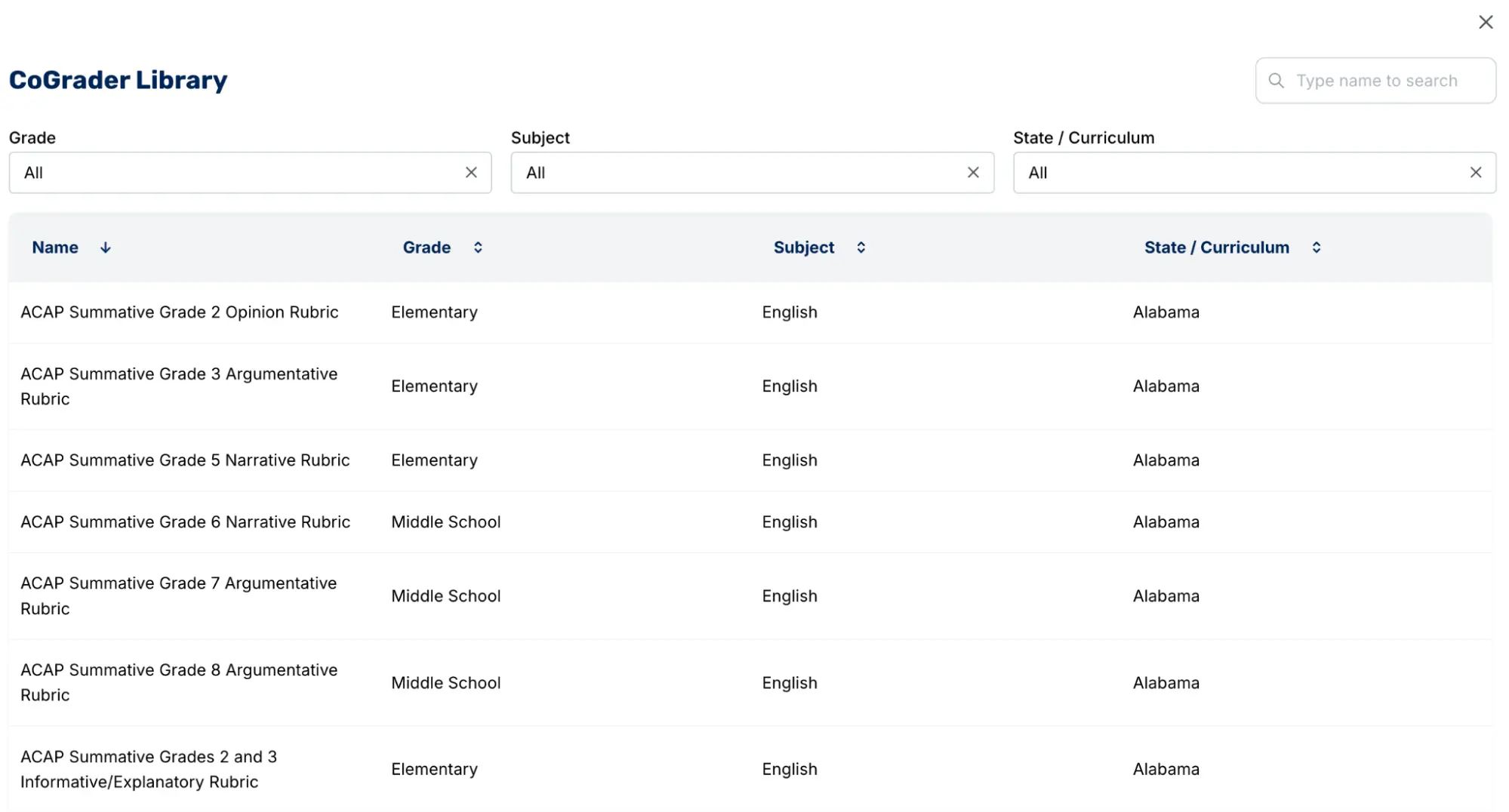
CoGrader offers teachers four different ways to use rubrics within the system:
- Upload your own existing rubric. If you already have a rubric you use, import it as a PDF, image, or document, and CoGrader will grade against it. This is the most common approach for teachers who want help with grading but don’t want to rebuild anything from scratch or change their grading criteria.
- Select your state standard and CoGrader builds the rubric. Enter your state, grade level, and subject, and CoGrader offers a list of standards-aligned rubrics to choose from.
- Choose from the pre-built rubric library. CoGrader’s library includes hundreds of rubrics aligned to all 50 state standards, AP, IB, and Cambridge A-levels. For most teachers, the rubric they are already required to use is already available there.
- Generate a new rubric from scratch. If you have a specific vision for how you want to evaluate student work, CoGrader’s rubric generator lets you construct one with highly specific criteria in mind.
The rubric generator can generate one automatically based on a plain language description. For instance, you could say, “Create a rubric for 9th graders writing a literary analysis essay about To Kill a Mockingbird,” and CoGrader builds a working rubric around that specific assignment with the grade level, the text, and the task all factored in.
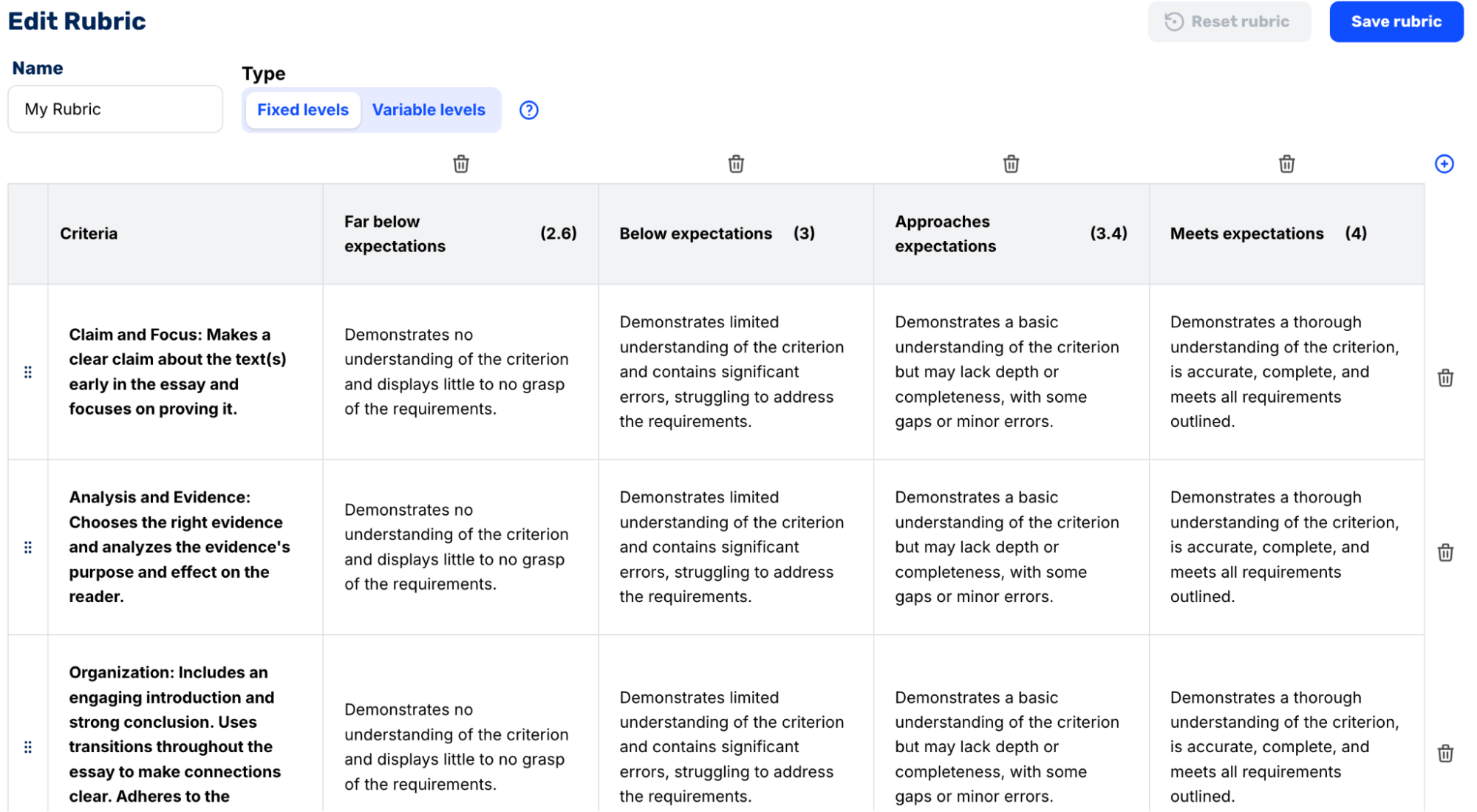
CoGrader also gives you the flexibility to change rubrics even after grading has already started. For example, if you’re halfway through a class set and realize the rubric you selected isn’t the right choice for that specific assignment, then you can switch it out easily with the correct one.
The system will regrade every submission automatically against the updated criteria. Any teacher with a large class size who’s had to go back and manually redo their grading because of this knows exactly how much time this saves.
Batch Grade Student Assignments
In our experience working with teachers, they spend anywhere between 15 and 30 minutes grading a single essay. Those same teachers have multiple classes that total more than 100 students, meaning they’ll spend anywhere between 25 and 50 hours grading a single writing assignment.
The reality is that most teachers can’t finish a class set in one sitting, which means assignments take days or weeks to finish before feedback goes back to students. By the time a student gets their essay back, they’ve already sat through dozens of class periods across every subject. They don’t remember what they wrote, let alone how to apply the feedback to their next assignment.
For those reasons, teachers try to take shortcuts by grading one paragraph instead of the full essay or by assigning much fewer long-form writing assignments altogether.
CoGrader solves this by making it realistic to assign more writing without the grading load that takes up all of your free time as a teacher.
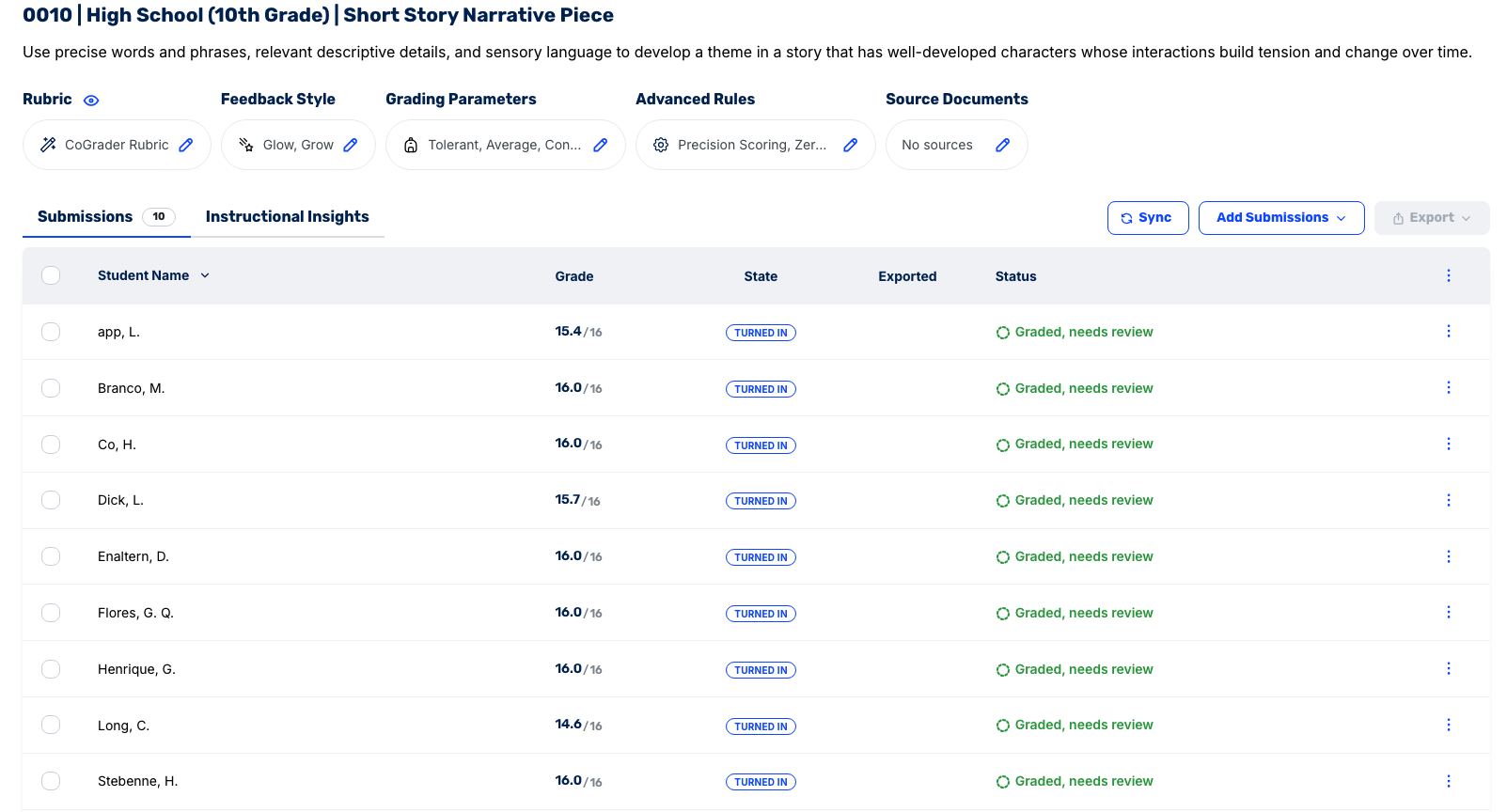
Here’s exactly how batch grading works with CoGrader:
- Connect your LMS. Link Google Classroom, Canvas, or Schoology, and CoGrader automatically pulls in your class roster, assignments, and every student submission.
- Import the assignment. CoGrader brings in the assignment prompt and student submissions in one step. There’s no need to download files, manually upload documents, or sort through external folders.
- Set your rubric and grade level. Select from your saved rubrics, the pre-built library, or generate one on the spot. Set the grade level so CoGrader calibrates its evaluation accordingly.
- CoGrader grades the entire class simultaneously. Every submission is evaluated against your rubric at the same time, with personalized, passage-specific feedback generated for each student.
- Review each submission and approve. Submissions land in a review queue. Teachers can go through each one individually, make any adjustments, and approve before anything goes back to students. The whole review process takes a fraction of the time that grading manually from scratch would.
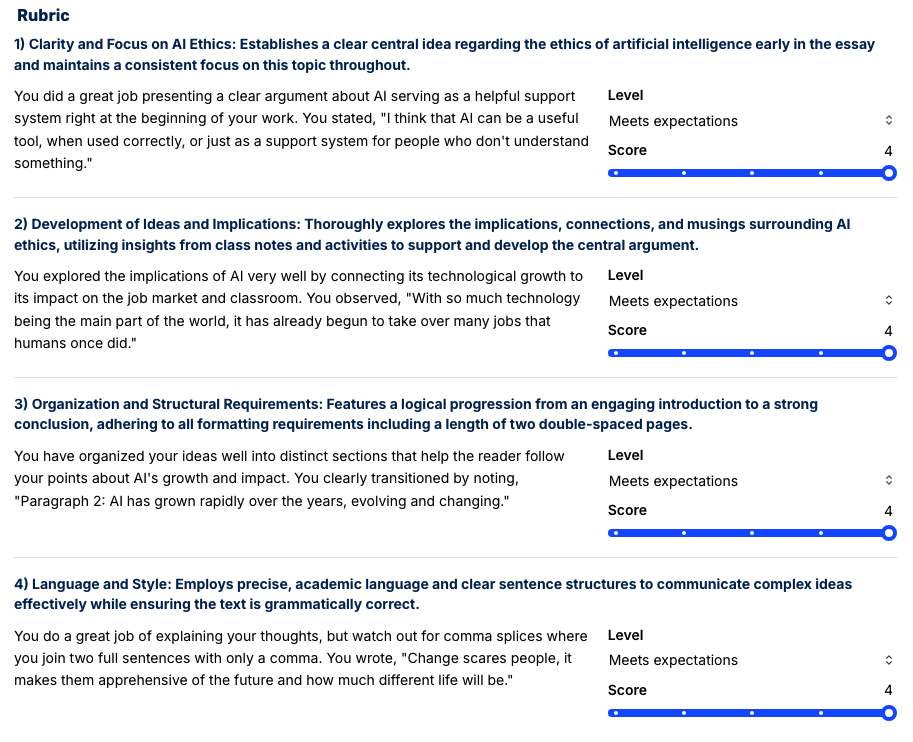
For teachers whose students submit work outside of Google Classroom, CoGrader also supports bulk PDF uploads and CSV imports. Both methods pull submissions into the same review queue and follow the same grading process as those connected to an LMS.
Once completed, feedback gets back to students fast enough that they can learn from it, while the assignment is still fresh and relevant. And teachers can spend the extra hours they save on more high-value teaching tasks like planning better lessons, supporting individual students, or simply having a life outside of grading.
Provide Feedback to Your Students That They Can Learn From
When teachers grade essays manually, feedback is usually less insightful or engaging because teachers have so many assignments to get through. That’s not because teachers don’t care, but instead because writing detailed, specific feedback for every student on every assignment isn’t sustainable for large class sizes.
CoGrader makes feedback fast, specific, and fully customizable. Teachers start by selecting the feedback format that matches their classroom norms. Options include:
- Standard
- Glow, Grow
- Two Stars and a Wish
- Rose, Bud, Thorn
- WWW/EBI
- TAG
- 3-2-1 Feedback
- PQP
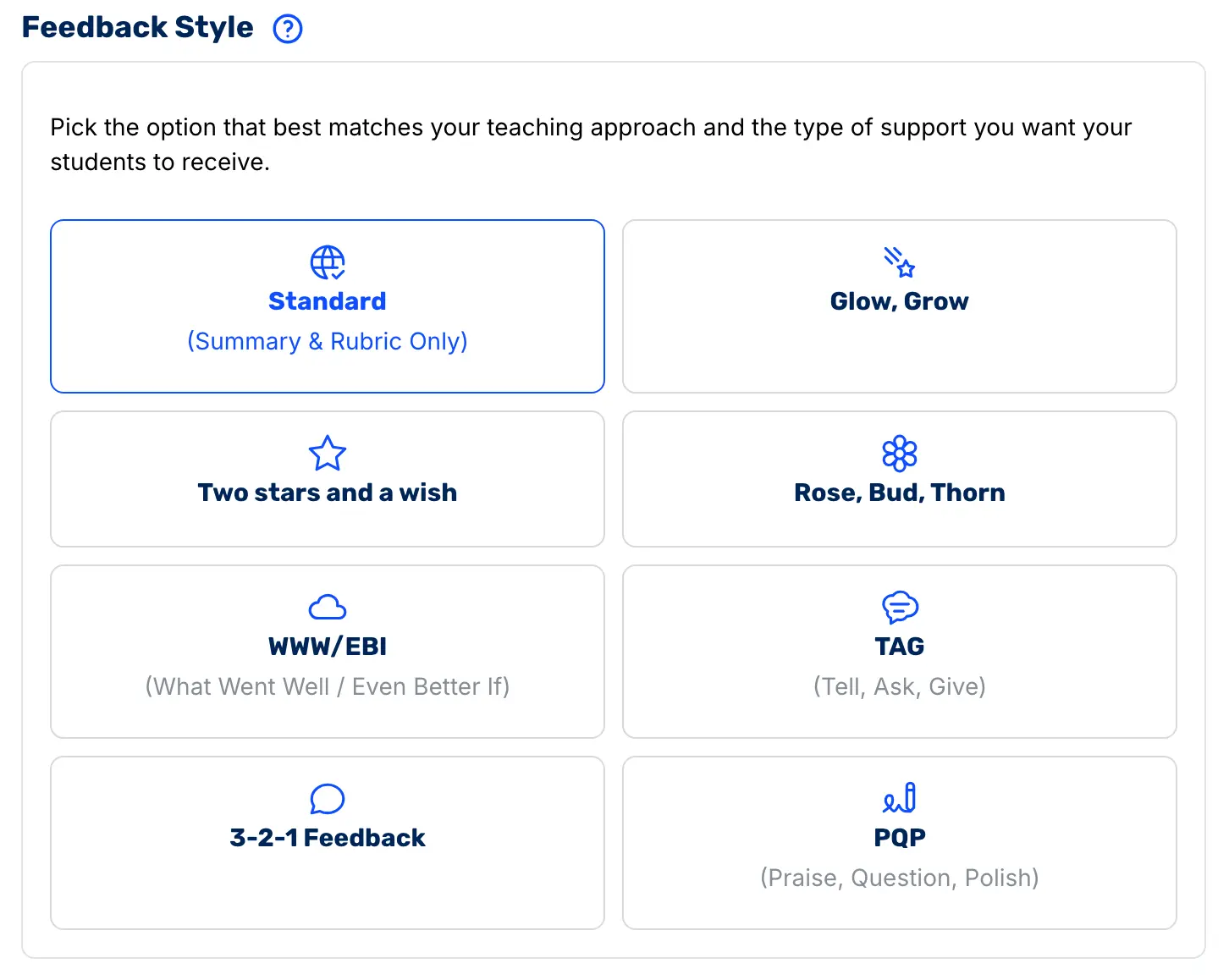
Students receive actionable feedback in a structure they already recognize rather than adapting to something new every time an assignment comes back.
Every comment CoGrader generates is tied to a specific highlighted passage in the student’s actual writing. There is no generic summary paragraph floating above the essay with no connection to what the student actually wrote.
Students open their Google Doc and see exactly which sentence or paragraph the comment refers to, what worked or needs improvement in that specific moment, and what to do differently next time. That level of specificity is what makes feedback something students act on rather than skim and ignore.
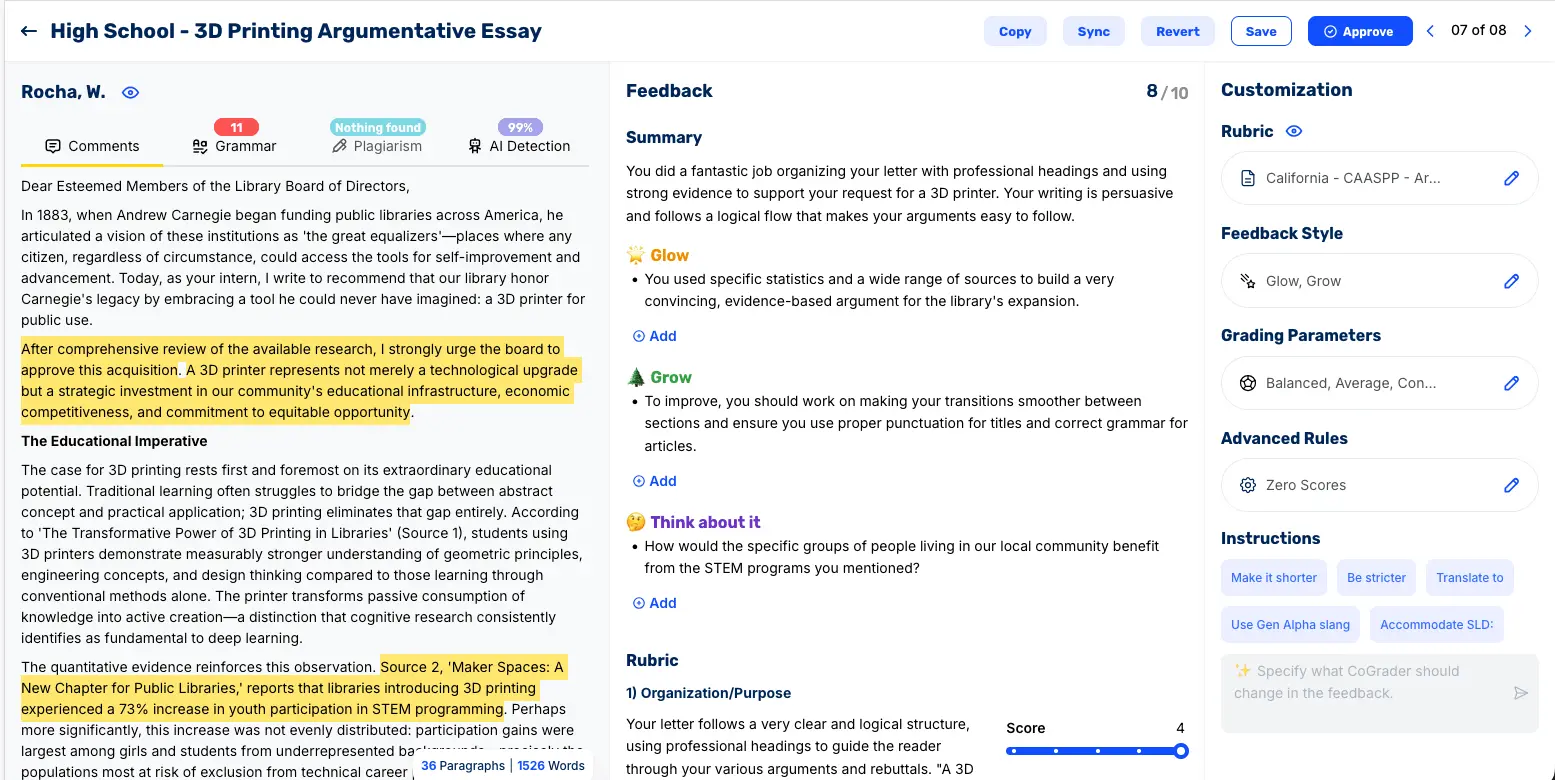
Teachers also have full editorial control over every piece of feedback before it reaches a student. Using CoGrader’s chat feature, you can redirect the feedback in any direction with a simple instruction. For instance, you could say to make the feedback shorter, more formal, more encouraging, or more focused on a specific rubric criterion.
You can also translate feedback into Spanish or another language for ELL students, simplify the vocabulary and sentence structure for students with specific learning disabilities, or adjust the reading level for younger or more advanced classes. Changes can be applied to a single student’s feedback or pushed across the entire class at once.
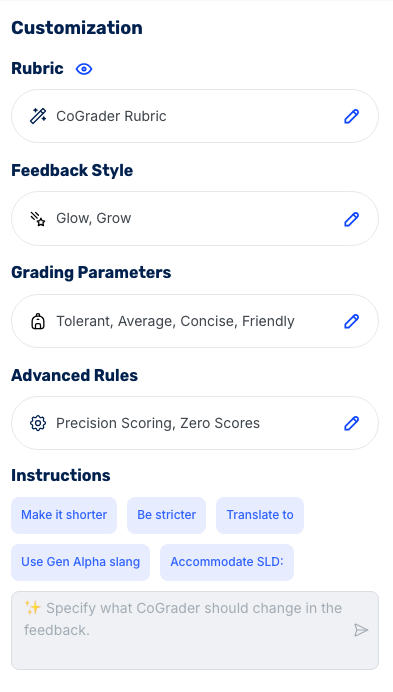
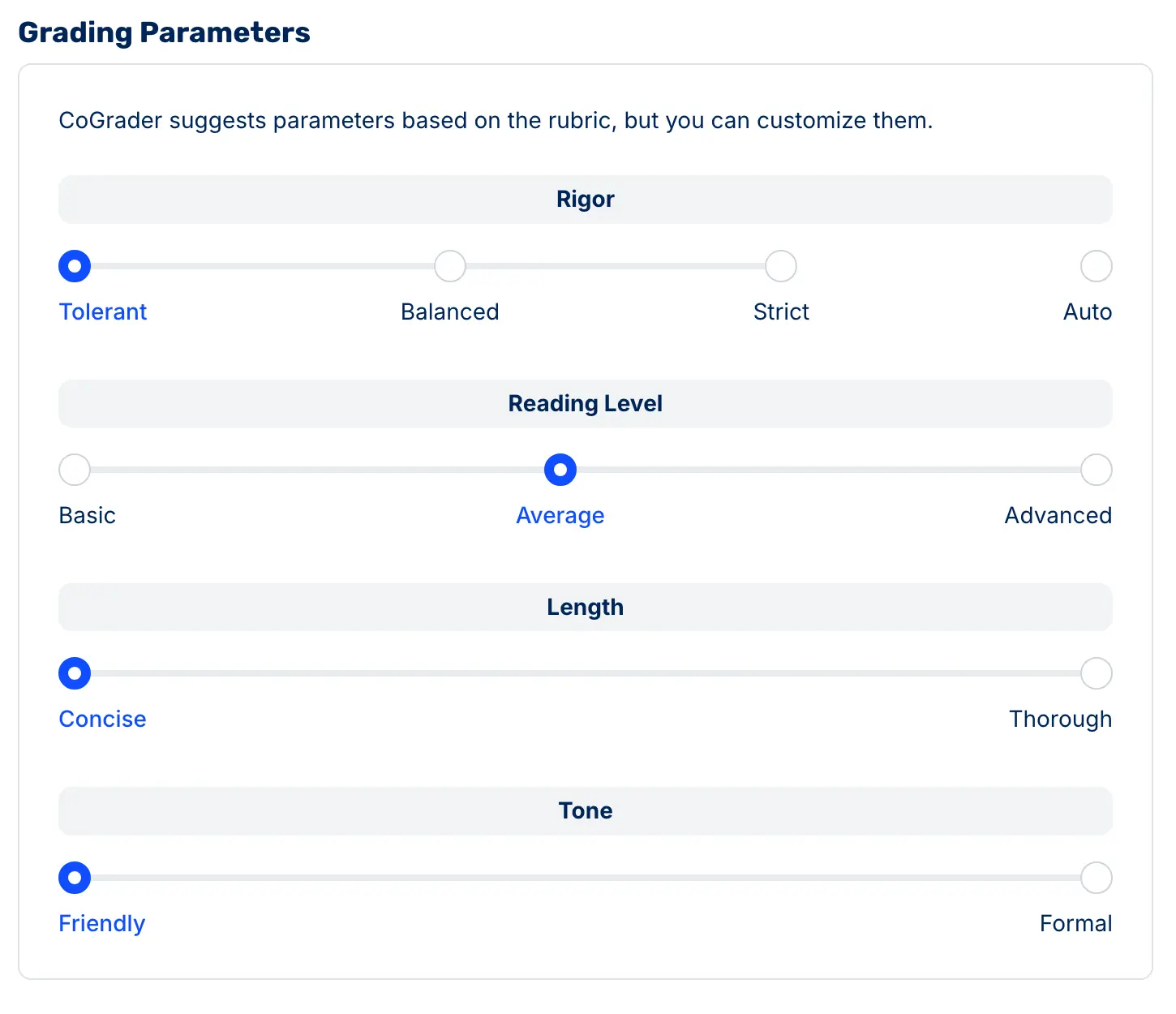
Before grading begins, teachers can also set parameters that determine how CoGrader evaluates and communicates. You can:
- Adjust the strictness of scoring from tolerant to strict, depending on whether the assignment is formative or high stakes
- Set the reading level of the feedback language to match your students
- Choose between concise and thorough feedback depending on how much detail you want students to receive
- Select a friendly or formal tone depending on what your class responds to best
CoGrader values academic integrity and does not allow any teacher to bulk approve assignments without manual review. Every essay requires an individual teacher sign-off before feedback is released to students.
Uncover Analytics That Show Exactly Where Your Class Performed Well or Struggled
After spending hours grading a class set of essays, most teachers walk away with a feeling about how the class did. This is typically based on the two or three papers that stood out, whether good or bad.
This results in reteaching a concept to 30 students when five actually needed it, or moving on when half the class wasn’t ready. CoGrader’s analytics exist specifically to replace that feeling with actual data.
Once grading is complete, the system generates a class performance snapshot that gives a real-time view of overall class performance in a format teachers can read in under a minute before class starts. It breaks down strengths by specific rubric criteria with supporting data showing how many students are hitting each one.
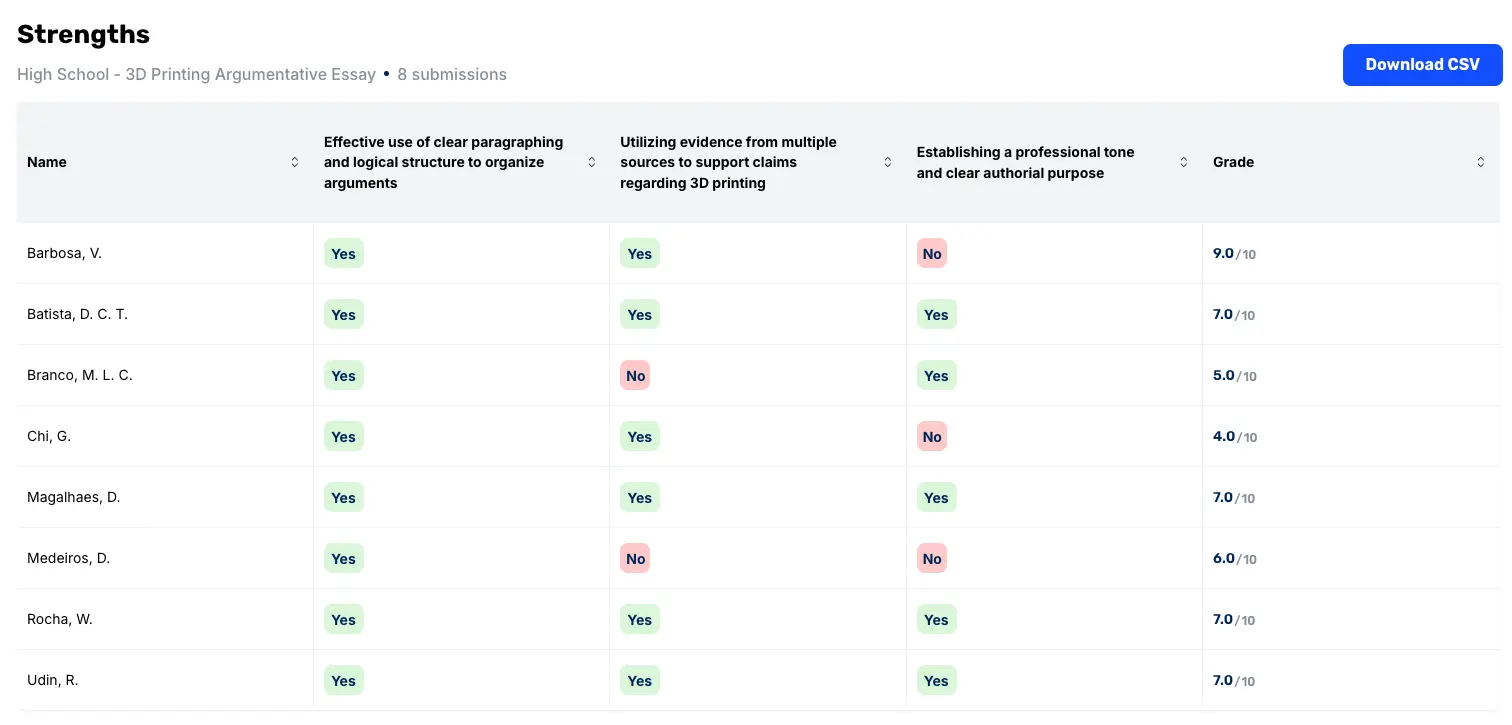
CoGrader’s analytics are built answering four core questions:
- What do we want students to know?
- How will we know when they have learned it?
- What will we do for students who did not learn it?
- What will we do for students who already did?
While many tools can answer the first two questions, CoGrader can answer the last two by breaking down analytics even further. For example, the areas for growth chart shows exactly where students need support or reteaching, again tied to specific criteria rather than a vague overall impression. This gives teachers a more precise picture of what the class actually knows and where additional teaching might be needed.

From there, teachers can uncover even more detailed analytics into class performance. The student view lets teachers drill into individual performance by rubric criterion, so it is clear which students need targeted support on which skills, rather than a general sense that some students are behind.
Score distributions show how performance clusters across the class rather than just reporting the average, which can hide as much as it reveals.
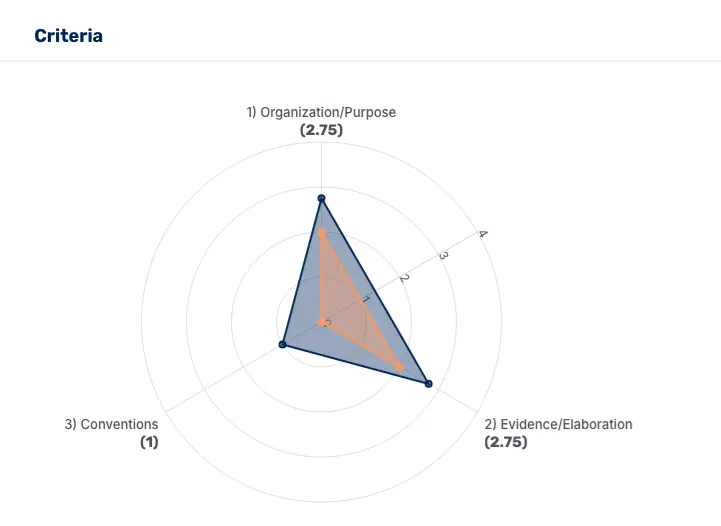
These are metrics most teachers would find genuinely useful but would never build by hand. CoGrader generates them automatically after every grading session, using the same rubric the teacher already used to grade.
CoGrader Pricing
- Starter (Free): Core grading and feedback features for individual teachers, handwritten work included. 150 student submissions per month + 90 days free premium access.
- Standard ($19/month or $15/month billed annually): Everything in Starter plus 350 student submissions per month, grammar checking, class performance dashboard, and chat and email support.
- Schools & Districts (Custom pricing): Everything in Standard plus unlimited student submissions, Canvas and Schoology integration, a shared rubric library, AI & plagiarism detection, bulk user management, institution-wide analytics and reporting, and priority support.
- Higher Ed & Enterprise (Custom pricing): Everything in Schools and Districts plus API access, a dedicated account manager, custom LMS integrations, custom roles and permissions, custom analytics and dashboards, and custom support SLAs.
Try CoGrader Free
The best way to evaluate any grading tool is to use it on a real assignment with real students.
CoGrader makes it easy for teachers to get started with a free plan to see how long AI grading actually takes and how much time you can save each week.
Sign up for your free 14-day trial today.
2. Gradescope
Gradescope (by Turnitin) is designed to help teachers grade large volumes of assignments quickly and with consistency. It can support various assignment types, including multiple-choice tests, handwritten work, and coding assignments.
The tool can effectively group similar student answers together, allowing teachers to grade once and apply feedback across many submissions. But it’s less useful for long-form writing assignments, such as research papers and essays, because the writing feedback and coaching tend to be more generic compared to rubric-based alternatives.
Key features
- AI-assisted answer grouping to grade similar responses at once
- Rubric-based grading for consistent scoring across submissions
- Supports handwritten, digital, and code-based student assignments
- LMS integrations (Canvas, Blackboard, Moodle)
- Centralized grading dashboard with analytics and class insights
Pricing
Gradescope offers a free Basic plan with limited features and institutional plans with custom pricing.
3. Marking AI
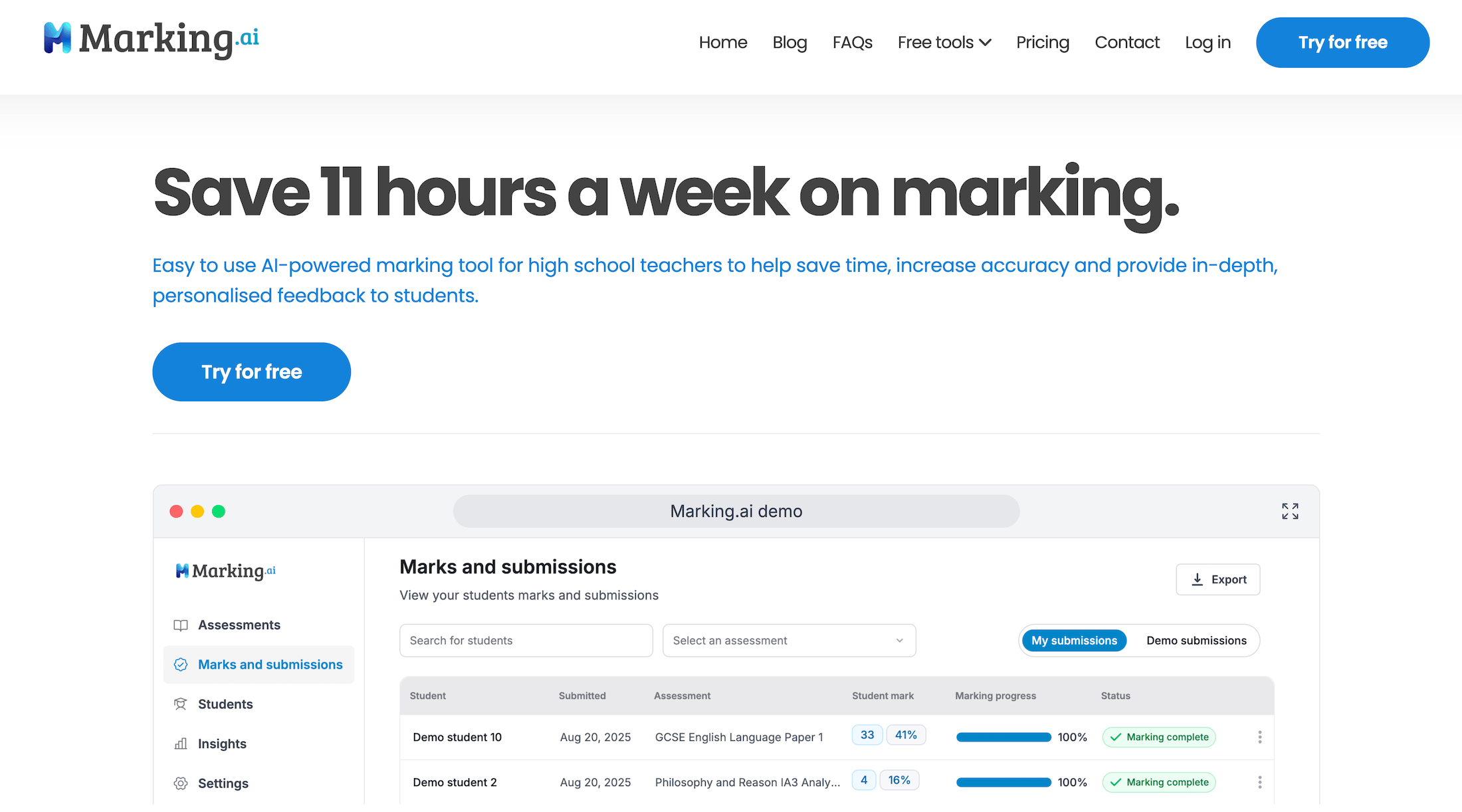
Marking AI is an AI grading tool built for evaluating written assignments using structured rubrics and marking criteria. Teachers can upload student responses, apply a rubric, and the system assigns scores and generates feedback at both the overall and question level.
This tool is a good starting point for standardizing grading while still allowing teachers to review and adjust results. While it works well for fast, criterion-based grading, it can become expensive for teachers with larger classes since pricing is tied to the total number of submissions.
Key features
- Automated grading using custom rubrics
- Question-level feedback and scoring breakdowns
- Batch grading for multiple submissions
- AI assistant for follow-up teaching recommendations
- Class-level and student-level performance analytics
Pricing
Marking AI does not offer a free plan. Paid plans start at $29 per month for 90 submissions.
4. Brisk Teaching
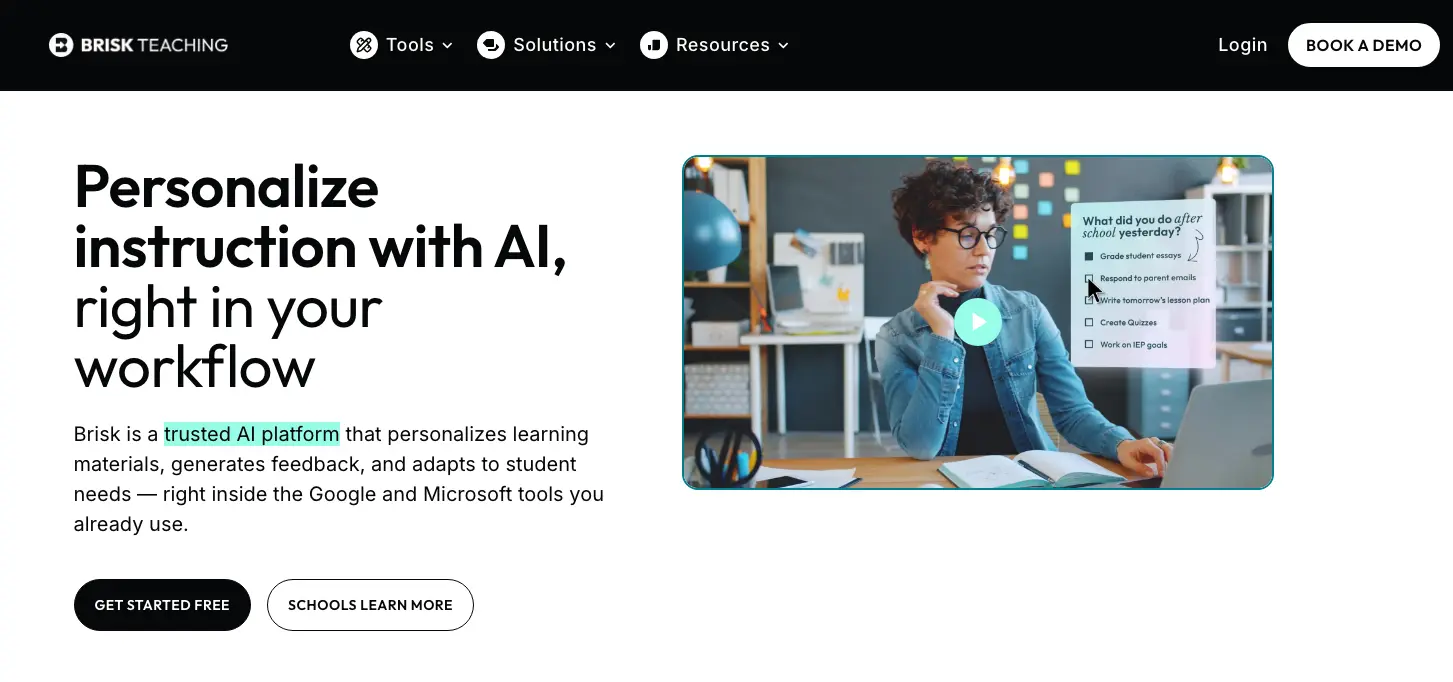
Brisk Teaching is an AI-powered browser extension that teachers can use to grade assignments and generate feedback directly inside tools like Google Docs and Google Classroom.
However, Brisk does not assign grades or manage full-class grading workflows. It’s also limited in how feedback is assigned because it can’t process batch submissions.
Key features
- AI-generated feedback directly inside Google Docs
- Highlight-based commenting and revision suggestions
- Multiple feedback styles (e.g., rubric-based, targeted feedback)
- Plagiarism & AI detection
- Integration with Google Classroom, Docs, Slides, etc.
Pricing
Brisk Teaching offers a free plan for individual teachers. Paid plans are available for schools and districts with custom pricing.
5. Kangaroos AI
Kangaroos AI is an AI grading platform with built-in rubric creation, bulk upload, and multi-assignment grading capabilities. The tool allows teachers to upload entire sets of essays, apply custom rubrics, and receive automated scores plus feedback across multiple criteria at once.
It’s a useful tool if you’re looking to reduce grading time. But keep in mind that most of the feedback it generates is still tied to predefined rubric criteria and automated writing analysis (grammar, tone, structure) rather than deeper, contextual coaching on argument or writing quality.
Key features
- Bulk essay upload to grade entire classes at once
- AI rubric generator or option to upload your own grading criteria
- Category-level scoring (e.g., thesis, evidence, organization) for each submission
- Feedback that references specific sentences or sections from the student’s essay
- Additional AI-powered tools, including a lesson plan generator and an AI teaching assistant
Pricing
Kangaroos AI offers a free plan available for new users. Paid plans are available with custom pricing only based on usage and school requirements.
6. MagicSchool AI

MagicSchool AI is primarily a teacher productivity platform with built-in AI grading capabilities. Although it doesn’t function as a dedicated grading system, teachers can use it to generate rubrics, paste in student work, and get quick rubric-aligned feedback. For teachers who want a dedicated grading tool instead, see the best alternatives to MagicSchool AI.
However, much of the work gets done manually. You need to create a rubric (or generate one in the tool), paste a student response, and the AI will return feedback aligned with your criteria. This works well for spot-checking essays or speeding up feedback on individual assignments, but doesn’t automate bulk grading, submission tracking, or class-wide scoring.
Key features
- AI rubric generator to create grading criteria
- Writing feedback tool for strengths + areas of improvement
- 80+ additional tools for student engagement, lesson planning, and content creation
- LMS integrations
Pricing
MagicSchool offers a free version. Paid plans (MagicSchool Plus) start at ~$8.33/month billed annually.
7. Edcafe AI
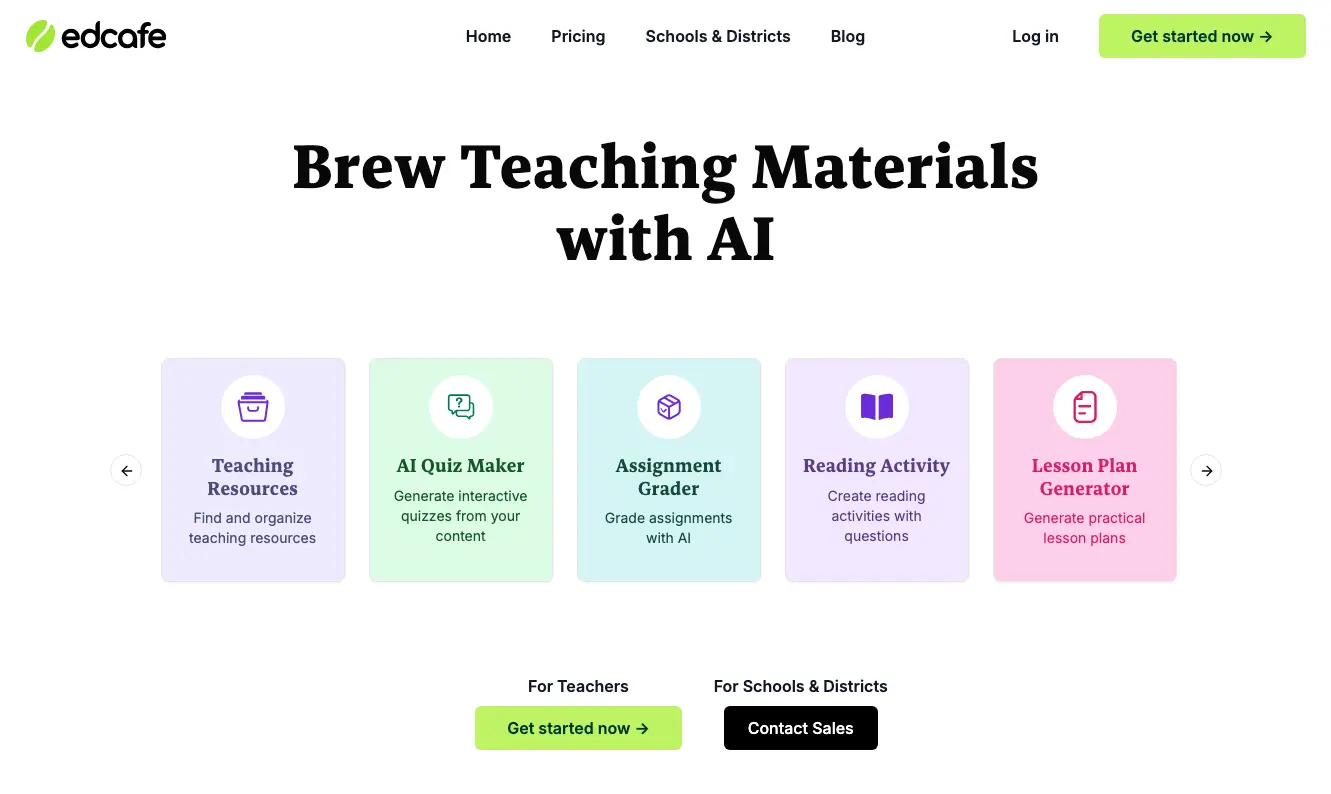
Edcafe AI is an AI grading and assignment tool that teachers use to create assignments, collect student submissions, and generate feedback from a centralized dashboard.
Once you upload student work or assign tasks, you’ll receive AI-generated feedback aligned to custom grading instructions or uploaded rubrics. All grading is done on the platform, so you can easily review, edit, and download results.
Key features
- Upload assignments or collect submissions via link or QR code
- Customize grading instructions or upload your own rubric
- Generate instant feedback for each student submission
- Ready-made worksheets and grading templates
- Review, edit, and export grades and feedback
Pricing
Edcafe AI offers a free plan, with paid tiers and school pricing available based on usage and features.
Streamline essay grading and deliver better student feedback with CoGrader
Teachers spend hours each week grading essays, often on nights and weekends, just to keep up with their classroom. This causes teachers to assign less writing or spend so little time grading each assignment that they’re unable to provide students with the feedback they need.
With CoGrader, you can upload an entire class set and get detailed, rubric-aligned feedback for each student in minutes. Every response is evaluated consistently, with comments tied directly to their writing, so students receive real-time feedback that helps them understand what to improve and why.
If you’re ready to spend less time grading and give better feedback on every assignment, start your 14-day free trial or request a custom quote to get started.