


If you’re an English or ELA (English Language Arts) teacher looking to save time with AI, you probably already know that most tools weren’t built with your classroom in mind.
That’s because general AI tools like ChatGPT can’t understand rubrics, integrate with your LMS, or track changes in student writing performance over time. As a result, you get generic feedback that doesn’t help students improve, and there’s no way to track whether their writing is getting better over time.
English teachers also face challenges that other subjects don’t, including:
- Grading volume: a single writing assignment can mean hours of feedback across multiple class periods
- Feedback quality: vague or generic comments don’t help students actually improve their writing
- Differentiation: the same class can have students reading and writing at wildly different levels
- Academic integrity: AI-generated student writing is becoming harder to identify without the right tools
- Rubric alignment: most AI tools have no awareness of state standards, AP rubrics, or the specific criteria you’re required to grade against
In this guide, we cover the 7 best AI tools built specifically for English and ELA teachers, starting with CoGrader, our own AI essay grading tool. First, we’ll explain how to choose an AI tool that fits your English classroom and what you need to look for.
If you’re an English teacher spending more time grading than teaching, create a free account with CoGrader or request a custom quote today.
How to Choose the Right AI Tool for Your English Class
With so many artificial intelligence tools available, finding the right one for your English classroom is harder than it should be. Many look capable on the surface, but struggle the moment you try to apply them to real writing assignments.
With that in mind, there’s a specific set of criteria for English teachers to use when evaluating whether an AI tool fits their classroom. We discuss these below.
Look for an AI Tool That Solves Your Specific Classroom Problems
Think about what holds you up the most on a daily basis. For example, maybe you spend most of your time grading essays. Or maybe lesson plan preparation takes the most time out of your days. The right tool depends entirely on which tasks are eating up the most of your time.
AI tools for English teachers generally fall into these categories:
- Essay grading and writing feedback tools, built for teachers who assign a high volume of essays or open-ended writing. These evaluate student work against your rubric and return personalized feedback.
- Reading and writing lesson builders, designed to help you create standards-aligned lesson plans, reading materials, and writing prompts without starting from scratch.
- Student writing engagement tools, centered on interactive reading and writing activities, discussion prompts, and writing practice that keep students actively participating in class.
- Classroom and assignment management tools, covering the administrative side of teaching, including tracking assignments, communicating with parents, and monitoring student activity.
It’s important to evaluate tools based on what they do best, because the best AI tool for an English teacher who assigns three essays a month looks very different from the best one for a teacher who spends hours building differentiated reading materials for mixed-ability classes.
A tool that does everything passably is often less valuable than one that does your specific job exceptionally well.
Choose a Tool That Integrates with Your LMS
If you’re going to pay for an AI tool that still requires you to copy and paste everything one by one, you might as well just stick to the manual approach.
The best tools connect directly to the platforms you already use, like Google Classroom, Canvas, or Schoology. This allows assignments to come in automatically and feedback goes back out through the same system. The less friction between you and the tool, the more likely you are to actually use it consistently.
Ensure the Tool Is Built Around Writing, Reading & Language Instruction
A tool that grades a persuasive essay the same way it grades a math explanation isn’t useful to an English teacher. These generic AI systems have no concept of what makes a strong thesis, how to evaluate textual evidence in a literary analysis, or what AP scoring conventions actually look like.
In most cases, it simply treats all writing the same way, meaning the feedback it generates is often too vague to act on, or wrong in ways that are hard to spot without actually reading the essay yourself.
The tools worth using for ELA are those built specifically for writing instruction, reading comprehension, and language development. That means:
- Rubric-based grading that understands genre and assignment type rather than a one-size-fits-all scoring model
- Reading activities that account for Lexile levels and comprehension scaffolding for different student abilities
- Grammar practice that adapts to where individual students currently are
- Feedback that’s highly specific and useful enough for students to act on
For instance, if a tool can’t demonstrate that it understands the difference between a narrative essay and an argument essay, it’s not the right tool for an English classroom.
Make Sure the Tool Is Appropriate for Your Students’ Grade Level
Elementary writing instruction, middle school grammar practice, high school literary analysis, and AP coursework all have fundamentally different demands.
For example, a tool optimized for generating fun reading comprehension activities for fifth graders will produce very different output than one calibrated to score a DBQ or evaluate a rhetorical analysis against an AP rubric.
Before committing to any tool, it’s worth testing it against real-life assignments English language learners actually do. You could try running a real essay through an AI grader, generating a lesson around a text your class is currently reading, or building a rubric for the specific standard you’re teaching. The output will tell you quickly whether the tool understands your classroom context.
Top 7 AI Tools for English Teachers
Here are seven AI tools English teachers should know about. Each one is built for a different part of the ELA workflow, including essay grading, lesson planning, reading comprehension, and classroom management.
| Tool | Best for | Primary use case | LMS integration | Free plan | Paid pricing |
|---|---|---|---|---|---|
| CoGrader | Essay grading | Rubric-based AI grading with personalized feedback | Google Classroom, Canvas, Schoology | ✅ | From $15/mo |
| Twee | Reading comprehension | AI-generated passages and questions from any topic or video | Google Classroom | ✅ | From $7.49/mo |
| MagicSchool AI | ELA lesson planning | 70+ tools for lesson plans, writing prompts, and reading materials | Google Classroom, Microsoft | ✅ | From $8.33/mo |
| NoRedInk | Grammar and writing skills | Adaptive grammar practice and AI-assisted essay grading | Google Classroom | ✅ | Custom pricing |
| Brisk Teaching | Writing draft feedback | Inline feedback and batch grading inside Google Docs | Google Classroom, Canvas | ✅ | From $99.99/yr |
| Kami | Close reading and annotation | Interactive annotation on PDFs and reading passages | Google Classroom | ✅ | From $149/yr |
| Diffit | Differentiating reading levels | Leveled passages with comprehension questions for mixed-ability classes | Google Classroom, Microsoft 365 | ✅ | From $14.99/mo |
1. CoGrader: Best for grading essays and written assignments
CoGrader is an AI essay grader built for English teachers who assign a lot of writing and can’t keep up with the grading that comes with it.
While the average ELA teacher spends dozens of hours marking up a single class set of essays, CoGrader can handle much of the work for them and reduce grading time by up to 80% without sacrificing the quality of feedback students need to actually improve.
Today, more than 100,000 teachers across 16,000+ schools use CoGrader to grade written assignments faster, return personalized feedback to every student, and get a clearer picture of where their class is struggling or excelling with class-wide performance analytics.
With CoGrader, English and ELA teachers can:
- Import an entire class set of essays directly from your LMS. There’s no need to download, upload, or copy-paste any student work to grade assignments or generate feedback.
- Apply any rubric in seconds, whether that’s uploading their own, pulling from CoGrader’s pre-built library of state, AP, IB, and Cambridge rubrics, or having CoGrader generate one automatically from their standards.
- Review AI-generated, passage-specific feedback for every student and push finalized grades back to students through their LMS, turning a multi-day grading project into a single sitting.
- Identify class-wide learning gaps instantly using built-in performance analytics that show where students are struggling across rubric categories, so teachers can adjust instruction before the next assignment.
- Flag potential AI-written or plagiarized submissions without a separate tool, keeping academic integrity checks inside the same grading workflow.
Unlike general-purpose tools or chatbots like ChatGPT or Gemini, CoGrader is built around how ELA teachers work. The rubric is already saved, the essays are already imported, and the feedback goes back to students through the same system they’re already using.
Rather than re-explaining your grading criteria and manually copying essays and feedback for every student, you can provide quality feedback much faster. This makes a huge difference in the time it takes to grade assignments, while also giving students feedback more quickly so they can learn better.
Access to an Extensive Library of Grading Rubrics
CoGrader grades student writing against the specific rubric you use in your classroom. Every piece of feedback the platform generates is tied to explicit criteria, which is what makes it educationally meaningful rather than generically plausible.
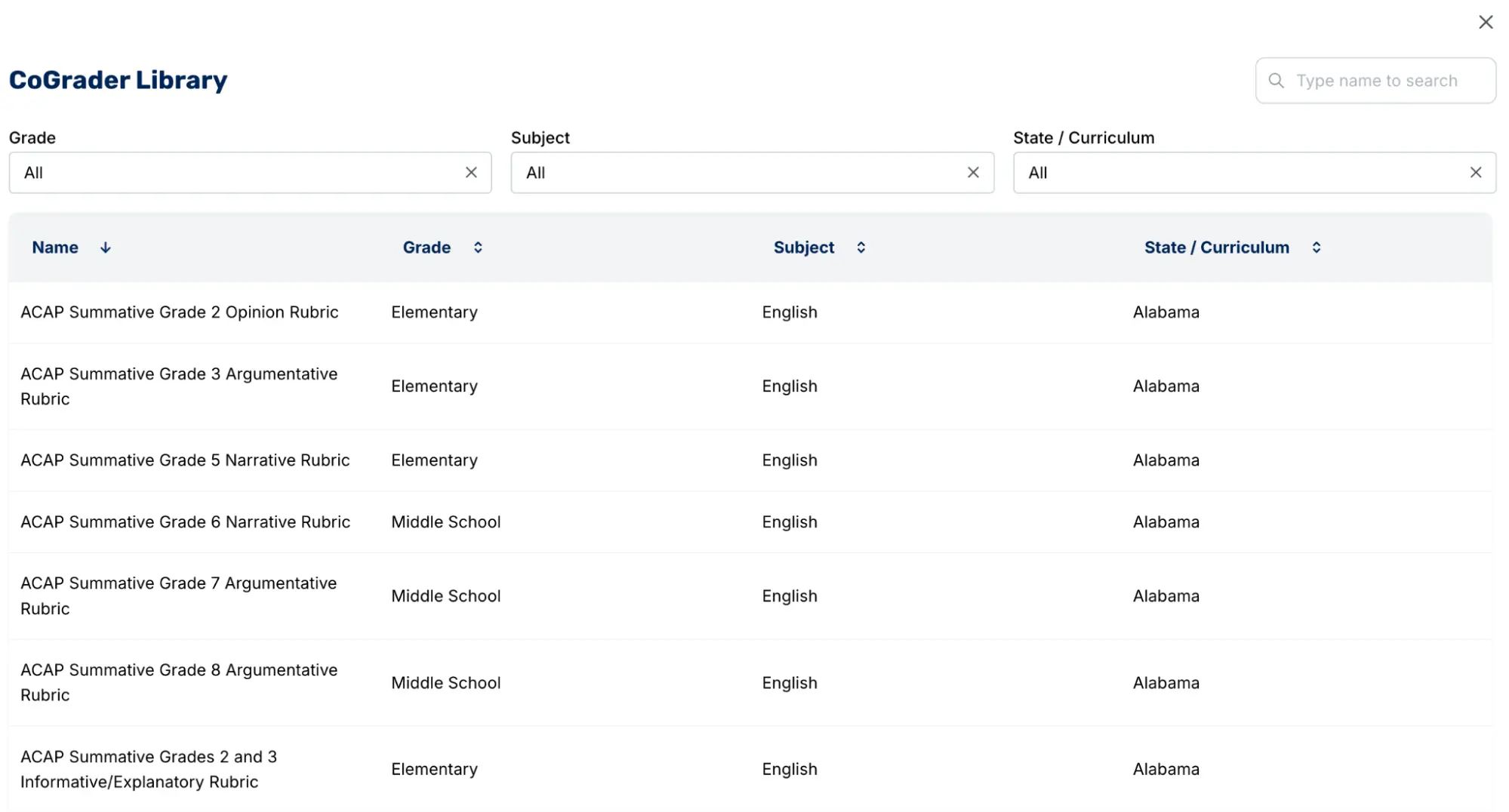
The built-in rubric library covers the frameworks most English teachers are already required to grade against, including all 50 state standards, AP, IB, and Cambridge A-levels.
For a high school English teacher in Florida grading against B.E.S.T. standards, or an AP Lang teacher scoring rhetorical analysis essays, the rubric the school requires is almost certainly already in CoGrader.
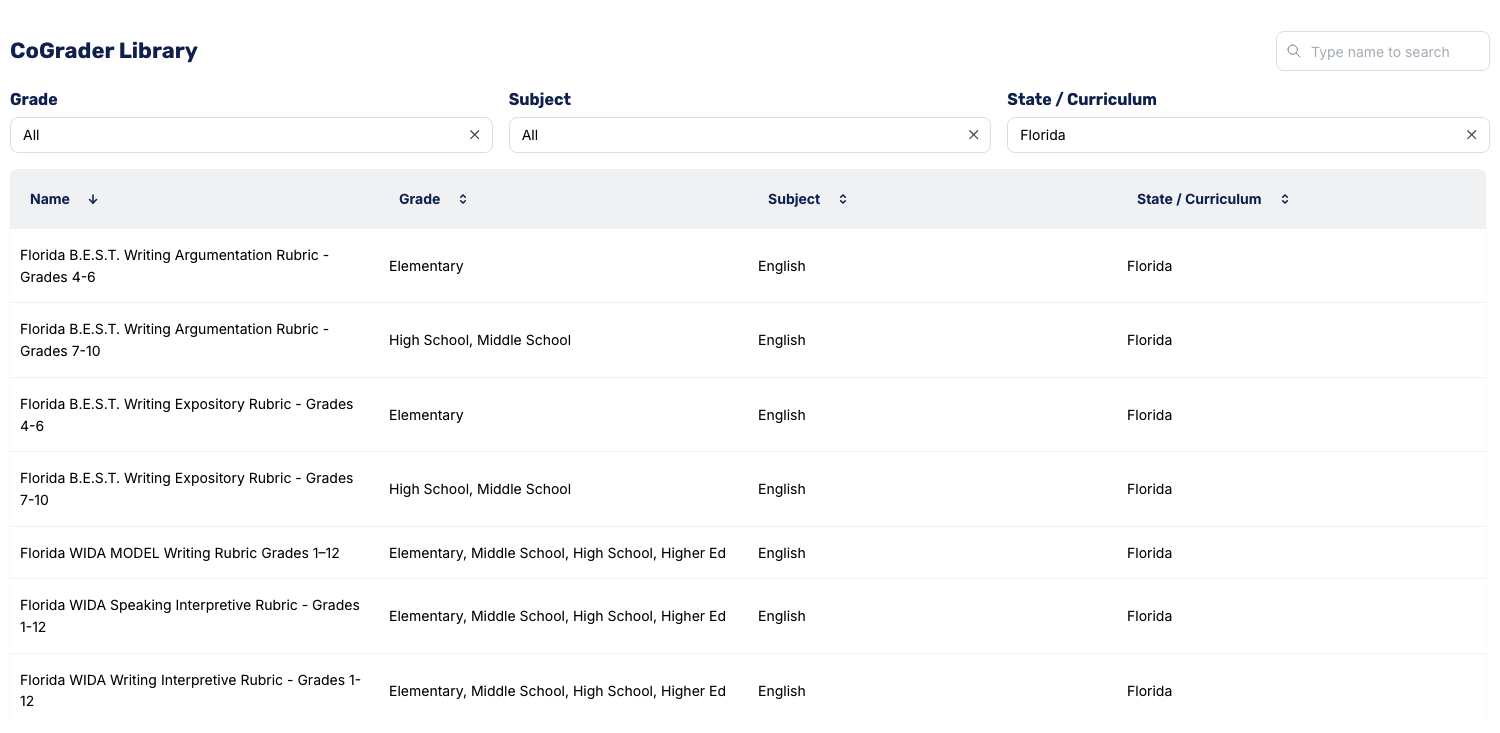
CoGrader offers four ways to work with rubrics:
- Upload your own. If you already have a rubric you use, import it as a PDF, image, or document, and CoGrader grades against it.
- Select a rubric from CoGrader’s library. Hundreds of rubrics are available covering all 50 state standards, AP, IB, and Cambridge A-levels.
- Paste in a standard and CoGrader builds the rubric. Drop in the specific standard your principal requires, and CoGrader converts it into a usable grading rubric without you having to map out every criterion manually.
- Use CoGrader’s AI to build a new rubric from scratch. Tell CoGrader what you need, and it builds from there. Something like “a rubric for 8th graders writing a narrative essay with a clear theme and character development” gives CoGrader enough context to factor in the grade level, the genre, and the task automatically.
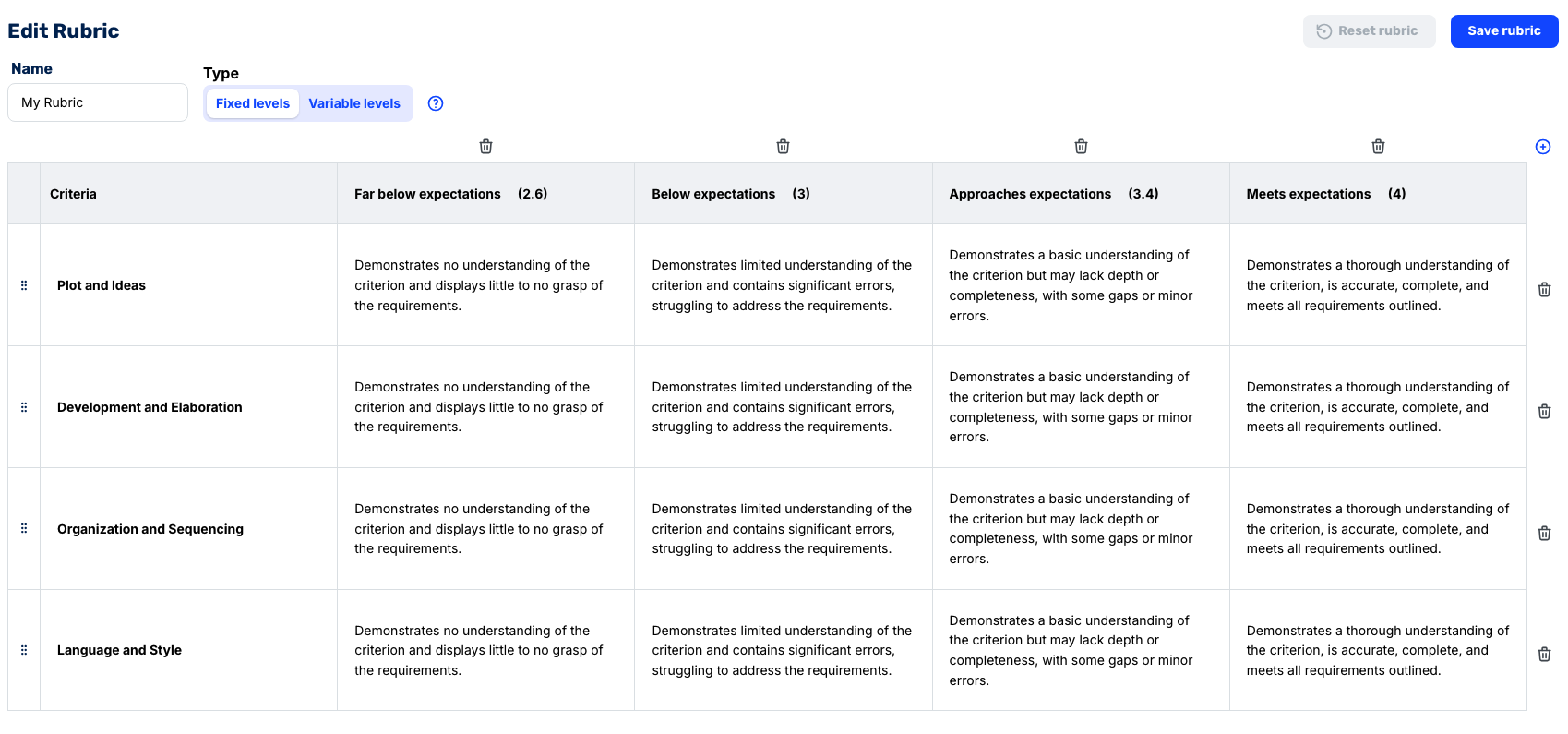
For AP courses specifically, CoGrader uses specialized grading engines aligned to how AP writing is scored. Separate evaluators handle distinct rubric components, including:
- One assesses whether the student has written a defensible thesis
- One evaluates the quality of evidence and reasoning
- One looks at sophistication and alignment to the prompt
This mirrors how AP readers are trained to score rather than combining everything into a single overall impression. CoGrader also allows teachers to change a rubric in the middle of grading. The system automatically regrades every submission with no manual rework required.
Grade Student Assignments in Bulk & Provide Personalized Feedback
English teachers spend an average of 15 to 30 minutes grading a single essay. For a teacher managing four sections of 30 students, one writing assignment can translate into 30 to 60 hours of grading. That’s the equivalent of an entire extra work week, not including everything else that comes with teaching.
The reality is that most teachers can’t finish a class set in one sitting. This means assignments sit in a pile for days or weeks before feedback gets back to students. By the time a student opens their returned essay, they’ve already sat through dozens of class periods. They don’t remember what they argued in their thesis, let alone how to apply a comment about evidence integration to their next literary analysis.
Because that workload isn’t sustainable, teachers make compromises. Some only comment on the introduction paragraph instead of the full essay. Others stop assigning long-form writing altogether and replace it with shorter responses that are easier to process quickly.
CoGrader solves this by making it realistic to assign more writing without overwhelming English teachers.
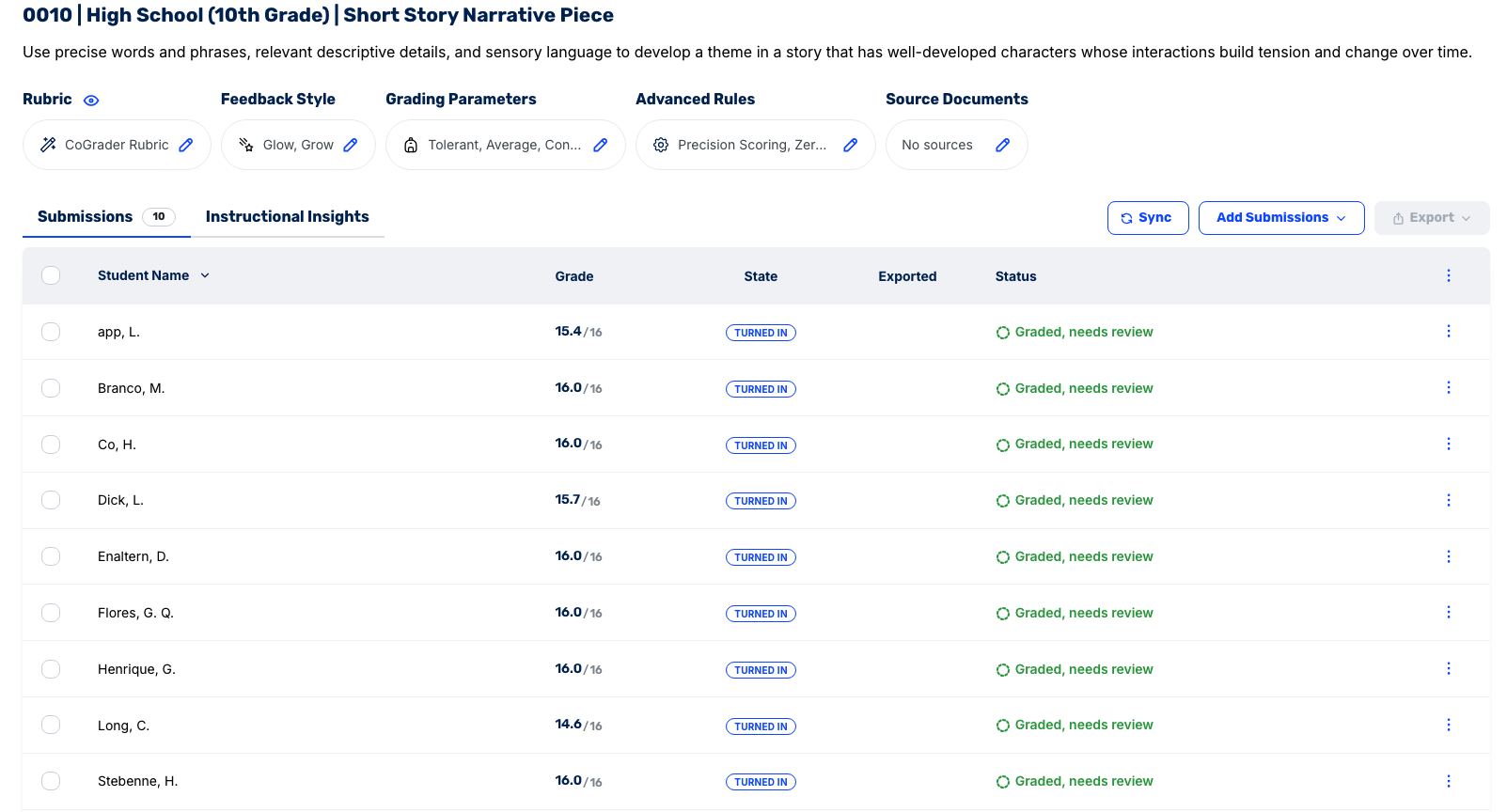
Grading can be done in a few simple steps:
- Connect your LMS. Google Classroom, Canvas, and Schoology all integrate directly. Your class roster, assignment prompts, and every student submission pull in automatically.
- Tell CoGrader what you’re grading. Select the assignment, set the grade level, and choose your rubric. CoGrader uses the grade level to calibrate how it evaluates student writing, so a 9th-grade argumentative essay is held to different expectations than an AP Lang synthesis prompt.
- CoGrader reads every submission at once. Rather than processing essays one at a time, CoGrader evaluates the entire class simultaneously. Each submission is scored against your rubric with feedback tied to the specific passages in that student’s writing.
- You review, adjust, and approve. Every submission lands in a queue. You can read through each one, edit any comments you want to change, and approve before anything goes back to students. Nothing is released without your sign-off.
- Feedback goes back through the same system students already use. Approved grades and comments return to students through your LMS. There’s no need for any copy-pasting or exporting to a spreadsheet.
CoGrader also makes it a lot easier to give high-quality feedback to students. The tool can generate feedback that is tied to specific highlighted passages in each student’s actual writing.
For example, students working on a rhetorical analysis of a Martin Luther King Jr. speech don’t get a floating paragraph of general observations above their essay. Instead, they’d open their Google Doc and see a comment anchored to the exact sentence where their claim about pathos falls apart, explaining what the problem is and what to do next.
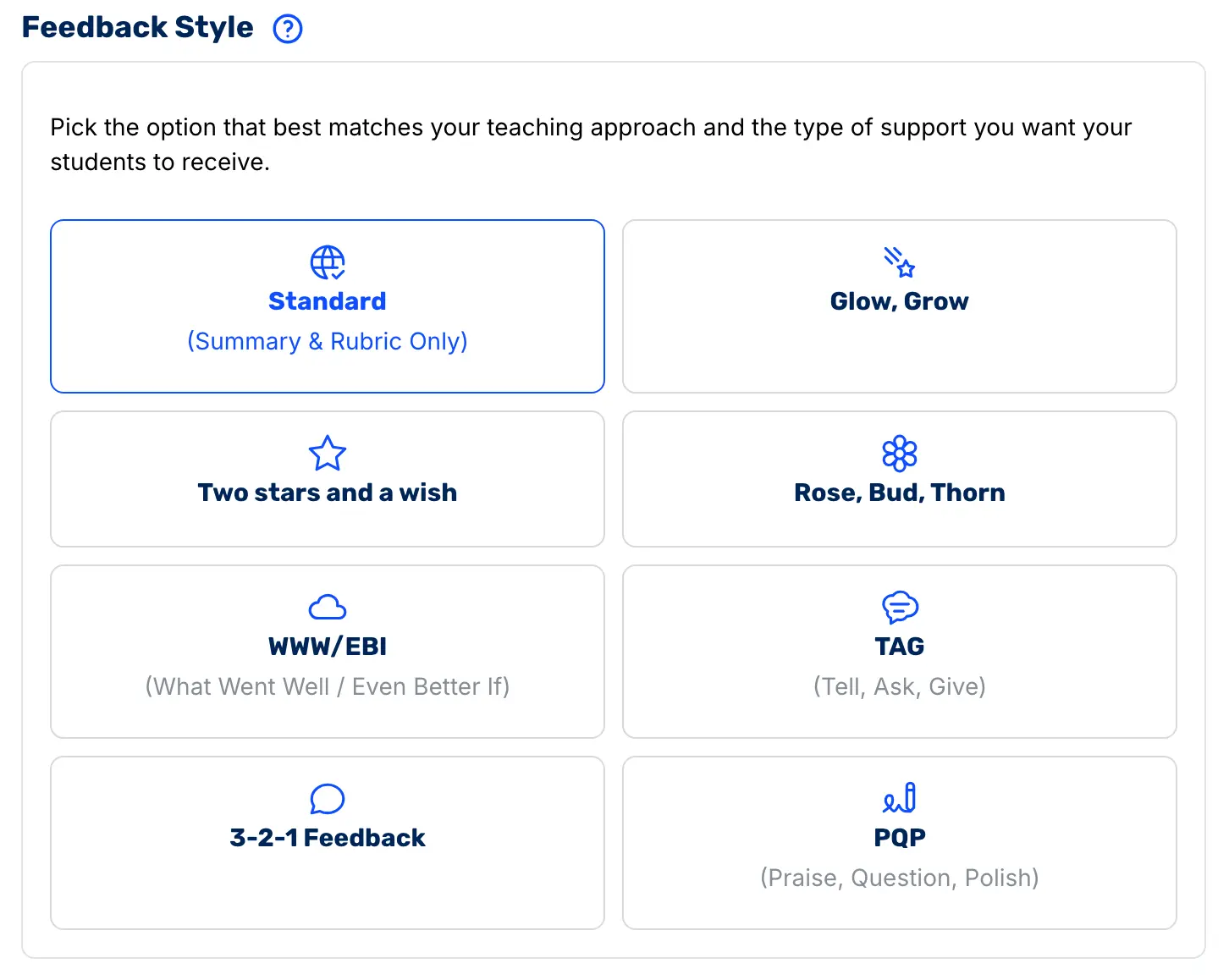
Teachers also choose the feedback format that matches how their classroom already operates. For example, if your department already uses Glow and Grow as a shared feedback language, CoGrader can generate feedback in that exact structure, so students aren’t adapting to something new every time an assignment comes back.
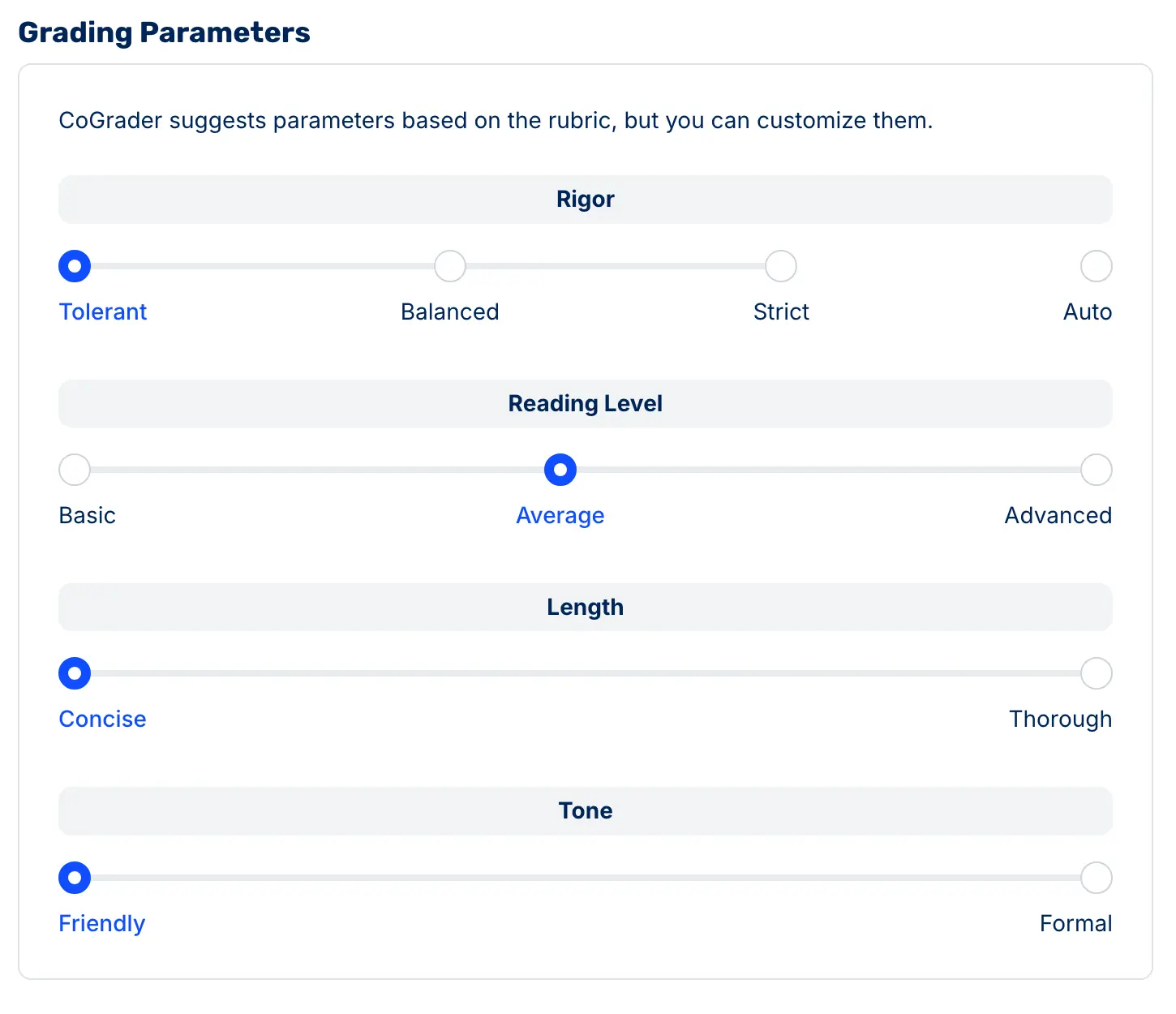
Before grading begins, teachers can also configure how CoGrader evaluates and communicates. You can adjust:
- Scoring strictness: Slide between tolerant and strict depending on what the assignment calls for. A first draft on symbolism in The Great Gatsby should be graded differently than a final AP Lang argumentative essay.
- Feedback reading level: Set the language complexity to match who’s reading it. The same writing prompt assigned to a standard 10th-grade class and an honors section shouldn’t come back with identical feedback language.
- Feedback depth: Choose between concise and thorough. Some students need a single clear directive to revise. Others need the full breakdown to understand where their argument lost the reader.
- Tone: Friendly or formal, depending on your class culture. What lands with a 6th-grade ELA class is not what lands with seniors writing college application essays.
Once CoGrader generates feedback, teachers have full editorial control before anything reaches a student. Using the built-in chat feature, you can redirect any piece of feedback with a plain-language instruction.
One thing CoGrader does not allow is bulk assignment approval. Every essay requires an individual teacher sign-off before feedback is released, which keeps the teacher’s judgment at the center of the process, regardless of how fast the grading moves.
Analyze Student Performance with Class-Wide Analytics
Most English teachers make their next instructional decisions based on a feeling, often influenced by a handful of assignments rather than the entire class. It’s not a flaw in how teachers think, it’s just how the memory tends to work.
The extreme examples typically stand out, such as the few submitted essays without a thesis. But those outliers aren’t a reliable picture of where the class actually stands, and making whole-class instructional decisions based on them means reteaching concepts to students who don’t need it.
CoGrader’s class-wide analytics help teachers streamline instructional planning and make more data-driven teaching decisions. With these insights, you can run your class with greater clarity and confidently see how students are performing.
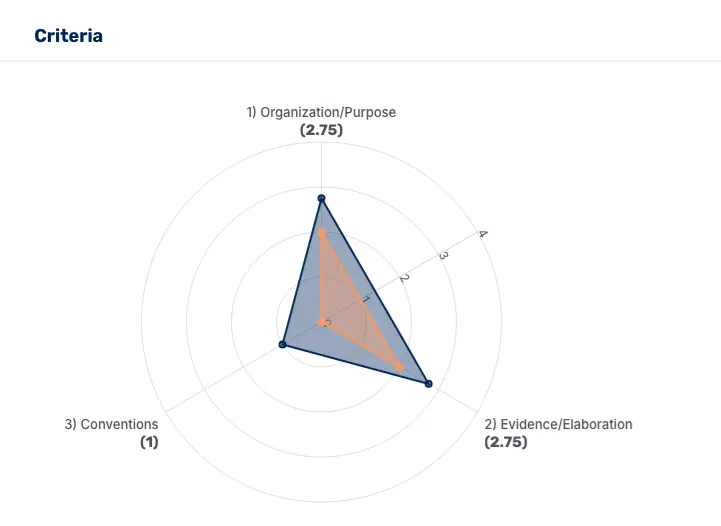
Once grading is complete, CoGrader generates a performance breakdown mapped to each criterion in your rubric: thesis development, use of textual evidence, organization, analysis, conventions, or whatever framework you grade against.
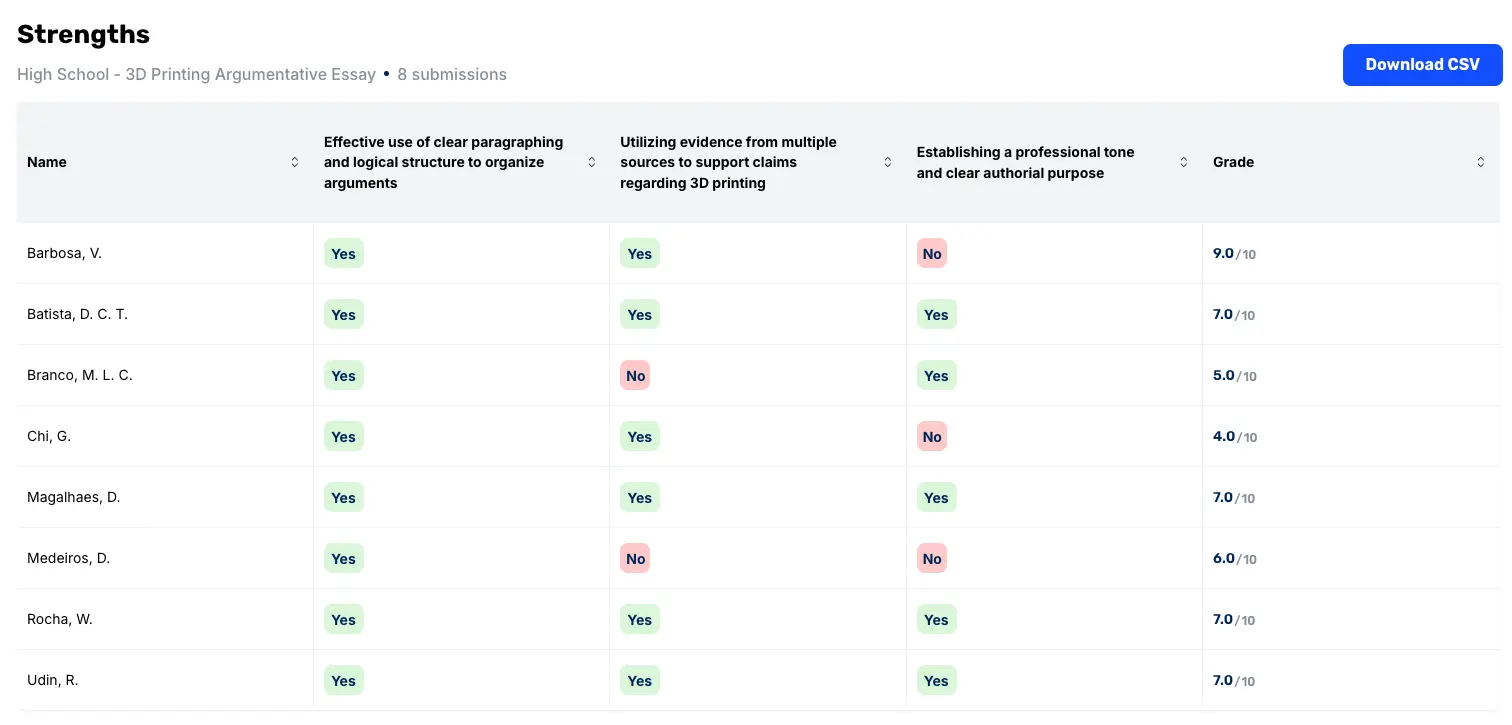
This gives teachers a more precise picture of which skills the class has a firm grasp of and which need additional teaching. The analytics are structured around the four questions most English PLCs use to set learning objectives and drive instructional decisions:
- What do we want students to know?
- How will we know when they have learned it?
- What will we do for students who did not learn it?
- What will we do for students who already did?
While most tools can answer questions one and two, CoGrader’s analytics are where questions three and four get answered. A teacher can look at one chart and immediately see that 24 students are doing well with argument structure, but 16 are struggling with evidence integration, which means the next lesson should be a targeted mini-lesson on selecting and analyzing quotes rather than a full reteach of the essay writing process.

From there, the analytics break down further:
- Student view: Drill into individual performance by rubric criterion to see exactly which students need targeted support on which skills, rather than a general sense that some students are behind.
- Areas for growth: A breakdown of the specific criteria where the class underperformed, so reteaching decisions are driven by data rather than instinct.
- Score distributions: See how performance clusters across the class rather than just the average, which can hide as much as it reveals.
Integrate Seamlessly with LMS (Google Classroom, Canvas, and Schoology)
One of the biggest struggles for teachers is safely integrating AI into their classrooms while still removing much of the manual work that comes with grading.
For instance, many tools require teachers to download student submissions, upload them manually, and then copy feedback back into their LMS one student at a time. This defeats the purpose of using AI to save time in the first place.
CoGrader eliminates that entirely by directly connecting to Google Classroom, Canvas, and Schoology, so your assignments and student submissions pull in automatically.
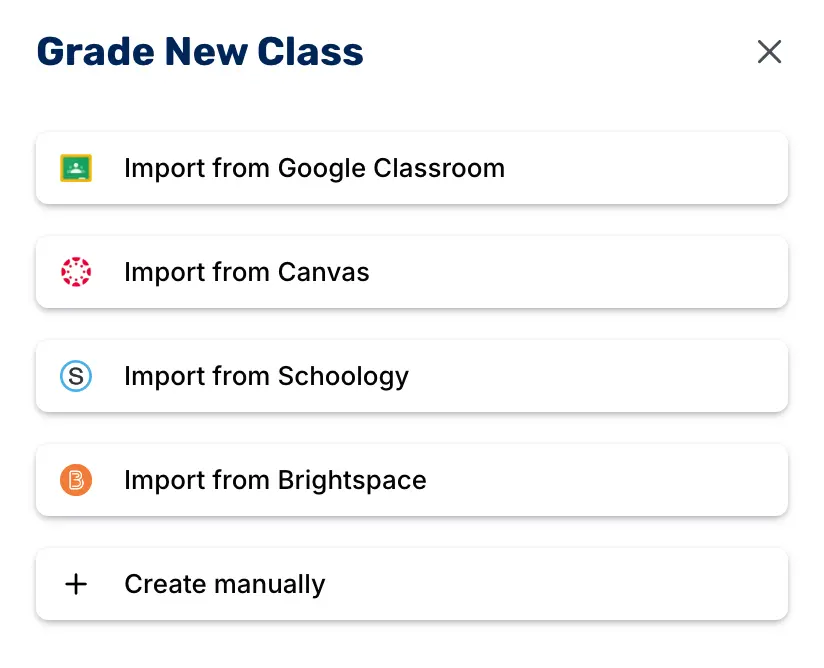
Once you’ve reviewed and approved the AI-generated feedback, it pushes back to students through the same system they’re already using, with no downloading, uploading, or copy-pasting.
For Google Classroom users, CoGrader exports feedback as inline comments directly inside each student’s Google Doc, with highlighted passages attached to the specific lines that need revision. Attaching feedback to the actual writing makes revisions feel more actionable for students.
CoGrader can also grade Google Forms submissions the same way as a full essay. For teachers who still collect handwritten work, CoGrader grades handwritten essays too. It supports uploaded images and document scans so you can still automate grading for these assignments.
CoGrader Pricing
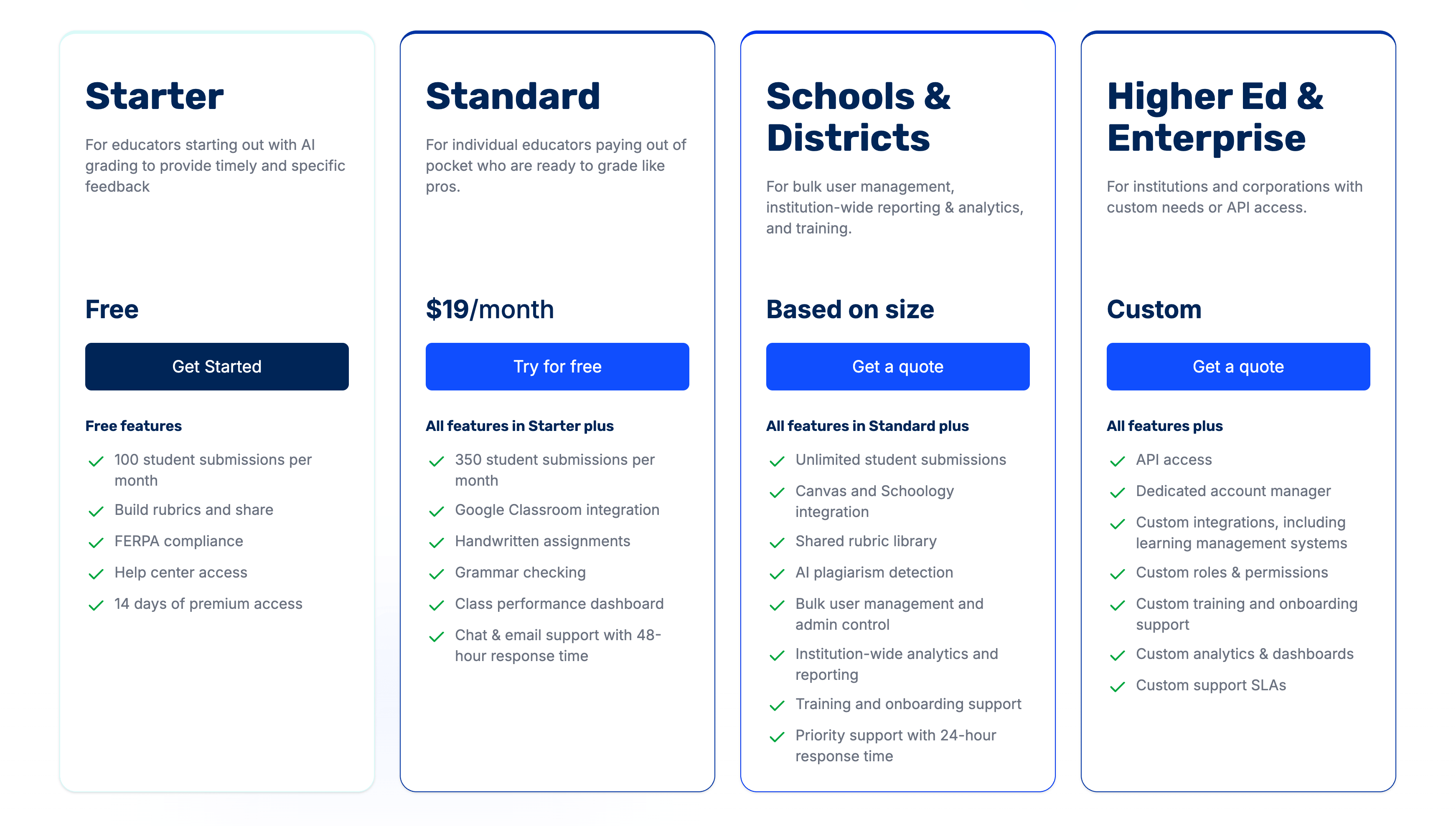
- Free plan: Includes 150 student submissions per month and handwritten grading, plus 90 days of premium access to test the full feature set before committing.
- Standard ($15/month billed annually or $19/month): Includes 350 submissions per month, grammar checking, and a class performance dashboard.
- Schools & Districts: Includes unlimited submissions, Canvas and Schoology integrations, AI plagiarism detection, and institution-wide analytics. Pricing is based on school size. Request a custom quote to learn more.
CoGrader also offers an Advocate Program designed for educators who actively use CoGrader and are comfortable introducing it to colleagues at their school. In exchange, accepted advocates receive CoGrader’s School Plan free for a full year, which includes unlimited grading and all paid features.
Get Started with CoGrader Today
If you’re an English or ELA teacher spending more time grading essays than actually teaching, CoGrader is worth trying before your next assignment goes out.
The free plan includes 150 student submissions per month and 14 days of full premium access. This gives you enough access to grade a real class set and see the time savings for yourself. No credit card required to get started.
2. Twee: Best for building reading comprehension activities
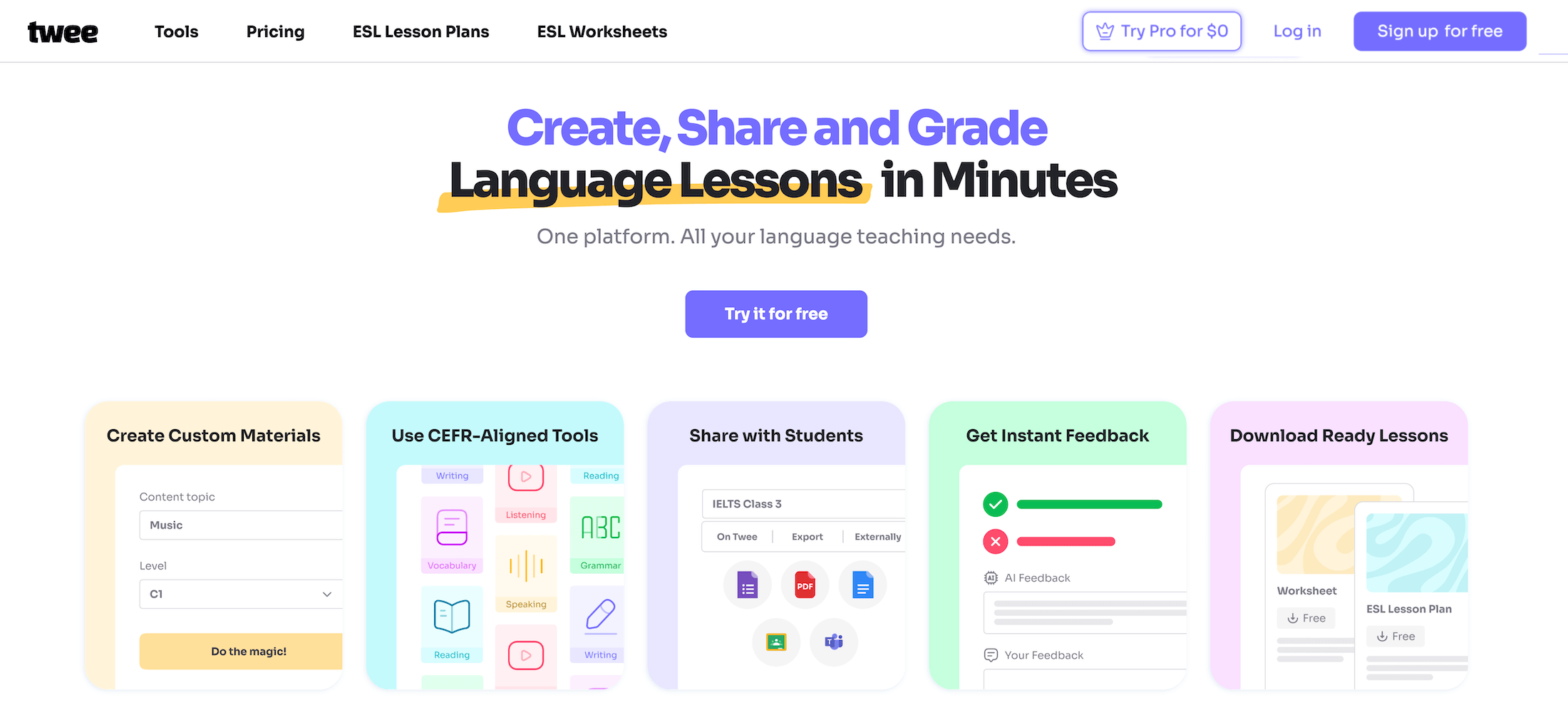
Twee is an AI-powered content generation tool that many language teachers use to quickly create reading comprehension exercises, vocabulary tasks, and discussion questions.
It’s relatively easy to use for teachers with little or no prior experience with AI tools. All you need to do is input a topic, article, or video. Twee will generate passages, questions, and activities, including warm-up prompts to open a lesson or worksheets students can work through independently.
Key features
- AI-generated reading passages and comprehension questions
- Ability to create activities from YouTube videos or external content
- Vocabulary and grammar exercise generation
- Automated grading support for student responses
- Export options for Google Docs, PDFs, and interactive assignments
Pricing
The free plan includes 20 runs per month on text tools and 10 runs per month on media tools. Pro plan is $7.49/month billed annually or $11.95/month billed monthly. A custom plan is available for teams.
3. MagicSchool AI: Best for generating ELA lesson materials

MagicSchool AI is an all-in-one AI platform built specifically for educators. Because the platform offers so many tools for lesson planning, assessments, and classroom communication, it’s a popular choice among ELA teachers.
Some notable classroom items it can automatically generate include writing prompts, reading materials, comprehension questions, and scaffolding activities aligned to standards.
If you need a tool to evaluate students more directly, there are better options. MagicSchool is a solid choice if you’re just looking for a way to create ELA-focused lesson materials faster.
Key features
- 70+ AI tools for lesson planning, assessments, and activities
- Writing prompt and reading material generation
- Differentiation tools for student levels and accommodations
- Integration with Google Classroom and Microsoft tools
- Built-in training resources and examples for teachers
Pricing
Free plan available. Plus plan is $8.33/month billed annually ($99.96/year) or $12.99/month. Enterprise plans for schools and districts are custom-priced.
4. NoRedInk: Best for teaching grammar and writing skills
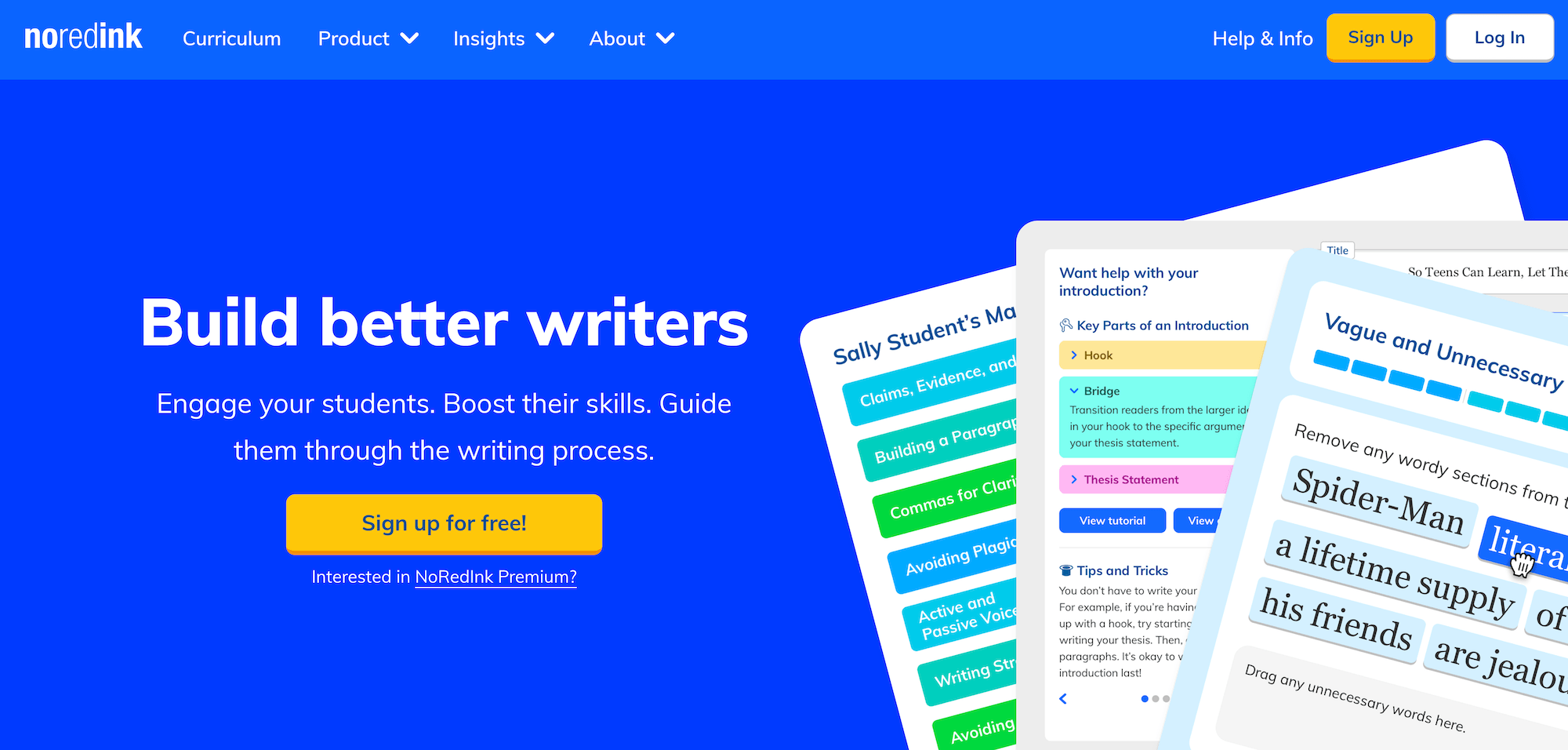
NoRedInk is an adaptive writing and grammar platform for grades 3–12. Teachers who use NoRedInk’s AI-powered Grading Assistant can reduce their grading time while still offering students useful feedback.
The tool includes grammar practice, essay writing, AI-assisted grading, and academic integrity monitoring. There’s also an Originality Insights feature that shows teachers how long students spent writing and flags any text pasted from external sources.
It also includes a Language Support Suite built specifically for ESL and ELL students. But this tool does not function like some of the more advanced AI essay graders on this list. Plus, the AI Grading Assistant is a Premium-only feature.
Key features
- Adaptive grammar exercises personalized to student interests across 1,000+ skills
- AI-powered Grading Assistant for essays (Premium)
- Guided Drafts with scaffolded support for 10+ writing genres
- Originality Insights for academic integrity monitoring
- Language Support Suite with translations, text-to-speech, and EL-aligned prompts
- Standards-aligned diagnostics for Common Core, TEKS, AP English, SAT, ACT, etc.
Pricing
A free plan is available for teachers. Premium plans require a custom quote depending on the number of students.
5. Brisk Teaching: Best for giving feedback on student writing drafts
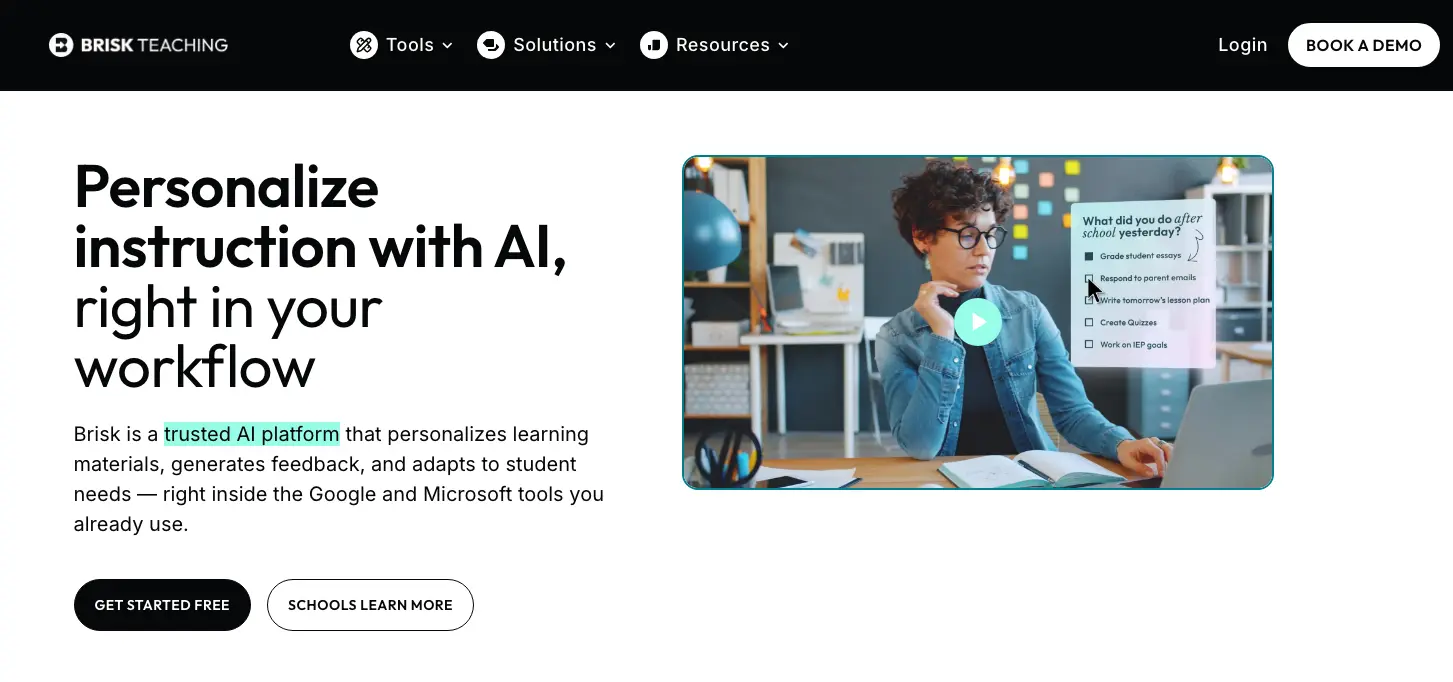
Brisk Teaching is an AI-driven Chrome extension that works within tools like Google Docs, Google Classroom, Canvas, YouTube, and more. It can generate lesson plans, quizzes, slides, and rubrics, or you can use it to provide feedback on student assignments.
It includes various feedback modes and a batch feedback tool. On top of that, there’s a Writing Inspect tool that plays back a student’s revision history as a video to determine whether the student wrote the assignment themselves, used AI, or plagiarized.
Key features
- Six AI feedback modes that match different students and assignments
- Batch Feedback for processing an entire class’s assignments in one sitting
- Academic integrity tools, including writing replay and AI detection
- Works inside the tools teachers already use, including Google Docs and Google Classroom
Pricing
Brisk’s free plan includes 23+ tools. Educator Pro is $99.99/year. Schools and districts get custom pricing.
6. Kami: Best for close reading and annotation
Kami is a document annotation platform that turns any PDF, Google Doc, or reading passage into an interactive assignment for students. For English teachers who rely on close reading as a core instructional practice, it eliminates the need for a printer while keeping the annotation experience intact.
Kami’s AI-powered tools enable quality auto-grading in seconds, and its “Understand” tools allow learners to translate text in over 100 languages. It’s not a traditional grading tool, so it’s better used for active reading, annotation practice, and formative check-ins on comprehension.
Key features
- Annotation tools, including highlights, comments, drawing, and text boxes
- Voice and video feedback from teacher to student
- AI “Understand” tools for translation, summaries, and text explanation
- Class view for monitoring all student annotation in real time
Pricing
Free Basic plan available for new users. The Teacher plan costs $149/year, while school and district plans are available at custom pricing.
7. Diffit: Best for differentiating reading materials by level
Diffit is a differentiation tool that lets teachers take any piece of content (such as a URL, PDF, YouTube video, or topic) and instantly generate a leveled reading passage with comprehension questions, vocabulary lists, and discussion prompts.
For English teachers working with mixed-ability classrooms or ELL students, it eliminates one of the most time-consuming parts of lesson prep. Diffit generates complete lesson materials with cited sources, and its platform collects no student data, simplifying privacy compliance.
Key features
- Instant leveled reading passages from any URL, PDF, video, or topic
- Comprehension or multiple-choice questions, vocabulary lists, and discussion prompts included
- Standards alignment and reading level customization
- Support for 60+ languages for ELL classrooms
- Exports to Google Classroom, Docs, Slides, Forms, and Microsoft 365
Pricing
Diffit offers a free plan. Premium for individuals starts at $14.99/month. School and district flat-rate annual plans are also available.
Spend Less Time Grading and More Time Teaching with CoGrader
English and ELA teachers carry one of the heaviest grading loads of any subject, and most AI teacher tools weren’t built to help with that.
With CoGrader, you can:
- Grade an entire class set of essays in minutes with personalized, rubric-aligned feedback for every student
- Connect directly to Google Classroom, Canvas, or Schoology so assignments import and feedback exports automatically
- Apply any rubric without rebuilding your grading system from scratch
- Identify areas where students need the most support using built-in performance analytics, so you can create more targeted learning experiences
- Keep academic integrity checks inside the same grading workflow with built-in AI-written content detection and plagiarism screening
Try CoGrader free or request a custom quote to get started.