

✨ Summary: Looking for the best AI tools for teachers? Explore these 16 top tools for grading essays, planning lessons, engaging students, and managing your classroom.
Table of Contents 📒
If you’ve tried using AI to save time in the classroom and it hasn’t quite delivered, you understand the frustration that teachers face with tools like ChatGPT or Claude.
These tools are powerful, but they’re general-purpose — they aren’t built for teaching work. They don’t understand rubrics, standards, lesson pacing, classroom management, or how teachers spend their time. So while they can help with drafting ideas, they rarely solve the specific problems teachers face day to day.
And while there are now hundreds of AI tools for education, they do very different things. An AI grading tool that processes 150 essays against your rubric in two minutes has little in common with an AI lesson builder that turns a topic or learning standard into an interactive slide deck.
That’s why in this guide, we’ll look at 16 AI-powered tools for teachers, organized by category — grading, lesson planning, student engagement, and classroom management — so you can quickly find the one that matches where you’re losing the most time.
Below, we’ll cover:
AI Grading & Feedback Tools
The tools in this category can reduce the time teachers spend evaluating student work — particularly written assignments and open-ended responses.
Each one takes a different approach to grading and feedback, so the right choice depends on what you teach, how large your classes are, and how much control you want over the final output.
| Feature | CoGrader | Gradescope (Turnitin) | Kangaroos AI | Edcafe AI |
|---|---|---|---|---|
| Primary grading focus | Writing & essays | Exams, problem sets, mixed formats | Essays & written responses | Short-answer & mixed subjects |
| Rubric-based grading | ✅ Native, rubric-first | 🟡 Basic rubric support | ✅ Custom rubrics | 🟡 Editable scores, limited rubric depth |
| Essay & long-form writing support | ✅ Writing-first | 🟡 Not writing-centric | ✅ Essay-focused | 🟡 Works, but limited depth |
| Batch grading (entire class at once) | ✅ Built-in batch flow | ✅ Grade by question | ✅ Bulk upload | 🟡 Batch reports, slower workflow |
| LMS integration (Google Classroom, Canvas, etc.) | ✅ Native + extensions | ✅ Native LMS integrations | ❌ Manual upload | 🟡 Available for premium plan users only |
| Inline feedback on student work | ✅ Comments tied to highlighted passages | 🟡 Platform-based comments | 🟡 In-platform feedback | 🟡 In-platform comments |
| Teacher review before release (human-in-the-loop) | ✅ Required sign-off per essay | 🟡 Workflow-based review | 🟡 Review before export | ✅ Edit all scores/comments |
| Standards / AP rubric support | ✅ State, AP, IB, Cambridge | 🟡 Institutional rubrics | ❌ | ❌ |
| Works for individual teachers | ✅ Yes | ✅ Yes | ✅ Yes | ✅ Yes |
| Pricing | Free plan; $19/month individual; school/district & higher ed custom | Free basic; Solo/Team plans start at $3/student/course; LMS integration requires institutional | Free plan; paid plans are custom (demo required) | Free plan; Pro $7.99/mo billed annually (~$96/yr); Premium $14.99/mo billed annually |
| Best fit | Writing-heavy classes & ELA | Large classes, exams, higher ed | Teachers grading many essays | K–12 open-response work |
1. CoGrader
CoGrader is an AI grading tool built for teachers who assign a lot of writing assignments. It helps you grade faster by generating personalized, actionable feedback for each student in seconds.
Here’s how it works:
- Connect your LMS: CoGrader integrates directly with Google Classroom, Canvas, and Schoology. Your assignments and student submissions are already there; CoGrader pulls them in automatically.
- Apply your rubric: Import your own rubric, choose from CoGrader’s pre-built library of state, AP, and IB rubrics, or let CoGrader generate one for you based on your standards.
- Review assignments and return feedback to students: CoGrader generates personalized, passage-specific feedback for every student in seconds. You review it, adjust anything you want, and push it back to students through your LMS.
Put simply, CoGrader is built around how teachers actually work, so you spend less time grading and more time reviewing and refining feedback to students. Unlike most general-purpose AI tools, you don’t need to build prompts, start from scratch, and copy-paste essays one at a time.
A Rubric-Based Grading System That Understands How Teachers Teach
Again, most AI tools don’t understand how you teach. They don’t know your rubrics, your state standards, or the difference between an AP essay and a formative writing assignment, which usually means you’ll spend more time adapting the tool than actually grading.
That’s exactly what CoGrader is built to solve. Rubrics are the foundation of everything CoGrader does, and why our system provides educationally meaningful feedback. When CoGrader grades a student’s essay, it evaluates it against specific criteria, the same criteria you’d use yourself.
CoGrader includes a built-in rubric library of grading frameworks that teachers understand, including:
- All 50 U.S. state standards
- AP rubrics (with one-click setup)
- IB and Cambridge A-Levels
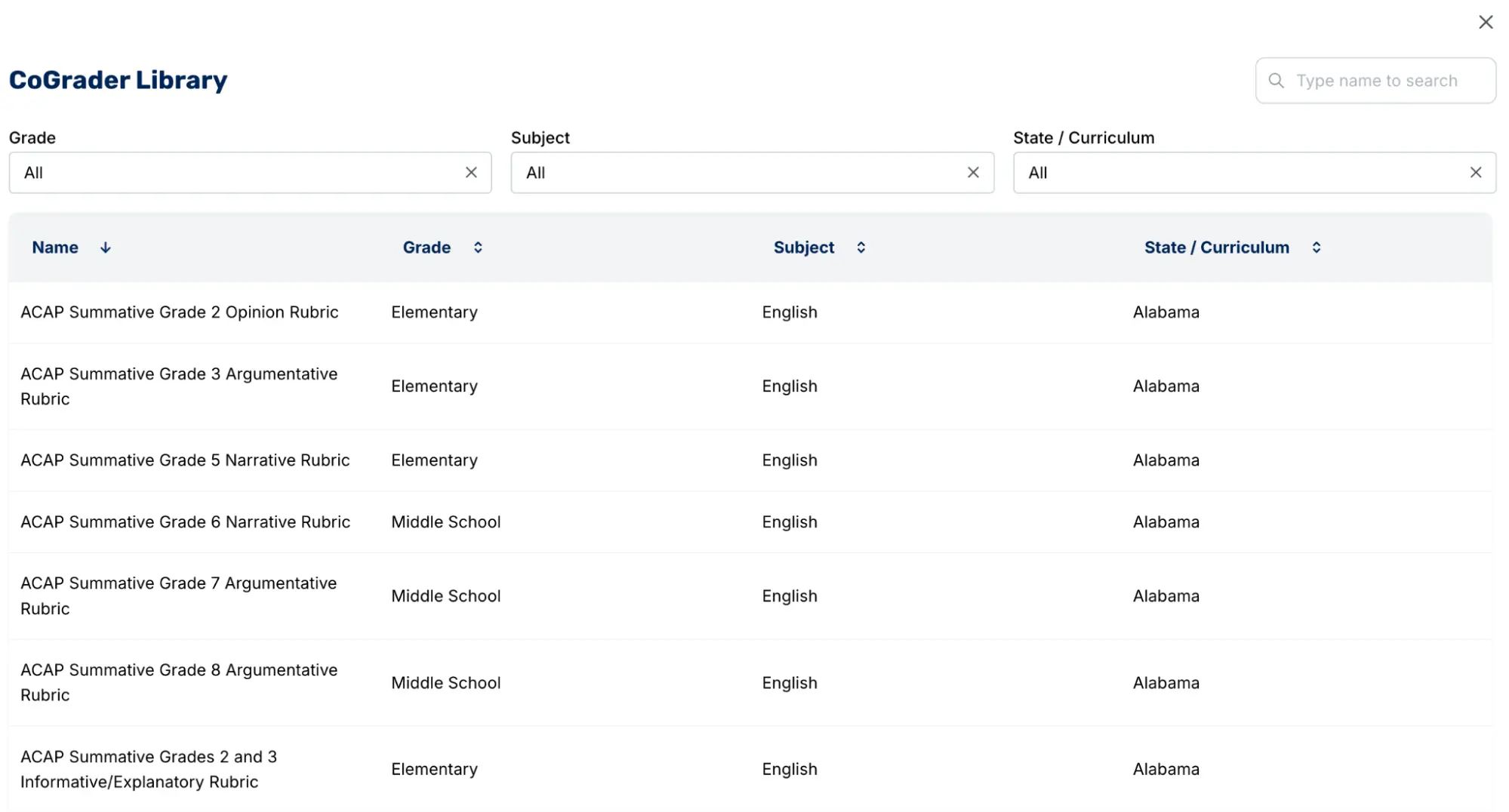
The rubrics you’re required to use for your classes are already available. You don’t have to rebuild your grading system just to use an AI tool. And if you already have a rubric you like, you can upload that too.
But CoGrader doesn’t lock you into just using the pre-loaded rubrics from its library. There are four ways to work with rubrics:
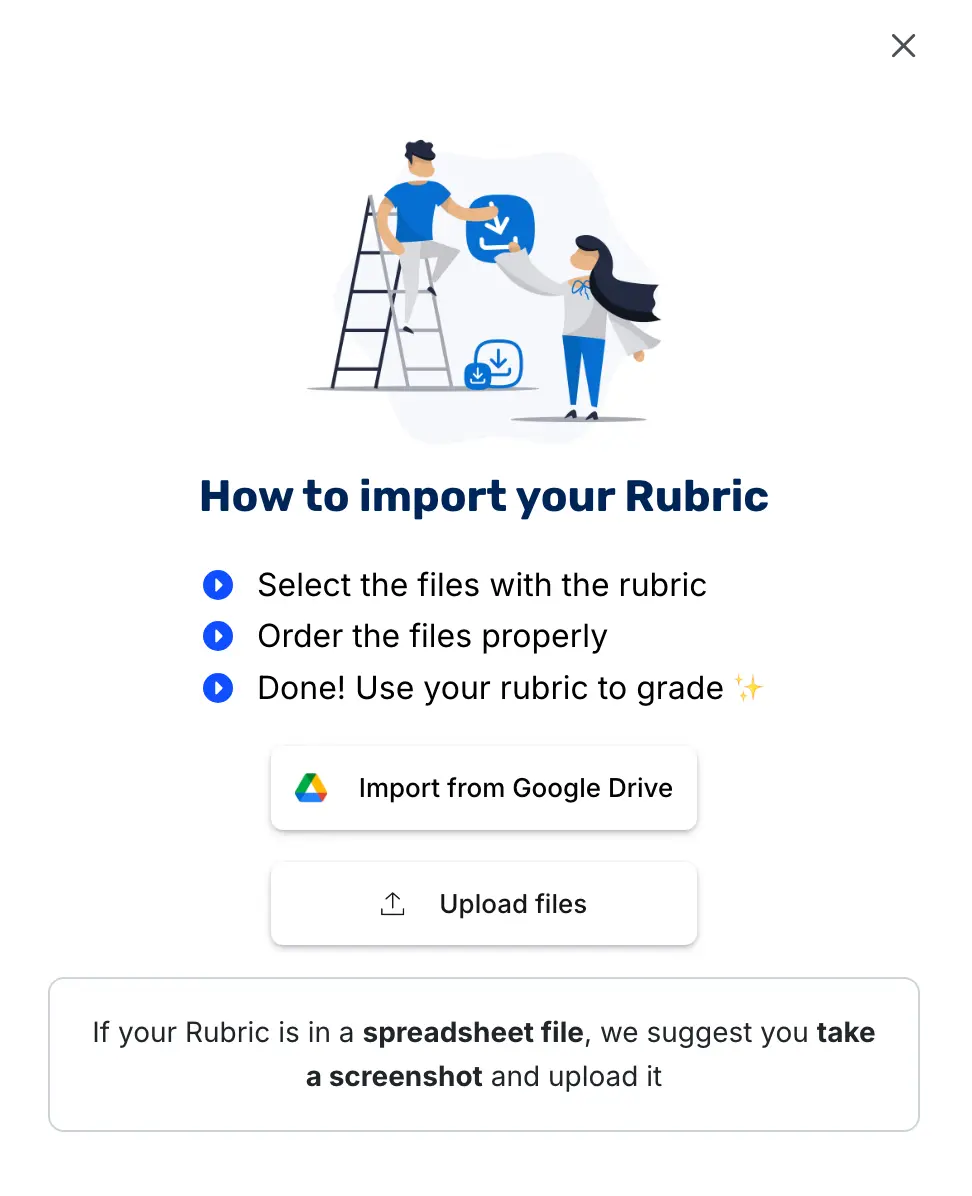
- Upload your own: This is the most common approach. If you already have a rubric you use, bring it in as a PDF, image, or document, and CoGrader grades against it.
- Use the rubric library: Select from CoGrader’s pre-built collection of state, AP, IB, and Cambridge rubrics.
- Build one inside the platform: CoGrader’s rubric builder lets you create one from scratch if you prefer — or you can have CoGrader’s AI generate one by describing the rubric you want to create.
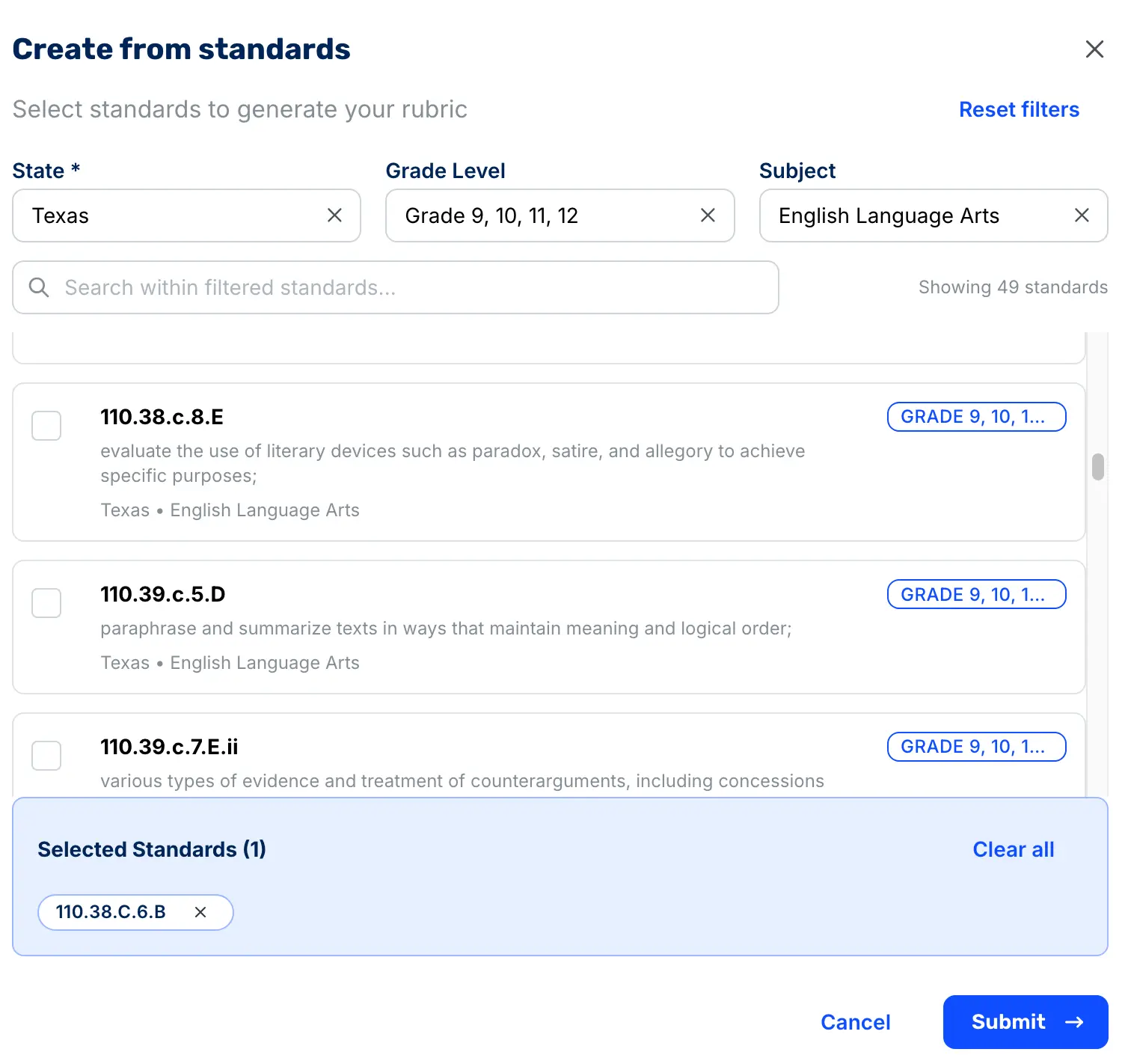
- Generate one from state standards: Paste in the standards your principal requires you to meet, and CoGrader builds a rubric directly from them.
When a teacher doesn’t have a rubric ready, CoGrader can infer and generate one automatically based on the assignment and standards. This is most useful for quick formative assessments where building a rubric from scratch isn’t worth the time.
State standards exist to define what students are expected to learn and how teachers are evaluated. Most teachers have to translate those standards into a usable rubric themselves, which is a difficult task that takes time. CoGrader removes this step entirely and does it automatically.
For example, a high school English teacher in Texas can select TEKS standard 110.38.c.6.B for literary analysis, and CoGrader will automatically generate a rubric aligned to that standard. Teachers can then use that rubric to grade student essays immediately.
For AP courses, CoGrader uses specialized grading engines aligned to how AP writing is scored. The platform uses separate evaluators for key rubric components — one checks for a defensible thesis, another for evidence and reasoning, and another for sophistication and alignment to the prompt.
CoGrader’s scores are highly accurate and consistent with the natural variation you’d expect between two experienced human graders scoring the same essay (within three points 73% of the time).
Batch Grading with Personalized, Editable Feedback
In our experience, teachers spend an average of 15 minutes grading a single essay. Multiply that by a typical class size of 150 students, and you’re looking at 37.5 hours of grading for one assignment.
By the time that grading is finally done, two weeks have likely passed. When students wait this long for feedback, they’ve already sat through 50+ class periods across every subject. Many don’t even remember what they wrote about, never mind how to apply feedback to improve next time. At that point, even thoughtful, detailed comments lose their impact.
Because that workload isn’t realistic, most teachers are forced to compromise. They might only comment on one paragraph instead of the full essay. Or they might reteach a concept to the whole class because a few students struggled with it.
CoGrader solves this by allowing teachers to connect their LMS, import an assignment, and grade an entire class in about two minutes. Instead of opening 150 documents one by one, pasting text into an AI tool, and trying to track which student is which, CoGrader handles the batch grading flow end to end:
- Connect your LMS
- Import the class and assignment
- CoGrader evaluates every submission
- Teachers review and finalize feedback for each student
This is fundamentally different from using a general-purpose AI tool like ChatGPT. With them, you’re copy-pasting essays, rewriting prompts, organizing outputs, and trying not to lose track of who’s who. CoGrader removes this pain entirely and applies the same rubric-driven grading logic across the whole class all at once.
CoGrader allows teachers to choose how they want to structure feedback using specific frameworks. Options include:
- Standard (Summary & Rubric Only)
- Glow, Grow (One strength & one area to develop)
- Two Stars and a Wish (Two positives & one improvement suggestion)
- Rose, Bud, Thorn (A success, emerging potential, & challenge to address)
- WWW/EBI (What Went Well / Even Better If)
- TAG (Tell a strength, Ask a question, Give a suggestion)
- 3-2-1 Feedback (3 strengths, 2 areas to improve, 1 standout highlight)
- PQP (Praise a strength, pose a Question, suggest a Polish)
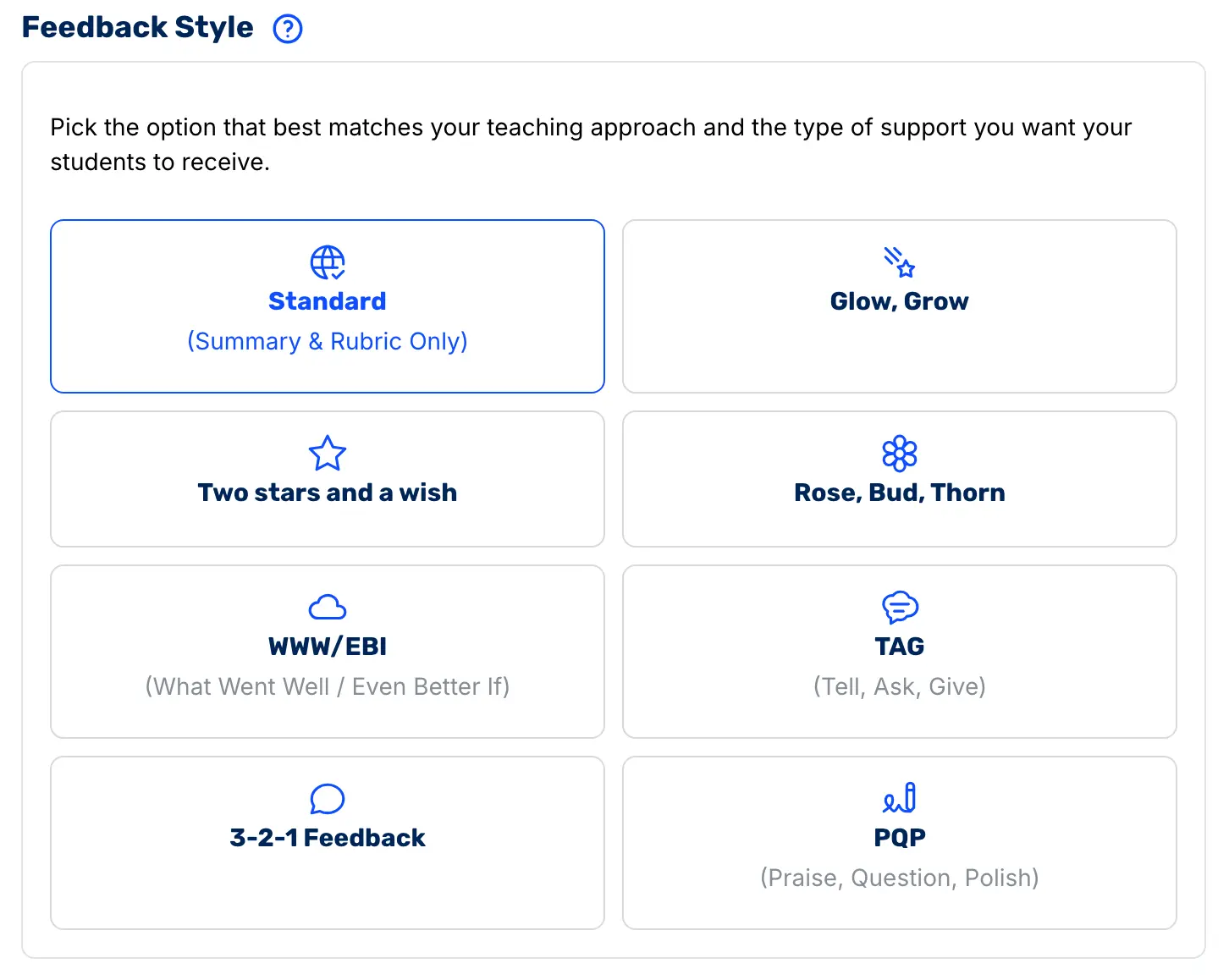
This lets teachers match the feedback style to their classroom norms. For instance, if your school already uses WWW/EBI or Glow, Grow, CoGrader fits into that feedback style rather than forcing students to adapt to a new format.
Each comment is tied to specific highlighted passages in the student’s actual writing, so feedback is concrete, contextual, and actionable. Students can see exactly what part of their essay the feedback refers to and how to improve it.
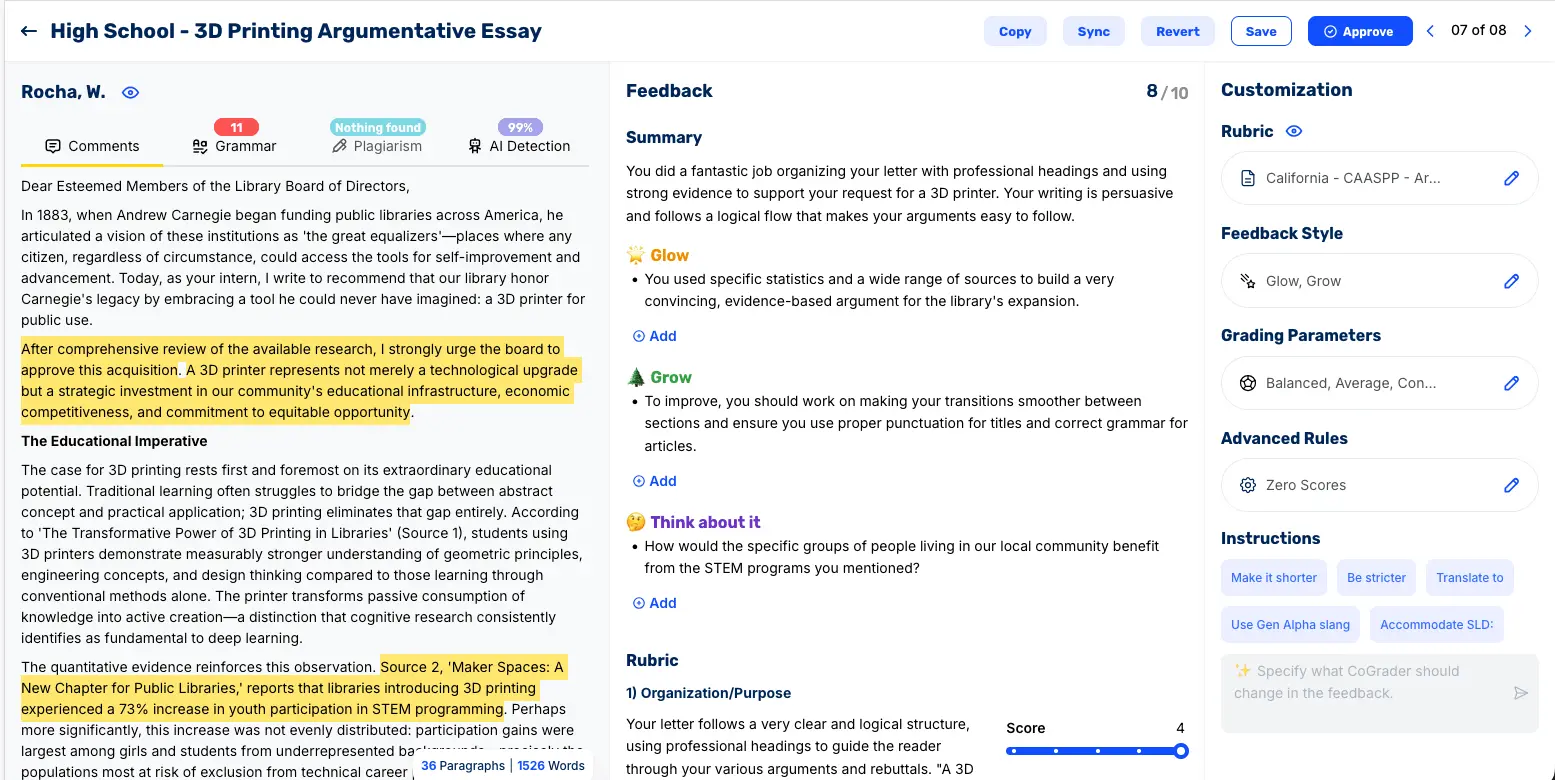
This is important because effective feedback has three core components:
- It shows students how they performed relative to a clear target (the rubric)
- It coaches them toward specific improvements
- It arrives in time for students to actually use it
CoGrader also doesn’t allow teachers to mass-grade assignments without manual review. There is no bulk approve button, and every essay requires an individual teacher’s sign-off before feedback is released to students.
With CoGrader, you can:
- Adjust scores
- Edit or rewrite comments
- Change grading strictness with a slider
- Translate feedback into different languages
- Use the chat box to tell CoGrader to rewrite the feedback in any direction (shorter, more encouraging, more direct, aligned with a specific standard, etc.).
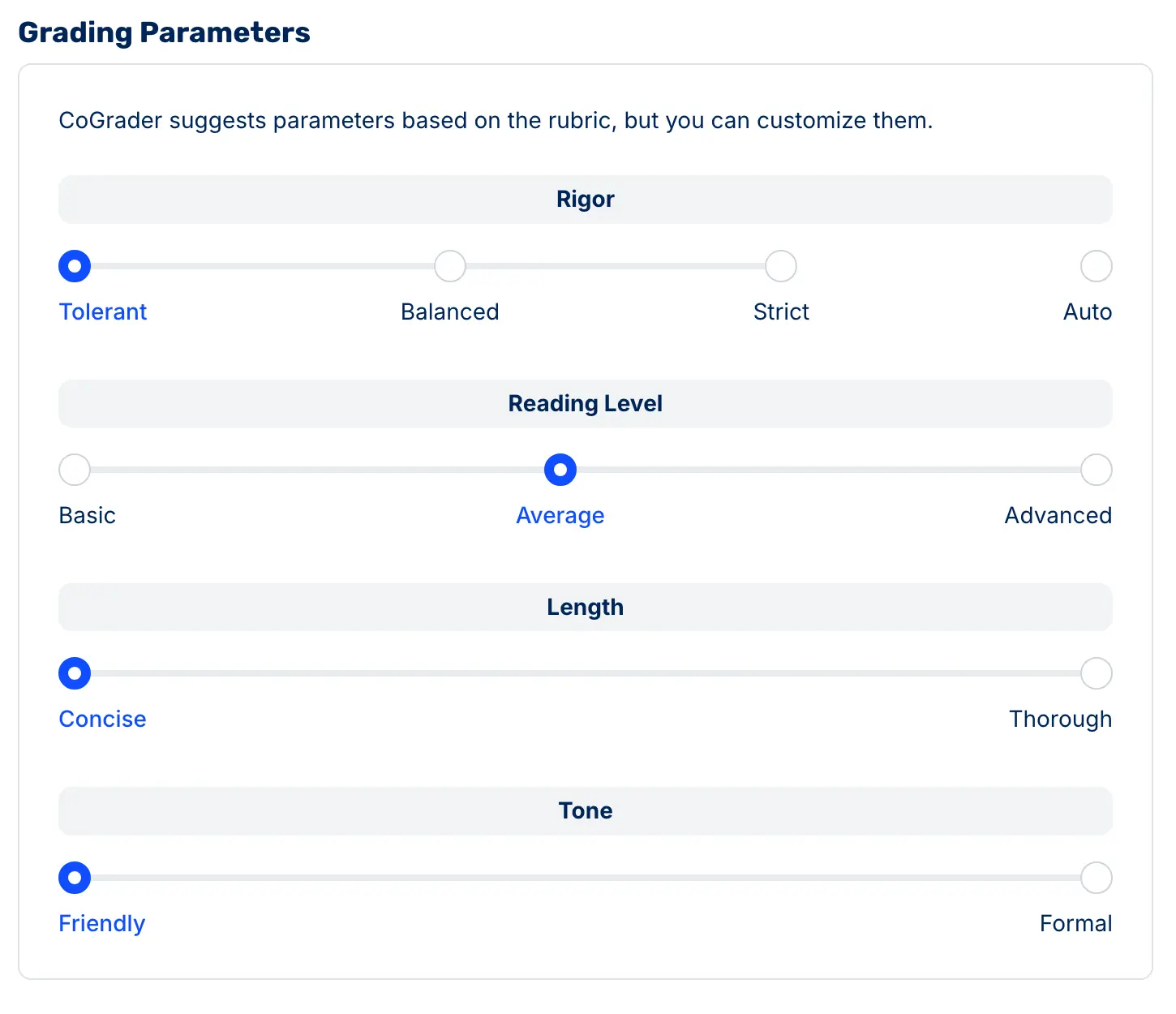
The result is faster grading without sacrificing the high-quality, instructional feedback students need. Teachers get their time back, and students get timely, usable feedback they can apply to their future assignments.
Class-Wide Analytics That Tell You What to Teach Next
After spending hours grading, most teachers walk away with a feeling about how the class performed and what they struggled with. That feeling is usually based on the essays that stood out, like the ones where a student forgot to include a thesis or failed to provide specific evidence and reasoning to support claims.
The problem is that a handful of memorable essays can easily distort your analysis of an entire class of 30+ students. This usually leads teachers to reteach a concept to the whole class when only a handful of students actually need it, while the students who are ready to move forward sit through a lesson that has nothing to do with where they are.
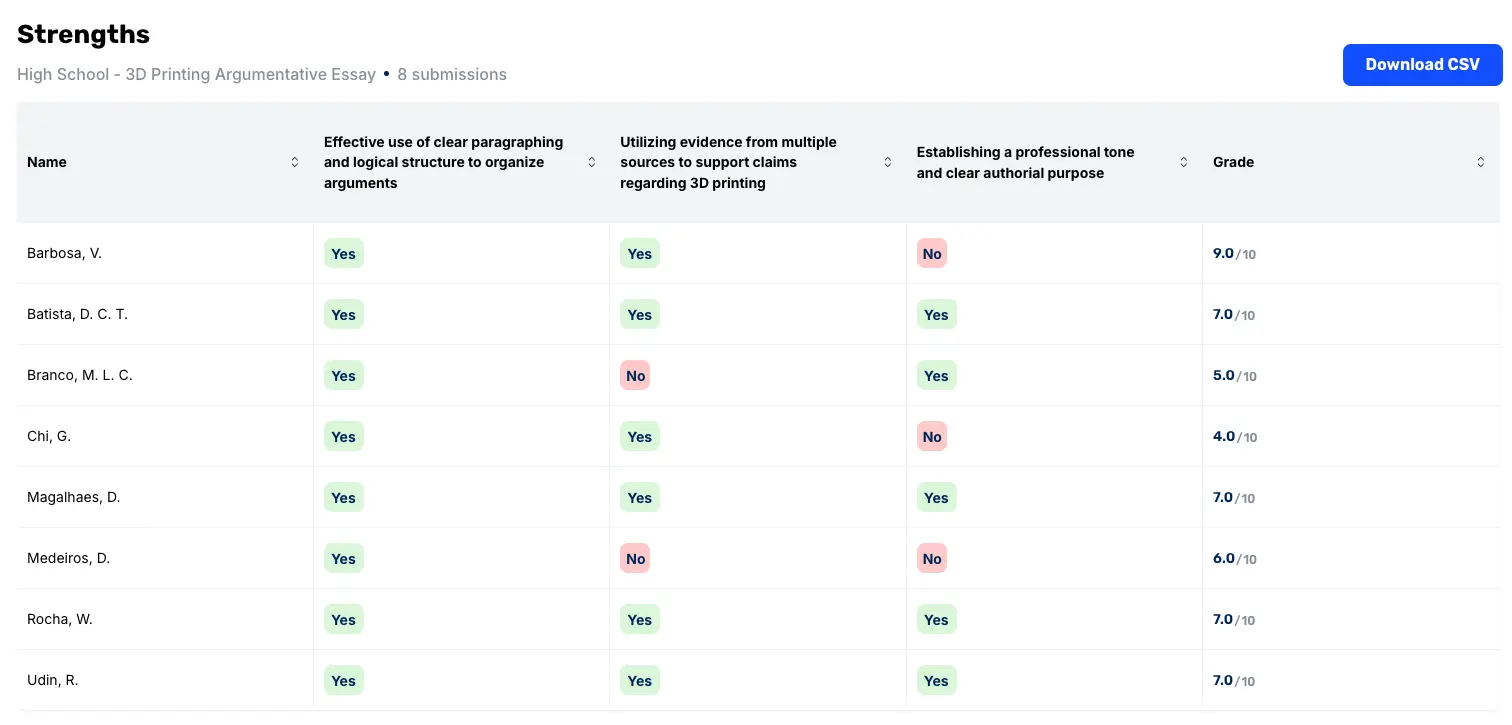
CoGrader’s class-wide analytics are designed to support how teachers make instructional decisions within PLCs (Professional Learning Communities). The framework most PLCs use asks four questions:
- What do we want students to know?
- How will we know when they’ve learned it?
- What will we do for students who didn’t learn it?
- What will we do for students who already did?
Most tools help with the first two, while CoGrader’s analytics can answer questions three and four. After a grading session, the rubric breakdown chart maps each criterion on its own axis and shows exactly where the class landed. It provides a precise picture of which skill broke down and by how much.
A teacher can look at one chart and immediately see that 22 students are solid on argument structure, but 14 are struggling with evidence integration.

From there, the analytics break down further:
- Student view: Drill into individual performance by rubric criterion to see where each student needs targeted support.
- Formative vs. summative comparisons: Compare early drafts to final submissions to see whether instruction and feedback actually had a measurable impact.
- Score distributions and breakdowns: See how performance clusters across the class, not just the average.
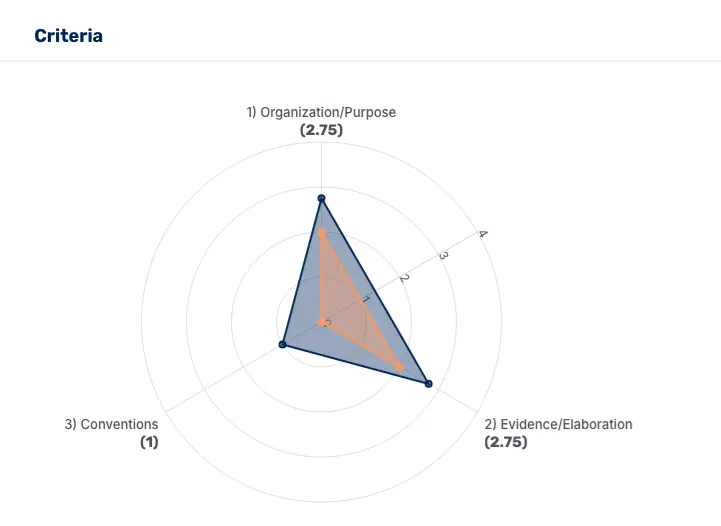
These are the kinds of metrics most teachers would love to have, but rarely attempt to build by hand because it would take longer than the grading itself. CoGrader generates them automatically after each grading session, using the same rubric you already use.
Seamless LMS Integrations
LMS integration is the single biggest difference between teaching-focused AI tools and generic AI chatbots. Most AI tools can generate text, but they can’t connect to your classes, your assignments, or your students. That means teachers end up copying and pasting work between tools and managing files manually every time they grade.
Today, nearly every K–12 teacher works inside an LMS, and the majority of U.S. classrooms use Google Classroom, Canvas, or Schoology. If an AI tool can’t connect directly to one of these platforms, it immediately adds an extra step to everything you do.
CoGrader’s Google Classroom integration is designed to match how teachers already assign, collect, and return work. Teachers can pull assignments directly from Classroom, grade them in CoGrader, and push feedback back without downloading or sorting files.
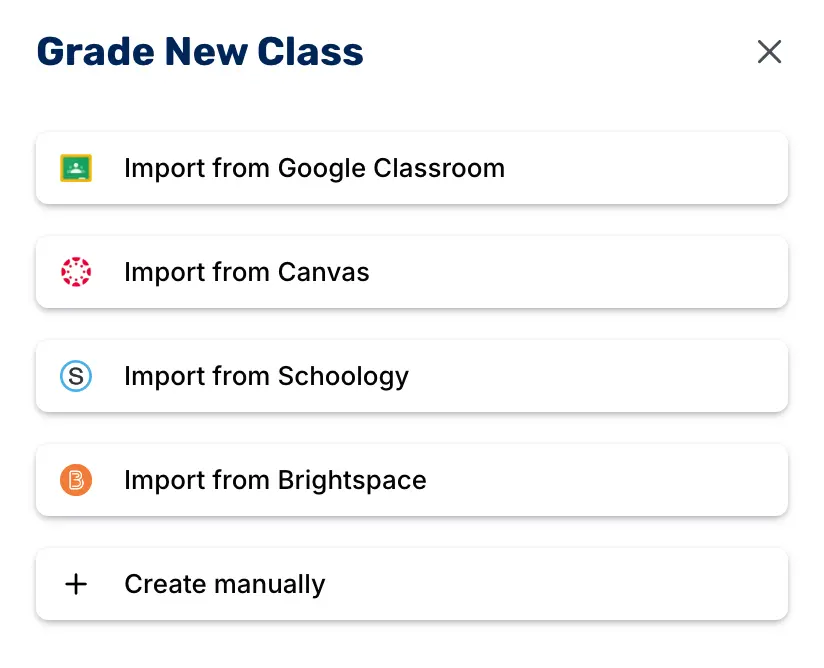
One key difference between CoGrader and other grading tools is that CoGrader exports feedback as inline comments directly inside each student’s Google Doc, with highlighted passages attached. Students can open the same document they wrote in and see feedback in context, right next to the lines they need to revise.
For schools that use Canvas or Schoology, CoGrader offers Chrome extensions that let teachers grade directly from their LMS workflow. Teachers can pull student submissions into CoGrader, apply rubric-based feedback at scale, and then return scores and comments back to the LMS without manual exporting.
CoGrader also supports grading submissions from Google Forms, which many teachers use for short-answer and formative writing checks. In addition, teachers can upload handwritten assignments and other document formats when work isn’t submitted digitally.
AI Detection and Plagiarism Screening
CoGrader includes both AI detection and plagiarism screening directly inside the same workflow where grading is being done. This means teachers don’t have to switch between separate tools just to check originality before giving feedback.
The AI detection score flags submissions that may have been generated or heavily assisted by AI, while plagiarism screening compares student work against existing sources to surface potential copy-paste issues.
Both signals are meant to guide review, not replace teacher judgment. Teachers can quickly see what’s worth a closer look without turning grading into an investigation process.
CoGrader Pricing
CoGrader plans include:
- Starter (Free): A usable free tier for individual teachers to try CoGrader with core grading and feedback features.
- Standard ($19/month or $15/month when billed annually): Designed for individual teachers who want higher usage limits, faster grading, and full access to core features.
- Schools & Districts (Custom pricing): Pricing based on school size and deployment needs, with LMS integrations, admin controls, and onboarding support.
- Higher Ed & Enterprise (Custom pricing): Built for universities and larger institutions with higher volume grading, advanced controls, and institutional support.
Try CoGrader Free
The fastest way to know if CoGrader is worth it is to run your next class set through it. Start your free 14-day trial and see how much time you save on grading tasks.
2. Gradescope (by Turnitin)
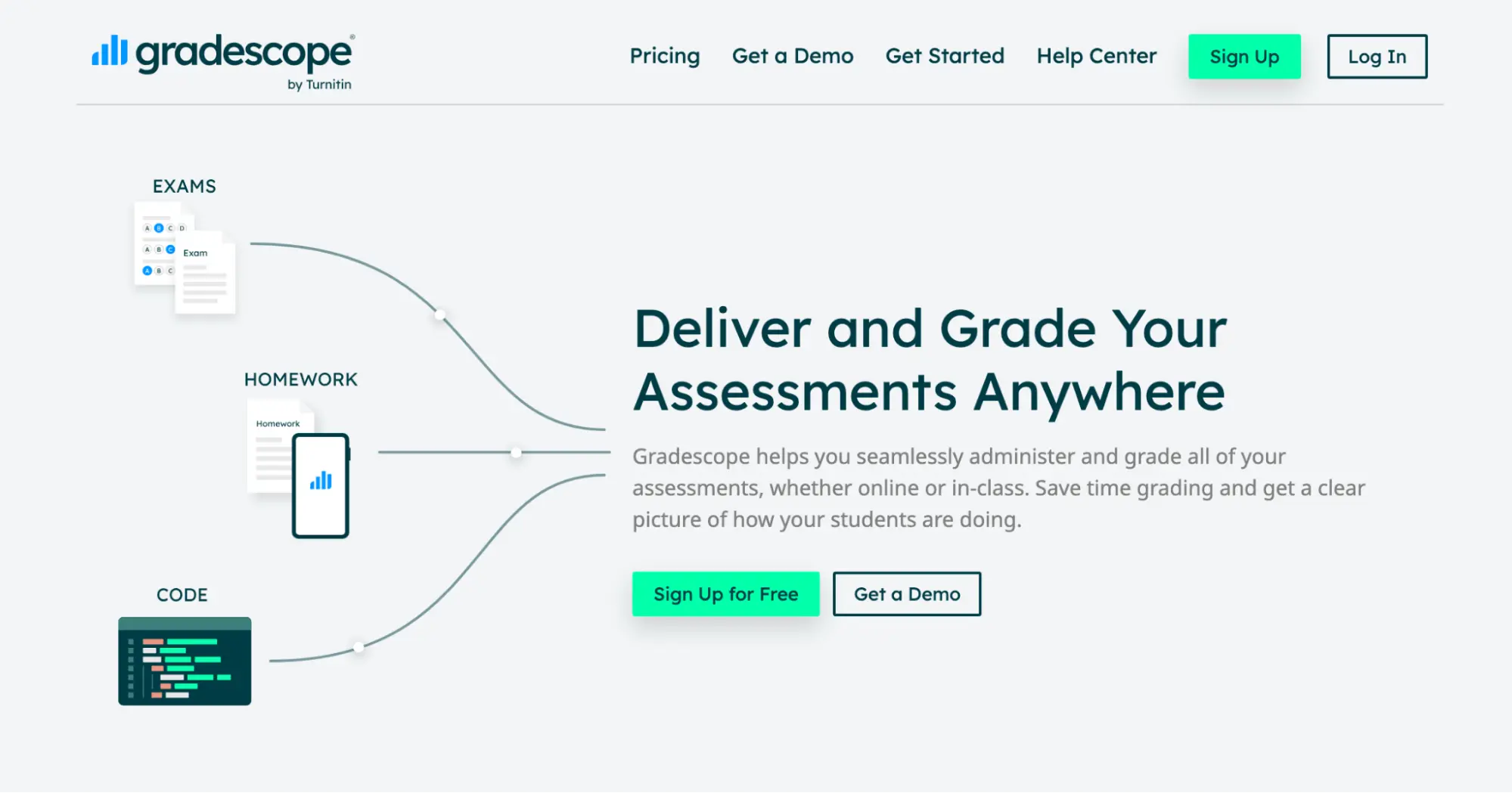
Gradescope is an AI-powered grading platform originally built at UC Berkeley and now owned by Turnitin. It can grade a full range of assessment types, including essays, exams, problem sets, handwritten work, and programming assignments.
While Gradescope does well with large class sizes by grouping similar responses together so you can grade question by question, it’s not built around essay writing. If you’re an ELA teacher who assigns frequent writing and wants rubric-based feedback tailored to each student’s specific arguments and language, you’ll find it lacking in that department.
Key features
- Groups similar student responses so you can grade by question, not by student
- Handles handwritten work, PDFs, exams, and coding assignments
- Integrates with Canvas, Blackboard, and Google Classroom
- Turnitin-powered plagiarism detection built in
- Class-level analytics to identify where students struggled most
Pricing
- Free Basic plan available with limited features.
- Solo and Team plans are available to individual instructors starting at $3 per student.
- LMS integration (Canvas, Blackboard, etc.) requires an Institutional license, which is custom-priced.
3. Kangaroos AI
Kangaroos AI is an essay-grading and teacher-toolkit platform. It includes an AI grader along with rubric builders, lesson plan generators, and a built-in AI chat assistant called RooChat.
The platform offers flexibility for the average user because you can upload your own rubric and bulk upload an entire class’s worth of essays at once. However, it doesn’t integrate with LMSs like Google Classroom, Canvas, or Schoology. You need to upload files manually, which can be a real time-consuming task for most teachers.
Key features
- Bulk essay upload
- AI rubric generator
- Custom rubric upload or build your own inside the platform
- Feedback pulls specific examples directly from each student’s essay
Pricing
- There’s a free plan available for new users. All paid plans are custom, and users must request a demo for more information.
4. Edcafe AI
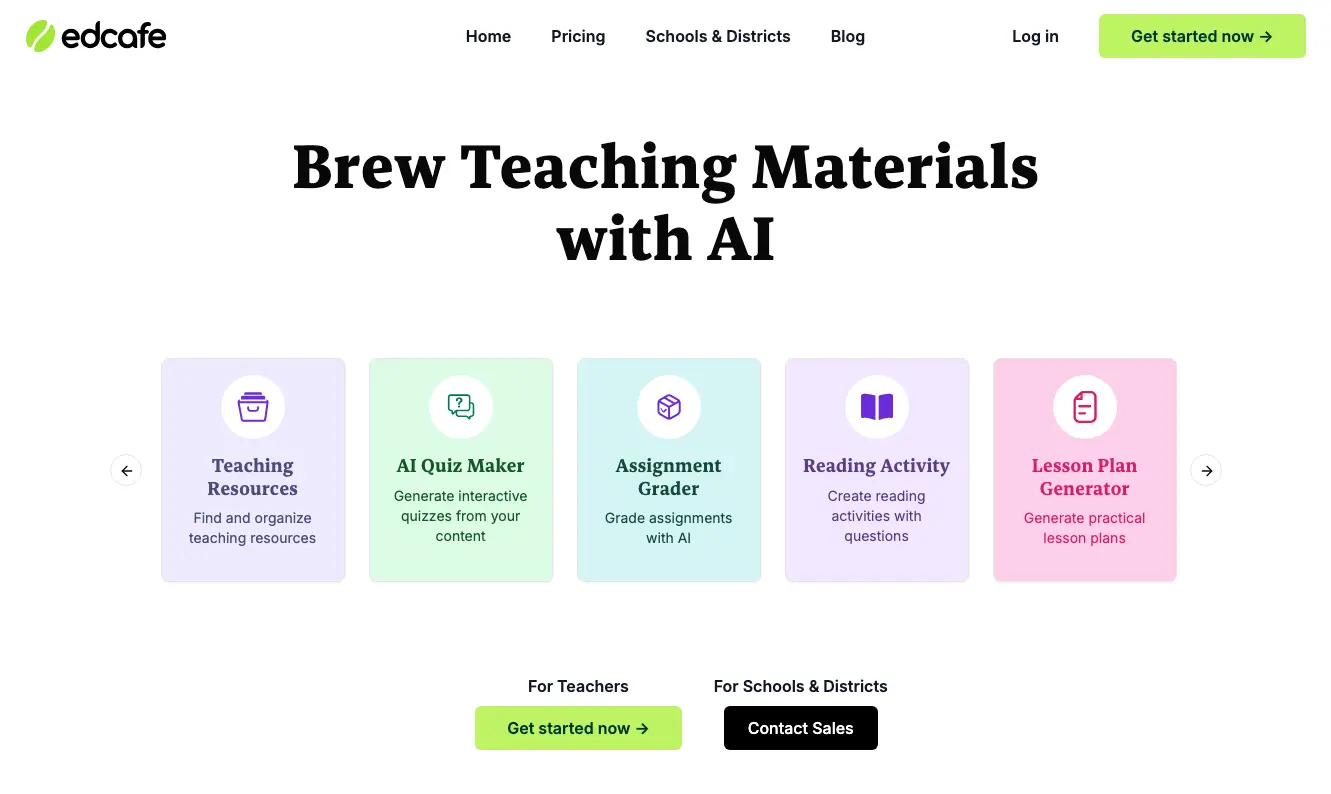
Edcafe AI is a multi-subject AI grading and content creation platform. It can work for writing tasks, short-answer questions, open-ended responses, and math problem-solving.
Many teachers using Edcafe feel like they have better control over feedback before it reaches students because, after the AI grades a submission, you can edit every comment and score before anything gets finalized.
However, you’ll quickly notice the platform lacks depth on the writing side. If the majority of your grading is essays and you want rubric alignment to AP standards or state assessments, Edcafe simply doesn’t have the rubric library or standards infrastructure to support that. Native LMS integrations are only available on the Premium plan — it’s not included on the free or Pro tiers.
Key features
- Editable AI feedback at both the score and comment level
- Bulk download of all student grading reports at once
- Built-in content creation tools for lesson materials and assessments
- Free version available with core features
Pricing
- Free plan available for new users.
- The Pro plan costs $96/year (~$8/month) and covers most use cases.
- For LMS integration and unlimited graders, the Premium plan runs $180/year (~$15/month).
AI Lesson Planning & Curriculum Design Tools
These tools are designed to help teachers create lesson plans, class activities, and instructional materials faster. Some focus on all-in-one planning and differentiation, while others specialize in interactive lesson delivery or content creation.
Below, we compare the top features in each tool and how they differ depending on the features and integrations you need.
| Feature | MagicSchool AI | Curipod | Brisk Teaching | Khanmigo |
|---|---|---|---|---|
| Primary planning focus | All-in-one teacher toolkit | Interactive slide-based lessons | In-workflow content + feedback | AI tutoring + practice support |
| Scope of tools | ✅ 80+ tools across planning, IEPs, comms | 🟡 Focused on lesson delivery | 🟡 Focused on in-browser support | 🟡 Focused on tutoring + practice |
| Standards-aligned lesson generation | ✅ One-click standards alignment | 🟡 Topic/grade prompts | 🟡 Can draft plans | 🟡 Guided practice ideas |
| Interactive lesson delivery | 🟡 Student Rooms | ✅ Core strength | ❌ | 🟡 Guided activities |
| Works inside existing tools (Docs, Slides, Classroom) | 🟡 Export to Google/Canvas | ❌ Separate lesson player | ✅ Native browser integration | ❌ Separate platform |
| Student-facing AI experiences | 🟡 Student Rooms | ✅ Live participation | ❌ | ✅ Core feature |
| Best for live instruction | 🟡 | ✅ Yes | 🟡Boost activities + student writing feedback extension | 🟡 Small-group support |
| Writing feedback depth | 🟡 General guidance | 🟡 Light feedback | 🟡 Basic suggestions | 🟡 Guided tutoring |
| LMS integration depth | 🟡 Export/share | ❌ Limited LMS sync | 🟡 Works alongside LMS | ❌ Not LMS-native |
| Pricing | Free; Plus $8.33/mo billed annually; school/district custom | Free core; Premium $7.50/mo annually or $9/mo; school/district licenses | Free for individual teachers; custom paid plans for schools & districts only | Free for all US teachers; $4/month or $44/year for students/parents; district/institutional pricing |
| Best fit | Teachers who want one place for everything | Teachers running interactive lessons | Google Workspace users who want AI in-workflow | Student tutoring + guided practice |
5. MagicSchool AI
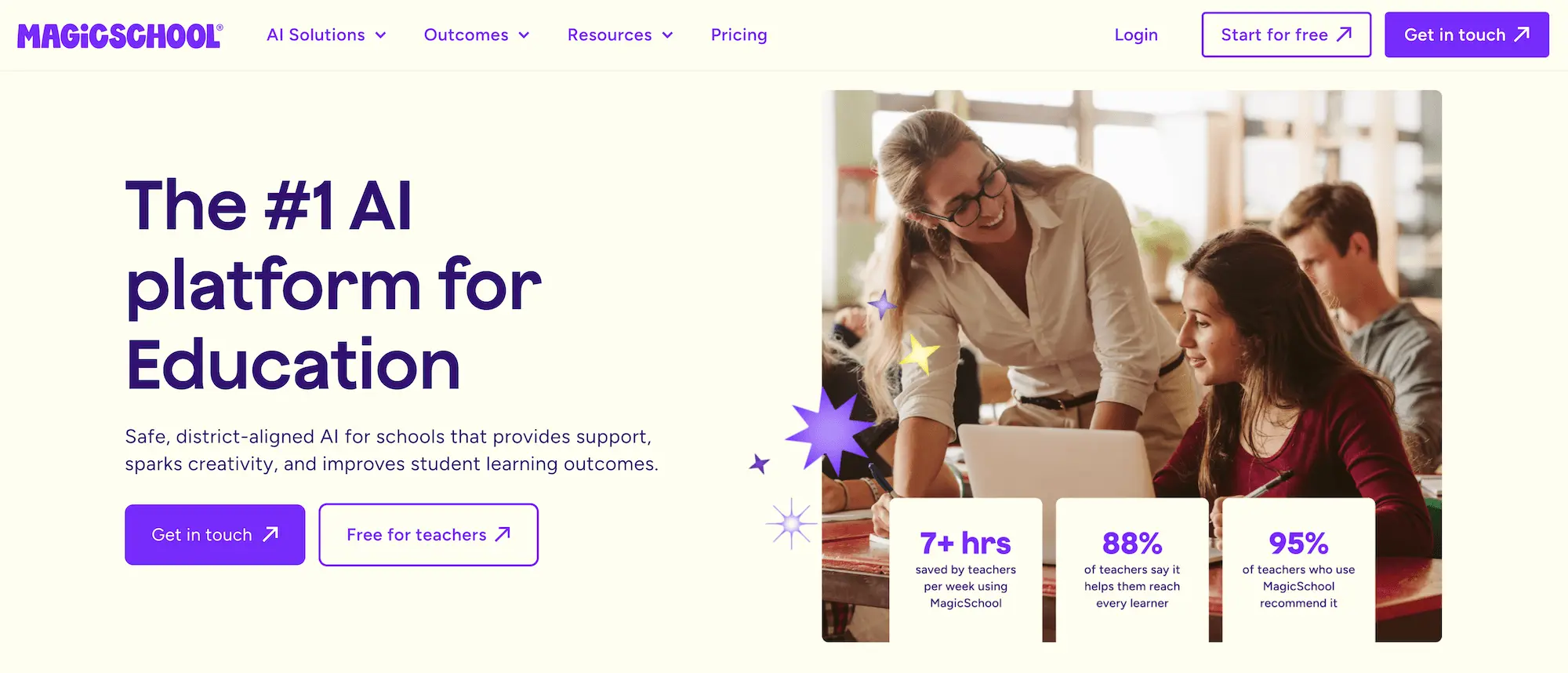
MagicSchool is an all-in-one AI platform for educators, offering 80+ AI tools for generating lesson plans, creating assessments, writing IEPs, communicating with parents, and more.
Teachers use the platform because it can centralize everything they do. For instance, a teacher can create standards-aligned lesson plans, generate worksheets and learning materials, or draft a parent email in one place, using guided prompts.
The tradeoff is that with 80+ tools, the platform can feel overwhelming to navigate, and you’ll almost always need to edit and contextualize before anything is ready to use with students. If you prefer something highly specialized for a specific subject or grade level, you’ll likely find that MagicSchool is too broad to rely on.
Key features
- 80+ AI tools covering lesson planning, quiz creation, teaching resources, parent communication, and more
- Standards-aligned lesson plan generation with one-click export to Google Docs, Slides, and Canvas
- Student Rooms where teachers can deploy AI tools directly to learners
- Built-in reading level adjustment and multilingual content generation
- School and district admin controls on higher-tier plans
Pricing
- MagicSchool offers a free plan.
- MagicSchool Plus is $8.33/month billed annually ($99.96/year).
- Enterprise pricing is available for schools and districts.
6. Curipod
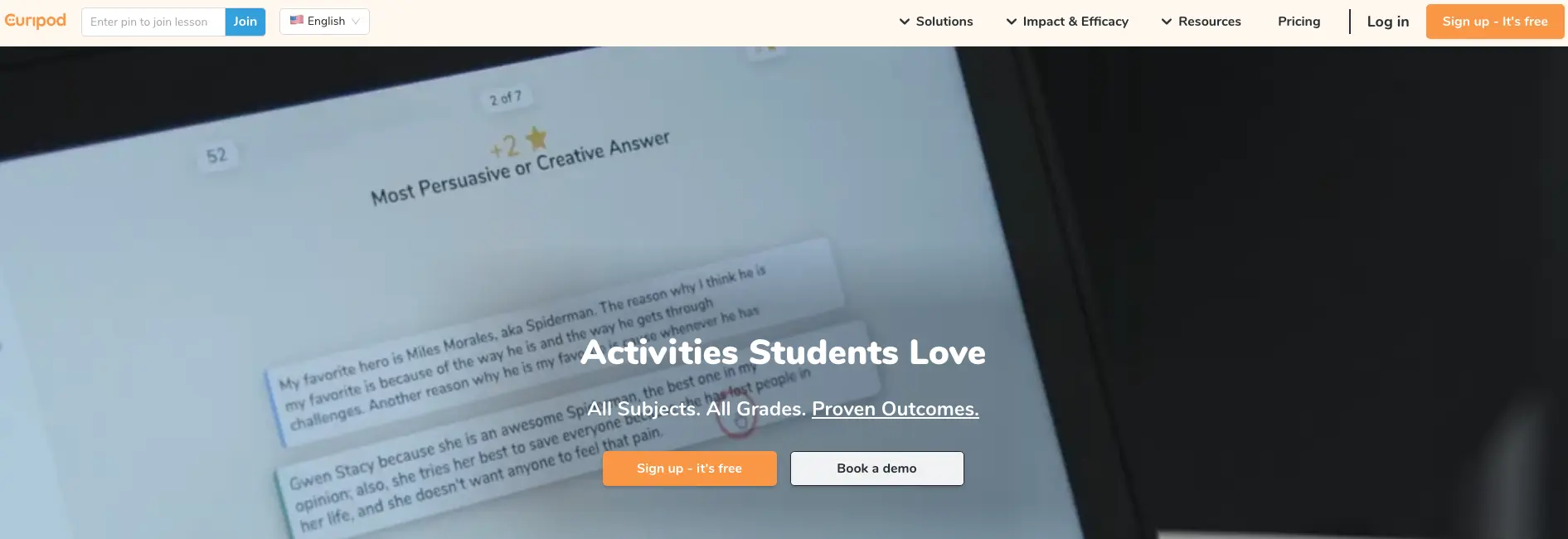
Curipod is an AI-powered interactive lesson creator that can turn any topic or learning objective into a fully built slide-based lesson. Teachers can start from ready-made templates or generate lessons from scratch, which can be useful for brainstorming lesson structures before building anything out.
The tool can collapse lesson planning and delivery into a single system because everything can be generated and launched live right inside Curipod. It works well with all types of teaching methods, including live instruction, hybrid learning, and asynchronous assignments.
Despite being an excellent tool for interactive lessons, it doesn’t integrate deeply with Google Classroom or Canvas. The free plan also limits the depth of AI writing feedback and translation credits, but core lesson delivery is unlimited.
Key features
- AI generates a complete interactive lesson from a topic, standard, or grade level in minutes
- Built-in polls, word clouds, drawing prompts, and real-time AI writing feedback for students
- Anonymous student participation
- Students can quickly join without creating an account via a code or link
- Post-lesson reports with per-student response data and AI feedback summaries
Pricing
- Free plans with core features and unlimited participants are available.
- Premium plans with full access to key features cost $7.50/month billed annually or $9/month.
- School and district licenses are also available.
7. Brisk Teaching
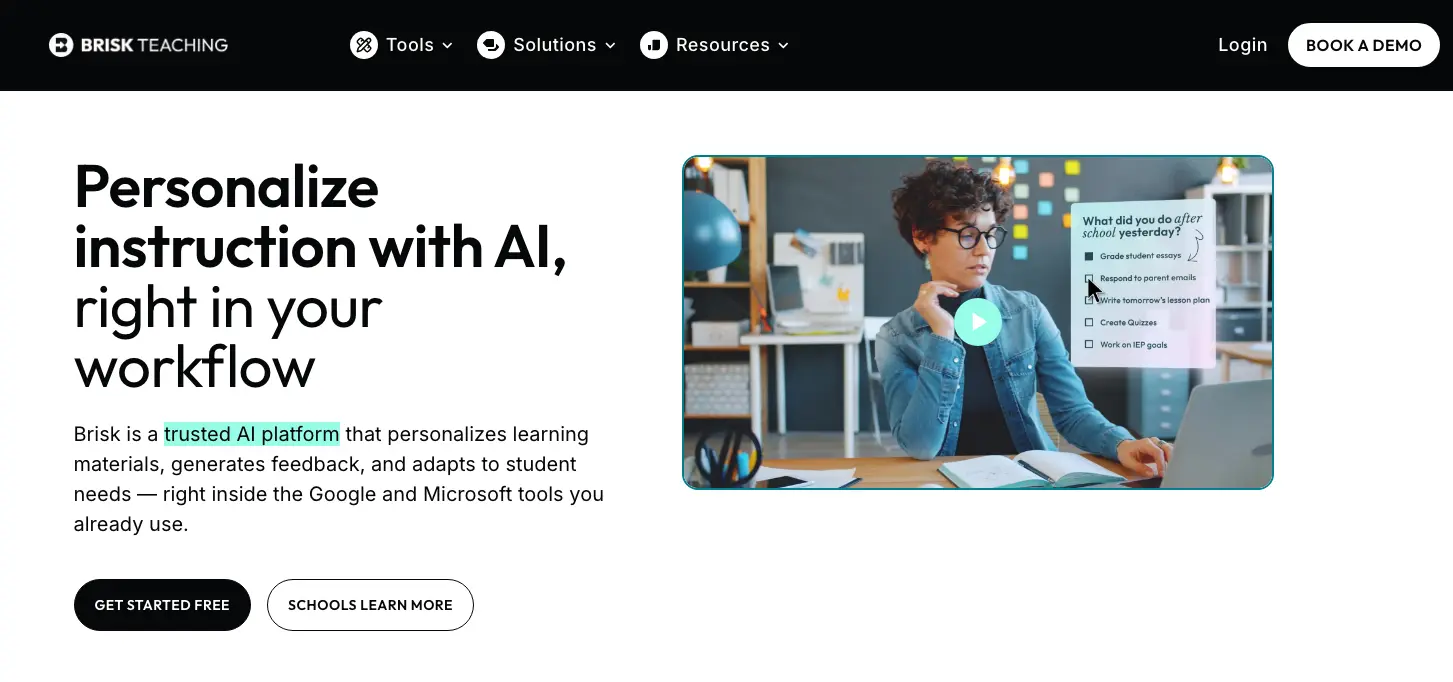
Brisk Teaching is a browser-based AI assistant that integrates with the tools teachers already use. That includes Google Docs, Google Slides, Google Classroom, YouTube, Blackboard, and other web-based tools.
There is a convenience factor with Brisk because you can generate or edit content where you’re already working. This makes it especially useful for teachers who regularly create or refine instructional materials in Google Workspace, or who want AI support without switching between multiple systems.
That said, Brisk’s writing feedback is somewhat limited compared to dedicated grading tools. It can assess student work against a rubric, but it can’t process an entire class’s submissions in batch or produce the kind of detailed, criterion-specific feedback that distinguishes more advanced grading tools.
Key features
- Generates lesson plans, quizzes, rubrics, presentations, and differentiated materials from any online resource
- Inspect Writing replays a student’s full document revision history
- Adjusts reading levels and translates content into 20+ languages
- Works directly inside Google Docs, Slides, Classroom, YouTube, PDFs, and web articles
- IEP, 504, and MTSS intervention generators built in
Pricing
- Free for individual teachers. Paid plans are available for schools and districts only (custom pricing).
8. Khanmigo
Khanmigo is an AI teaching assistant built by Khan Academy that’s completely free for teachers to use. It offers lesson planning and class activity generation tools, with access to Khan Academy’s existing curriculum library across math, science, humanities, and coding.
Compared to most lesson planning tools, Khanmigo can generate more in-depth lesson plans for a wider range of topics and subjects. However, teachers who see the most success with the tool already have students using Khan Academy.
Key features
- Standards-aligned lesson planning tied directly to Khan Academy’s curriculum library
- Generates learning objectives, rubrics, exit tickets, and discussion prompts on demand
- Built-in AI tutor that guides students toward answers through questioning
- Activity and quiz generator
Pricing
- Free for teachers to use. But classroom-level student access requires a school or district partnership with Khan Academy.
- Student and parent plans are $4/month or $44/year.
AI Student Engagement Tools
The tools in this category are meant to make instruction more interactive, give every student a way to contribute, and help teachers understand in real time whether the lessons are increasing student participation.
Here’s a look at the top AI student engagement tools and how they compare:
| Feature | ClassPoint | Snorkl | Wayground (Quizizz) | Kahoot! |
|---|---|---|---|---|
| Primary engagement format | Interactive slides in PowerPoint | Voice + whiteboard explanations | Gamified quizzes (live + homework) | Live game-based quizzes |
| Works inside existing slides | ✅ PowerPoint add-in | ❌ Separate canvas | ❌ | ❌ |
| AI-generated questions | ✅ From slide content | 🟡 Feedback on responses | ✅ From topics/PDFs | 🟡 AI quiz generation |
| Real-time class participation | ✅ Live polls & questions | ✅ Live response tracking | 🟡 Live + async | ✅ Live gameplay |
| Captures student reasoning | ❌ | ✅ Core strength | ❌ | ❌ |
| Anonymous participation option | ❌ | ✅ | 🟡 | 🟡 |
| LMS dependency | ❌ Standalone | ❌ Standalone | 🟡 Classroom integrations | 🟡 Classroom integrations |
| Works for individual teachers | ✅ Yes | ✅ Free teacher plan available | ✅ Yes | ✅ Yes |
| Pricing | Free (≤25 students); Pro $8/mo billed annually; school plans | Free teacher plan; school/district custom pricing | Free; paid plans for advanced features & schools | Free basic for K-12 teachers; school plans from ~$14.99/teacher/mo |
| Best fit | Teachers who teach from PowerPoint | Teachers who want to hear student thinking | Practice, review, formative checks | Fast-paced review & engagement |
9. ClassPoint

If you teach from PowerPoint, ClassPoint is a seamless way to add interactivity to lessons you’ve already built. It’s a PowerPoint add-in, meaning everything happens inside the presentation you’re already running.
ClassPoint AI integrates with your lessons by reading your slide content and generating quiz questions on the spot, with the option to calibrate difficulty using Bloom’s Taxonomy level.
Since ClassPoint is built for Microsoft PowerPoint, it’s unlikely to suit teachers or schools using Google Slides or other PowerPoint alternatives.
Key features
- AI Quiz Generator that reads slide content and generates questions
- Random name picker, polls, and annotation tools
- AI post-quiz insights that summarize class performance
- Supports 20+ languages
- Gamification elements and live interactive questions
Pricing
- Free plan: up to 25 students
- Pro plan: $8/month billed annually ($96/year)
- School and enterprise plans available on request
10. Snorkl
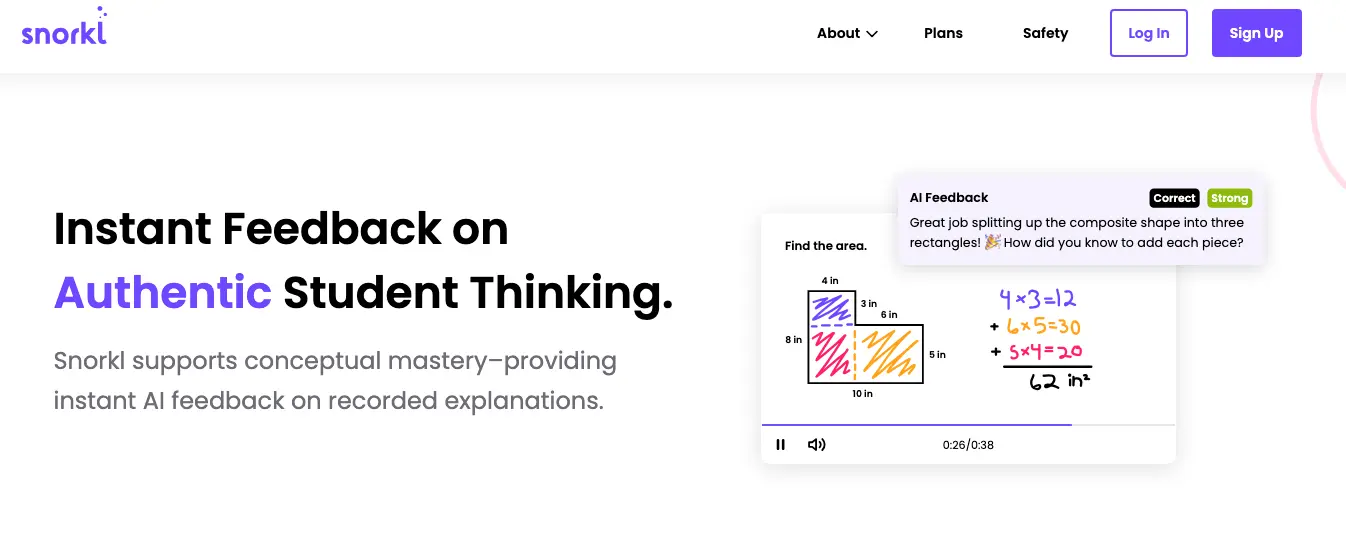
Snorkl assesses what students understand by asking them to explain their reasoning out loud, in their own words, on an interactive whiteboard. Teachers create a prompt or problem, and students respond by recording their voices as they work through it.
For teachers, this creates a more interactive learning experience for students than a traditional quiz can. The teacher dashboard shows real-time progress, lets you group and sort responses, and identifies class-wide patterns in misconceptions.
Individual teachers can sign up for a free account, though the free tier limits you to around 20 activities. Unlocking unlimited access and premium features like Snorkl Coach requires a school or district purchase.
Key features
- Voice + whiteboard recording
- AI evaluates the reasoning process and generates comprehensive feedback
- Infinite canvas with no recording time limit
- Teacher dashboard with live student progress tracking
- 40+ language support
- Anonymized peer review
Pricing
- Free teacher plan available; school and district plans are custom-priced.
11. Wayground (formerly Quizizz)
Wayground is a gamified assessment platform used for practice, review, and formative checks. Teachers can create quizzes or pull from a large question library, assign them live or as homework, and get automatic reports on student performance.
Wayground also includes AI-powered question generation and quiz adaptation, which can quickly turn a topic, PDF, or set of notes into ready-to-use practice questions. Its AI can also help adjust difficulty levels and suggest follow-up questions based on student performance patterns.
However, Wayground is best suited for quick checks and practice rather than deep, rubric-based assessment or long-form student work. It doesn’t function as a full replacement for writing-focused feedback tools.
Key features
- Live and homework-based quizzes for in-class or asynchronous practice
- Large public question library for various subjects and grade levels
- AI-powered quiz and question generation
- Automatic grading with performance reports and class insights
Pricing
- Free plan available for teachers. Paid plans include additional features such as advanced reporting, content controls, and school-wide capabilities.
12. Kahoot!
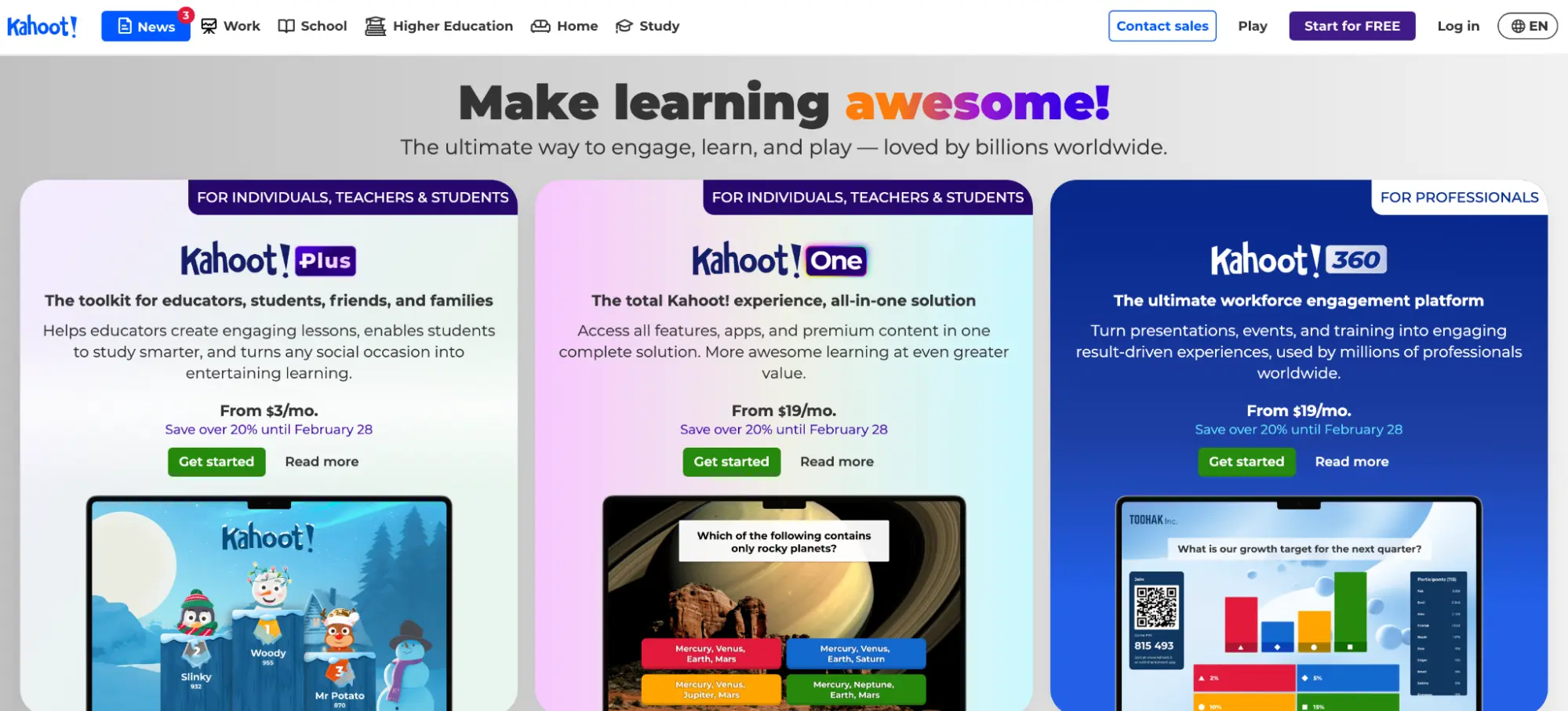
Kahoot! is a game-based learning platform that assists with live classroom engagement, review sessions, and quick knowledge checks.
It’s relatively easy to use, allowing teachers to launch a quiz on the main screen, students to join from their own devices, and the class to play through questions in real time with points and leaderboards.
The platform also includes AI-assisted question and quiz creation, which helps teachers quickly generate review games from notes or uploaded content. However, Kahoot! is designed more for engagement than deep assessment, so it’s not ideal for evaluating complex skills like writing or reasoning.
Key features
- Live quiz games for in-class review and participation
- Self-paced challenges and homework modes
- AI-assisted quiz and question generation
- Large public library of pre-built Kahoots
- Real-time leaderboards and participation tracking
- Basic performance reports for teachers
Pricing
- Kahoot! Basic is free for K-12 teachers, with support for up to 50 participants per session.
- School and district plans with premium features and larger participant limits start at around $14.99/teacher/month, billed annually.
AI Classroom Management & Communication Tools
These tools focus on keeping students on task, enabling safe use of AI in class, and improving communication between teachers, students, and parents.
Classroom management platforms typically include real-time features and often get deployed at the school or district level to support device oversight, safety, and parent communication. Below, we compare the top tools in this category in more detail.
| Feature | SchoolAI | ClassDojo | GoGuardian Teacher | Hapara |
|---|---|---|---|---|
| Primary use case | Controlled student AI use + oversight | Behavior tracking + family communication | Device monitoring + on-task enforcement | Google Workspace classroom visibility |
| Student-facing AI tutor | ✅ Core (Sidekick) | ❌ | ❌ | ❌ |
| Teacher controls & guardrails for AI | ✅ Topic scope, guardrails, grade levels | 🟡 Messaging + basic AI assist | ❌ | ❌ |
| Real-time student activity visibility | ✅ AI chats + engagement | 🟡 Behavior points + posts | ✅ Screens + tabs | ✅ Docs, tabs, browsing |
| Device/browser monitoring | ❌ | ❌ | ✅ Core | ✅ Core (Chrome/Edge) |
| AI-powered safety monitoring | 🟡 Content guardrails | ❌ | 🟡 Beacon (plan-dependent) | 🟡 Deledao ActiveScan |
| Parent/family communication | ❌ | ✅ Core | ❌ | ❌ |
| LMS / SIS integrations | ✅ Google Classroom, Canvas, PowerSchool | 🟡 Classroom feeds | ✅ Google Classroom, Clever, ClassLink | ✅ Google Classroom, PowerSchool, Clever, ClassLink, OneRoster |
| Works for individual teachers | ✅ Yes | ✅ Yes | ❌ District purchase | ❌ District purchase |
| Pricing | Free; paid school/district plans (custom) | Free for teachers; parent Plus plan | District pricing only (custom) | District pricing only (custom) |
| Best fit | Schools piloting student AI with guardrails | K–5 family communication & culture | 1:1 device programs needing oversight | Google Workspace–centric schools |
13. SchoolAI
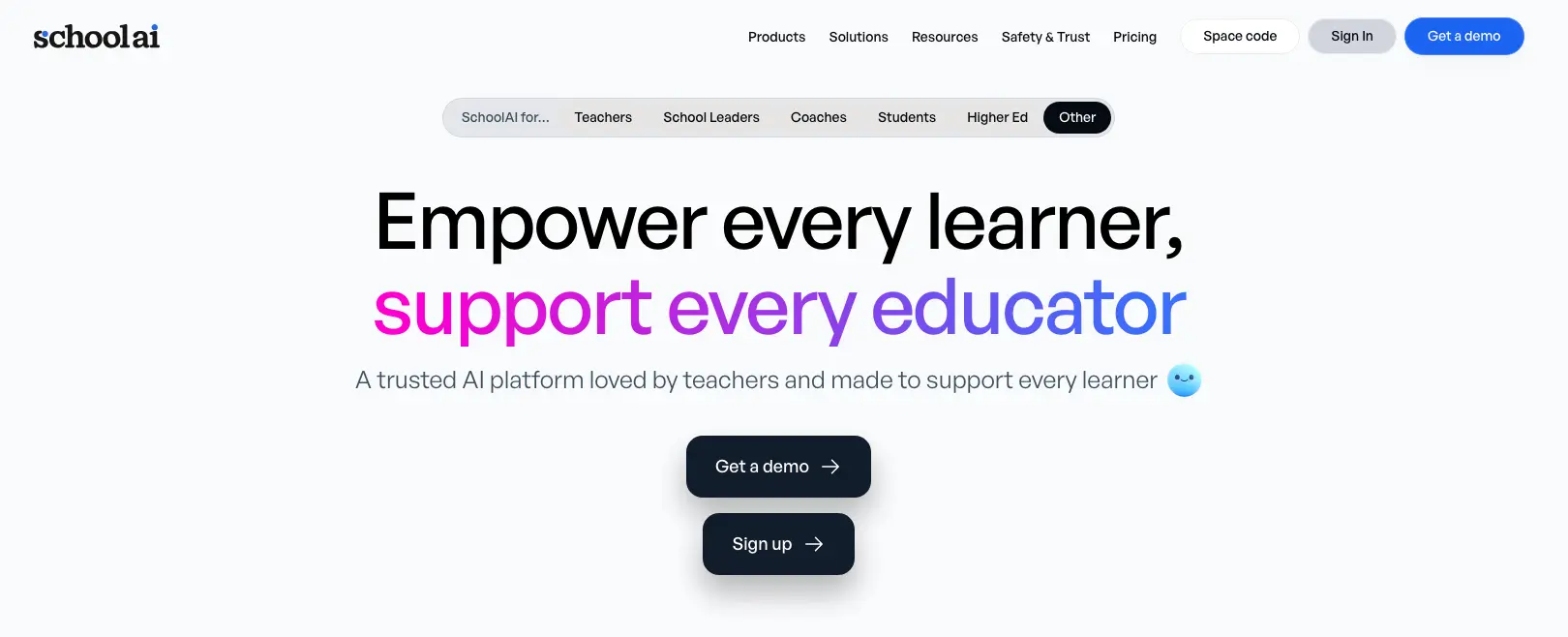
SchoolAI is an AI-powered classroom platform that gives every student access to a personal AI tutor while keeping teachers fully in control of what that AI can and can’t do.
Teachers can set boundaries such as topic scope, conversation guardrails, and grade-level parameters, and students interact within them. This creates more personalized student learning, along with a real-time teacher dashboard that shows you exactly what every student is doing, how they’re engaging, and whether anything needs your immediate attention.
Key features
- 200,000+ pre-built Student Spaces where students get personalized 1:1 tutoring through Sidekick, an AI tutor built on GPT-4o
- Real-time teacher dashboard to see every student’s AI conversation, engagement level, and content mastery
- AI tools for lesson planning, email drafting, quiz creation, and admin tasks
- Connects directly with Google Classroom, Canvas, and PowerSchool
Pricing
- Free plan available for teachers.
- Paid plans require a demo and a custom quote. School and district licensing is also available with custom pricing based on student count.
14. ClassDojo
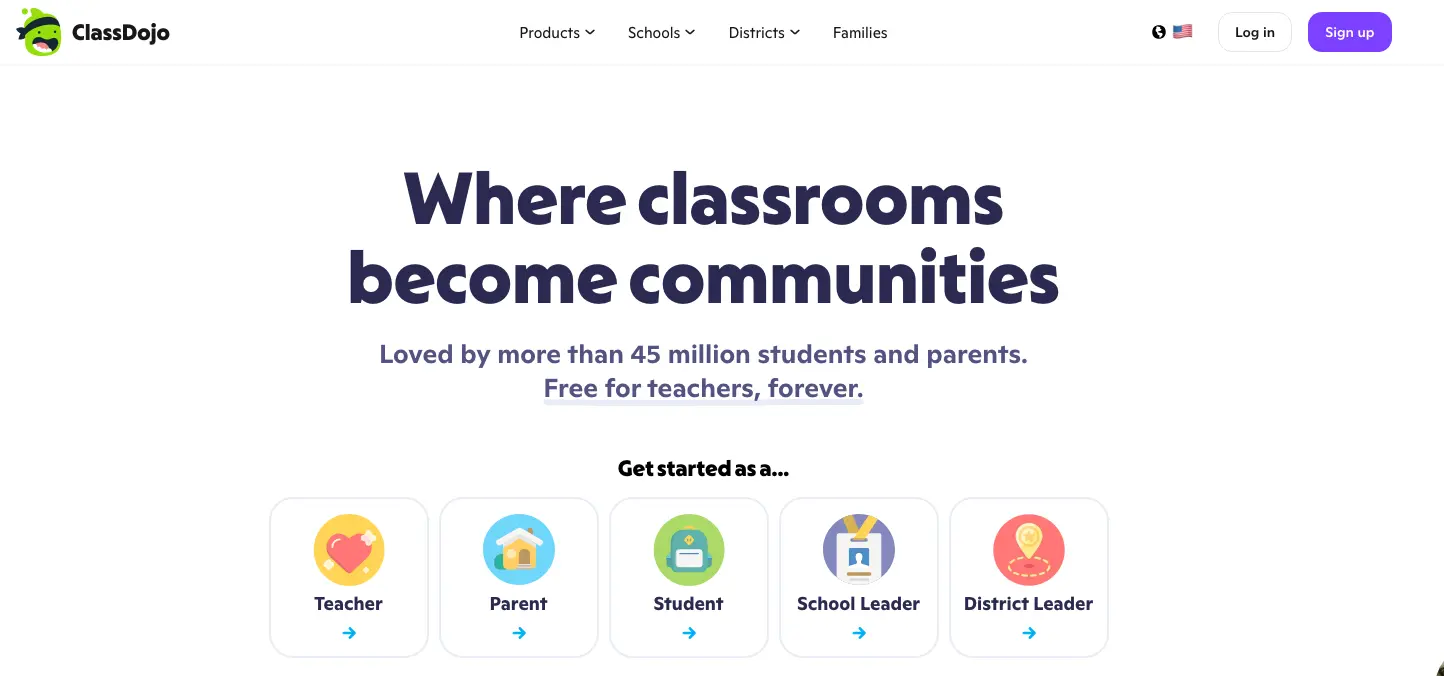
ClassDojo is a K-12 classroom management and parent communication app. It helps teachers track student behavior, recognize positive actions in real time, and keep parents connected to what’s happening in the classroom.
The platform has an integrated points system that gamifies the learning experience for students. ClassDojo also added Sidekick, an AI assistant that helps teachers draft messages, generate lesson ideas, and handle other classroom tasks.
However, ClassDojo primarily functions as a communication tool. If you’re looking for a deep AI-powered teaching tool, there are better alternatives worth considering.
Key features
- Behavior tracking and a points system for specific behaviors
- Direct two-way messaging between teachers and families with automatic translation into 130+ languages
- Class Story, a private feed where teachers share photos, videos, and updates from the school day
- Sidekick AI assistant that drafts parent messages, generates lesson ideas, and assists with everyday classroom admin tasks
Pricing
- Free for teachers, students, and parents.
- ClassDojo Plus is available for parents with a 7-day free trial.
15. GoGuardian Teacher
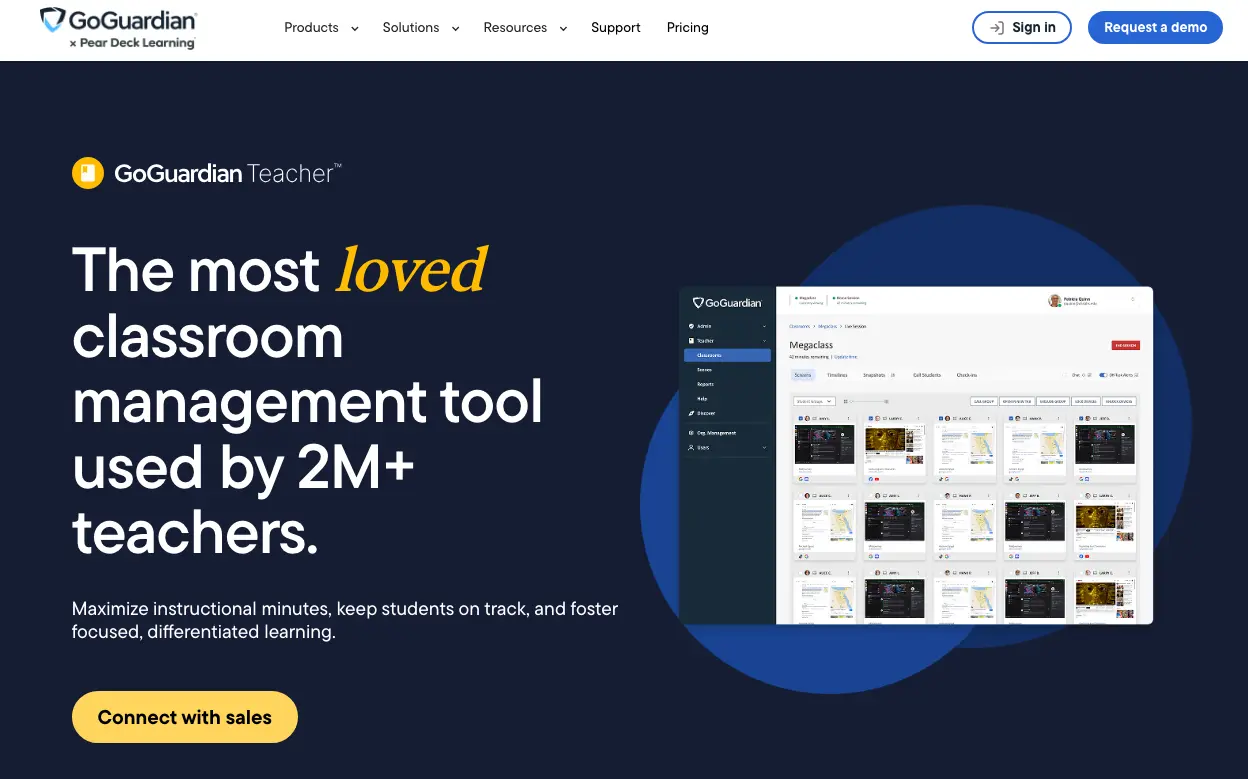
GoGuardian Teacher is a device monitoring and classroom management platform designed for schools running 1:1 device programs across Chromebooks, iOS, and Windows.
The core functionality of GoGuardian Teacher is real-time screen visibility, which allows teachers to see what every student is doing on their device, close off-task tabs, push websites directly to student screens, block distracting content, and lock devices entirely when attention is needed.
The platform’s Beacon feature is an AI monitoring system that continuously analyzes student browsing and flags content suggesting self-harm, crisis, or suicidal intent. However, Beacon is not included in all plans and usually requires district IT involvement and formal policies before it can be rolled out.
Key features
- Real-time screen monitoring to see every student’s active tab and recent browsing history from a single teacher dashboard
- Scenes, or preset browsing configurations (open, focused, locked), that teachers can switch between instantly to match the phase of the lesson
- Two-way chat to message individual students or the whole class
- Beacon AI safety monitoring that continuously scans student browsing for warning signs of self-harm, crisis, or suicidal intent
- Integrates with Google Classroom, Clever, and ClassLink
Pricing
- GoGuardian pricing is custom only, based on school or district size. No free plans are currently available.
16. Hapara
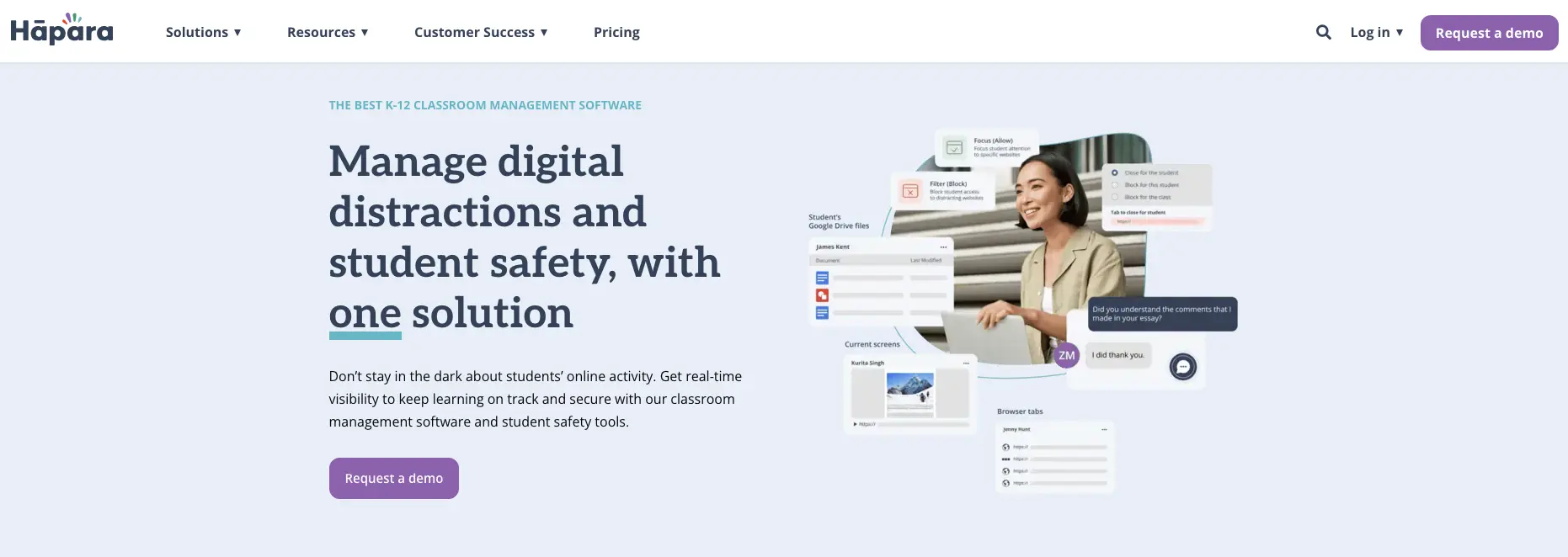
Hapara is an instructional management suite built natively inside Google Workspace for Education. It provides work-level visibility, allowing teachers to see student Google Docs, Slides, Sheets, and Drive files in real time.
If your school runs on Google Workspace and you want to see what students are actually doing in their documents while they work, Hapara is built specifically for that. You can open a student’s Google Doc from the teacher dashboard, leave a comment, and redirect them in real time, all without standing up or interrupting the class.
Hapara also includes Deledao ActiveScan, an AI browsing safety feature that uses real-time contextual analysis to flag harmful content. But if your district uses Microsoft 365 or is not fully in the Google ecosystem, there are better tools available for what you need.
Key features
- Unified teacher dashboard to view student Google Workspace files and leave feedback
- Real-time browser monitoring (Hapara Highlights) for Chrome and Edge
- AI-powered web safety (Deledao ActiveScan) that analyzes page context to flag harmful content
- Student dashboard that pulls Google Classroom assignments and Hapara Workspaces into a single, organized view
- Automatic rostering integrations with Google Classroom, PowerSchool, Clever, ClassLink, and OneRoster
Pricing
- Hapara is sold as a school or district license with custom pricing based on student count. It’s not available as a standalone plan for individual teachers.
Choose CoGrader for Faster, More Efficient Essay Grading
In this guide, we’ve covered 16 AI tools across four categories — grading and feedback, lesson planning, student engagement, and classroom management. The edtech space has produced a lot of options, but each one solves a different problem, and the right choice depends entirely on where you’re losing the most time.
If grading student essays is what’s taking away your free time, choose CoGrader. For teachers who assign a lot of writing, it’s a game-changer because it’s built specifically to streamline the entire grading process by delivering detailed, personalized feedback for every student in under two minutes.
Start your 14-day free trial or request a custom quote to get started.
Frequently Asked Questions (FAQs) About AI Tools for Teachers
Are AI tools safe for teachers to use in the classroom?
Not all artificial intelligence tools are safe for classroom use because it depends entirely on how the tool handles student data. Tools built specifically for education are generally designed with FERPA and COPPA compliance in mind. However, there’s a big difference between a tool that’s SOC 2-certified with a formal data processing agreement and one that just says it’s “privacy-friendly.” Before using any AI tool in your classroom, confirm it doesn’t use student data to train its models or check whether your district already has an approved vendor list.
Do I need admin approval to use AI tools at my school?
Any tool that connects to your LMS or processes student submissions will almost certainly require IT review first. The fastest way through that process is choosing a tool that’s already on recognized compliance frameworks like SOC 2. If you’re unsure, check with your district’s technology department before introducing any new platform to your classroom workflow.
Do AI tools actually save teachers time?
The ones built around specific teaching workflows do. For example, a grading tool like CoGrader, which connects directly to your LMS and processes an entire class set at once, can reduce the time spent grading papers by up to 80%.
How should schools evaluate AI tools before implementing them?
Start by identifying the specific task you’re trying to solve, and evaluate tools against that task specifically rather than general capabilities. For grading specifically, that means checking whether it supports your existing rubric, if it integrates with your LMS, and how long it actually takes to grade a full class set from start to finish.
What’s the difference between a general AI tool like ChatGPT and an education-specific AI tool?
If you’re grading essays, that means you’d have to paste student essays one at a time, re-enter the rubric, and manually organize feedback by student. Education-specific tools come pre-configured for teaching tasks like this by offering pre-built rubrics, state standards, automated grading, and LMS integrations.

Andrew Gitner
EdTech Specialist & High School ELA Teacher
Related content

Best Free Tools for Teachers in 2026 | A Practical Guide
Choose 10 Free software tools created for teachers to plan faster, engage more students, and reduce grading time in 2026.


IES Seedlings to Scale grant | CoGrader
CoGrader received an IES Seedlings to Scale grant to accelerate student writing proficiency through AI assisted personalized feedback at scale, with rigorous research and teacher partnership.


How to Use AI for Lesson Planning: Data Driven Instruction with CoGrader
Learn how to use AI for lesson planning to close skill gaps in real-time. Discover how AI assessment insights and ai lesson planning tools transform writing data into actionable next steps for your next unit.