


Brisk Teaching is a popular AI assistant for teachers, built as a Chrome and Edge extension that works inside tools like Google Docs, Google Slides, Google Forms, Microsoft Word, and PowerPoint.
The platform offers more than 20 AI tools for grading, feedback, lesson planning, quiz generation, and more. For teachers already using Google Workspace or Microsoft 365, Brisk is easy to integrate into daily teaching tasks.
But for teachers who need a purpose-built tool for a specific task like grading or lesson planning, Brisk’s extension-only setup gets limiting fast, since everything runs in the browser on Google or Microsoft Docs with feedback you can’t easily export.
If you’re looking for a Brisk Teaching alternative, you likely need a tool that:
- Grades and teaches from your own rubrics and standards, instead of generic classroom best practices.
- Offers better platform flexibility so you can review student work or submit grades on any browser, device, or LMS, instead of being tied to a Chrome or Edge extension.
- Delivers instant, rubric-based feedback that students can learn from and act on, with you in control of the output.
- Makes premium features available for upgrade at the individual-teacher level, rather than requiring school or district sign-off first.
- Shows you class-wide insights and analytics after grading, so you can see class progress and plan future lessons and assignments around it.
This guide compares nine Brisk Teaching alternatives, starting with our own software, CoGrader, to help you find the right tool for your classroom. The full list of tools we’ll cover includes:
Best Brisk Teaching Alternatives & Competitors at a Glance
Here’s a quick comparison of all nine tools before we get into the details. Following that, we’ll cover each of the top nine Brisk Teaching alternatives in depth, including key features, pros and cons, and pricing.
| Tool | Best for | Key features | Price | Individual teacher access? |
|---|---|---|---|---|
| CoGrader | Grading essays & writing | Batch rubric scoring, passage-level feedback, class analytics, LMS sync | Free; from $15/mo | Yes |
| Class Companion | Rubric feedback & revision | AI grading, student revision loop, AI tutor, integrity signals | Free; school custom | Partly; advanced features are school-only |
| Gradescope | STEM & higher-ed bulk grading | Answer-clustering, handwritten & code grading, anonymous grading | Free; institutional custom | No; AI grading is institutional-only |
| Curipod | Engagement & interactive lessons | AI lesson decks, live response widgets, real-time feedback | Free; district custom | No; paid tier is district-only |
| MagicSchool AI | All-in-one toolbox | 80+ teacher tools, batch feedback, Studio Mode, Student Rooms | Free; from $8.33/mo | Yes |
| Snorkl | Real-time & spoken feedback | Spoken-response capture, real-time AI audio feedback, attempt history | Free; premium custom | Partly; premium features are school-only |
| Diffit | Reading-level differentiation | Text leveling, comprehension questions, vocab & summaries | Free; individual paid | Yes |
| SchoolAI | Student-facing AI with oversight | AI tutor, Spaces, Mission Control safety dashboard | Free; pro custom | Partly; free tier caps at 5 Space launches/yr |
| Eduaide AI | Simple resource creation | 100+ resource generators, feedback bot, reading-level adjustment | Free; from $5.99/mo | Yes |
1. CoGrader
CoGrader is our AI essay grading tool, built specifically for teachers who assign writing regularly and need a faster, more consistent way to evaluate student work. It connects to your existing LMS, imports your class submissions, and grades every essay against your rubric in approximately two minutes.
Grading is the core of what CoGrader can offer, but the platform also runs the full writing-assignment cycle in one place. Additional tools include AI detection, plagiarism screening, lesson planning, rubric building, and class-wide analytics.
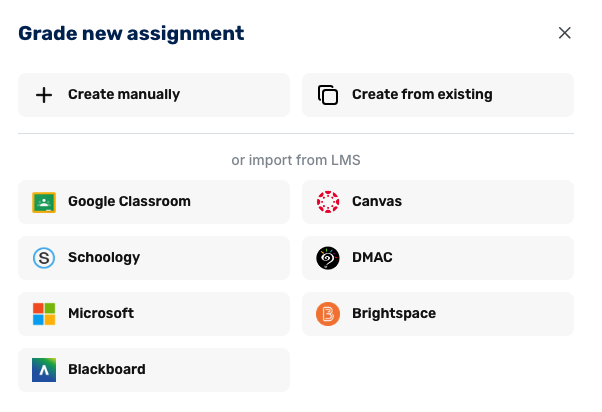
It’s also easy to integrate with your LMS. CoGrader connects directly to Google Classroom, Canvas, Schoology, and Brightspace, so a browser extension is optional rather than required, and you can import submissions and push grades back from any device.
“Everything is in one place, and I can move quickly from one paper to the next without constantly switching between rubrics, comments, and tabs. The integration piece has been surprisingly seamless—it fits right into my existing systems with Google Classroom and Google Docs without adding extra steps or a steep learning curve.”
– Stacy S., 8th Grade ELA and Social Studies Educator
Below, we cover how CoGrader handles each part of the grading and feedback process, what’s included with every account, and how pricing works.
Batch Grade Entire Class Sets Simultaneously
Teachers who grade writing by hand already know the issues that come along with it, which is why so many turn to a tool like Brisk Teaching to speed things up.
But unless your school or district has already implemented Brisk in the classroom, you’ll find the free plan to be too limited in some areas for grading. It generates feedback comments, but rubric scoring is reserved for school and district accounts, so you get written feedback without actual grades.
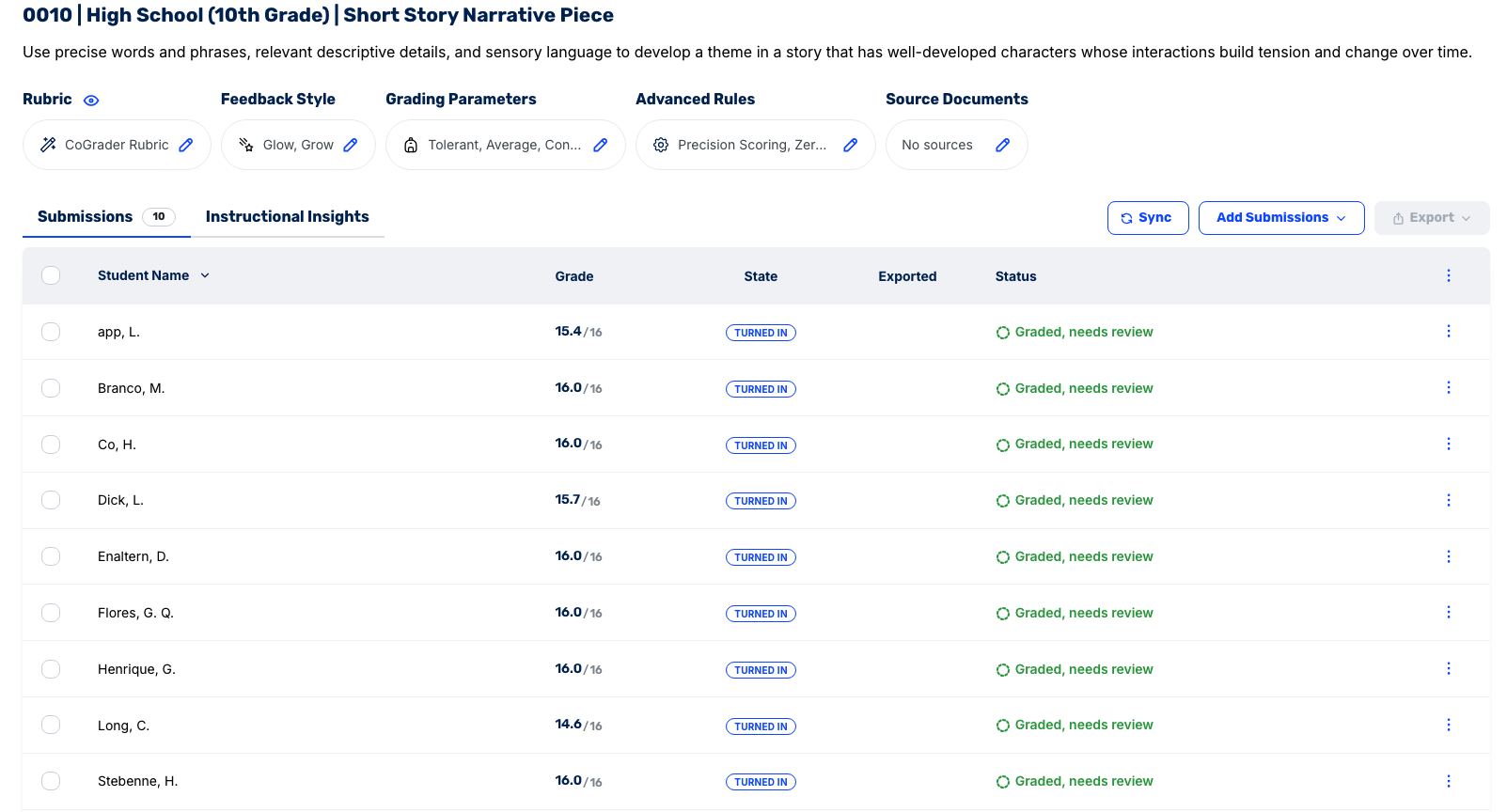
CoGrader is far easier for an individual teacher to use because rubric scoring is built into the free plan. You import a class set, grade every essay against your own rubric in about two minutes, and get real scores alongside passage-specific feedback with no district contract required.
To get started, you can:
- Connect your LMS (Google Classroom, Canvas, Schoology, or Brightspace) and import the class assignment directly
- Upload your own rubric, choose one from the built-in library, or have the AI generate one from your prompt
- Grade the entire class set at once
- Review, edit, and approve every piece of feedback before it reaches students
- Send grades and comments back to your LMS
For example, say you assign a 7th-grade social studies class a set of argumentative essays. Every paper is scored against your rubric for claim, use of historical evidence, counterargument, and organization in about two minutes, with passage-level feedback ready before the next class.
Use Rubrics That Match Your Standards, Class Level, and Assignment Type
AI grading is only useful when it scores against the criteria you actually teach. A generic model of “good writing” produces feedback that reads fine but doesn’t match your assignment, your state standards, or how your school expects work to be evaluated.
This is one of the problems individual teachers face when they use Brisk. The platform does offer a rubric generator, but its curriculum and standards alignment are only available on school and district plans. This is a critical functionality that aligns your grading capabilities with proper standards.
CoGrader is much more teacher-friendly, giving every user full access to the rubric toolkit on any plan. There are four ways to bring a rubric into CoGrader:
- Upload your own. Import a rubric you already use as a PDF, image, or document, and CoGrader grades against your exact criteria.
- Choose one from the library. Browse hundreds of pre-built rubrics covering all 50 state standards, AP, IB, Cambridge A-levels, and more.
- Paste in an existing standard. Drop in the standard your school requires, and CoGrader builds a usable rubric from it.
- Generate one from a description. Describe the grade level and assignment, and CoGrader’s AI builds a structured rubric before your first student submits.
You manage all of it in one place, with a rubric library for browsing state testing, AP, IB, and Cambridge frameworks, and a dashboard to manage all the rubrics you’ve built or uploaded.
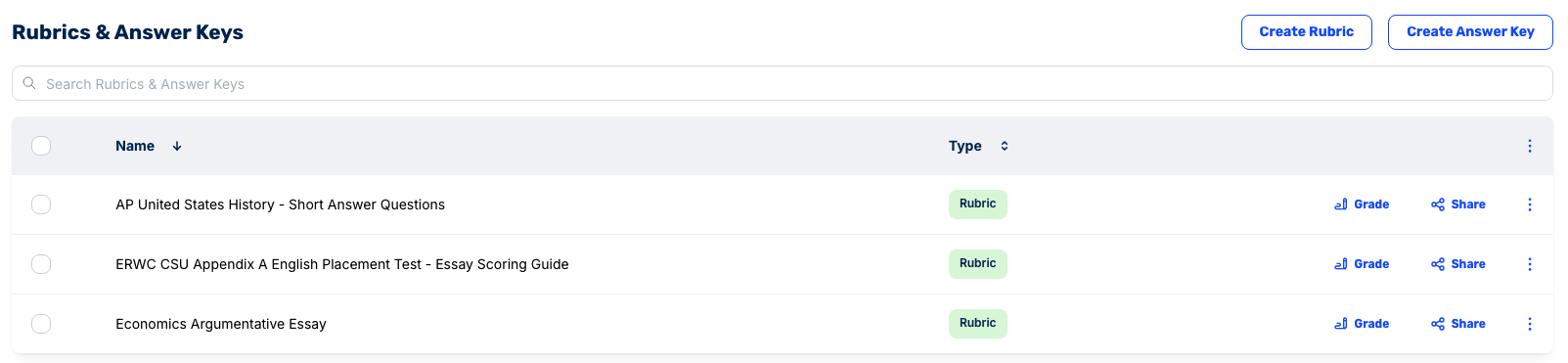
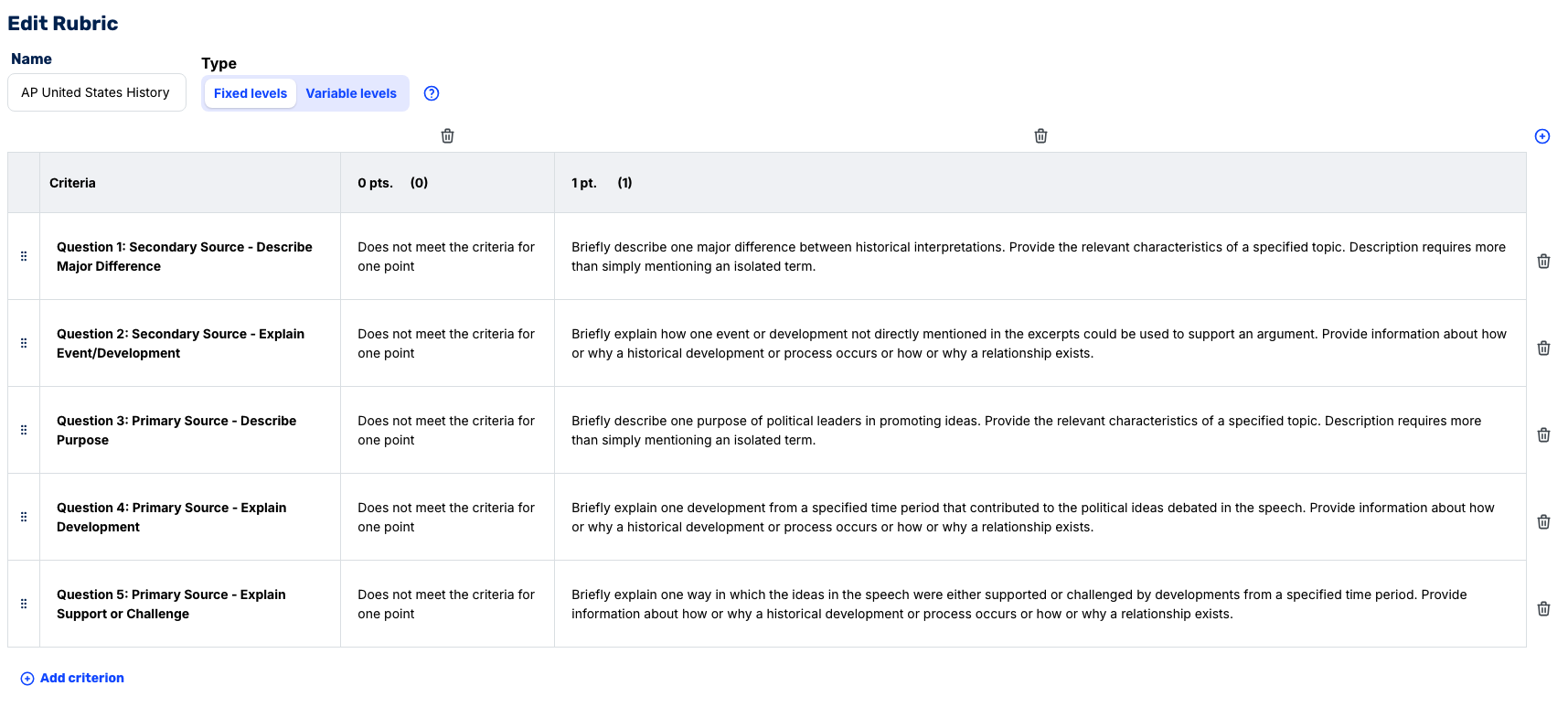
Any rubric you create, upload, or select stays fully editable. In the rubric editor, you can add or delete criteria, rewrite the descriptions for each one, and adjust the scoring levels, the point values a criterion can earn, and what student work has to show to earn them.
An AP US History rubric, for instance, might use fixed levels worth 0 or 1 point per question, with a written description of exactly what meets the bar for each. You set those once, and CoGrader grades every student against them.
Give Students Targeted Feedback in the Format Your Classroom Uses
Every teacher gives feedback a little differently, and this is another spot where Brisk’s free plan really limits you. It only offers a fixed handful of feedback formats, like Glow & Grow, with minimal customization options.
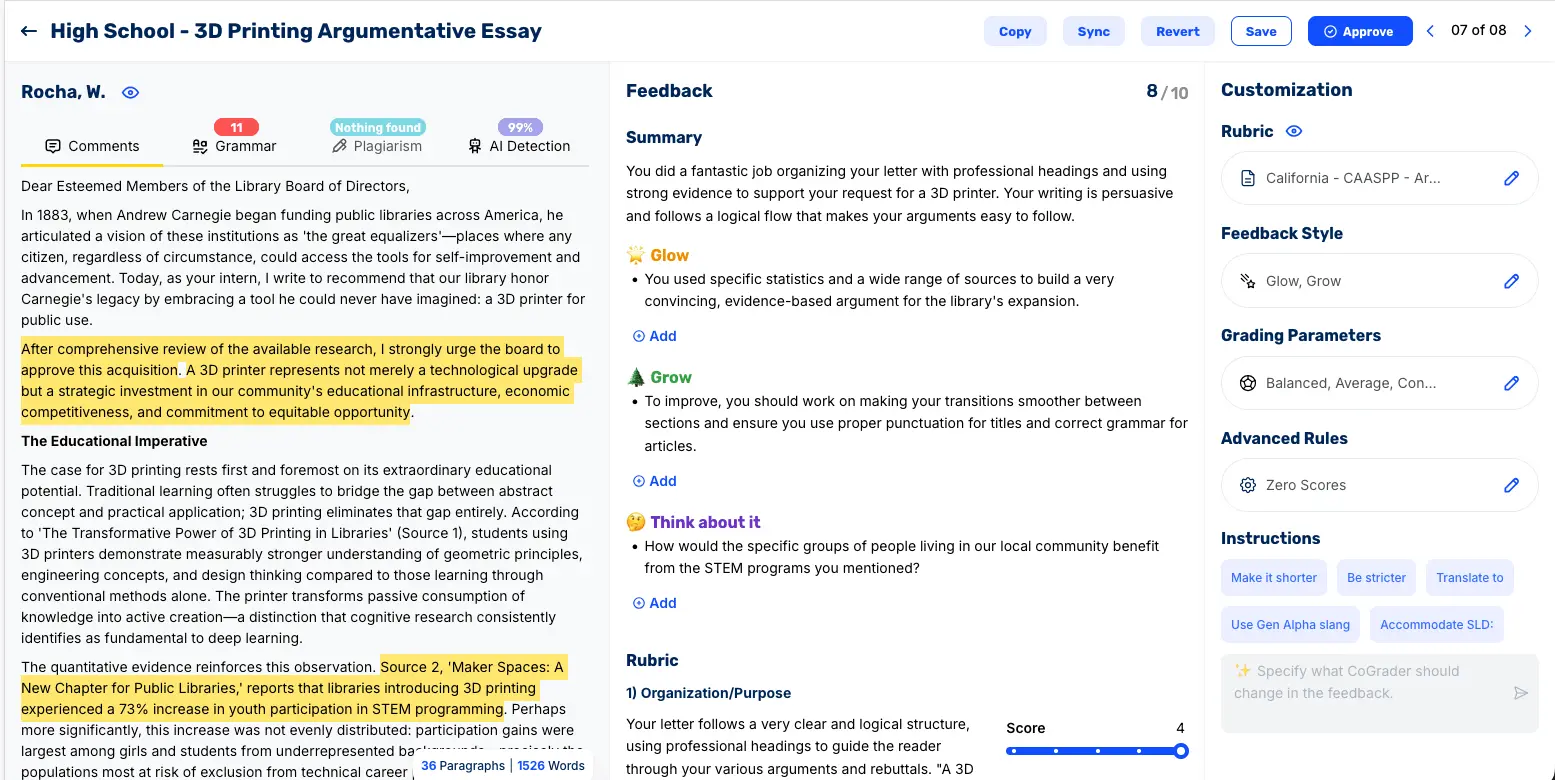
CoGrader provides much more flexibility for teachers when it comes to providing student feedback. You can adjust the grading settings (strictness, tone, reading level, and depth) and choose from eight feedback styles, including:
- Standard (summary and rubric only)
- Glow, Grow
- Two Stars and a Wish
- Rose, Bud, Thorn
- WWW/EBI (What Went Well / Even Better If)
- TAG (Tell, Ask, Give)
- 3-2-1 Feedback
- PQP (Praise, Question, Polish)
On top of that, every assignment’s grading dashboard has a built-in chat where you describe the change you want in plain language, and CoGrader rewrites the feedback to match.
For example, you could tell it to “be more strict and direct,” and it will regenerate the feedback throughout the assignment. CoGrader shows the revised feedback in a preview before anything is final, so you can see exactly how your instruction changed the comments and keep tweaking until it reads the way you want.
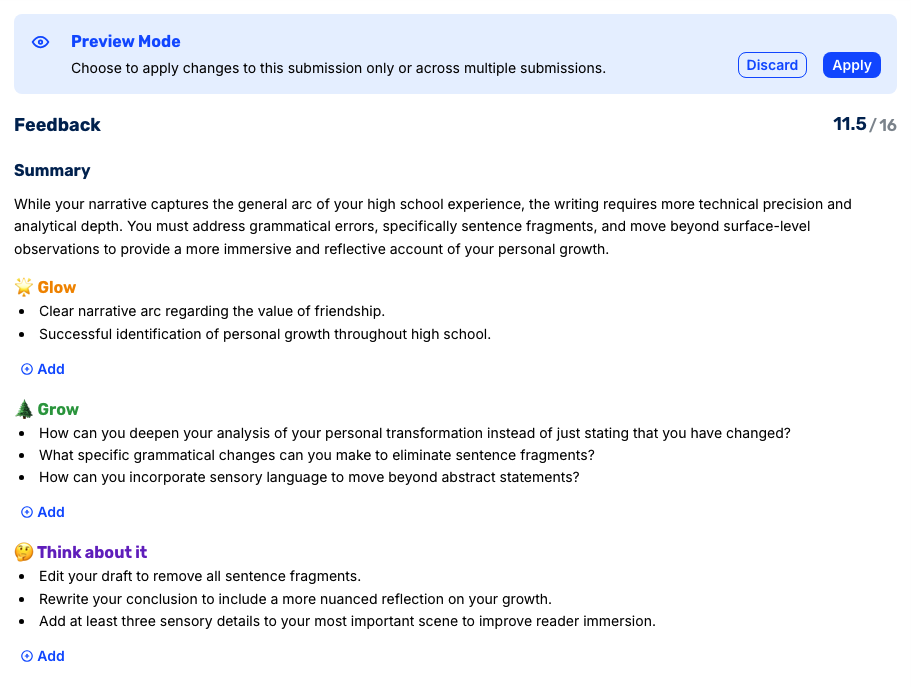
Every comment stays anchored to the specific passage in the student’s writing it refers to, so the feedback points to a real sentence rather than floating as a generic note. You can click “Apply” to change the feedback style for an individual submission or class-wide.
Once the feedback looks right, you click Approve in the top corner, and the assignment goes back to the student. CoGrader requires individual review for each assignment, with no bulk approval options available.
Understand Your Class with Built-In Analytics & Student Insights
Teaching doesn’t stop after you submit the grades for an assignment. You still want to understand your students, see where they’re doing well or struggling, and plan your next lessons around the gaps.
CoGrader generates the data you need automatically, so the moment your review is done, you can open the teaching dashboard and see:
- Performance by rubric criterion, so you know which skills landed across the class and which need reteaching
- Score distribution by performance band, not just a class average
- Individual student progression across assignments over time
- Next-lesson insights, with reteaching suggestions for students who fell behind and enrichment for those ready to move on
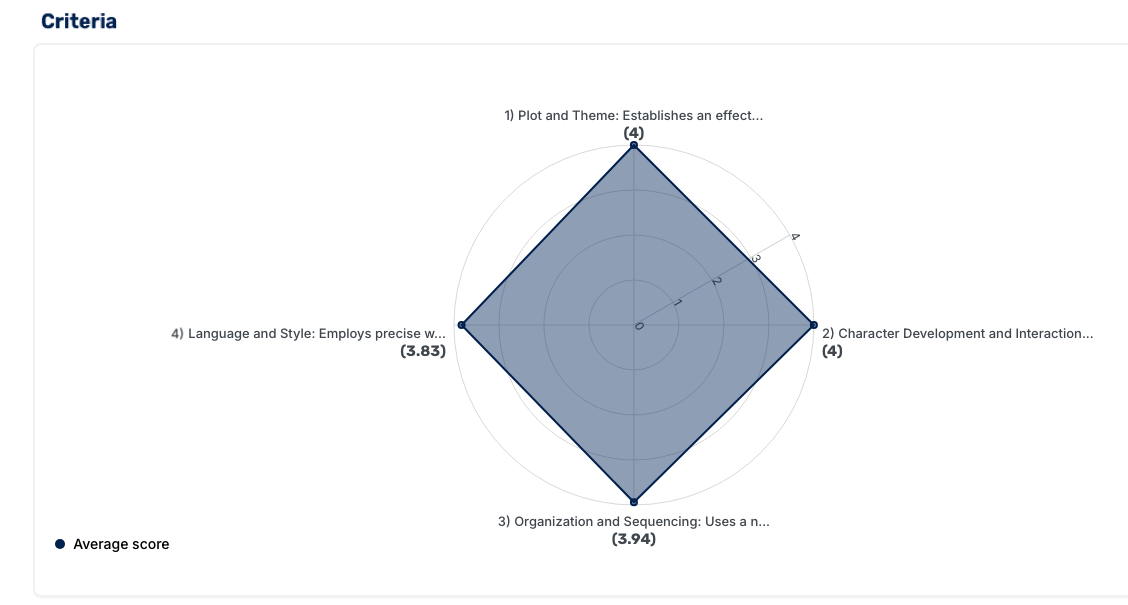
All of this student data allows you to make informed teaching decisions. The Next Lesson report reads the whole class set and hands you an overall assessment, the specific strengths and growth areas with the number of students affected, and ready-to-use reteaching and enrichment ideas.
For instance, say a 10th-grade narrative set comes back strong on narrative arc and character development but flags capitalization for half the class and run-on sentences for a few students.
CoGrader suggests enrichment for students ready to go further, like a non-linear sequencing challenge, alongside reteaching for the ones who need it, such as a sentence-structure toolkit and a paragraph organizer, plus a full next-steps workshop built around the exact gaps.
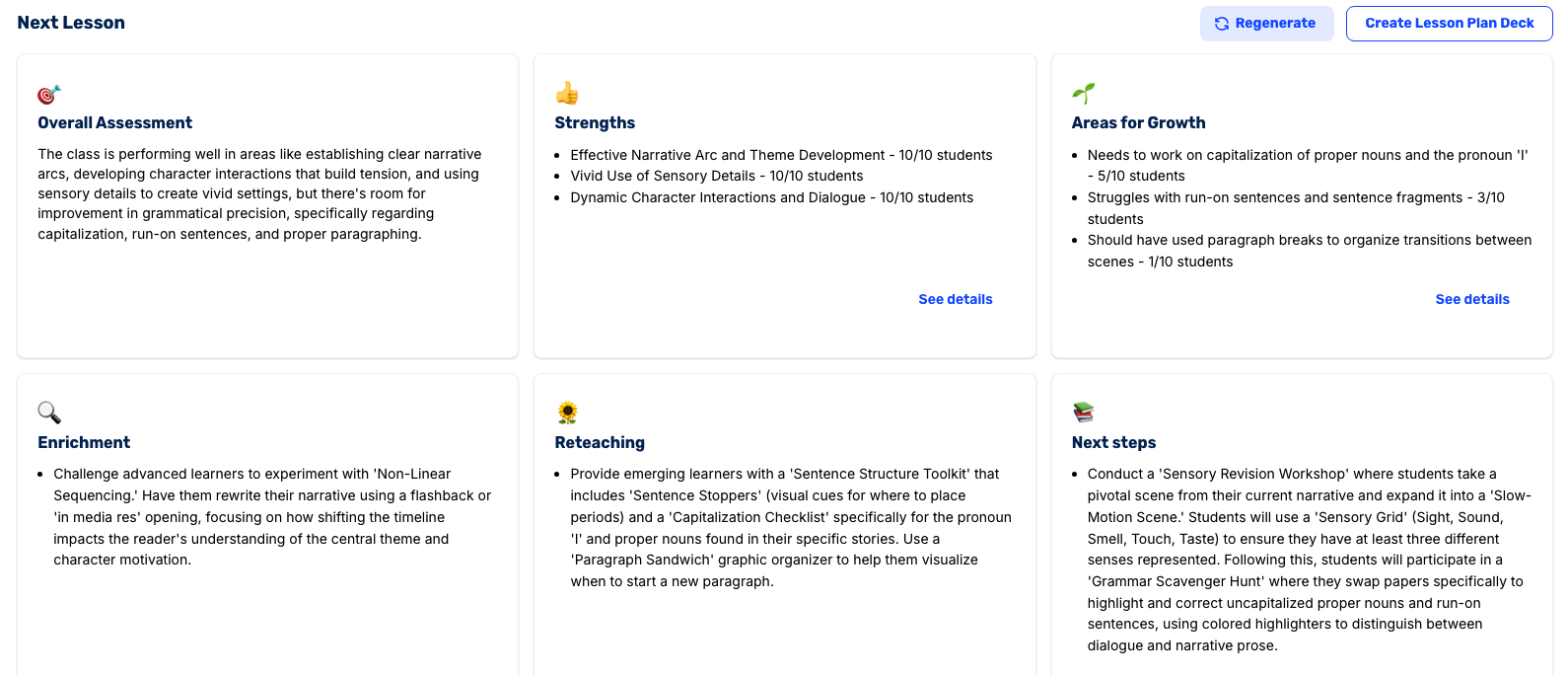
From there, you can create a lesson plan PowerPoint deck that’s ready to use for your next class.
Access a Broader Teacher Toolkit Beyond Grading
Grading is one piece of the weekly workload. Lesson planning, building rubrics, and checking academic integrity sit alongside it, and most teachers juggle a different tool for each.
CoGrader offers them in the same platform you grade on:
- AI Lesson Plan Generator builds structured plans from a topic, grade level, and standards
- AI Rubric Generator creates standards-aligned rubrics in seconds from a template or a plain-language description
- Plagiarism Detection scans submissions against outside sources, with flagged passages shown next to the essay
- AI Detection surfaces likely AI-generated writing in context, so you can have an informed conversation with a student
Instead of switching between a planner, a rubric tool, an integrity checker, and a grader, you run the full writing-assignment cycle from one platform.
It’s worth mentioning that both plagiarism and AI detection are available on Schools & Districts plans rather than the free tier. If integrity screening is central to your workflow, you’ll need one of those plans to unlock these features.
Other core tools for grading, rubric building, and lesson planning are available to individual teachers without a district contract.
CoGrader Pricing
CoGrader offers four tiers, with monthly and annual billing. Annual plans include a 20% discount. Our plans include:
- Starter (Free): Grade up to 100 student submissions per month, build and share rubrics, and access FERPA-compliant grading. Includes 14 days of premium access to test the full platform.
- Standard ($15/month billed annually, $19/month monthly): Grade up to 350 student submissions per month, plus Google Classroom integration, handwritten assignment support, grammar checking, a class performance dashboard, and chat and email support.
- Schools & Districts (custom pricing): Unlimited submissions, Canvas and Schoology integration, a shared rubric library, AI plagiarism detection, AI detection, bulk user management, institution-wide analytics, and dedicated onboarding.
- Higher Ed & Enterprise (custom pricing): Everything in Schools & Districts plus API access, a dedicated account manager, custom LMS integrations, and custom support SLAs.
Individual teachers can also unlock Standard for free through CoGrader’s Advocate program, which provides free Standard access in exchange for product feedback and early access to new features.
2. Class Companion
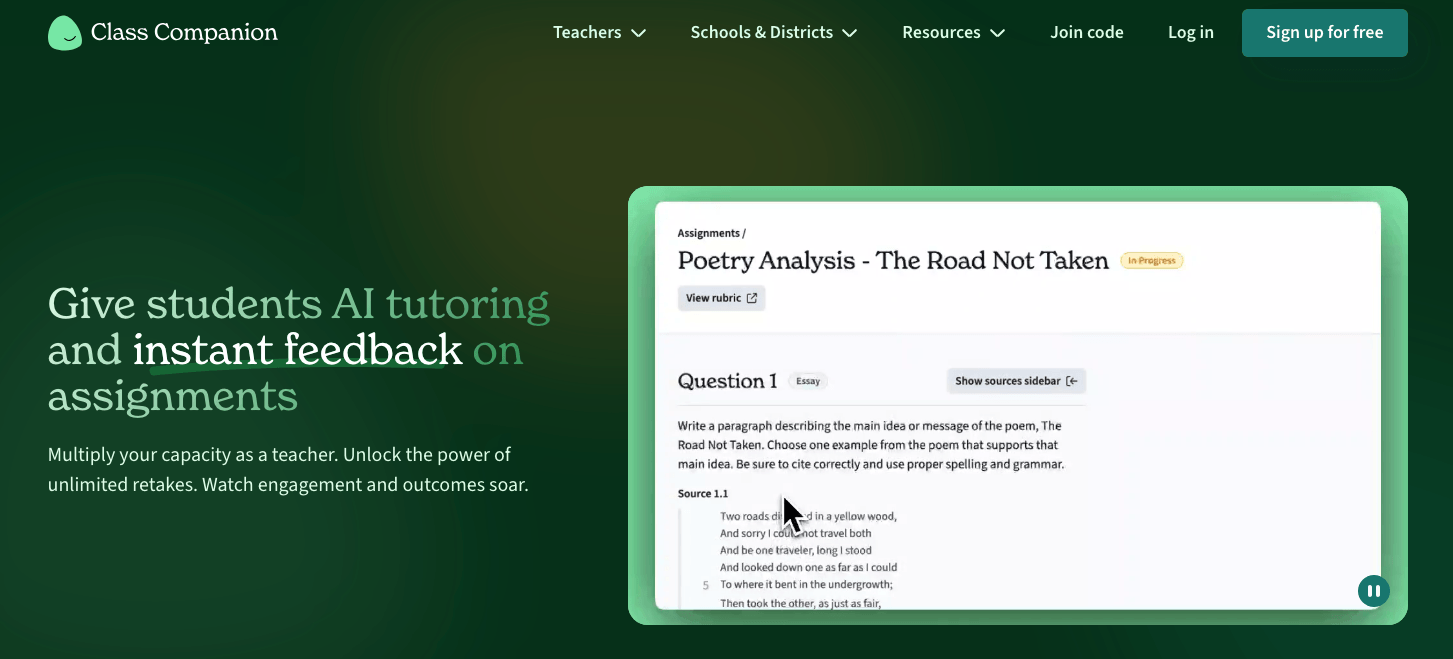
Class Companion grades short-answer and essay responses against a rubric you control, returns targeted comments, and gives students a built-in AI tutor so they can revise and resubmit.
Teachers can adjust grading parameters or build assignments from scratch in one dashboard. The teacher-controlled interface also includes real-time insights and class analytics.
Key Features
- AI grading for short-answer and essay responses against a teacher-defined rubric
- AI tutor that gives students instant feedback and supports multiple revision attempts
- Per-student and per-class focus skills for targeting feedback across a roster
- Google Classroom SSO and rostering on the free plan
- Response-integrity signals on paid plans (typing anomalies, copy-and-leave-tab, cross-student similarity)
Pros
- The revision loop fits formative writing classrooms where you want students iterating
- The free plan is usable for a single teacher testing AI feedback
- Keeps the teacher in full control of final scores
Cons
- On the free plan, you can’t pass grades back to your LMS gradebook
- Integrity detection, premium insights, and standards alignment are only available on school plans
Pricing
- Free: For individual teachers. Includes instant AI feedback and scoring, basic insights, the public content library, in-app chat, and FERPA compliance
- School/District: Custom pricing (demo required). Adds unlimited LMS integration with grade passback, AI and plagiarism detection, premium insights, standards alignment, and a school/district content library
3. Gradescope
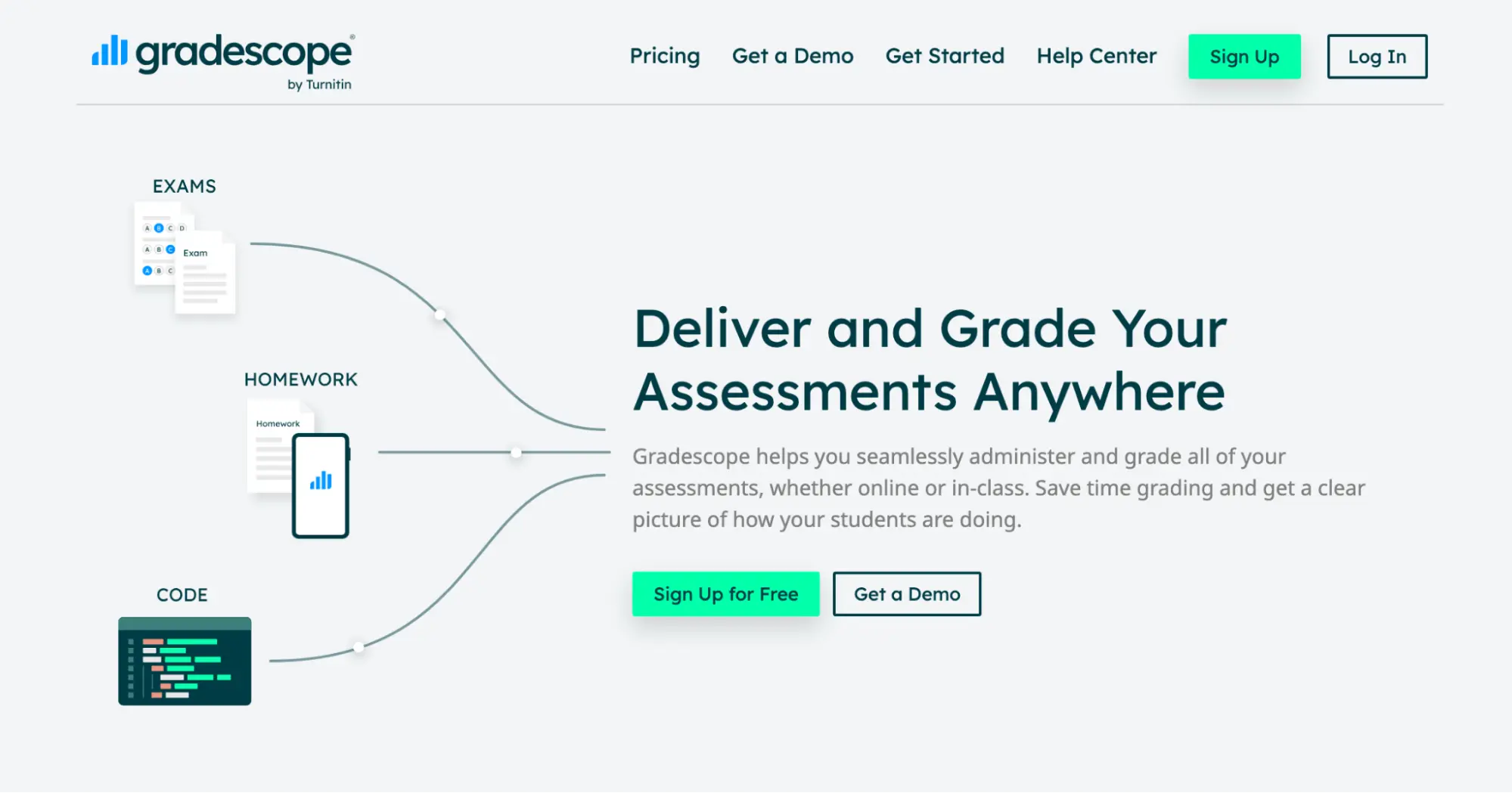
Gradescope is built for grading at volume in STEM and higher education. When you upload a stack of submissions, the AI clusters similar answers into groups. You grade one answer in a group, and that grade applies to the whole cluster.
The tool is also capable of handling typed work, handwritten work, bubble sheets, and code, which is why university lecturers and STEM departments lean on it.
Key Features
- Answer-clustering that lets you grade one response and apply it across an entire group
- Support for typed, handwritten, bubble-sheet, programming, and multi-version assignments
- Anonymous grading to reduce bias against named students
- Student-initiated regrade requests, with the option to disable them
- LMS integrations with Canvas, Blackboard, Brightspace, Moodle, and Sakai
Pros
- Answer-clustering is a real time-saver for an instructor grading hundreds of exams
- The only tool that grades handwritten math and programming submissions well, which is relevant for STEM faculty
- Works with most popular LMS platforms
Cons
- Too complex for a K-12 teacher grading a single class set of narrative essays
- No plagiarism checking beyond a code-similarity report for programming work
Pricing
- Basic: Free. Core grading (dynamic rubrics, question-by-question grading, PDF assignments, regrade requests, data export, student mobile app)
- Institutional: Custom pricing. Adds AI-powered grading and answer-clustering, anonymous grading, programming and bubble-sheet assignments, code similarity, LMS integration, SSO, and an admin dashboard.
4. Curipod
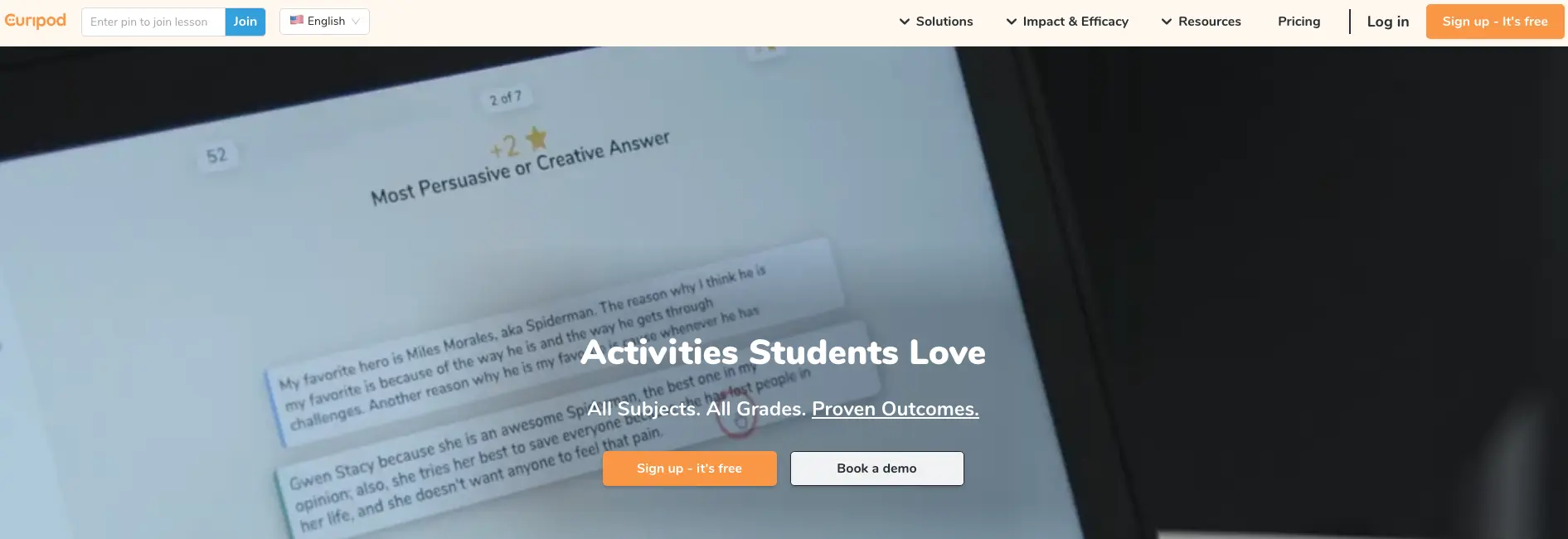
Curipod is the tool that teachers use when they want to make changes to what happens during class rather than before or after it. Users can generate an interactive lesson deck from a topic and grade level, or import an existing PowerPoint or PDF, and layer live response widgets on top.
Students join the session with a code from any device, no account required, and answer through polls, word clouds, drawings, and open-ended prompts while an AI feedback layer responds in real time.
It’s primarily used as an engagement and participation platform, so if you struggle with keeping a room active and seeing who actually understood the lesson, this is the strongest option.
Key Features
- AI lesson generation that turns a topic and grade level into a full interactive deck
- Live student response widgets (polls, word clouds, drawings, open-ended questions)
- Real-time AI feedback delivered to students as they respond
- Import existing PowerPoint and PDF slides to add interactivity
- No student accounts needed, since lessons are teacher-driven and joined by code
- Aligned to 55+ US K-12 frameworks
Pros
- Creates interactive lessons quickly with AI support
- Encourages student participation through interactive learning activities
- Supports polls, drawings, and open-ended responses
- Helps surface student thinking during class
Cons
- Not built for full essay grading workflows
- Less useful for asynchronous student assignments
- School pricing is not fully transparent
Pricing
- Free: Limited weekly teaching sessions, unlimited student participants, engagement widgets, AI feedback, 3 test-prep lessons, student responses up to 1,000 characters, real-time moderation, and FERPA/COPPA/SOPPA/GDPR.
- School & District: Custom pricing. Unlimited usage and AI features, standards and curriculum alignment, AI feedback customized to your rubrics, longer responses (up to 2,300 characters), and lesson reports.
5. MagicSchool AI

MagicSchool is a dedicated education platform with 80+ AI-powered tools for teachers and 50+ tools for students. The available tools cover worksheet generation, quiz creation, IEP and 504 plan drafting, parent communication, writing feedback, learning experiences, and classroom management.
For grading specifically, MagicSchool lets teachers upload student writing samples, apply a rubric, and review AI-generated feedback before sending it back to students. The platform also includes Studio Mode for editing AI outputs, and Student Rooms which let teachers configure specific AI tools for students to use directly under teacher oversight.
Key Features
- 80+ teacher tools and 50+ student tools accessible from a single dashboard
- Batch writing feedback with rubric alignment (available on Plus and Enterprise plans)
- Studio Mode for editing AI-generated outputs before they’re shared with students
- Student Rooms for configuring student-facing AI tools with teacher controls
- Raina AI teaching assistant for instructional support
Pros
- Automates lesson plans, rubrics, emails, and assessments
- Supports differentiation by grade level, reading level, and student need
- Useful for many subjects, classroom roles, and administrative workflows
- Transparent per-teacher pricing
Cons
- AI-generated outputs still need careful teacher review before use
- School-wide adoption may require training, guardrails, and clear usage policies
- Grading and feedback tools are limited compared to dedicated graders
Pricing
- Free: Access to 80+ teacher tools and 50+ student tools with usage limits on generations and output history
- Plus: $8.33/user/month billed annually or $12.99/month billed monthly. Includes unlimited generations, batch class writing feedback, Studio Mode, and MagicSchool Labs early-access features
- Enterprise: Custom pricing for districts. Adds SSO, LMS/SIS integrations (Clever, ClassLink, Canvas, Schoology), curriculum alignment, advanced data dashboards, and dedicated customer service
6. Snorkl
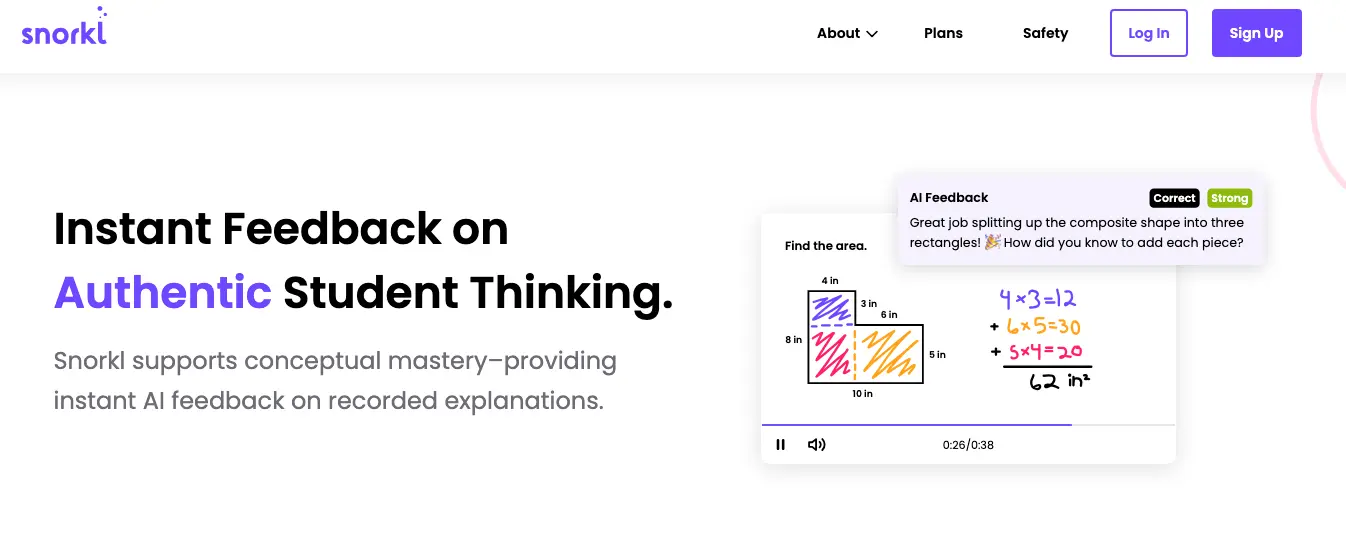
Snorkl takes a different angle from everything else on this list. Students work through a problem on screen or a digital whiteboard and explain their thinking aloud, and the AI responds in real time with audio feedback.
Because students have to show and narrate their reasoning, they can’t shortcut the work with a quick search or a chatbot. Teachers can review every attempt and watch a student’s understanding develop from the first try to the last, which makes it a strong fit for concept-heavy subjects where the process matters as much as the answer.
Key Features
- Real-time AI audio feedback on student work as it happens
- Accepts typed, drawn, and spoken responses, so students can explain their reasoning aloud
- Support for 40+ languages
- Attempt-by-attempt history that shows how a student’s thinking progressed
- Class analytics highlighting misconceptions and strengths
- Library of standards-aligned activities from established curriculum providers
Pros
- Gives students instant feedback on spoken and written explanations
- Supports voice, drawing, text, and visual student responses
- Helps quieter students explain their thinking without speaking publicly
- Works well for formative assessment and concept mastery checks
Cons
- Less useful for traditional grading and final assessment tasks
- Not as broad as all-in-one teacher productivity platforms
- Requires students to record explanations, which may create friction in the classroom
Pricing
- Free: Available to individual teachers, with some advanced features withheld (limited activities, no Snorkl Coach, no school dashboard)
- Premium: School and district only, with custom pricing
7. Diffit
Diffit is a user-friendly platform that creates instructional materials quickly for teachers who need help with their lesson planning. All you need to do is give it any text, article, video transcript, or topic, and it generates reading-level-adjusted versions with comprehension questions, vocabulary lists, and summaries.
For a mixed-ability class where leveling reading material is the weekly time sink, Diffit is the cleanest option available for personalized learning, and it doesn’t pretend to be anything more than that.
Key Features
- Reading-level adaptation of any text, topic, article, or video transcript
- Auto-generated comprehension questions, vocabulary lists, and summaries
- Lexile and reading-level targeting for differentiated groups
- Exportable, ready-to-hand-out resources
- Teacher-friendly free tier with no extension required
Pros
- Lets teachers choose grade level, reading level, language, and standards upfront
- Useful when teachers need multiple versions of the same resource quickly
- Strong for literacy-heavy lessons across science, history, ELA, and social studies
Cons
- Differentiated materials may still need manual editing for specific learners
- Single-purpose, so it levels reading material but won’t grade, give feedback, or plan a full lesson
- The free tier is limited, with export to Google and Microsoft, standards alignment, and Diffit Chat all reserved for paid plans
Pricing
- Basic (Free): A limited set of differentiated resources, reading-level and language adaptation, PDF download and print
- Individual teacher subscription: Paid upgrade for individual teachers (pricing on Diffit’s individual teacher page)
- Diffit for Schools: Custom pricing. Adds export to Google and Microsoft, standards/skill/DOK alignment, graphic organizers, Diffit Chat, longer inputs and novels, and an admin dashboard
8. SchoolAI
SchoolAI functions entirely differently from Brisk, which is why many teachers might find it helpful. This AI platform is primarily focused on safe student-facing AI use in the classroom.
Students work with Dot, an AI tutor that supports 60+ languages, inside Spaces that teachers set up. From there, teachers watch their activity through Mission Control, a dashboard with real-time alerts for safety concerns like bullying or distress.
Key Features
- Dot, a student-facing AI tutor supporting 60+ languages
- Spaces, or interactive AI lesson environments, where students enter to work
- Mission Control teacher dashboard with real-time safety alerts
- Library of 200,000+ premade Spaces to assign or adapt
- Teacher controls over what students can access and do
- FERPA, FIPPA, COPPA, SOC 2, and 1EdTech compliant
Pros
- Lets teachers create controlled AI “Spaces” for specific classroom tasks
- Useful for tutoring, brainstorming, reflection, exit tickets, and guided practice
- Free teacher access makes it easier to pilot before district approval
- Excellent safety features, including alerts that help flag concerning, off-task, or inappropriate student responses
Cons
- Less useful for teachers who mainly need lesson planning shortcuts
- Best features for schools may require admin approval
Pricing
- Free: Includes 5 Space launches per year, 200,000+ premade Spaces, the Dot tutor, and core teacher tools
- Pro: Custom pricing for unlimited access
- Scale: Custom pricing for schools and districts with student portals
9. Eduaide AI
Eduaide has published 100+ resource templates covering lesson plans, assessments, behavior interventions, and classroom communications.
If you’re a teacher who finds MagicSchool’s 80+ tools overwhelming and Brisk’s Chrome extension to be too limited, Eduaide is the simpler alternative. It won’t go as deep on grading as a dedicated tool, but it’s fast and easy to use for everyday content creation and resource generation.
Key Features
- 100+ pedagogy-specific resource generators in one workspace
- Leveled texts, exit tickets, rubrics, IEPs, choice boards, and discussion prompts
- Feedback bot for generating student feedback
- Content rewriting and reading-level adjustment
- Powered by ChatGPT and Claude AI models for stronger teaching-focused output
Pros
- Covers lesson seeds, unit plans, rubrics, activities, assessments, and feedback
- Supports differentiation by reading level, language, student need, and depth
- Strong fit for teachers who want one planning hub
- Affordable individual plans make it realistic for teachers paying themselves
Cons
- No native LMS integration
- Broad toolset may take time to understand and organize effectively
- Steeper learning curve than most tools
Pricing
- Free: Limited core workflow generations per month with a limited feedback bot
- Pro: $5.99/month, with annual billing available at a discount (confirm the exact yearly rate at checkout)
- Schools & Districts: Custom pricing only
Which Brisk Alternative Should You Choose?
The right Brisk alternative entirely depends on which task you’re struggling with in the classroom. If essay grading and feedback take most of your time, take a look at CoGrader as the most complete solution.
Other tools like Snorkl and Curipod are great for classroom and student engagement. Or maybe you need a tool for everyday resource creation, then Diffit, MagicSchool, and Eduaide all might suit you best.
But most teachers typically find Brisk Teaching’s grading capabilities too limited, which is why they switch to a tool better equipped for the task. CoGrader grades a full class set against your own rubric in minutes, works on any device, and is available free to individual teachers from day one.
See it on your own class set with a 14-day free trial, or request a custom quote for your school or district.