


A full set of essays is hours of work for one teacher to respond to with real care. And when every one of them deserves a thoughtful response, it can be overwhelming for a teacher with 50-plus students. This guide shows you how to grade essays quickly by working smarter, not harder: start from a rubric-aligned first pass, then layer on a few repeatable habits, so you give timely feedback and still get your weekends back.
Here is what you will learn:
- Six methods that cut grading time, ordered from the biggest lever to the smallest.
- The reasoning behind each one, including the research on why grading gets less accurate the longer you sit with a stack.
- Specific workflows you can set up right now, inside Canvas or Google Classroom or on paper.
- An honest look at AI-assisted grading, including what it does well and where it still needs you.
We build CoGrader, the AI Grader for teachers, so method one covers how AI fits into grading you are already doing. The other five work whether or not you ever touch a tool. Try CoGrader free if you want to follow along, or just read on. Everything here is built to get every student detailed, timely feedback while giving you peace of mind.
Why grading essays eats your nights and weekends
Teachers work about 53 hours a week, compared with roughly 46 for similar working adults, according to the RAND State of the American Teacher survey. Grading and feedback are a big slice of that, and much of it happens after contract hours. In the same research, only about a quarter of teachers said they were satisfied with their weekly hours, against 55 percent of comparable professionals.
The second problem is less obvious. The longer you grade, the worse your grading gets, and not because you stop trying. In a study of more than 67,500 essays scored by 88 raters, researchers found sequential assimilation effects: a strong essay read right after a run of weak ones gets scored higher than it deserves, and the reverse happens too.
Every method below either removes decisions, protects you from fatigue, or moves work off your plate before the stack ever forms. Throughout, the principle is the same: you stay in control of every grade.
1. Use an AI tool to handle the first pass
The single biggest lever on your grading time is to stop starting from a blank page. Instead of reading each essay cold and writing every comment yourself, you start from a rubric-aligned first draft with scores and feedback already generated for the whole class. Your work as a teacher is to review, adjust, and approve.
That is what CoGrader is built for. It reads your class’s submissions, scores them against your rubric, and drafts specific feedback tied to each student’s actual writing. More than 50,000 teachers across 1,000+ schools use it, and it has graded over 2 million essays, with teachers reporting up to 80% less time spent grading. You get a complete first pass for the whole set, then move through it, keeping what is right, adjusting what is not, and releasing grades when you are satisfied.
You stay in control of every grade while CoGrader gives you drafts, just like a TA. And because every student gets that draft reviewed by you, the feedback that used to run out of time reaches everyone.
“I went from grading 60+ essays in 2 or 3 weeks, to grading 90+ essays in 2 days. The best thing is that when I can give such great, relevant, actionable feedback to the students quickly, they actually use it to revise their writing.”
Hayley B., 8th Grade ELA Teacher
Teachers using artificial intelligence to grade is no news. But here is where a grading tool powered by AI earns its place over a general AI like ChatGPT.
Grade the whole class at once
CoGrader can connect your LMS, choose a rubric, and generate standards-aligned feedback and specific comments for every submission at once.
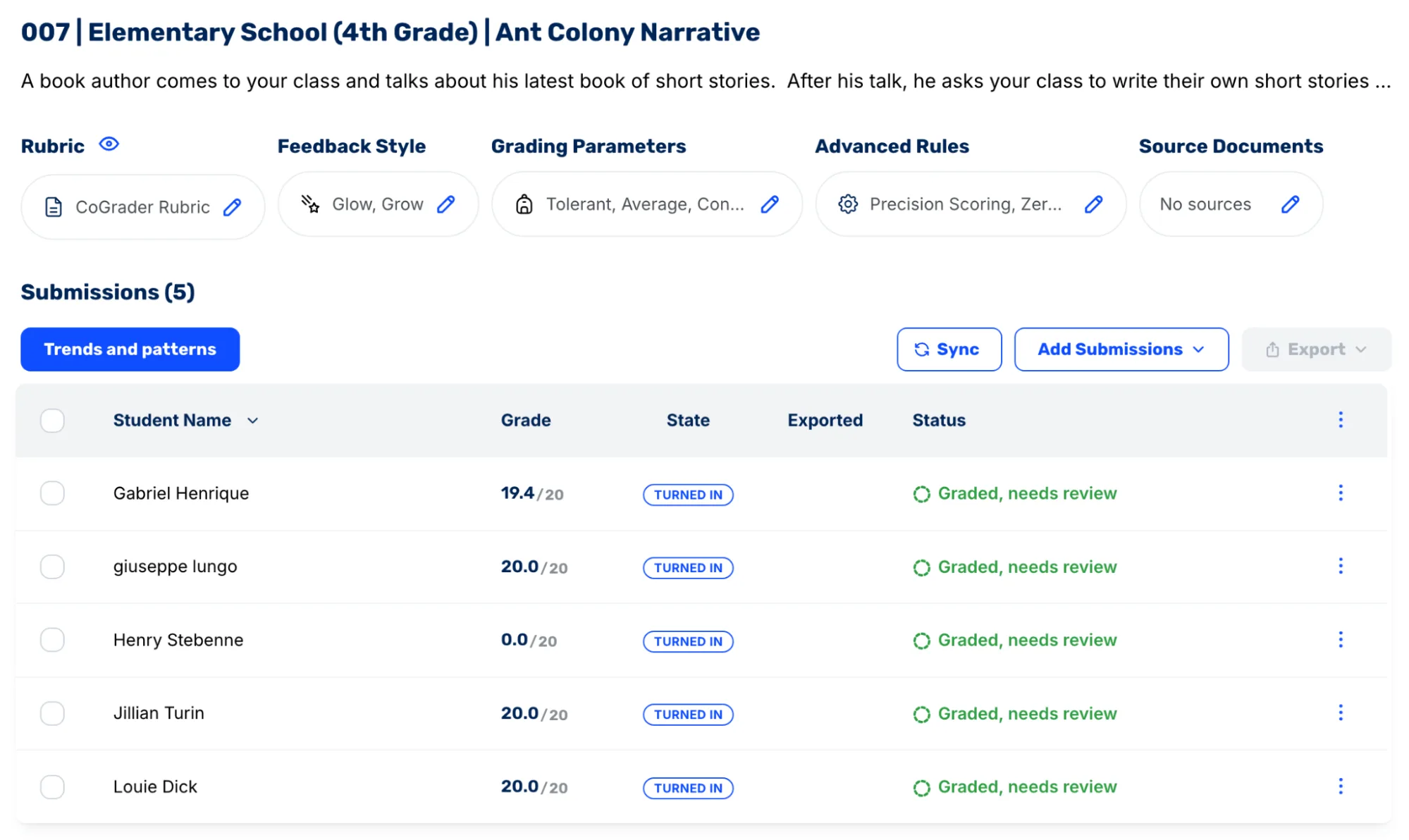
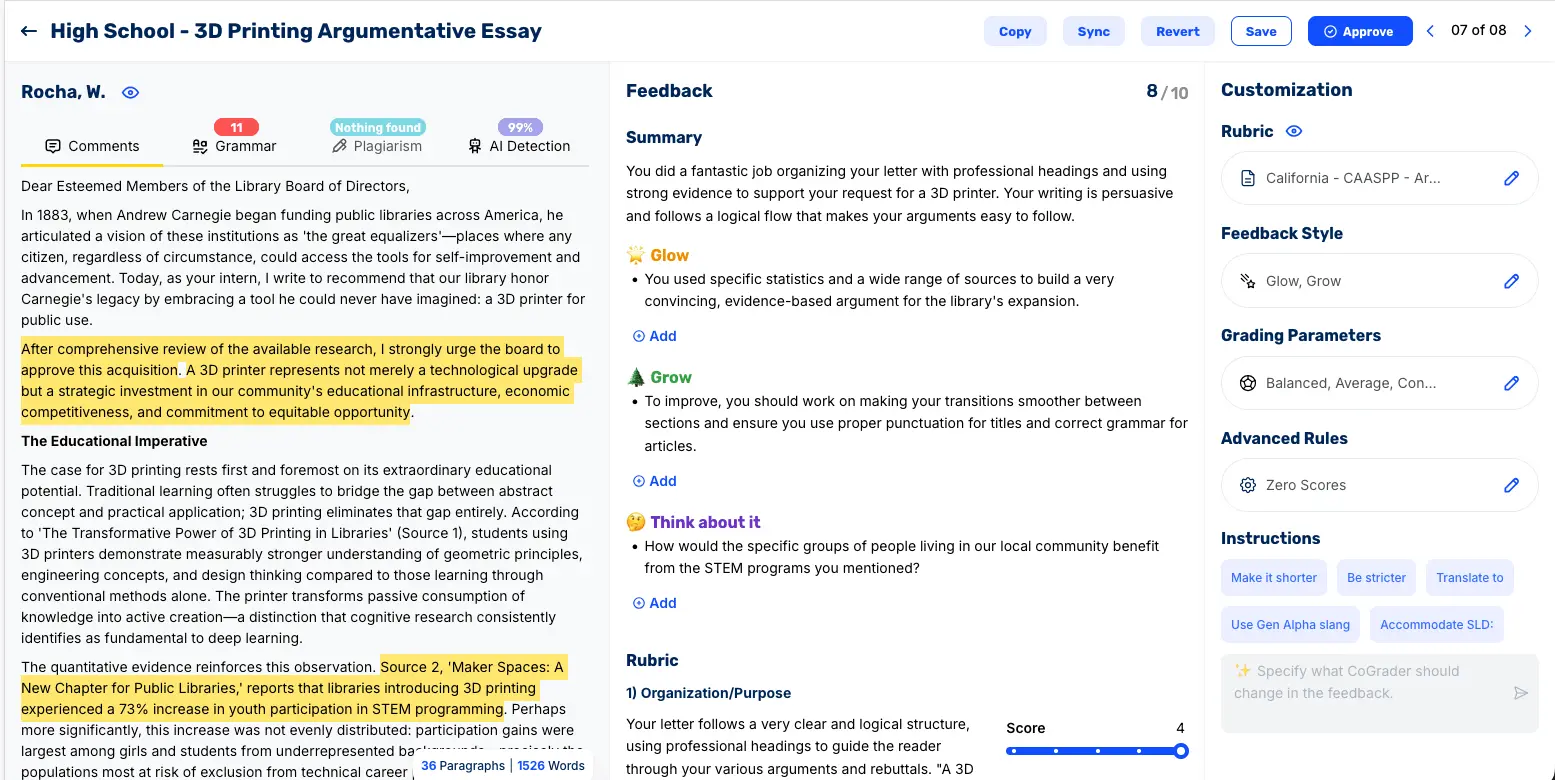
The difference from grading cold is that you start from something instead of nothing. With CoGrader you can import assignments and get feedback anchored to specific sentences in each student’s writing, aligned to the rubric criteria you set.
Give feedback tied to specific passages
When feedback points at a specific sentence and says exactly what is missing, you spend less time searching for something to say and students spend less time guessing what to fix. Useful feedback points at the paragraph where there’s missing evidence (for example) and says what would have worked. CoGrader drafts comments anchored to specific passages in each student’s writing. You set the feedback style and tone once, so the drafts sound like you before you ever edit them.
Grade against a rubric
Grading goes faster when the standard is clear before you start. When the criteria live on the rubric instead of in your head, you make the hard decisions once and reuse them across the whole stack.
The problem is generic AI has no idea what you are looking for and doesn’t have the context it needs to give quality feedback. CoGrader grades against your rubric, and you can bring it in whichever way is fastest for you:
- Upload the rubric you already use.
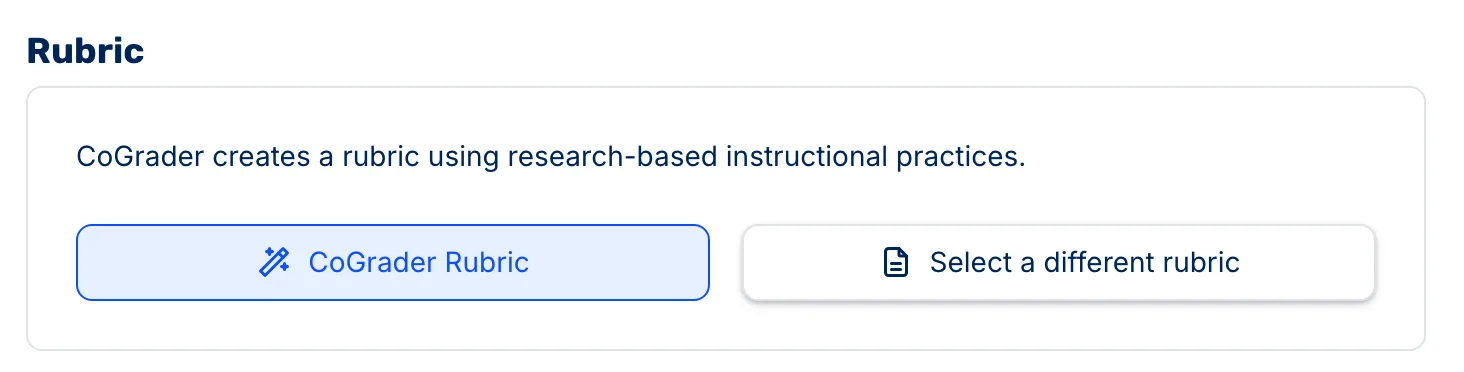
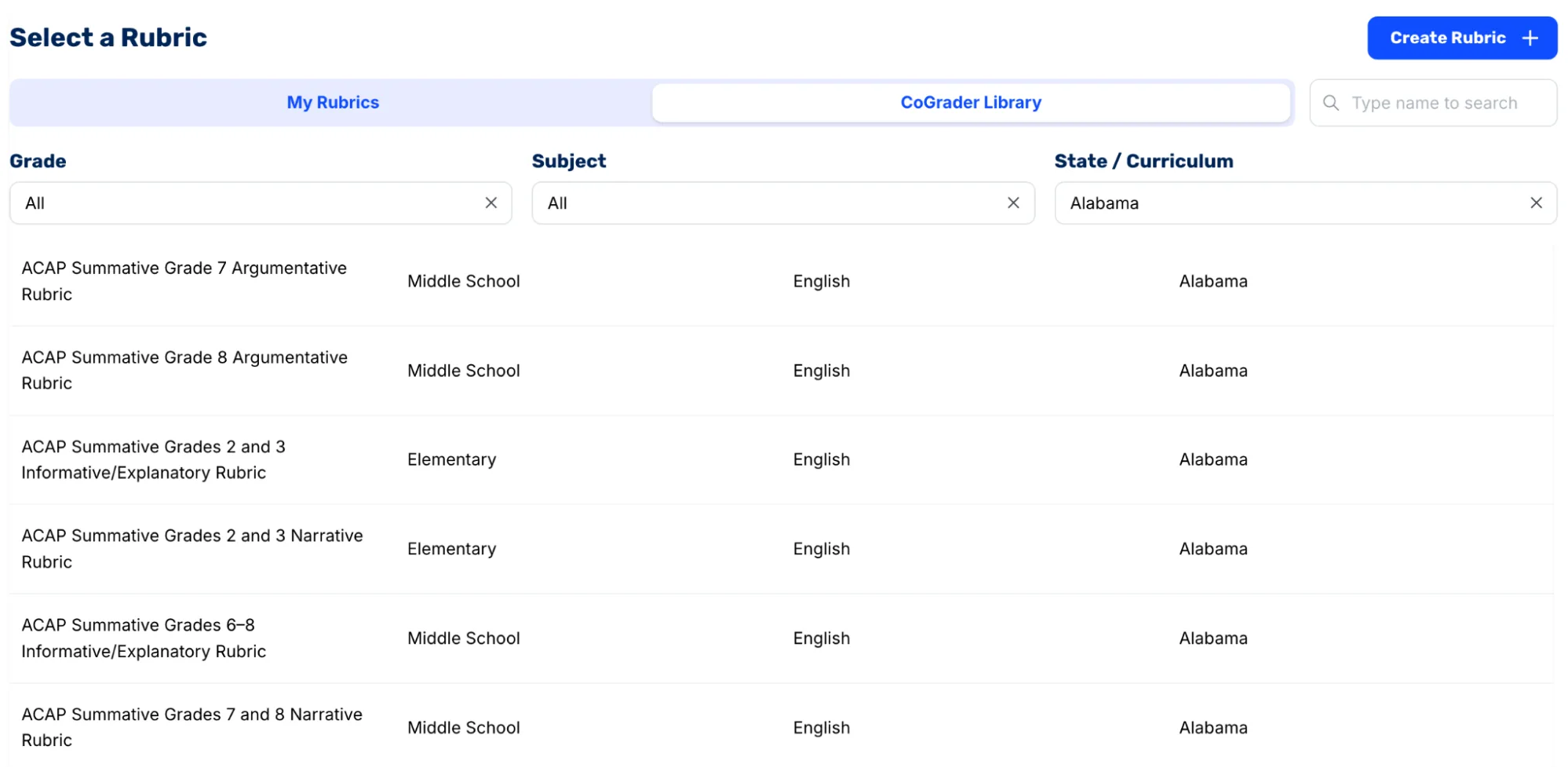
- Pick one from the library, filtered by grade, subject, and state standard.
- Generate one from a standard, so the criteria match what you are actually assessing.
- Build one with AI from a plain description of the assignment, then edit it.
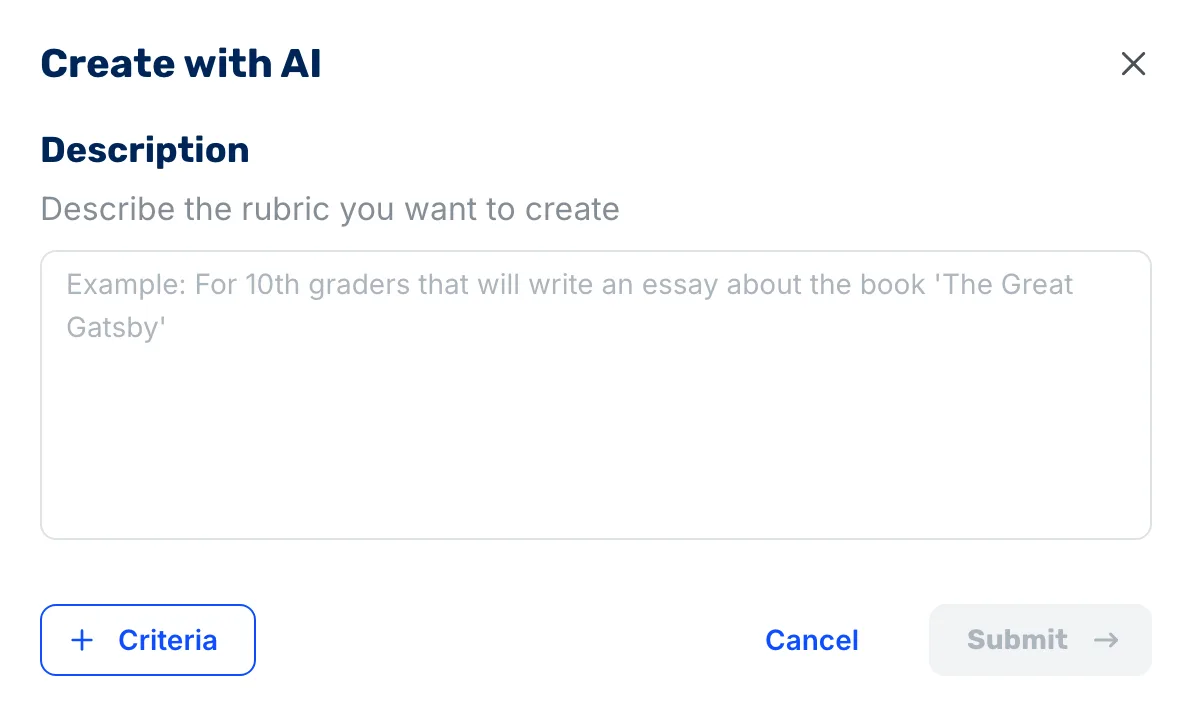
If you do not have a strong rubric yet, our AI Rubric Generator is a free place to start, and a clear rubric makes every method that follows sharper.
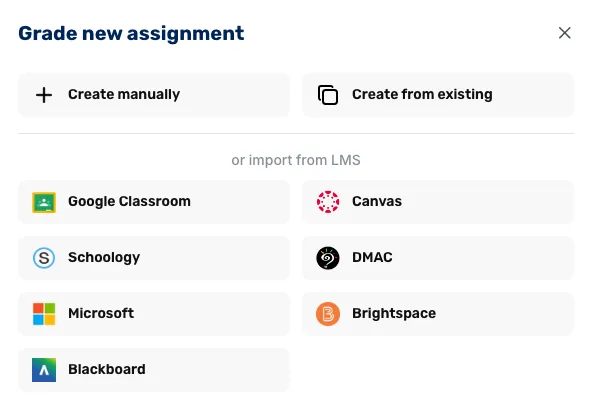
Grade directly with your LMS (Canvas, Google Classroom, DMAC…)
Switching between tabs, downloading files, and copying scores into your LMS is where a lot of grading time is consumed. The fastest workflow is the one that integrates with the tools you already use.
CoGrader imports submissions from Canvas, Google Classroom, DMAC, Schoology, Brightspace and Blackboard.
Run grammar, plagiarism, and AI checks in the same pass
When you are grading, every essay now raises three extra jobs: Is the writing clear, is it original, and did a student or a chatbot write it. If you have to open a separate grammar tool, a plagiarism checker, and an AI detector, you are back to juggling tabs and losing time.
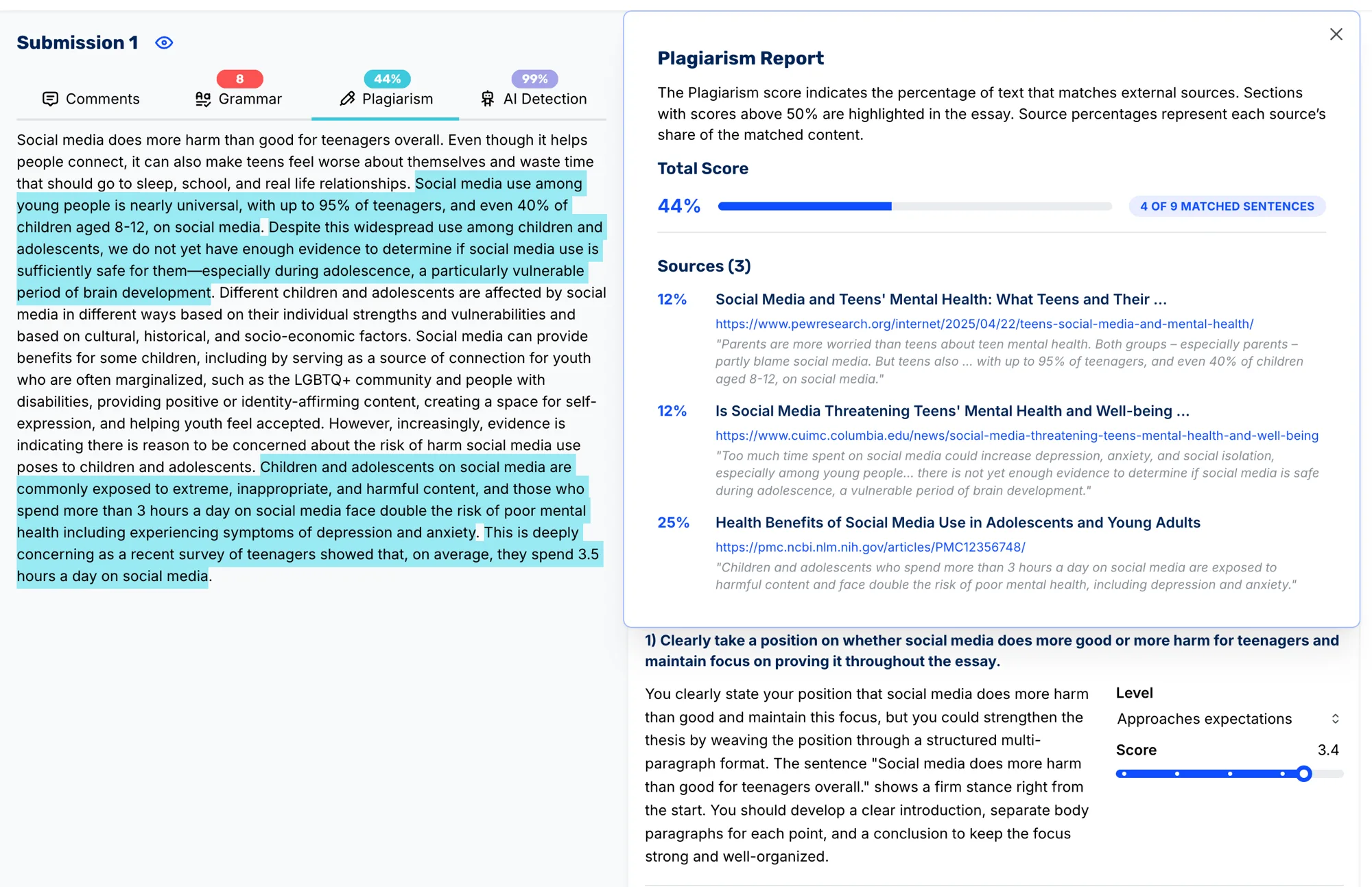
CoGrader keeps all three in the same view. Inside each student’s feedback screen you can switch between comments, grammar suggestions, a plagiarism check, and AI-writing signals without leaving the assignment. You review one piece of writing once, with all the lenses you need, instead of running it through three different tools.
What it costs
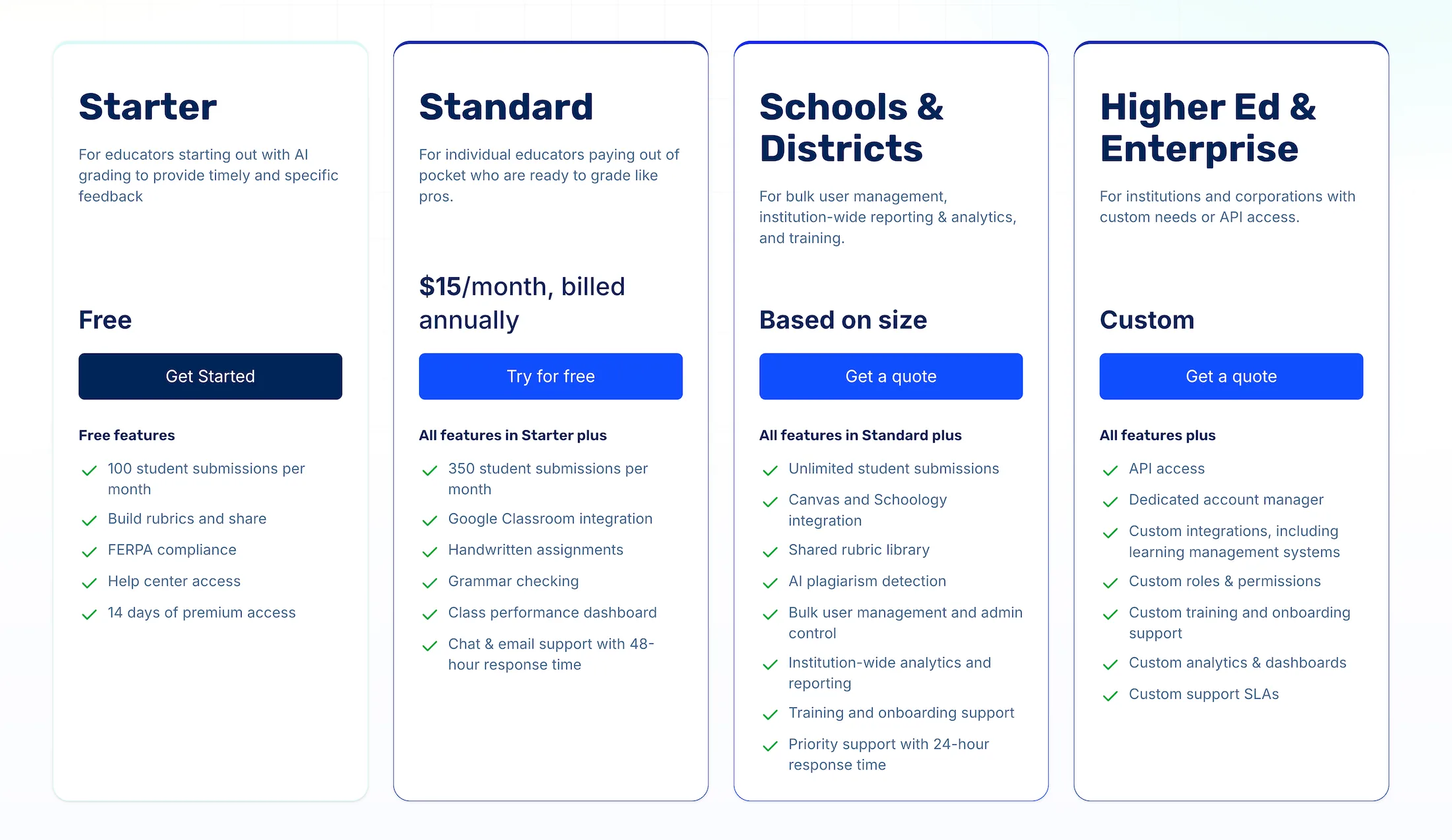
CoGrader is free up to 100 student submissions a month, plus 14 days of premium access to start, with no credit card required. That is enough for most teachers to grade a full assignment and see the time savings firsthand. You can review the full pricing if you are deciding for a department or school. Try CoGrader free and run one real class set through it. That single test tells you more than any description here.
2. Build a comment bank as you grade
You already write good comments. The problem is you throw them away after each stack. A comment bank captures that work the first time you write it and reuses it on every similar assignment afterward.
Start simple. Open a doc while you grade and, any time you catch yourself writing the same idea twice, copy it into the doc. Group those comments by what they are about: thesis, evidence, analysis, organization, mechanics. Over one or two rounds of grading you will have a small set of phrases that say exactly what you mean for the most common issues. Next time, instead of inventing the wording again, you paste the closest match and tweak a sentence so it fits the student in front of you.
3. Sort the stack, then focus on the middle
Teachers who have made grading manageable often start with a fast sort: a quick first pass to see which papers are clearly strong, which are truly struggling, and which sit in the middle.
On that first pass, spend 20 to 30 seconds per essay. Mark or color-code each one into three groups: strong, middle, and needs major help. Then start your detailed grading with the middle group, where specific feedback is most likely to move a student up a level. The strong essays usually need confirmation and a couple of comments. The weakest need a clear overall note and a plan to confer, not a full margin edit they are unlikely to act on.
This sort-and-focus method cuts the time you spend on essays that either already work or need more than written comments can realistically fix. You put your grading energy where it has the highest return and the stack moves faster.
4. Use real student examples instead of long comments
Writing three paragraphs of explanation on every essay is one of the fastest ways to burn out. A faster way to show students what “better” looks like is to use anonymized examples in class, then keep individual comments short.
After you read the set, choose three essays: one strong, one in the middle, and one that struggled. Remove names. Score each one on the rubric, then walk the class through them: here is the thesis, here is the evidence, here is what this paper did well, here is what held it back. Students see concrete models of “this is a 3, this is a 4,” and what changed between them. There is evidence behind this: rubric research finds scoring is more reliable when criteria are paired with exemplars, and a meta-analysis of writing feedback put teacher feedback at an effect size around 0.87, well above surface-level correction.
Once you have done that shared work, your written comments on individual essays can be much shorter: a completed rubric, one main next step, one thing they did well. The heavy explanation happened once in front of everyone instead of 30 times in the margin.
5. Make students self-check before they submit
A lot of grading time goes to problems students could fix themselves with the right prompt. If you move a simple self-check step before submission, the drafts that reach you are cleaner and faster to grade.
This is one of the better-evidenced moves here. A meta-analysis of 24 studies found structured peer review before submission produced learning gains around 0.91, roughly matching teacher feedback, and Yan and colleagues’ 2022 review of 26 studies found the effect of student self-assessment nearly triples when it is tied to explicit criteria, which is exactly what a rubric-based checklist gives students.
Give students a short checklist tied directly to the rubric: thesis present and underlined, claim in each body paragraph, at least one piece of evidence per claim, explanation after each quote, correct citation format. Have them color-code those elements in their draft (for example, thesis in yellow, claims in green, evidence in blue, explanation in pink) so you can see at a glance whether the structure is there. Ask them to mark where they think they land on the rubric before they turn it in and to name one thing they fixed because of the checklist.
Many basic missing pieces never reach you. You spend less time finding where a paragraph should have been, or that a quote has no explanation, and more time judging the quality of what is actually there. That is where your feedback matters most, and it takes fewer minutes per essay.
6. Be intentional about what you grade
Grading gets slow when every exit ticket, draft, and group activity fights for the same level of attention as a major essay. It gets faster when you decide which pieces of writing truly deserve deep feedback and which are better handled with completion checks, auto-grading, or peer and self-assessment. This is the idea behind Peter Elbow’s high-stakes and low-stakes writing framework: frequent low-stakes writing, scored pass or fail or left unread, makes the high-stakes pieces go better for students and teachers alike.
A practical rule is: pick a small number of “anchor” assignments in a unit where you commit to full, specific feedback. Make everything else shorter and lighter to review. Exit tickets, single-paragraph writes, and quick group responses can still give you strong data on whether a skill landed, but they only take a few seconds each to skim. Tell students what each task is for: “This one is practice, you will get a score and one note,” or “This one is a major piece, I will be giving detailed feedback.”
You protect your grading time for the work that moves learning most and keep turnaround fast enough that students see feedback while the writing is still fresh.
How these methods change by grade level
The methods are the same from sixth grade to AP, but the emphasis shifts. Knowing where to lean saves you time on the parts that do not move the grade.
- Middle school (grades 6 to 8). Essays are shorter and surface errors dominate, so a comment bank (Method 2) and a pre-submission self-check (Method 5) do the heavy lifting, and the middle school AI grader is set up for that shorter format. Sharing a couple of anonymized examples in class clears up the most common mistakes fast, because the same handful repeats.
- High school (grades 9 to 12). Essays get longer and argument quality matters more than mechanics, so sorting the stack and spending your detailed feedback on the middle group is where the time goes furthest. This is also where a first pass from the high school AI grader does the most work, because a long essay is expensive to read cold, and the argument, not the commas, is what you want your attention on.
- AP and advanced. Domain-specific rubrics, like the College Board scoring guidelines, reward precise, criterion-anchored feedback. Pairing a clear rubric with an AI first pass that scores against it keeps you calibrated across a large stack, which is exactly where fatigue and order effects do the most damage.
Whatever you teach, the free teacher tools and the rubric library let you set this up without building everything from scratch. If your school uses Schoology instead of Canvas or Google Classroom, the Schoology extension runs the same first-pass workflow, and students can even self-check drafts against your rubric with an online essay grader before they submit.
Grading methods compared
Here is how the six methods stack up, so you can pick where to start based on your situation.
| Method | What it saves | Best for | Setup effort |
|---|---|---|---|
| 1. AI first pass | The most time overall; removes the blank-page start | Full class sets, frequent writing, LMS users | Low (connect, pick rubric) |
| 2. Comment bank as you grade | Retyping recurring feedback | Repeated issues across a class | Low (grows as you grade) |
| 3. Sort, then focus on the middle | Time lost on essays that already work or need a conference | Big mixed-ability stacks | None |
| 4. Real student examples | Long margin comments | Whole-class skill gaps, modeling “better” | Low (pick three, anonymize) |
| 5. Student self-check | Fixing errors students could catch themselves | Structured drafts with a checklist | Medium (build the checklist) |
| 6. Grade intentionally | Deep grading spent on low-stakes work | Units with many small tasks | None (decide upfront) |
Most teachers get the biggest jump from combining method one with a comment bank, then layering in the others. You do not have to adopt all six at once.
Give every student your best feedback, every time
The goal was never to care less about student writing. It was to get your real standard of feedback to every student, not just the first few, with a process that keeps you in control. To recap:
- Start every stack from an AI first pass so you review and approve instead of building each comment from scratch. The AI Grader drafts scores and feedback for the whole class, and you approve every one.
- Build a comment bank as you grade so you write your best version of each recurring comment once and reuse it.
- Sort the stack first, then spend your detailed feedback on the middle group, where it moves a grade the most.
- Show anonymized examples in class so the heavy explanation happens once, not 30 times in the margin.
- Have students self-check against a rubric-based checklist before they submit, so cleaner drafts reach you.
- Be intentional about what gets full feedback, and keep low-stakes work light.
If you want the biggest lever first, run one real class set through CoGrader this week. Start your free trial with up to 100 submissions a month, no credit card required, or request a quote if you are bringing it to a department or school. Either way, every student in the room gets the feedback they deserve, starting this week.
Frequently asked questions
How long should it take to grade an essay?
There is no official standard, and estimates of around 10 minutes per essay are informal rather than sourced. What matters more is total load: teachers work about 53 hours a week per RAND, and grading is a major part of the overtime. A clear rubric and an AI first pass can cut per-essay time to a few minutes of review.
What is the fastest way to grade essays?
The fastest reliable approach is to generate a rubric-aligned first pass with an AI grader, like CoGrader, then review and approve each result, rather than scoring every essay from scratch. Pair it with a clear rubric and a comment bank so your recurring feedback writes itself. That combination removes the blank-page start and keeps your scoring consistent across the whole class.
Can ChatGPT or AI grade essays with a rubric?
Yes, but general chatbots do it inconsistently because they have no memory of your rubric, no class context, and no LMS connection, so you re-prompt for every student. Purpose-built tools like CoGrader grade a whole class against your rubric in one pass and return grades to Canvas or Google Classroom, with you approving each score.
Is AI grading accurate enough to trust?
Modern rubric-aligned tools are accurate enough to draft a strong first pass, which you then review. They are designed to assist grading, not replace the teacher, so you catch anything off before releasing grades. Teachers who score for exams like the AP have told us CoGrader’s scores and feedback closely match their own judgment.
How do I grade essays faster in Canvas or Google Classroom?
Use each platform’s built-in comment bank to reuse recurring feedback, and sort the stack so your detailed comments go to the essays that need them most. To go further, the CoGrader Chrome extension imports submissions, grades them against your rubric, and sends scores back inside Canvas, and CoGrader connects to Google Classroom the same way.
Do rubrics really make grading faster?
Yes, because a rubric turns repeated judgment calls into decisions you made once. Research across 75 studies found rubrics improve scoring consistency, especially when criteria are descriptive and specific. That consistency means less second-guessing per essay, and it also makes an AI first pass match your intent more closely.
References
- RAND Corporation, State of the American Teacher.
- Zhao and colleagues, sequential effects in essay rating (67,500 essays).
- Jonsson and Svingby (2007), the use of scoring rubrics: reliability, validity, and educational consequences.
- Graham and colleagues, formative assessment and writing: a meta-analysis.
- Huisman and colleagues (2019), the impact of formative peer feedback on academic writing: a meta-analysis.
- Yan and colleagues (2022), effect of student self-assessment on learning outcomes: a meta-analysis.
- Peter Elbow, assigning and responding to high-stakes and low-stakes writing.