
I am excited to assign more writing now that I can give them specific and objective feedback more quickly. I may even postpone my retirement because of your product!

How to Auto-Grade Assignments (+ Free Tool)
Google Classroom makes it easy to collect assignments and auto-grade quizzes. However, it still leaves you with grading every essay by hand and scoring it aligned to a rubric.
Here is how teachers are grading a class set of essays with rubric-aligned scores and detailed feedback for every student all inside Google Classroom.

 Google Classroom Standards-aligned grading
Research-backed: In a June 2026 STAAR validation study, 98.5% of CoGrader scores landed within one point of official TEA raters, and a U.S. Department of Education award funds our research. See the research



Short answer: not on its own. Google Classroom handles traditional auto-grading for objective standard answer keys and uses Gemini feature to draft comments on paid plans. But it cannot evaluate essays against a rubric or automatically assign grades for a whole class.
| Built into Google Classroom | What it helps with | What it does not do |
|---|---|---|
| Google Forms quiz grading | Auto-scores objective multiple choice and single-answer questions with a standard answer key | Does not use AI; cannot grade essays or subjective writing |
| Rubrics and comment bank | Speeds up manual grading and keeps feedback consistent | Does not assign grades for you; the input stays manual |
| Gemini feedback suggestions | Drafts written feedback comments on eligible paid plans | Does not generate final rubric-based scores or enter grades |
For grading essays, DBQs, or short written responses, Google Classroom still needs a dedicated AI grading tool to give feedback and score written assignments.
See which tool teachers use to grade with AI in Google Classroom
Teachers with Google Classroom as their LMS use it to post assignments, collect them, and return feedback. AI grading tools adds a layer on top that help teachers grade written work against a rubric and drafts rubrics-aligned feedback.
With CoGrader, you grade essays synced with Google Classroom. CoGrader grades the first draft of every essay against your rubric, and you approve each score and comment before they reach your students.
Provide timely, specific feedback that helps students improve their performance, without increasing teacher workload.
Pull a whole class set of submissions straight from Google Classroom. No downloading, renaming, or re-uploading files.
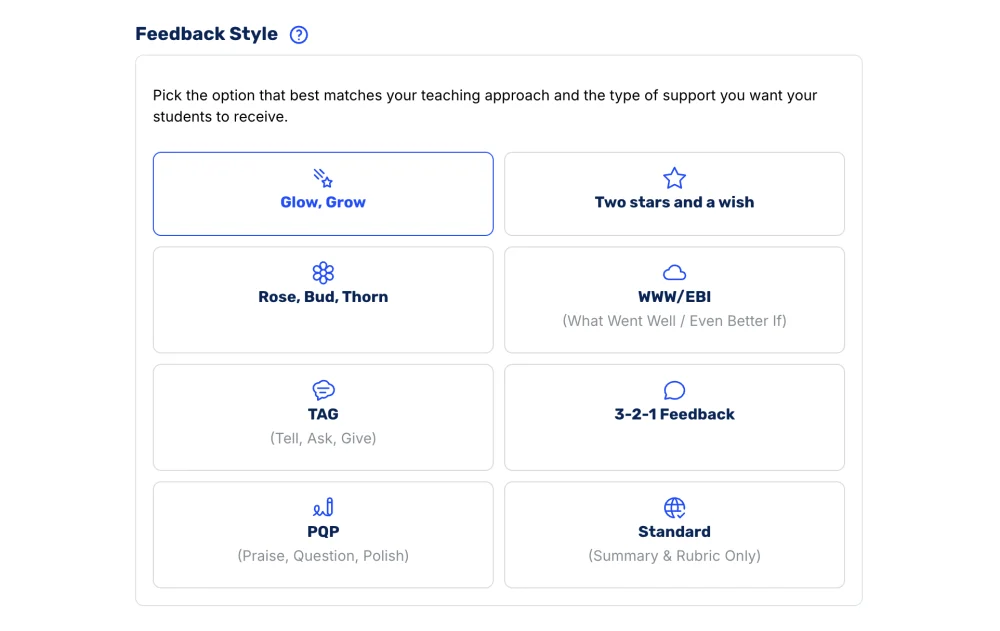
Pick a format like Glow and Grow, and CoGrader drafts every comment in the style your students already know.
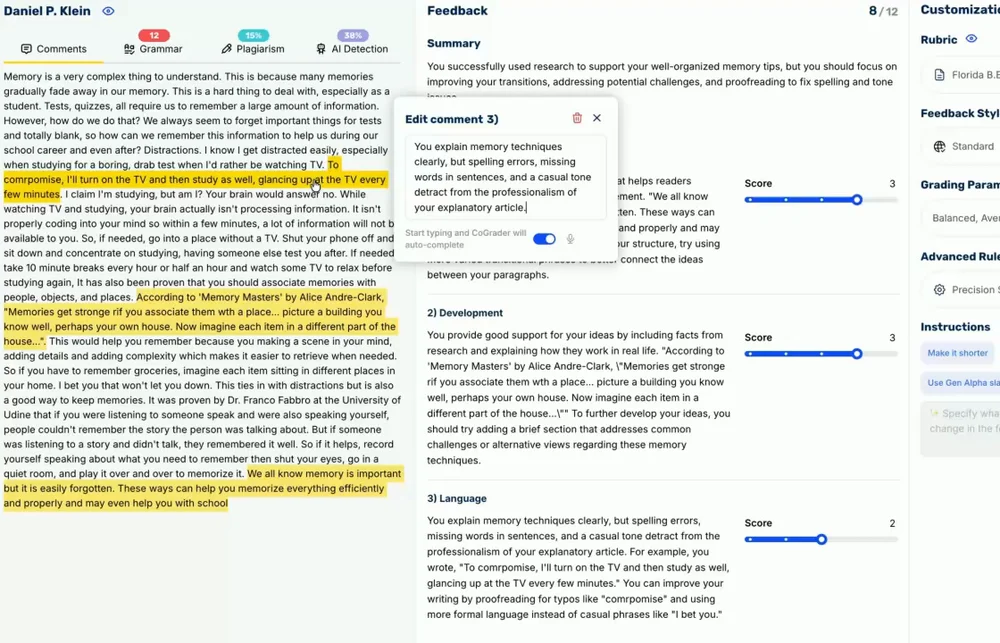
CoGrader grades each essay against the rubric you choose, with criteria-specific feedback instead of a generic AI score.
CoGrader drafts the first pass. You review, adjust, and approve every grade before a student sees it.
Turn a class set of essays around in minutes, and get your evenings and weekends back.
Spot where students struggle with thesis, evidence, or conventions, and plan your next lesson around it.
A grade is only fair if it reflects the criteria you taught, which is why CoGrader grades against your rubric instead of a generic model of good writing. There are four ways to bring a rubric in:
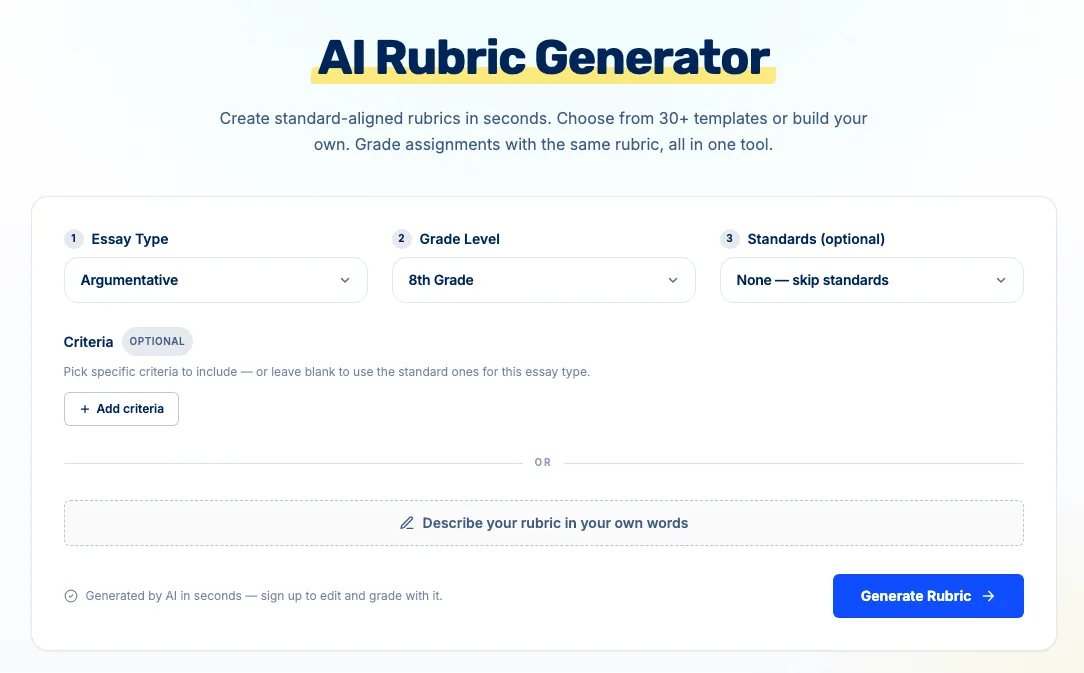
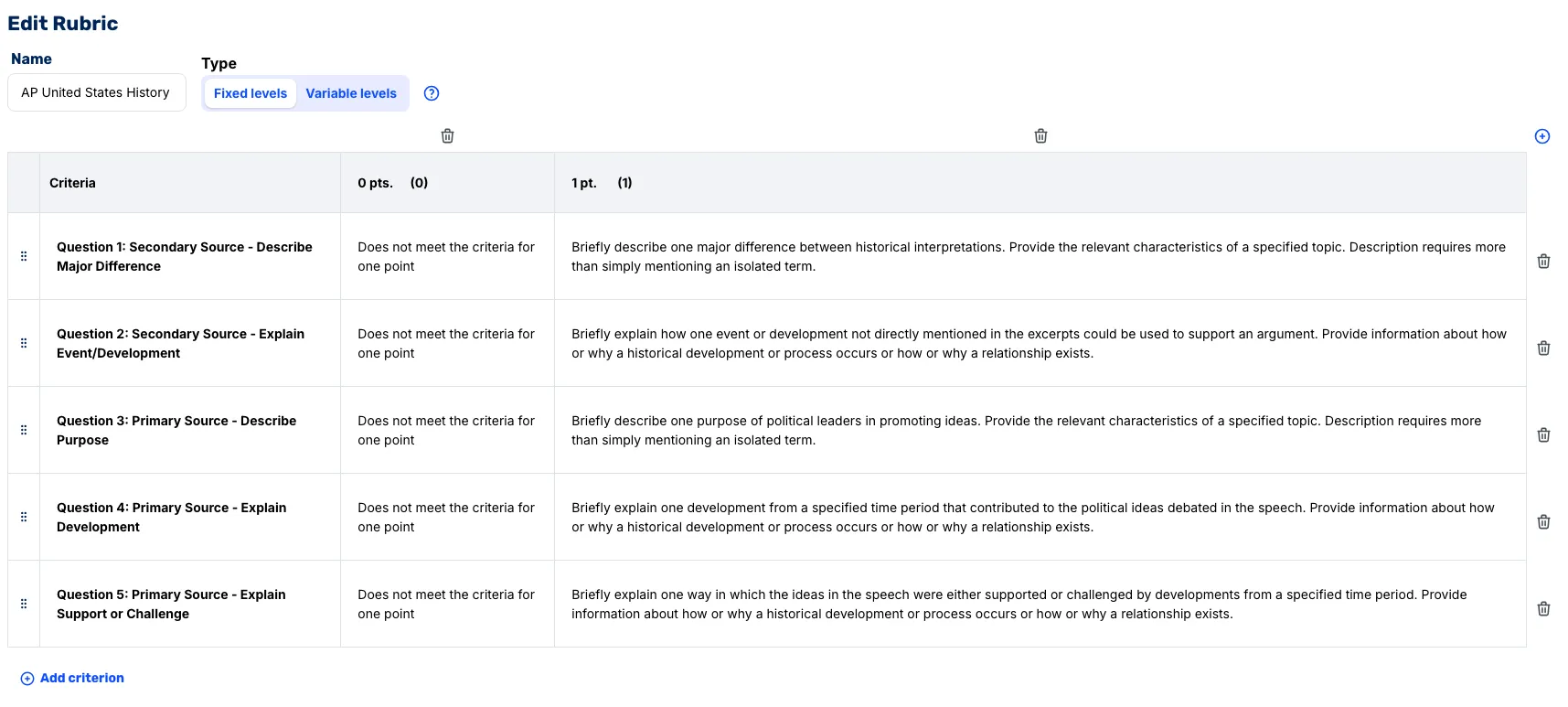
Every rubric stays fully editable. In the editor you can add or remove criteria, rewrite each description, and set the scoring levels and point values. See the full rubric library for the standards and assignment types already built in.
CoGrader is the AI grading tool built for Google Classroom, and teachers using it report saving up to 80% of grading time. This is how you can set up your workflow in your LMS.
Create a free CoGrader account with your Google login. The free plan grades your first 150 essays a month, with no credit card.
Sign up free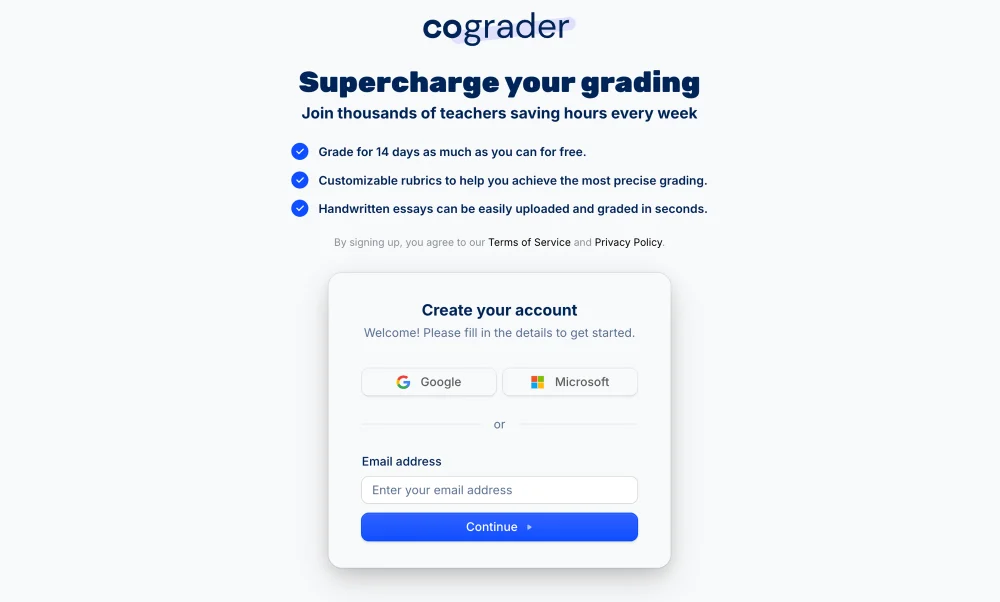
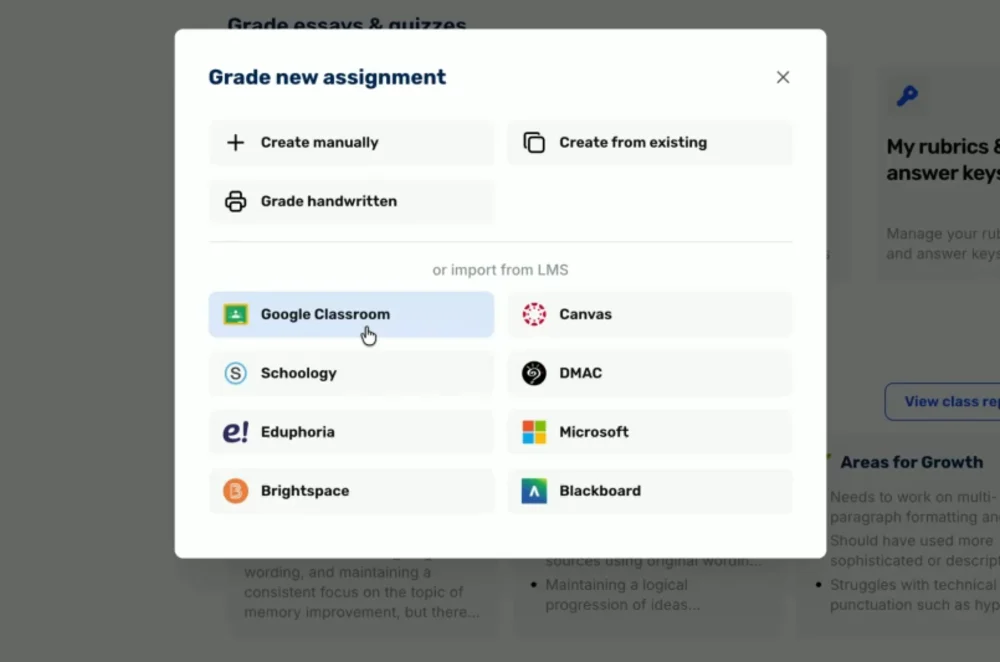
Import an assignment and every student submission straight from Google Classroom, with no downloading or copy and paste.
Pick the feedback format your students respond to, like Glow and Grow or Two Stars and a Wish, and CoGrader writes every comment in that shape.
Tune the feedback to your own teaching voice, so the comments your students read sound like you wrote them.
A two-minute walkthrough: connect Google Classroom, import a class set, and grade every essay against your rubric.
Google's Gemini feature and a dedicated grader like CoGrader are solving two different things. Here is how they line up.
| Capability |  Gemini in Google Classroom Gemini in Google Classroom |  |
|---|---|---|
| Drafts written feedback | Yes | Yes |
| Assigns a score against your rubric | No | Yes |
| Grades a whole class set at once | No, one comment at a time | Yes |
| Flags plagiarism and AI writing | No | Yes |
| Works on free plans | No, paid tiers only | Yes, free for 150 essays a month |
| Teacher reviews before students see it | Yes | Yes |
 Reviewed by Andrew Gitner Andrew Gitner Founding Educator at CoGrader
ELA teacher with a decade of classroom experience. He reviewed how CoGrader maps essays to your rubric.
View profile on LinkedInGemini helps you write a comment faster, on a paid plan, one student at a time. CoGrader grades the whole class against your rubric, drafts the feedback, and hands you the scores to approve.
Teachers across the country use CoGrader to grade writing with rubric-aligned scores and give every student timely, meaningful feedback.
I am excited to assign more writing now that I can give them specific and objective feedback more quickly. I may even postpone my retirement because of your product!
I am absolutely blown away by CoGrader. It has been excellent for pre-scoring essays and providing students with comprehensive, usable feedback.
What usually takes me days (and way too many hours of off-contract time), took me mere hours. I plan on hosting a PD for my staff in the next few weeks.
Co-workers, students and I have compared results from CoGrader with a variety of other AI scoring for AP essays, and yours is BY FAR the most accurate.

Helping teachers GRADE but more importantly helping GIVE QUALITY FEEDBACK, and putting the power of great feedback into the hands of kids so they have AGENCY to improve.

Teachers will be motivated to assign more writing. It allows teachers to personalize student feedback quickly, leaving more time for targeted instruction.

I almost cried when I used it. It was as if someone handed me my weekends back on a silver platter.
THANKS. CoGrader is BY FAR the most accurate AI scoring for AP essays I have used, with the best feedback.

I am excited to assign more writing now that I can give them specific and objective feedback more quickly. I may even postpone my retirement because of your product!
I am absolutely blown away by CoGrader. It has been excellent for pre-scoring essays and providing students with comprehensive, usable feedback.
What usually takes me days (and way too many hours of off-contract time), took me mere hours. I plan on hosting a PD for my staff in the next few weeks.
Co-workers, students and I have compared results from CoGrader with a variety of other AI scoring for AP essays, and yours is BY FAR the most accurate.
Helping teachers GRADE but more importantly helping GIVE QUALITY FEEDBACK, and putting the power of great feedback into the hands of kids so they have AGENCY to improve.
Teachers will be motivated to assign more writing. It allows teachers to personalize student feedback quickly, leaving more time for targeted instruction.
I almost cried when I used it. It was as if someone handed me my weekends back on a silver platter.
THANKS. CoGrader is BY FAR the most accurate AI scoring for AP essays I have used, with the best feedback.
CoGrader ensures high student Data Privacy and Security.


Sign up to use CoGrader for free and check if out for yourself it helps you free up time.
Schedule a demo to learn more how you can streamline your grading process and save time.
Your Google Classroom AI grading questions, answered.
Not for grading. In February 2026 Google added an AI feature that drafts written feedback comments with Gemini, but it does not assign a grade or score, and it requires a paid Education Plus license or the Teaching and Learning add-on. Google Forms can auto-grade objective quiz questions, but Google Classroom has no native way to AI-grade essays against a rubric.
Google Classroom cannot auto-grade essays on its own. You can attach a rubric and use the grading tool and comment bank to grade faster, and Gemini can draft feedback on paid tiers, but you still read and score every essay yourself. To auto-grade essays against your rubric, you connect an AI grader like CoGrader that imports the class set, scores each paper against your rubric, and drafts feedback for you to review.
Connect an AI grader to Google Classroom, import the assignment, choose your rubric, and let the AI score each submission. With CoGrader you sign in with Google, import the class set, pick or build a rubric, and the AI grades every essay and drafts feedback. You review and adjust each grade before it reaches your students.
No. The AI-suggested written feedback feature requires a paid Education Plus license or the Teaching and Learning add-on, and it is available in English for users 18 and older. The free version of Gemini in Classroom can generate quizzes and rubrics, but the feedback-drafting feature is limited to those paid tiers. CoGrader’s free plan grades up to 150 essays a month.
Google Classroom does not have a general AI-writing detector built in. Originality reports check student work against web sources, but that is plagiarism matching rather than AI detection. CoGrader adds a dedicated AI-writing and plagiarism flag to the grading workflow so you can review questionable submissions before finalizing a grade.
CoGrader grades Google Docs submitted through Google Classroom, plus PDF and DOCX uploads, so it covers typed work out of the box. Handwritten work works too: when a student turns in a photo or PDF of their page, CoGrader reads the handwriting, on the free plan. See how handwritten grading works.
It depends on the tool, so always check. CoGrader is FERPA compliant, holds SOC 2 Type 1 certification, and complies with COPPA, SOPIPA, NIST 1.1, and New York Ed Law 2D. Student work is never used to train AI models, and the teacher approves every grade before it reaches a student. See the privacy policy for procurement documentation.
CoGrader drafts a rubric-aligned score and comments for every essay in minutes. You review and approve each one, then record the final grade the way your class already does. Google Forms quiz scores still post to the Classroom gradebook automatically; essay grades stay in CoGrader for you to review.
CoGrader is free to start: the free plan grades up to 150 essays per month with no credit card. Paid plans add higher monthly limits and school and district features. Most teachers run a full class set on the free plan before they upgrade.
Let ChatGPT or Gemini do the thinking for you.
Click the button and see what your favorite AI says about CoGrader.